
Last updated on
Oct 31, 2026

Get the free Recreational Activity Liability Waiver
We are not affiliated with any brand or entity on this form

Fill out
Complete the form online in a simple drag-and-drop editor.

eSign
Add your legally binding signature or send the form for signing.

Share
Share the form via a link, letting anyone fill it out from any device.

Export
Download, print, email, or move the form to your cloud storage.
Why pdfFiller is the best tool for your documents and forms


End-to-end document management
From editing and signing to collaboration and tracking, pdfFiller has everything you need to get your documents done quickly and efficiently.
Accessible from anywhere
pdfFiller is fully cloud-based. This means you can edit, sign, and share documents from anywhere using your computer, smartphone, or tablet.
Secure and compliant
pdfFiller lets you securely manage documents following global laws like ESIGN, CCPA, and GDPR. It's also HIPAA and SOC 2 compliant.
What is Liability Waiver
The Recreational Activity Liability Waiver is a legal document used by participants in high-risk activities to acknowledge risks and release providers from liability.
pdfFiller scores top ratings on review platforms




Who needs Liability Waiver?
Explore how professionals across industries use pdfFiller.

Liability Waiver is needed by:
-
Adult participants engaging in recreational activities
-
Parents or legal guardians signing for minors
-
Minors participating in activities like paintball or airsoft
-
Recreational activity providers requiring liability release
-
Event organizers managing high-risk sports events
-
Legal professionals advising on activity liability issues
Comprehensive Guide to Liability Waiver
What is a Recreational Activity Liability Waiver?
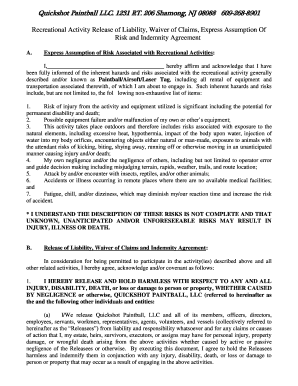
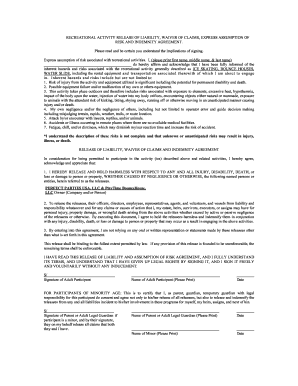
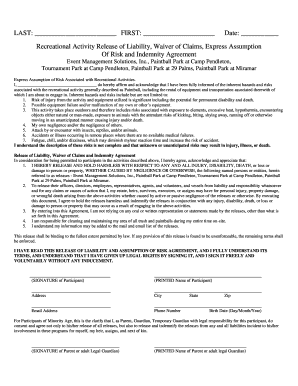
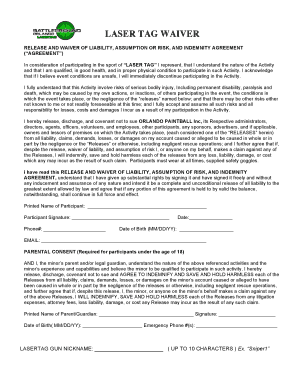
A Recreational Activity Liability Waiver is a legal document designed to protect activity providers by requiring participants to acknowledge and accept the risks associated with various recreational activities. This waiver is commonly used in activities such as paintball, laser tag, and airsoft.
The significance of this waiver lies in its ability to release the activity provider from potential liability. By signing, participants confirm their understanding of the risks involved in these high-energy activities.
Purpose and Benefits of the Recreational Activity Liability Waiver
Individuals should use a Recreational Activity Liability Waiver to ensure legal protection and minimize risks. The waiver serves as a safeguard for both participants and activity providers by clearly outlining the inherent risks associated with their chosen activities.
Utilizing this waiver aids in reducing disputes and potential legal issues by establishing a clear agreement between parties, ultimately enhancing safety awareness among all participants involved.
Who Needs the Recreational Activity Liability Waiver?
Three specific roles must sign the Recreational Activity Liability Waiver: Adult Participant, Parent or Legal Guardian, and Minor. Each role has different legal requirements that must be satisfied for the waiver to be valid. Adults can sign on their own behalf, while parents or legal guardians must provide consent for their minors.
Parental consent is essential when a minor participates in recreational activities, ensuring that parents are aware of the risks and agree to the terms outlined in the waiver.
How to Fill Out the Recreational Activity Liability Waiver Online
Filling out the waiver online is a straightforward process. Follow these steps to complete your Recreational Activity Liability Waiver using pdfFiller:
-
Access the waiver form on the pdfFiller platform.
-
Fill in all required fields, including names, dates, and contact information.
-
Double-check all information to ensure accuracy.
Ensuring that your information is complete and accurate is crucial for the waiver to be valid.
Common Errors and How to Avoid Them
While completing the Recreational Activity Liability Waiver, users may encounter several common errors. Frequent mistakes include failing to provide necessary signatures, overlooking required dates, or neglecting specific role-related requirements.
To avoid these issues, carefully review the filled form before submission and ensure all fields are addressed appropriately.
How to Sign the Recreational Activity Liability Waiver
When signing the Recreational Activity Liability Waiver, users have options for both digital and wet signatures. Digital signatures can be executed easily through pdfFiller, ensuring convenience and efficiency.
It’s important to note that electronic signatures hold legal validity in the U.S., making them a reliable option for users looking for quick processing.
Submitting the Recreational Activity Liability Waiver
After completing the waiver, several submission methods are available. Users can submit their forms online, print and submit in person, or send them via other accepted channels.
Maintaining a copy of the submitted waiver for personal records is crucial, and established confirmation methods can help track the submission process to ensure completion.
Security and Compliance for Your Recreational Activity Liability Waiver
The security of users' information is paramount when using pdfFiller. The platform employs advanced security measures such as encryption and compliance with regulations like HIPAA and GDPR to protect user data.
Users can rest assured that sensitive documents are handled securely, maintaining privacy and legal integrity throughout the process.
Why Use pdfFiller for Your Recreational Activity Liability Waiver?
Choosing pdfFiller for completing the Recreational Activity Liability Waiver comes with numerous advantages. Users benefit from a user-friendly interface that allows easy editing, sharing, and eSigning of forms.
Additionally, pdfFiller offers cloud-based accessibility, ensuring that users can manage their documents from anywhere, enhancing convenience and efficiency.
Get Started Today with Your Recreational Activity Liability Waiver
Engage with pdfFiller's services today to begin the process of filling out your Recreational Activity Liability Waiver online. The platform's features, such as auto-save and templates, further streamline the completion process.
Utilizing these tools can help users stay organized and manage their necessary documents effectively.
How to fill out the Liability Waiver
-
1.Begin by accessing the Recreational Activity Liability Waiver form on pdfFiller. You can find it either through a direct link or by searching for the form in the pdfFiller document library.
-
2.Once the form is loaded, locate the fillable fields for the names of participants. Click on each field to enter the required information, such as names, dates, addresses, phone numbers, and email addresses.
-
3.Before completing the form, gather all necessary information from participants including their contact details and any pertinent health-related considerations. Ensure you have valid identification available if needed.
-
4.Navigate through the form using the toolbar at the top of the pdfFiller window, utilizing features such as zooming in for better visibility, and the 'next' buttons to move between sections.
-
5.Review all filled fields carefully to ensure accuracy. Check that all signers' names match their identification and that all required fields are completed.
-
6.Once satisfied with the completed form, proceed to finalize it by clicking on the 'Finish' button. This will allow you to save a copy of the waiver for your records.
-
7.Finally, choose how you want to submit the completed form – either by downloading it directly to your device or by submitting it through an email or online platform as allowed by pdfFiller.

Who must sign the Recreational Activity Liability Waiver?
The waiver must be signed by adult participants, as well as parents or legal guardians for minors. Minors themselves are also required to sign the document.
What activities does this waiver cover?
This waiver covers various recreational activities, including paintball, laser tag, airsoft, and any other activities recognized as potentially high-risk that require a release of liability.
Is notarization required for this waiver?
No, the Recreational Activity Liability Waiver does not require notarization. It can be signed directly by all required parties to ensure validity.
Can this form be filled out electronically?
Yes, the form can be completed electronically using pdfFiller, which allows for easy filling and signing without the need for printing.
What information is needed to fill out the waiver?
Participants need to provide their names, addresses, phone numbers, emails, and other specifics like dates related to the activity. Ensure all data is accurate prior to signing.
What should I do if a mistake is made on the form?
If you make a mistake while filling out the waiver, use the editing tools provided by pdfFiller to correct any errors before finalizing the document to avoid issues.
How can I submit the completed waiver?
After completing the waiver, you have multiple options to submit it. You can download it for your records, email it directly through pdfFiller, or save it to a cloud storage service.
Related Forms




Get the latest insights from our blog


If you believe that this page should be taken down, please follow our DMCA take down process
here
.
This form may include fields for payment information. Data entered in these fields is not covered by PCI DSS compliance.