
Last updated on
Oct 31, 2026

Flex-Pay Reimbursement Claim form free printable template
pdfFiller is not affiliated with any government organization

Fill out
Complete the form online in a simple drag-and-drop editor.

eSign
Add your legally binding signature or send the form for signing.

Share
Share the form via a link, letting anyone fill it out from any device.

Export
Download, print, email, or move the form to your cloud storage.
Why pdfFiller is the best tool for your documents and forms


End-to-end document management
From editing and signing to collaboration and tracking, pdfFiller has everything you need to get your documents done quickly and efficiently.
Accessible from anywhere
pdfFiller is fully cloud-based. This means you can edit, sign, and share documents from anywhere using your computer, smartphone, or tablet.
Secure and compliant
pdfFiller lets you securely manage documents following global laws like ESIGN, CCPA, and GDPR. It's also HIPAA and SOC 2 compliant.
What is Flex-Pay Reimbursement Claim form
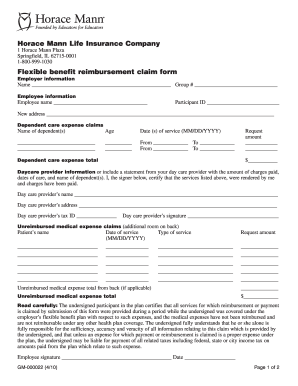
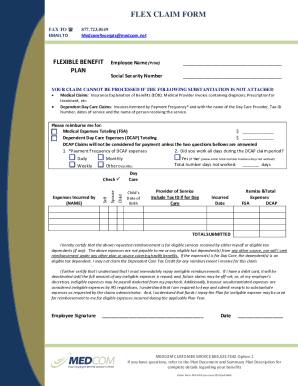
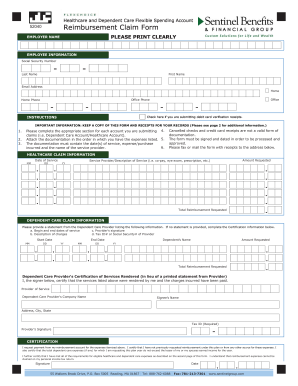
The Flexible Benefit Plan Reimbursement Claim Form is a financial document used by employees to claim reimbursement for dependent care and medical expenses under a company's cafeteria plan.
pdfFiller scores top ratings on review platforms




Who needs Flex-Pay Reimbursement Claim form?
Explore how professionals across industries use pdfFiller.

Flex-Pay Reimbursement Claim form is needed by:
-
Employees seeking reimbursement for dependent care costs.
-
Healthcare providers submitting claims for reimbursement.
-
HR departments managing employee benefit claims.
-
Financial managers overseeing reimbursement processes.
-
Insurance agents assisting clients with claims.
-
Tax professionals advising on benefits.
-
Employers administering flexible benefit plans.
Comprehensive Guide to Flex-Pay Reimbursement Claim form
What is the Flexible Benefit Plan Reimbursement Claim Form?
The Flexible Benefit Plan Reimbursement Claim Form is a document that employees utilize to claim reimbursement for dependent care and medical expenses. This form is an integral part of a cafeteria plan, allowing employees to manage their eligible expenses effectively. It requires various details, including the employee's name, social security number, and the service provider's information to process claims accurately.
To ensure claims are processed without delays, it’s essential that all necessary information is accurately filled out on the claim form. The required fields help validate the claim and streamline reimbursement for eligible dependent care and medical expenses.
Purpose and Benefits of the Flexible Benefit Plan Reimbursement Claim Form
The Flexible Benefit Plan Reimbursement Claim Form offers numerous advantages to employees. By utilizing this form, employees can claim reimbursements for eligible dependent care expenses and medical costs, facilitating improved financial management. Submitting this form allows employees to maximize their benefits under a cafeteria plan, which can lead to significant savings.
It is crucial to submit the claim form to access these financial benefits effectively. By reimbursing eligible expenses, employees can alleviate some of the financial burdens associated with dependent care and medical costs, contributing to overall well-being.
Who Needs the Flexible Benefit Plan Reimbursement Claim Form?
This claim form is designed for use by various individuals, particularly employees and service providers associated with dependent care and medical services. The eligibility criteria for filing claims include individuals who have incurred expenses that qualify under the cafeteria plan.
Specific groups, such as working parents and employees facing medical expenses, will find this reimbursement claim form especially beneficial. By understanding who qualifies, users can effectively navigate the submission process and take advantage of the available benefits.
How to Fill Out the Flexible Benefit Plan Reimbursement Claim Form Online (Step-by-Step)
Filling out the Flexible Benefit Plan Reimbursement Claim Form online is straightforward when using platforms like pdfFiller. Follow these steps to ensure accuracy:
-
Access the form on pdfFiller and select the appropriate template.
-
Fill in your company name, employee name, and social security number.
-
Provide service provider information, ensuring all details are correct.
-
Attach any necessary receipts to validate your claim.
-
Review all fields for accuracy to avoid common mistakes.
-
Sign the form as required and submit it through your chosen method.
Emphasizing accuracy in each section, especially with the social security number, will help prevent delays in processing your claim.
Review and Validation Checklist for the Flexible Benefit Plan Reimbursement Claim Form
Before submitting your claim form, use the following checklist to ensure all requirements are met:
-
All required fields are completed.
-
Employee and service provider signatures are included.
-
Receipts are attached as proof of incurred expenses.
-
Double-check for any common errors, such as incorrect personal information.
-
Verify submission deadlines to ensure timely processing.
By following this checklist, users can enhance the credibility of their claims and reduce the likelihood of rejections.
Submission Methods for the Flexible Benefit Plan Reimbursement Claim Form
There are various methods available for submitting the Flexible Benefit Plan Reimbursement Claim Form. Employees can submit the form electronically using platforms like pdfFiller or by traditional mail. Each submission method may have its own set of instructions and guidelines to follow.
Important aspects to consider include:
-
Submission deadlines that are crucial for timely reimbursements.
-
Any associated fees with submissions, especially for mailed documents.
-
Tracking your submission to monitor processing times and status updates.
What Happens After You Submit the Flexible Benefit Plan Reimbursement Claim Form?
Once the claim form is submitted, it typically undergoes a review process. Employees can confirm submission through notifications or confirmation emails. Understanding how to track the status of your claim is vital for staying informed about its progress.
In cases where a claim is denied or additional information is requested, it’s essential to be prepared to address these inquiries promptly. Knowing the follow-up process enhances the overall experience and ensures proper resolution.
Security and Compliance for the Flexible Benefit Plan Reimbursement Claim Form
When using platforms like pdfFiller to submit sensitive information, it is important to ensure your data is secure. pdfFiller implements strong data protection measures, including 256-bit encryption and compliance with regulations such as HIPAA and GDPR.
Users can feel confident knowing that their personal information is handled with the utmost care, adhering to strict privacy standards. Understanding these security protocols is crucial for anyone handling sensitive documents related to their claims.
Enhancing Your Experience with pdfFiller for Your Flexible Benefit Plan Reimbursement Claim
To maximize your experience with the Flexible Benefit Plan Reimbursement Claim Form, utilize pdfFiller’s features for editing, signing, and sharing documents. The platform offers a range of tools, including eSigning capabilities, creation of fillable forms, and organizational tools to manage your documents more efficiently.
Real-world applications of pdfFiller can help streamline the management of documents associated with your claims, providing a hassle-free experience while ensuring all your forms are properly completed and submitted.
How to fill out the Flex-Pay Reimbursement Claim form
-
1.Access the Flexible Benefit Plan Reimbursement Claim Form by navigating to pdfFiller's website and searching for the form by name in the search bar.
-
2.Open the form in pdfFiller's interface, where you will see various fillable fields corresponding to the required information.
-
3.Before filling out the form, gather necessary information, including your name, social security number, the service provider's information, and any receipts for expenses.
-
4.Begin filling out the 'Company Name', 'Employee Name', and 'Social Security Number' fields directly in the fillable areas.
-
5.Utilize checkboxes provided within the form to specify the type of expenses you are claiming, such as dependent care or medical expenses.
-
6.Once you have entered all required information, carefully review each section of the form to ensure accuracy and completeness.
-
7.Pay special attention to the signature lines, ensuring both the employee and the service provider sign as required.
-
8.After finalizing the form, click on the 'Save' button to save your progress, then choose 'Download' to keep a copy for your records.
-
9.If your company allows, you may submit the form directly through pdfFiller’s submission feature or follow your employer’s submission guidelines.

Who is eligible to use the Flexible Benefit Plan Reimbursement Claim Form?
Employees of companies that offer a flexible benefit plan, specifically those who incur dependent care or medical expenses covered under the plan, are eligible to use this form for claims.
What supporting documents are required to submit with the form?
You must attach receipts or proof of payment for the dependent care or medical expenses being claimed. Ensure all documentation clearly identifies the service and amount paid.
How do I submit the completed form?
Submission methods may vary by employer. Generally, you can submit the form directly through pdfFiller if your employer allows it or print and mail it according to your company's specific instructions.
Are there deadlines for submitting this reimbursement claim form?
Deadlines usually depend on your company's policies. It's best to check with your HR department regarding specific timelines for submitting claims to ensure timely processing.
What are common mistakes to avoid when filling out the form?
Common mistakes include omitting required fields, not attaching receipts, or failing to sign the form. Double-check all information for completeness before submission.
How long does it take to process reimbursement claims?
Processing times can vary. Typically, claims may take several weeks to process. Check with your company's HR or benefits department for more detailed timelines.
Do I need to notarize the form before submission?
No, the Flexible Benefit Plan Reimbursement Claim Form does not require notarization. However, both the employee and service provider must sign as part of the submission process.
Related Forms

Related Catalogs
Get the latest insights from our blog


If you believe that this page should be taken down, please follow our DMCA take down process
here
.
This form may include fields for payment information. Data entered in these fields is not covered by PCI DSS compliance.