
Last updated on
Oct 7, 2026

Get the free Domestic Servant Employee Verification Form
We are not affiliated with any brand or entity on this form

Fill out
Complete the form online in a simple drag-and-drop editor.

eSign
Add your legally binding signature or send the form for signing.

Share
Share the form via a link, letting anyone fill it out from any device.

Export
Download, print, email, or move the form to your cloud storage.
Why pdfFiller is the best tool for your documents and forms


End-to-end document management
From editing and signing to collaboration and tracking, pdfFiller has everything you need to get your documents done quickly and efficiently.
Accessible from anywhere
pdfFiller is fully cloud-based. This means you can edit, sign, and share documents from anywhere using your computer, smartphone, or tablet.
Secure and compliant
pdfFiller lets you securely manage documents following global laws like ESIGN, CCPA, and GDPR. It's also HIPAA and SOC 2 compliant.
What is Servant Verification Form
The Domestic Servant Employee Verification Form is an employment document used by employers in Delhi to verify the identity and background of domestic employees.
pdfFiller scores top ratings on review platforms




Who needs Servant Verification Form?
Explore how professionals across industries use pdfFiller.

Servant Verification Form is needed by:
-
Homeowners employing domestic workers
-
Employers of domestic help in Delhi
-
Human resource managers in hiring agencies
-
Individuals conducting background checks
-
Property managers overseeing rental properties
Comprehensive Guide to Servant Verification Form
What is the Domestic Servant Employee Verification Form?
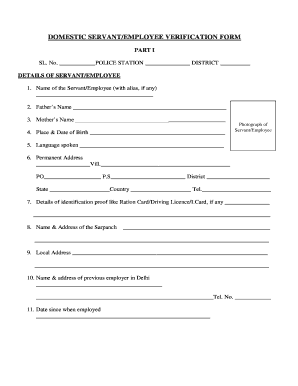
The Domestic Servant Employee Verification Form serves as a crucial tool in Delhi for verifying the identity and background of domestic employees. This form encompasses vital fields, including the employee’s name, address, and identification proof, ensuring a thorough assessment of potential hires. Additionally, it requires signatures from both the employee and employer, highlighting accountability in the verification process.
Purpose and Benefits of the Domestic Servant Employee Verification Form
The primary purpose of the Domestic Servant Employee Verification Form is to establish a safety net for both employers and domestic workers. This form helps to foster trust between parties by verifying the background of domestic helpers. Utilizing this form not only enhances security but also ensures compliance with local regulations, which protects both the employer and the domestic worker.
Key benefits include:
-
Enhancing safety within the workplace.
-
Building trust through verified backgrounds.
-
Facilitating compliance with employment laws.
Key Features of the Domestic Servant Employee Verification Form
This form includes several essential components designed to collect comprehensive information about the employee. Notable fields within the form consist of:
-
Name of the Servant / Employee (with alias, if any).
-
Signature lines for both employee and employer.
-
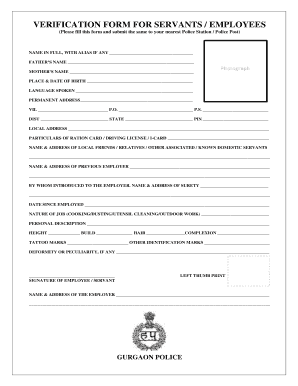
Sections for fingerprints and handwriting specimens.
The fillable nature of the form allows for easy completion using pdfFiller, streamlining the verification process.
Who Needs the Domestic Servant Employee Verification Form?
The Domestic Servant Employee Verification Form is essential for various stakeholders, including employers seeking domestic help and agencies responsible for placing workers. Situations where verification is paramount include hiring processes and compliance checks, as legal implications may arise from neglecting to verify domestic workers’ backgrounds. This form ensures both parties are protected, fostering a safer hiring environment.
How to Fill Out the Domestic Servant Employee Verification Form Online
Completing the Domestic Servant Employee Verification Form digitally involves several important steps:
-
Access the form on a digital platform like pdfFiller.
-
Gather necessary personal information about the employee.
-
Carefully fill in each section, ensuring accuracy.
-
Review all entries to avoid mistakes before submission.
Following these steps will enhance the effectiveness of the employee verification process.
Common Mistakes to Avoid When Completing the Domestic Servant Employee Verification Form
To ensure the Domestic Servant Employee Verification Form is processed without delays, avoid the following common mistakes:
-
Leaving fields blank or incomplete.
-
Providing inaccurate personal information.
-
Failing to secure required signatures.
Verification resources and services can provide assistance in validating the information, ensuring comprehensive compliance with the requirements.
Submitting the Domestic Servant Employee Verification Form
After completing the form, various submission methods are available. In Delhi, it is essential to adhere to specific state guidelines for submission. Users can submit the form electronically through platforms like pdfFiller or via mail. Tracking options are available to monitor the submission status, providing peace of mind throughout the process.
Tracking the Submission Status for the Domestic Servant Employee Verification Form
Confirming the status of the submitted Domestic Servant Employee Verification Form generally involves checking the tracking option provided by the submission platform. Processing times may vary, but understanding expected timelines will help manage expectations. If corrections are necessary, tips for promptly following up can make a significant difference.
Taking Action After Submission: What Happens Next?
Once the Domestic Servant Employee Verification Form is submitted, several outcomes are possible. Applicants may face rejections or requests for additional information, necessitating prompt responses. Keeping a diligent record of submissions proves essential for future reference and potential renewals or resubmissions, ensuring ongoing compliance with employment standards.
Get Started with pdfFiller for Seamless Domestic Servant Employment Verification
pdfFiller offers users an efficient and secure platform for handling the Domestic Servant Employee Verification Form. With features like e-signing, cloud storage, and advanced security measures, users can confidently complete their forms online, benefiting from a user-friendly experience that eliminates the need for physical downloads.
How to fill out the Servant Verification Form
-
1.Access the Domestic Servant Employee Verification Form by visiting pdfFiller and searching for the form name.
-
2.Once located, click on the form to open it in the pdfFiller interface.
-
3.Gather necessary information such as the employee’s name, address, identification proof, and relevant details for the employer.
-
4.Begin filling in the form by clicking on each field and typing the required information accordingly.
-
5.Make sure to enter accurate information, especially in sections regarding identification and background.
-
6.Use checkboxes where applicable, ensuring clarity in your choices.
-
7.For signature fields, either insert a digital signature or print the form to sign it manually.
-
8.Review all filled-in fields for accuracy and completeness by using the preview feature in pdfFiller.
-
9.After finalizing the information on the form, save your progress and ensure all changes are applied.
-
10.Choose the option to download the completed form in your preferred format or submit it directly through pdfFiller, if applicable.

Who is eligible to use the Domestic Servant Employee Verification Form?
The form is primarily intended for employers in Delhi hiring domestic workers who need to verify the employee’s identity and background. Homeowners and hiring agencies are eligible to use this form.
What information do I need to complete this form?
You will need the domestic employee's personal details including name, address, identification proof, physical description, and signatures from both the employee and the employer.
How do I submit the completed verification form?
After completing the form, you can submit it by either downloading it and delivering it in person, or by utilizing pdfFiller’s submission options, if available.
Are any supporting documents required with this form?
Yes, you may need to attach identification proof of the domestic worker, such as a government-issued ID or any other relevant documentation when submitting the form.
What common mistakes should I avoid?
Be careful to fill out all required fields accurately and avoid overlooking the signature lines for both the employee and employer. Double-check all provided information to prevent inaccuracies.
What is the processing time for this verification?
Processing times can vary based on the employer's review and any background checking procedures that may be involved. Typically, it can take a few days to a week.
Do I need to notarize this form?
No, notarization is not required for the Domestic Servant Employee Verification Form, making it easier to complete and submit.
Related Forms





Related Catalogs
Get the latest insights from our blog


If you believe that this page should be taken down, please follow our DMCA take down process
here
.
This form may include fields for payment information. Data entered in these fields is not covered by PCI DSS compliance.