
Last updated on
Oct 19, 2026

PH DCI Coaching Log 2015-2026 free printable template
We are not affiliated with any brand or entity on this form

Fill out
Complete the form online in a simple drag-and-drop editor.

eSign
Add your legally binding signature or send the form for signing.

Share
Share the form via a link, letting anyone fill it out from any device.

Export
Download, print, email, or move the form to your cloud storage.
Why pdfFiller is the best tool for your documents and forms


End-to-end document management
From editing and signing to collaboration and tracking, pdfFiller has everything you need to get your documents done quickly and efficiently.
Accessible from anywhere
pdfFiller is fully cloud-based. This means you can edit, sign, and share documents from anywhere using your computer, smartphone, or tablet.
Secure and compliant
pdfFiller lets you securely manage documents following global laws like ESIGN, CCPA, and GDPR. It's also HIPAA and SOC 2 compliant.
What is PH DCI Coaching Log
The Coaching Log Form is a performance review document used by employers to document and address employee performance issues effectively.
pdfFiller scores top ratings on review platforms




Who needs PH DCI Coaching Log?
Explore how professionals across industries use pdfFiller.

PH DCI Coaching Log is needed by:
-
Employees seeking to understand their performance feedback
-
People managers needing a structured way to document coaching efforts
-
Human Resources personnel managing performance review processes
-
Department heads overseeing employee performance
-
Organizations aiming to improve employee performance management
Comprehensive Guide to PH DCI Coaching Log
What is the Coaching Log Form?
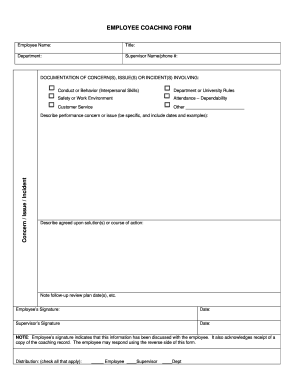
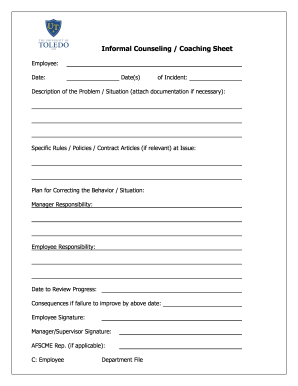
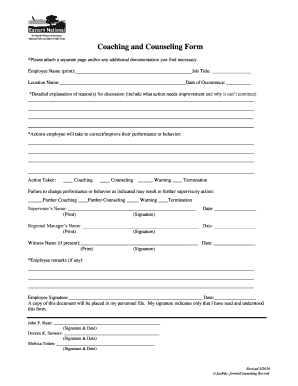
The Coaching Log Form serves a crucial function in employee performance management by documenting various aspects of coaching sessions. This form includes essential fields such as the employee's name and specific performance issues, which allows for a structured approach to performance documentation. By utilizing this form, organizations can effectively track coaching efforts and outcomes, ensuring a comprehensive record of discussions related to performance improvement.
Purpose and Benefits of the Coaching Log Form
This form is indispensable for both employees and managers, offering a clear pathway for performance enhancement. One major benefit of the Coaching Log Form is its ability to facilitate constructive communication between employees and management, fostering a culture of accountability. Moreover, it provides a robust mechanism for tracking progress, enabling both parties to visualize changes and improvements over time.
Key Features of the Coaching Log Form
The Coaching Log Form boasts several features that enhance its functionality. Users will find fillable fields and sections designed specifically for performance documentation. Each form includes signature requirements from both the employee and the manager, reinforcing accountability. Additionally, the form provides instructions and guidelines to ensure clarity in completion and usage.
Who Needs the Coaching Log Form?
This form is tailored for both employees and their managers, making it a valuable tool in a variety of performance management scenarios. It becomes especially essential during performance reviews, where accurate documentation is critical. The requirement for signatures emphasizes the importance of commitment from both parties, ensuring a shared responsibility for the action plans outlined.
How to Fill Out the Coaching Log Form Online (Step-by-Step)
Filling out the Coaching Log Form online is a straightforward process. Follow these steps for a successful completion:
-
Open the form using pdfFiller.
-
Enter the employee's name and number in the designated fields.
-
Document specific performance issues along with suggested action plans.
-
Review and fill in any dates for follow-up actions.
-
Ensure both parties sign the form electronically.
To minimize errors, double-check all entries for accuracy before submission. The digital format of pdfFiller enhances this process, providing an efficient way to manage documentation.
Submitting the Coaching Log Form: Processes and Considerations
Once completed, there are multiple ways to submit the Coaching Log Form. You can choose to submit it electronically via pdfFiller or opt for traditional printing methods. To ensure proper submission, adhere to best practices such as confirming the recipient's email address if submitting online or retaining a physical copy if printed. After submission, you can track the status of your form to confirm that it has been received by the relevant parties.
Security and Compliance for Handling the Coaching Log Form
Handling the Coaching Log Form requires attention to security and compliance due to the sensitive nature of its content. pdfFiller implements robust security measures, including 256-bit encryption, to protect your data throughout the submission process. Best practices for managing these forms include securely storing completed documents and being mindful of confidentiality in performance discussions.
Sample or Example of a Completed Coaching Log Form
For users looking to fill out the Coaching Log Form accurately, a sample filled-out form is beneficial. This sample showcases various sections with annotations explaining the type of information to include. Such visual references not only increase user confidence but also highlight the usability and user-friendliness of the Coaching Log Form.
Maximize Your Efficiency with pdfFiller for the Coaching Log Form
Utilizing pdfFiller for the Coaching Log Form offers significant advantages. Key features such as eSigning, efficient filling, and the ability to share documents streamline the entire process. Moreover, the cloud-based flexibility of pdfFiller allows users to access and manage their documents from any location, enhancing overall efficiency in performance management.
How to fill out the PH DCI Coaching Log
-
1.To start, access the Coaching Log Form on pdfFiller by navigating to the provided link or searching for the form in the pdfFiller search bar.
-
2.Once the form is open, familiarize yourself with the fillable fields, which include sections for the Name of Employees, Employee Number, Date Served, and signature lines for both parties.
-
3.Before you complete the form, gather necessary information such as employee data, dates of performance occurrences, and proposed action plans to ensure a comprehensive approach.
-
4.Begin filling out the form using pdfFiller's interface. Click on each field and input the required information. Ensure that all areas, particularly those indicating areas of concern and follow-up dates, are completed accurately.
-
5.Utilize checkboxes where applicable in the form, particularly for multiple action items you wish to address, ensuring clarity in your intentions.
-
6.Once all fields are filled out, review the entire form to verify that all information is correct and that both the employee's and manager's signatures have been included as needed.
-
7.After completing the review, save the form directly on pdfFiller by clicking ‘Save’ or download it to your device by selecting the ‘Download’ option.
-
8.Finally, submit the form through pdfFiller if submission is required, ensuring that all necessary protocols are followed based on your organization's guidelines.

Who is eligible to use the Coaching Log Form?
The Coaching Log Form is specifically designed for employees undergoing performance evaluations and their managers or department heads who are responsible for documenting and addressing performance issues.
Are there any deadlines for submitting the Coaching Log Form?
Deadlines for submission typically depend on your organization's performance management cycle. It's advisable to complete and submit the form promptly after performance discussions to ensure timely follow-up.
What submission methods are available for the Coaching Log Form?
The form can be submitted electronically through pdfFiller or printed and submitted physically. Ensure to follow your organization's protocols for submission methods.
What supporting documents are needed when completing the Coaching Log Form?
Supporting documents may include previous performance reviews, notes from coaching sessions, and any additional evidence of performance issues that may need to be addressed.
What are common mistakes to avoid when filling out this form?
Common mistakes include forgetting to obtain signatures, not providing specific details in the performance review sections, and failing to review the form for accuracy before submission.
How long does it take to process the Coaching Log Form?
Processing times for the Coaching Log Form vary based on your organization's internal procedures, but typically, you should expect confirmation of receipt within a few business days.
What should I do if I have concerns about the form's completion?
If you have concerns while completing the Coaching Log Form, consult your HR department or a knowledgeable manager for guidance to ensure all requirements are met properly.
Related Forms



Related Catalogs
Get the latest insights from our blog


If you believe that this page should be taken down, please follow our DMCA take down process
here
.
This form may include fields for payment information. Data entered in these fields is not covered by PCI DSS compliance.