
Last updated on
Oct 31, 2026

Get the free Primary Care Provider Communication Form
We are not affiliated with any brand or entity on this form

Fill out
Complete the form online in a simple drag-and-drop editor.

eSign
Add your legally binding signature or send the form for signing.

Share
Share the form via a link, letting anyone fill it out from any device.

Export
Download, print, email, or move the form to your cloud storage.
Why pdfFiller is the best tool for your documents and forms


End-to-end document management
From editing and signing to collaboration and tracking, pdfFiller has everything you need to get your documents done quickly and efficiently.
Accessible from anywhere
pdfFiller is fully cloud-based. This means you can edit, sign, and share documents from anywhere using your computer, smartphone, or tablet.
Secure and compliant
pdfFiller lets you securely manage documents following global laws like ESIGN, CCPA, and GDPR. It's also HIPAA and SOC 2 compliant.
What is Provider Communication Form
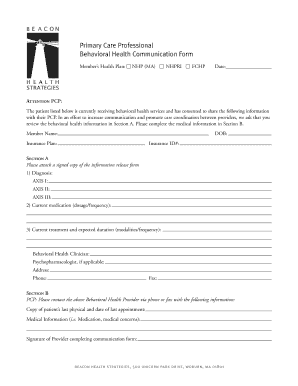
The Primary Care Provider Communication Form is a medical records release document used by healthcare providers to share patient information and coordinate care between behavioral health providers and primary care physicians.
pdfFiller scores top ratings on review platforms




Who needs Provider Communication Form?
Explore how professionals across industries use pdfFiller.

Provider Communication Form is needed by:
-
Behavioral Health Providers
-
Primary Care Physicians
-
Patients seeking coordinated care
-
Psychiatrists
-
Therapists
-
Healthcare Administrators
Comprehensive Guide to Provider Communication Form
What is the Primary Care Provider Communication Form?
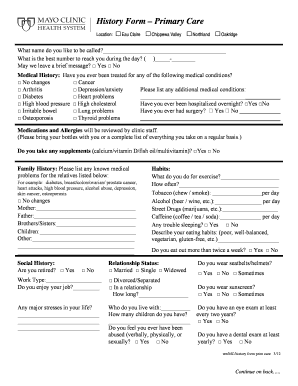
The Primary Care Provider Communication Form serves as a critical tool for sharing vital patient information between behavioral health and primary care providers. This form includes essential fields such as patient details, diagnosis, treatment plan, and therapist contact information. Completing this form accurately is paramount for effective healthcare coordination, ensuring that all parties involved in a patient's care are well-informed.
Purpose and Benefits of the Primary Care Provider Communication Form
The Primary Care Provider Communication Form plays a key role in facilitating seamless coordination between behavioral and medical health care. By using this form, healthcare providers can significantly improve patient care through streamlined communication and efficient treatment planning. Additionally, it supports compliance with various healthcare regulations, thereby aiding both providers and patients in navigating the complexities of health information exchange.
Key Features of the Primary Care Provider Communication Form
This form boasts several user-friendly features designed to enhance its functionality. Key fields include patient diagnosis, treatment details, and contact information for therapists, allowing providers to gather all necessary information efficiently. The form also includes blank fields for tailored patient information, ensuring it can accommodate unique cases. Users can utilize the digital fillability feature with pdfFiller, making the process more convenient and accessible.
Who Needs the Primary Care Provider Communication Form?
Primary users of the Primary Care Provider Communication Form include patients, healthcare providers, and specialists involved in a patient's care. This form is particularly necessary during treatment coordination when a primary care provider needs comprehensive details about a patient’s behavioral health to inform medical decisions. Eligibility for using this form is typically determined by the patient's needs and specific treatment circumstances.
How to Fill Out the Primary Care Provider Communication Form Online
Filling out the Primary Care Provider Communication Form online is straightforward. Before starting, gather necessary information such as patient demographics and diagnosis details. Follow these steps for accurate completion:
-
Access the form through pdfFiller.
-
Enter patient information in the designated fields.
-
Fill in details about the diagnosis and treatment plan.
-
Provide contact information for therapists, if applicable.
-
Review all entries carefully for accuracy.
-
Validate the form before submission to prevent any errors.
Submission Methods and Delivery of the Primary Care Provider Communication Form
Once completed, the Primary Care Provider Communication Form can be submitted through various methods. Electronic submissions can be made via pdfFiller, ensuring secure file sharing. Traditional methods such as fax and mail may also be available. For personal records, it is crucial to retain a copy of the submitted form as a safeguard.
Security and Compliance for the Primary Care Provider Communication Form
Ensuring the safe handling of the Primary Care Provider Communication Form is vital. pdfFiller employs 256-bit encryption and maintains compliance with HIPAA regulations, thereby safeguarding sensitive patient information during transfer and storage. Furthermore, understanding data retention policies relevant to medical records will ensure that patient information is handled appropriately throughout its lifecycle.
Common Errors and How to Avoid Them When Completing the Form
Users often encounter several common errors when filling out the Primary Care Provider Communication Form. Typical pitfalls include missing information and incorrect diagnoses. To avoid these issues, consider employing the following techniques:
-
Double-check all entries to ensure completeness.
-
Use a validation checklist to ensure accuracy.
-
Review specific sections where mistakes commonly occur.
What Happens After You Submit the Primary Care Provider Communication Form?
After submitting the Primary Care Provider Communication Form, it is essential to track its progress. Confirm receipt with the healthcare provider to ensure the form has been received. Expect possible follow-ups from providers regarding next steps in the coordination process. If corrections or amendments are necessary, be prepared to address them promptly to maintain accurate patient records.
Experience Effortless Form Management with pdfFiller
Utilizing pdfFiller's tools for managing healthcare forms can significantly enhance your experience. With this platform, users can easily edit, fill, and submit forms online without the need for downloads. The ease of accessibility from any device adds to its convenience, and robust security features ensure that user data remains protected throughout the entire form management process.
How to fill out the Provider Communication Form
-
1.To access the Primary Care Provider Communication Form on pdfFiller, visit the pdfFiller website and log in to your account or create one if you are a new user.
-
2.In the search bar, type 'Primary Care Provider Communication Form' and select it from the list of results to open the document.
-
3.Once the form is open, familiarize yourself with the fields. You will find sections for patient information, DSM-IV diagnosis, treatment plan, and contact information.
-
4.Before filling out the form, gather all necessary information, including patient details, diagnosis criteria, treatment plans, and therapist contact information.
-
5.Start filling in the form by clicking on the first blank field and entering the required information using your keyboard. You can also use the fillable fields to add data without hassle.
-
6.Make sure to review each section thoroughly as you complete it to ensure accuracy. You can navigate the form using your mouse or keyboard arrows to move between fields.
-
7.Once you have filled out the entire form, double-check for any missing information or errors. This review is crucial to ensure all details are complete and correct.
-
8.When you are satisfied with the filled form, choose the 'Save' option to store it in your pdfFiller account. You might also want to download a copy for your records.
-
9.Lastly, submit the completed form to the appropriate healthcare provider via email or print it out for hand delivery using the submission options provided in the pdfFiller interface.

Who is eligible to fill out the Primary Care Provider Communication Form?
The form can be completed by healthcare professionals such as behavioral health providers on behalf of patients, or by patients themselves to authorize the sharing of their medical information.
What information do I need to complete this form?
Gather patient demographics, DSM-IV diagnosis details, treatment plans, and contact information for any involved therapists or psychiatrists before starting the form.
How do I submit the form after filling it out?
After completing the form on pdfFiller, you can either download it for personal record-keeping or directly email the completed form to the intended healthcare provider.
Are there any supporting documents needed with this form?
Typically, no additional supporting documents are required unless specified by the healthcare provider receiving the form. However, it's a good idea to check directly with them.
What common mistakes should I avoid when filling out the form?
Ensure all fields are filled out accurately, double-check for any typos, and avoid leaving any required fields blank to prevent delays in processing.
How long does it take to process this form?
Processing times may vary depending on the healthcare provider. Generally, allow a few days for your request to be reviewed and acted upon.
Is there a fee associated with using this form?
There is no fee associated with the form itself, but be aware that some healthcare providers may have their own processing fees or costs related to medical record retrieval.
Related Forms




Get the latest insights from our blog


If you believe that this page should be taken down, please follow our DMCA take down process
here
.
This form may include fields for payment information. Data entered in these fields is not covered by PCI DSS compliance.