
Last updated on
Nov 4, 2026

ZA Finrite Administrators Pty Claim Document free printable template
We are not affiliated with any brand or entity on this form

Fill out
Complete the form online in a simple drag-and-drop editor.

eSign
Add your legally binding signature or send the form for signing.

Share
Share the form via a link, letting anyone fill it out from any device.

Export
Download, print, email, or move the form to your cloud storage.
Why pdfFiller is the best tool for your documents and forms


End-to-end document management
From editing and signing to collaboration and tracking, pdfFiller has everything you need to get your documents done quickly and efficiently.
Accessible from anywhere
pdfFiller is fully cloud-based. This means you can edit, sign, and share documents from anywhere using your computer, smartphone, or tablet.
Secure and compliant
pdfFiller lets you securely manage documents following global laws like ESIGN, CCPA, and GDPR. It's also HIPAA and SOC 2 compliant.
What is ZA Finrite Administrators Pty Claim Document
The Finrite Claim Document is a business form used by policyholders to submit claims for various types of insurance coverage.
pdfFiller scores top ratings on review platforms




It was easy to use and did everything I needed.
Could be a tad bit more intuitive, single editing interface, but so far the best web based app we've tried
Who needs ZA Finrite Administrators Pty Claim Document?
Explore how professionals across industries use pdfFiller.

ZA Finrite Administrators Pty Claim Document is needed by:
-
Policyholders seeking to claim insurance benefits
-
Individuals needing to submit claims for funeral cover
-
People filing claims for retrenchment or personal accidents
-
Clients looking to claim for mobile and medical device cover
-
Legal representatives managing claims on behalf of clients
Comprehensive Guide to ZA Finrite Administrators Pty Claim Document
What is the Finrite Claim Document?
The Finrite Claim Document is a vital tool for policyholders seeking to submit claims across several coverage types, including mobile device cover, funeral cover, and medical claims among others. This form is essential for beginning the claims process, allowing policyholders to provide necessary details in an organized format. Understanding how to effectively use the Finrite Claim Document is crucial for a smooth claims experience.
The document encompasses various claims categories such as retrenchment, legal cover, and personal accident claims, making it comprehensive for diverse insurance needs. Utilizing a properly filled finrite claim document can greatly enhance your chances for a successful claim submission.
Purpose and Benefits of the Finrite Claim Document
The primary purpose of the Finrite Claim Document is to facilitate the formal submission of insurance claims, ensuring that all necessary information is provided in one structured format. This streamlined approach not only saves time but also allows for the organized presentation of documentation and claim details.
By utilizing the finrite claim form, policyholders can experience potentially faster processing times, as complete submissions are easier for claim assessors to review. Consequently, this increases the likelihood of prompt resolutions to claims.
How to Fill Out the Finrite Claim Document Online (Step-by-Step)
Here are the steps to accurately complete the Finrite Claim Document online:
-
Access the online claim form through the specified platform.
-
Fill in fields such as the Name of Account Holder and ID Number.
-
Check the appropriate boxes for Claim Type and Incident Type to categorize your claim correctly.
-
Review all information for accuracy before submission.
Double-checking these specific fields can significantly reduce errors, leading to a smoother claims process.
Required Documents and Supporting Materials
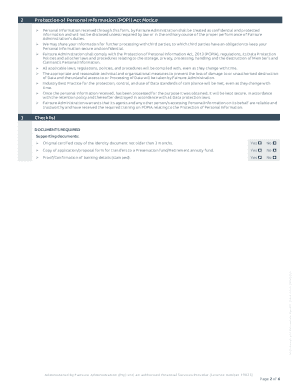
When submitting the Finrite Claim Document, it is crucial to include several supporting documents to ensure the approval of your claim. The necessary documents vary by claim type, and it is vital to assemble these carefully.
-
Identification documents such as ID and proof of address.
-
Specific evidence corresponding to the claim type, such as police reports for theft claims.
-
Any additional documentation that fortifies your claim, including medical records if applicable.
Accurate and complete documentation enhances the likelihood of a swift and favorable claim outcome.
Common Errors and How to Avoid Them
When completing the Finrite Claim Document, be aware of common pitfalls that can delay processing. Frequent mistakes include incorrect personal information, missed checkboxes, and omitted supporting documents.
-
Always ensure your claim form is signed; a missing signature can lead to rejection.
-
Review your submission thoroughly for any discrepancies before sending it off.
Taking the time to carefully inspect your claim form can help prevent unnecessary complications during processing.
How to Submit the Finrite Claim Document
Submitting the Finrite Claim Document can be done through several methods, each with its own specific requirements. Common submission channels include email and an online submission portal.
-
Check the necessary email address or portal for submission to avoid delays.
-
Consider following up to confirm that your claim has been received by the relevant department.
Ensuring your form is sent to the correct address can significantly streamline the review process.
What Happens After You Submit the Finrite Claim Document?
After you submit the Finrite Claim Document, it undergoes a review and assessment process. You can expect to receive updates within a specified timeframe, which can vary based on the type of claim and the documentation provided.
There are several potential outcomes post-submission:
-
Approval of your claim after review.
-
A request for additional information to clarify your claim.
-
Rejection of the claim if it does not meet policy criteria.
Understanding these outcomes will help you remain informed about your application status.
Security and Compliance for the Finrite Claim Document
Data security is paramount when handling the Finrite Claim Document. pdfFiller employs robust security measures to protect sensitive information throughout the claims process.
Features such as 256-bit encryption ensure that personal and payment information is safeguarded, meeting compliance standards such as HIPAA and GDPR. Your privacy is a top priority during the claims process.
Why Choose pdfFiller for Your Finrite Claim Document?
Choosing pdfFiller to complete your Finrite Claim Document offers numerous advantages. The platform provides user-friendly features, allowing for easy editing, filling, and eSigning of documents.
Utilizing pdfFiller can streamline the claims process, make form completion simpler, and ultimately enhance the user experience. Many users have successfully navigated their claims using pdfFiller, demonstrating its effectiveness in managing insurance documentation.
Get Started with Your Finrite Claim Document Today!
Engaging with pdfFiller can significantly enhance your experience when filling out the Finrite Claim Document. By utilizing this platform, you can ensure that your submission is both efficient and effective.
Start today to take advantage of the time-saving and user-friendly nature of pdfFiller, and move closer to resolving your claims effortlessly.
How to fill out the ZA Finrite Administrators Pty Claim Document
-
1.To access the Finrite Claim Document on pdfFiller, visit the pdfFiller website and use the search bar to find the form by its name.
-
2.Once located, click on the form to open it in pdfFiller's editor interface.
-
3.Start by reviewing the fields required to complete the form such as 'Name Of Account Holder', 'ID Number', and contact details.
-
4.Before filling out the form, gather necessary information such as incident details, supporting documents, and personal identification.
-
5.Utilize pdfFiller's text boxes to carefully enter your details, ensuring that all required fields are filled accurately.
-
6.For sections requiring selections, such as 'Claim Type' and 'Incident Type', use the provided checkboxes within the form.
-
7.After completing the form, carefully review each section to ensure all information is accurate and complete.
-
8.Make sure to provide a signature in the designated area since the signed claim form is required for submission.
-
9.Once finalized, use the save function to store a copy of your completed form.
-
10.You can download the document to your device, or submit it directly via email as indicated in the form's instructions.

Who is eligible to use the Finrite Claim Document?
The Finrite Claim Document is intended for any policyholder who has an active insurance policy covering mobile devices, funeral expenses, retrenchment, medical issues, legal matters, or personal accidents.
What types of claims can I submit using this form?
You can submit claims related to mobile device coverage, funeral cover, retrenchment benefits, medical cover, legal representation, and personal accident incidents through the Finrite Claim Document.
What documents do I need to submit with this form?
Along with the Finrite Claim Document, you may need to provide supporting documents such as proof of the incident, medical reports, or any other relevant evidence to support your claim.
How do I submit the form after filling it out?
After completing and signing the Finrite Claim Document, you should submit it via the specified email address mentioned in the instructions on the form. Ensure that all supporting documents are attached.
What are common mistakes to avoid when completing the form?
Common mistakes include leaving required fields blank, errors in personal information, failing to sign the document, and not including supporting documents. Double-check everything before submission.
How long does it take for claims to be processed?
Processing times for claims can vary depending on the type of claim and the completeness of the submitted information. Typically, it may take several weeks to receive a response once the claim is submitted.
Is notarization required for this form?
No, the Finrite Claim Document does not require notarization; however, it does require a signature from the account holder to validate the claim.
Related Forms




Get the latest insights from our blog


If you believe that this page should be taken down, please follow our DMCA take down process
here
.
This form may include fields for payment information. Data entered in these fields is not covered by PCI DSS compliance.