
Last updated on
Nov 9, 2026

OR Birth Record Facility Worksheet 2014 free printable template
pdfFiller is not affiliated with any government organization

Fill out
Complete the form online in a simple drag-and-drop editor.

eSign
Add your legally binding signature or send the form for signing.

Share
Share the form via a link, letting anyone fill it out from any device.

Export
Download, print, email, or move the form to your cloud storage.
Why pdfFiller is the best tool for your documents and forms


End-to-end document management
From editing and signing to collaboration and tracking, pdfFiller has everything you need to get your documents done quickly and efficiently.
Accessible from anywhere
pdfFiller is fully cloud-based. This means you can edit, sign, and share documents from anywhere using your computer, smartphone, or tablet.
Secure and compliant
pdfFiller lets you securely manage documents following global laws like ESIGN, CCPA, and GDPR. It's also HIPAA and SOC 2 compliant.
What is OR Birth Record Facility Worksheet
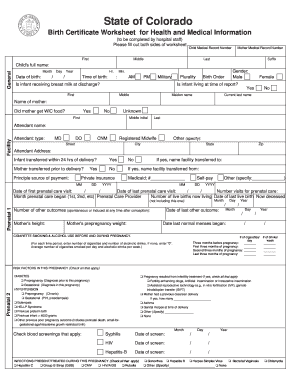
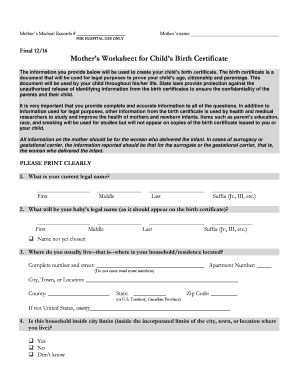
The Birth Record Facility Worksheet is a government form used by healthcare facilities in Oregon to document and certify information about a birth, including maternal and newborn details.
pdfFiller scores top ratings on review platforms




Hard to get used to, and probably a lot of features we are not taking advantage of for lack of know-how, but very reliable and handy. We mostly use it to send for signature.
I like very much for me is very convenient because I need to fill forms that I don't have to go and buy for separate
Who needs OR Birth Record Facility Worksheet?
Explore how professionals across industries use pdfFiller.

OR Birth Record Facility Worksheet is needed by:
-
Healthcare facilities in Oregon
-
Medical practitioners assisting with births
-
Hospitals managing birth records
-
Prenatal care providers
-
Parents needing birth documentation
-
Government agencies overseeing health statistics
Comprehensive Guide to OR Birth Record Facility Worksheet
What is the Birth Record Facility Worksheet?
The Birth Record Facility Worksheet is a key government form utilized by healthcare providers in Oregon for documenting critical birth-related information. It serves not only to register births but also to compile essential statistics that contribute to public health data and policy-making. This worksheet includes vital data points such as the mother's health status, delivery specifics, and newborn details, ensuring a comprehensive record is kept.
Critical information captured within the worksheet includes the mother’s health history, complications during labor, and details about the newborn, such as weight and health conditions. This data plays a significant role in health statistic reporting and is vital for the issuance of official Oregon birth certificates.
Purpose and Benefits of the Birth Record Facility Worksheet
The Birth Record Facility Worksheet is essential for maintaining accurate health records. Accurate birth records contribute significantly to health statistics that help inform community health initiatives and resources. By employing this form, healthcare facilities ensure compliance with state regulations, which facilitates official certification of births.
Moreover, accurately filled out worksheets improve monitoring and reporting of newborn health trends, enabling better healthcare practices and policies aimed at supporting newborns in their early development stages.
Who Needs the Birth Record Facility Worksheet?
The worksheet must be filled out by various stakeholders in the birthing process, primarily healthcare providers and hospitals. Other key users include midwives and birthing centers that play integral roles in the delivery of infants.
This form is essential not only for the collection of data but also for ensuring adherence to state compliance, which is critical for lawful birth registrations.
How to Fill Out the Birth Record Facility Worksheet Online (Step-by-Step)
Filling out the Birth Record Facility Worksheet online is a straightforward process, designed to facilitate ease of use for busy healthcare providers. Begin by accessing the appropriate online platform where the form is hosted.
-
Enter essential patient information, including the newborn’s name and date of birth.
-
Complete health-related fields meticulously, ensuring accuracy for patient safety.
-
Utilize checkboxes for yes/no type questions related to the birth process.
-
Review the entire form for completeness before submission.
-
Submit the completed form electronically through the designated submission method.
Common Errors and How to Avoid Them
Common errors in filling out the Birth Record Facility Worksheet can lead to complications in birth record certification. Frequent mistakes include inaccuracies in entering dates, misspellings of names, or leaving essential fields blank.
To mitigate these issues, always double-check every entry against supporting documentation. Review for clarity to ensure that data submitted is both correct and readable, reducing the likelihood of delays in processing.
Submission Methods and Delivery of the Birth Record Facility Worksheet
Once completed, the Birth Record Facility Worksheet can be submitted through various methods including online submission, in-person delivery, or by mail. Each method comes with specific requirements and guidelines as outlined by the state.
Receiving confirmation of submission is essential. Many submission avenues offer tracking features to verify that your form has been successfully processed, ensuring peace of mind for healthcare providers.
What Happens After You Submit the Birth Record Facility Worksheet?
After submission, your Birth Record Facility Worksheet undergoes a thorough verification and approval process. This step is crucial for the accurate issuing of the official birth certificate.
Users can typically expect to receive their certified documents within a specified timeframe. If corrections are needed post-submission, appropriate follow-up actions are guided by the state office to maintain compliance and accuracy.
Privacy and Security with the Birth Record Facility Worksheet
User privacy and security are paramount when handling the Birth Record Facility Worksheet. Stringent security measures, such as 256-bit encryption, are employed to protect sensitive information.
Compliance with HIPAA and GDPR standards further assures users regarding the integrity of their personal data. pdfFiller upholds a strong commitment to data protection, ensuring the security of all submitted information.
How pdfFiller Can Help with the Birth Record Facility Worksheet
pdfFiller offers distinctive functionalities that streamline the process of filling out and managing the Birth Record Facility Worksheet. Users can benefit from features that allow for easy editing, eSigning, and efficient storage of completed forms.
This platform not only enhances the accuracy of form submissions but also reinforces security measures, ensuring compliance with regulations. With pdfFiller, the experience of completing and submitting this official document becomes simpler and more secure.
Explore Associated Resources and Support
In addition to the Birth Record Facility Worksheet, users may require access to various documents related to birth records, such as prenatal care forms or other birth certificate applications.
For additional assistance, users can reach out to customer support teams who provide guidance on form completion and related inquiries. Numerous online tutorials are also available to help navigate the various functionalities of pdfFiller.
How to fill out the OR Birth Record Facility Worksheet
-
1.Access pdfFiller and search for 'Birth Record Facility Worksheet' in the form library.
-
2.Open the form template by clicking on it to start editing.
-
3.Review each section of the form and gather necessary information, including the mother's health details, labor specifics, and newborn statistics like weight and conditions.
-
4.Using pdfFiller's user-friendly interface, click on the fields to enter information. Be sure to check for any required fields marked with an asterisk.
-
5.If you need to select options, utilize the checkboxes provided in the form. Fill in all blank spaces accurately, ensuring all dates and details are correct.
-
6.After completing all fields, review the entire form for accuracy. Check each section to make sure no information is missing or incorrectly entered.
-
7.Finalize the form by clicking on the 'Save' button. You can download a copy for your records if necessary.
-
8.To submit the form, follow the instructions provided for submission within pdfFiller, which offers options to email directly or print for mailing.

Who needs to fill out the Birth Record Facility Worksheet?
The Birth Record Facility Worksheet is primarily needed by healthcare facilities in Oregon that are involved in births, such as hospitals and prenatal care providers.
What information do I need to complete the form?
You will need to gather details about the mother's health, the labor and delivery process, and the newborn's health statistics. This includes medical conditions, delivery dates, and weights.
Are there any deadlines for submitting this form?
While specific deadlines might vary, it is crucial to submit the Birth Record Facility Worksheet promptly after the birth to ensure timely documentation of the birth record.
How do I submit the completed form?
Once you have completed the Birth Record Facility Worksheet on pdfFiller, you can submit it by following the site's submission guidelines, which may include emailing or printing it for mailing.
What supporting documents do I need to submit with the worksheet?
Typically, you may need to provide additional medical documentation that verifies the details filled in the worksheet, including any relevant hospital records or prenatal care notes.
What are common mistakes to avoid when filling out this form?
Common mistakes include omitting required fields, entering incorrect dates or details, and not reviewing the form for errors before submission.
How long does it take to process the Birth Record Facility Worksheet?
Processing times may vary based on the facility's workload; however, submitting the form promptly after birth can result in quicker processing for official birth record certification.
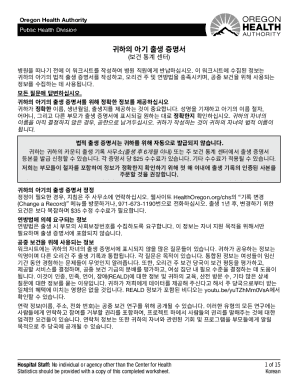
OR Birth Record Facility Worksheet Form Versions
Related Forms




Related Catalogs
Get the latest insights from our blog


If you believe that this page should be taken down, please follow our DMCA take down process
here
.
This form may include fields for payment information. Data entered in these fields is not covered by PCI DSS compliance.