
Last updated on
Nov 7, 2026

IRS 4506-F 2016 free printable template
We are not affiliated with any brand or entity on this form

Fill out
Complete the form online in a simple drag-and-drop editor.

eSign
Add your legally binding signature or send the form for signing.

Share
Share the form via a link, letting anyone fill it out from any device.

Export
Download, print, email, or move the form to your cloud storage.
Why pdfFiller is the best tool for your documents and forms


End-to-end document management
From editing and signing to collaboration and tracking, pdfFiller has everything you need to get your documents done quickly and efficiently.
Accessible from anywhere
pdfFiller is fully cloud-based. This means you can edit, sign, and share documents from anywhere using your computer, smartphone, or tablet.
Secure and compliant
pdfFiller lets you securely manage documents following global laws like ESIGN, CCPA, and GDPR. It's also HIPAA and SOC 2 compliant.
What is IRS 4506-F
The IRS Form 4506-F is a tax document used by individuals to request a copy of a fraudulent tax return filed with their Social Security Number (SSN).
pdfFiller scores top ratings on review platforms




Who needs IRS 4506-F?
Explore how professionals across industries use pdfFiller.

IRS 4506-F is needed by:
-
Individuals affected by identity theft
-
Taxpayers seeking to correct fraudulent returns
-
Legal representatives of affected individuals
-
Tax professionals assisting clients with fraud issues
-
Investigators handling fraud cases
-
Financial institutions verifying tax information
-
Victims of tax fraud requiring official documentation
Comprehensive Guide to IRS 4506-F
What is the IRS Form 4506-F Request for Copy of Fraudulent Tax Return?
The IRS Form 4506-F serves as a crucial tool for individuals who need to request a copy of a tax return that was fraudulently filed using their Social Security Number (SSN). This form is primarily designed for taxpayers who believe they have fallen victim to identity theft. By utilizing the IRS fraudulent tax return request, affected individuals can obtain essential documentation regarding the misuse of their tax information.
Why You Need the IRS Form 4506-F Request for Copy of Fraudulent Tax Return
The necessity of the IRS Form 4506-F becomes evident when considering the serious impact of tax fraud and identity theft. Obtaining a copy of the fraudulent return can help individuals understand what information was reported under their name, which is vital for rectifying any inaccuracies with the IRS. The benefits of using the request copy fraudulent tax return process not only aid in safeguarding one's financial identity but also streamline remediation efforts in case of wrongful tax assessments.
Who Should Complete the IRS Form 4506-F Request?
Individuals who suspect their identity has been compromised, particularly regarding their tax filings, are the primary candidates for completing the IRS Form 4506-F. Eligibility extends to anyone whose SSN has been utilized without consent in fraudulent tax scenarios. Specific situations, such as receiving a notice from the IRS about multiple returns filed or unexpected tax liabilities, may necessitate action using this form.
How to Fill Out the IRS Form 4506-F Request for Copy of Fraudulent Tax Return (Step-by-Step)
-
Begin by providing the name and SSN as used on the fraudulent return.
-
Fill in the current address of the SSN owner.
-
Indicate the tax year(s) for which you are requesting documentation.
-
Complete the requestor's information, ensuring all details are accurate.
-
Sign and date the form, adhering to signature requirements.
Each section of the IRS Form 4506-F is vital, so it's essential to double-check the provided information for accuracy before submission.
Required Documents and Supporting Materials
Submitting the IRS Form 4506-F requires specific identification documents to verify the requestor's identity. At a minimum, a government-issued ID is necessary. If the requestor is not the taxpayer, they must also include additional documentation proving their authority to make such requests on the taxpayer's behalf. This could include power of attorney or other related documents.
Submission Methods for the IRS Form 4506-F
There are several methods for submitting the IRS Form 4506-F, enabling flexibility for users. Forms can be mailed to the designated address provided by the IRS or submitted electronically, if applicable. It's important to be aware of any fees associated with the request and to consider processing times when planning for the retrieval of a fraudulent return.
Security and Compliance When Using the IRS Form 4506-F
When handling the IRS Form 4506-F, data protection should be a top priority for users. The IRS has implemented security measures to ensure sensitive information is managed securely. Compliance frameworks, such as HIPAA and GDPR, govern how personal data is treated, assuring users of robust privacy protections when submitting their request.
Common Errors and How to Avoid Them
Many users encounter common pitfalls when completing the IRS Form 4506-F. To avoid these errors, ensure that all entries are current and accurate, particularly the SSN and tax year(s) requested. Tips for preventing mistakes include verifying all information against official documents and reviewing the form multiple times before sending it off.
Next Steps After Submitting the IRS Form 4506-F
After submitting the IRS Form 4506-F, users should anticipate a processing period during which their request is reviewed. Confirmation from the IRS may follow, detailing the status of the submission. To check the status of the request, individuals can contact the IRS through the provided channels to ensure they remain informed throughout the process.
Streamline Your IRS Form 4506-F Process with pdfFiller
Utilizing pdfFiller can significantly enhance the experience of filling out and submitting the IRS Form 4506-F. The platform offers a multitude of features such as eSigning, document editing, and secure storage, making it easier for users to manage their forms effectively. With its user-friendly interface, pdfFiller supports a seamless process from preparation to submission.
How to Fill Out Small Business Tax Forms Online with pdfFiller
Struggling with your Schedule C or not sure how to file business taxes as a sole proprietor, LLC, or self-employed professional? This step-by-step pdfFiller tutorial walks you through completing IRS Schedule C quickly and accurately — no printing, no scanning, no stress. Whether you're handling small business tax deductions, tracking self-employed taxes, or preparing your full business tax return, pdfFiller makes it simple right in your browser.

How to fill out the IRS 4506-F
-
1.To access the IRS Form 4506-F on pdfFiller, visit their website and log in or create a free account.
-
2.Once logged in, use the search bar to find 'IRS Form 4506-F'. Click on the form to open it in the editor.
-
3.Before completing the form, gather necessary information including the SSN used on the fraudulent return, taxpayer's name, current address, and the tax year(s) in question.
-
4.Start filling out the form by entering the required details into the corresponding fields. Use pdfFiller's interface to easily navigate between sections.
-
5.Make sure to complete all applicable lines, including the requestor's information and signature, ensuring accuracy.
-
6.After filling in the form, review all information for completeness and correctness. Use pdfFiller's preview feature to double-check entries.
-
7.To finalize, follow prompts to save your filled form, download a copy for your records, or submit it electronically as per IRS guidelines.

Who is eligible to use IRS Form 4506-F?
IRS Form 4506-F is intended for individuals whose Social Security Number (SSN) was used to submit a fraudulent tax return. Eligibility extends to the SSN owner or authorized representatives.
What supporting documents are needed to submit this form?
You'll need a government-issued ID such as a driver's license or passport and, if you're not the taxpayer, documents proving your authority to receive the requested information.
How can I submit the IRS Form 4506-F after completion?
Once completed, submit the form to the IRS at the specified address in Fresno, California. You may also need to confirm specific submission methods by checking IRS guidelines.
What common mistakes should I avoid when filling out this form?
Ensure that all fields are correctly filled out, and avoid leaving any required fields blank. Double-check the SSN and ensure your signature is present to prevent delays.
What is the processing time for Form 4506-F requests?
Processing times may vary, but typically you can expect it to take 7 to 10 business days from the date of submission. Check the IRS website for current processing times.
Are there any fees associated with submitting Form 4506-F?
There is normally no fee for submitting IRS Form 4506-F for identity theft purposes, but it’s advisable to check with the IRS for any changes in this policy.
What should I do if I didn’t receive my requested documents?
If you don't receive your documents within the expected timeframe, contact the IRS directly for assistance and follow up on your request status.
IRS 4506-F Form Versions
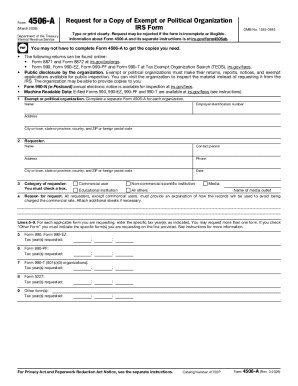
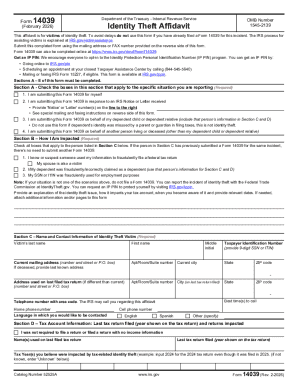
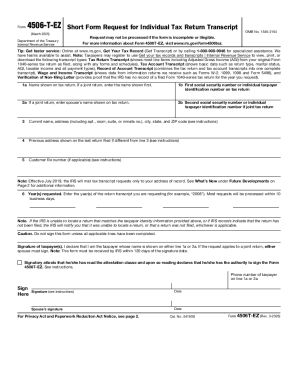
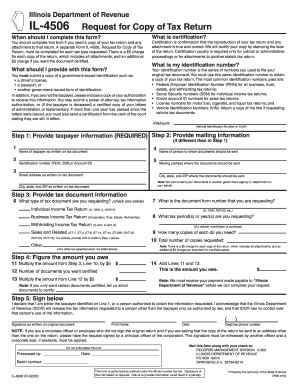
Related Forms


Get the latest insights from our blog


If you believe that this page should be taken down, please follow our DMCA take down process
here
.
This form may include fields for payment information. Data entered in these fields is not covered by PCI DSS compliance.