
Last updated on
Nov 9, 2026
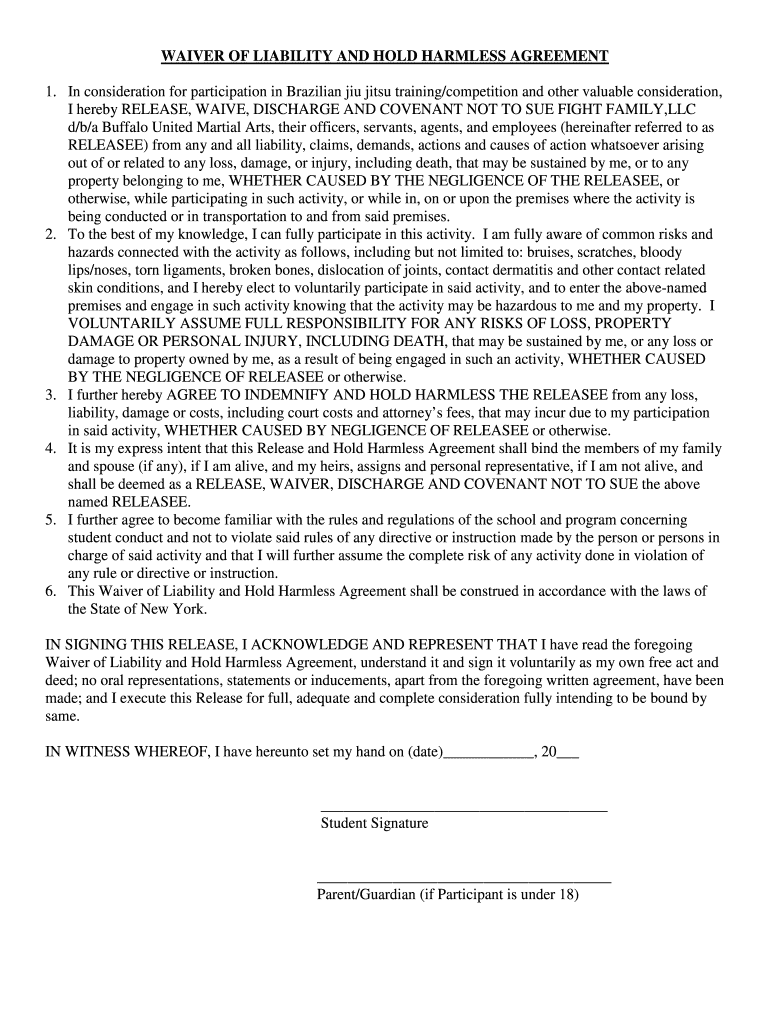
BUMA Waiver of Liability and Hold Harmless free printable template
We are not affiliated with any brand or entity on this form

Fill out
Complete the form online in a simple drag-and-drop editor.

eSign
Add your legally binding signature or send the form for signing.

Share
Share the form via a link, letting anyone fill it out from any device.

Export
Download, print, email, or move the form to your cloud storage.
Why pdfFiller is the best tool for your documents and forms


End-to-end document management
From editing and signing to collaboration and tracking, pdfFiller has everything you need to get your documents done quickly and efficiently.
Accessible from anywhere
pdfFiller is fully cloud-based. This means you can edit, sign, and share documents from anywhere using your computer, smartphone, or tablet.
Secure and compliant
pdfFiller lets you securely manage documents following global laws like ESIGN, CCPA, and GDPR. It's also HIPAA and SOC 2 compliant.
What is BUMA Waiver of Liability and Hold Harmless
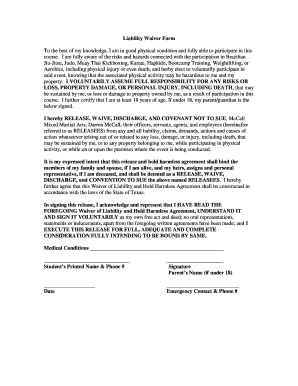
The Waiver of Liability and Hold Harmless Agreement is a legal document used by participants in Brazilian jiu-jitsu to release FIGHT FAMILY, LLC from liability for injuries during training or competitions.
pdfFiller scores top ratings on review platforms




Who needs BUMA Waiver of Liability and Hold Harmless?
Explore how professionals across industries use pdfFiller.

BUMA Waiver of Liability and Hold Harmless is needed by:
-
Students participating in Brazilian jiu-jitsu
-
Parents or guardians of minors enrolling in martial arts
-
Martial arts instructors requiring liability waivers
-
Sport clubs organizing competitive events
-
Legal professionals drafting or reviewing liability forms
Comprehensive Guide to BUMA Waiver of Liability and Hold Harmless
What is the Waiver of Liability and Hold Harmless Agreement?
The Waiver of Liability and Hold Harmless Agreement is a legal document used primarily in Brazilian jiu-jitsu training or competition. Its main function is to release FIGHT FAMILY, LLC d/b/a Buffalo United Martial Arts from any liability related to injuries or damages that may occur during these activities. By signing this agreement, participants acknowledge the inherent risks of martial arts, making it clear that they accept full responsibility for their involvement.
Purpose and Benefits of the Waiver of Liability and Hold Harmless Agreement
Participants in martial arts are required to sign this waiver to fully understand the risks associated with their training or competition. The benefits of signing the waiver include gaining a clear understanding of potential dangers involved and protecting the business from legal claims. This process emphasizes the crucial role of informed consent in sports and helps maintain a safe training environment.
Who Needs to Fill Out the Waiver of Liability and Hold Harmless Agreement?
Both students and their parents or guardians are required to fill out the waiver. If the participant is under 18 years old, a parent or guardian must also sign the agreement, ensuring that minors are properly represented and protected in this legal context. This dual-signature requirement underscores the importance of parental guidance in youth sports.
Key Features of the Waiver of Liability and Hold Harmless Agreement
This agreement contains essential components that must be completed, including specific fillable fields like 'Student Signature' and 'Parent/Guardian Signature.' Legal implications are acknowledged upon signing, reinforcing the understanding that all parties are willingly participating in Brazilian jiu-jitsu, thereby limiting liability for the organization. The presence of these fields indicates a clearly defined consent process.
Eligibility Criteria for the Waiver of Liability and Hold Harmless Agreement
Eligibility to sign the waiver is typically restricted to participants who are at least 18 years old, although minors can have their parent or guardian sign on their behalf. Additional age-related restrictions may apply, ensuring that participants meet specific requirements before engaging in Brazilian jiu-jitsu. This focus on eligibility safeguards both the participants and the facilities involved.
How to Fill Out the Waiver of Liability and Hold Harmless Agreement Online (Step-by-Step)
To fill out the waiver online using pdfFiller, follow these steps:
-
Access the waiver form on pdfFiller's platform.
-
Enter your personal information in the required fields.
-
Provide a signature in the 'Student Signature' field, ensuring its accuracy.
-
If applicable, have a parent or guardian fill out the 'Parent/Guardian Signature' field.
-
Review all entered information for completeness and correctness before submission.
These steps are designed to guide users through an easy and efficient filling process, clearly demarcating the required information.
How to Sign the Waiver of Liability and Hold Harmless Agreement
When it comes to signing the waiver, participants have options for digital signatures or traditional wet signatures. The digital signing option through pdfFiller is particularly convenient, allowing users to securely sign their waivers online, thus facilitating a quicker and more efficient process.
Submission Methods and Delivery for the Waiver of Liability and Hold Harmless Agreement
Once completed, the waiver can be submitted through various methods, including online submissions and physical forms. Users should be informed about the procedure for tracking submissions when applicable, ensuring that they are aware of their waiver's status.
Common Errors and How to Avoid Them When Filing the Waiver of Liability and Hold Harmless Agreement
Participants often encounter several common errors when filling out the waiver. Frequent mistakes include omitting required signatures or failing to provide accurate information. Best practices to avoid these issues include double-checking all entries against the requirements of the form and ensuring all necessary documentation accompanies the submission.
Experience the Ease of Completing Your Waiver of Liability and Hold Harmless Agreement with pdfFiller
pdfFiller offers a user-friendly platform that simplifies the process of editing, filling, and signing the Waiver of Liability and Hold Harmless Agreement. Users can take comfort in the robust security measures that protect sensitive documents while enhancing their overall experience with document management.
How to fill out the BUMA Waiver of Liability and Hold Harmless
-
1.Access pdfFiller and search for 'Waiver of Liability and Hold Harmless Agreement' to find the form.
-
2.Open the form and familiarize yourself with the layout, noting the fillable fields for signature and date.
-
3.Gather the necessary information, including the names of the student and the parent or guardian if applicable. Have identification and emergency contact details ready.
-
4.Click on each fillable field to input the required information, such as the student’s name, the dates, and signatures. Ensure clarity and accuracy in filling in each section.
-
5.Once completed, review the document carefully. Check for any missing information or errors that may need correcting.
-
6.After ensuring all fields are accurately filled out, save your progress within pdfFiller. Use the 'Save' option to avoid losing your changes.
-
7.To finalize, download the form as a PDF or share it directly through email. You can also print the document if hard copies are needed.

Who is eligible to sign the Waiver of Liability?
Both the student and a parent or guardian are required to sign this waiver, especially if the participant is under 18 years old. Make sure all parties understand the implications before signing.
Is there a specific deadline to submit this waiver?
It’s essential to have the Waiver of Liability signed before participating in any Brazilian jiu-jitsu classes or competitions. Ensure it’s submitted promptly to avoid missing any events.
What is the process for submitting this waiver?
Once completed, you can submit the waiver by downloading it and email it to the organization, or print it out and deliver it in person. Check if they need a hard copy or an electronic version.
Are there any documents required along with the waiver?
Typically, no additional documents are required. However, it’s wise to confirm with the organization if any identification or proof of insurance is necessary.
What are common mistakes to avoid when filling out this waiver?
Ensure that all required fields are filled in fully. Common mistakes include missing signatures, incorrect dates, and not reviewing the terms of the waiver carefully.
How long does it take to process this waiver?
The processing time is usually immediate, as the waiver is generally validated upon submission. However, allow extra time during busy enrollment periods.
Can I edit the waiver after it's signed?
Once signed, the Waiver of Liability typically cannot be altered. If changes are required, a new waiver must be created and signed again by all parties involved.
Related Forms




Get the latest insights from our blog


If you believe that this page should be taken down, please follow our DMCA take down process
here
.
This form may include fields for payment information. Data entered in these fields is not covered by PCI DSS compliance.