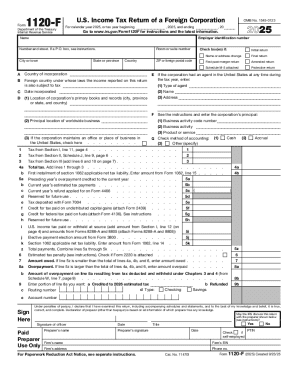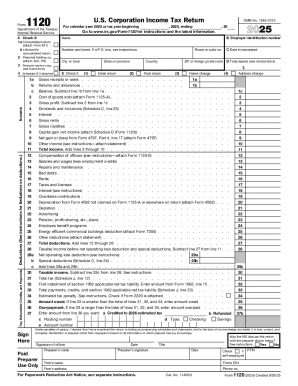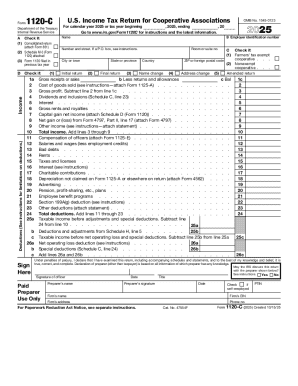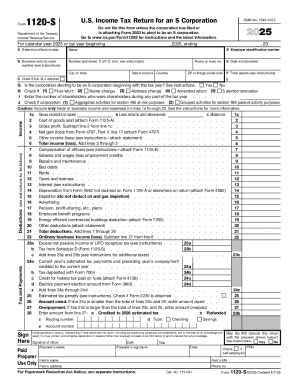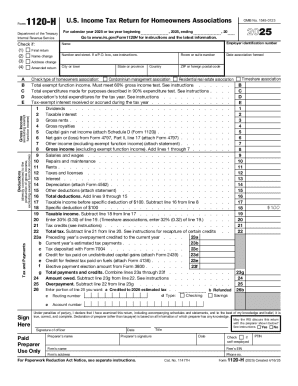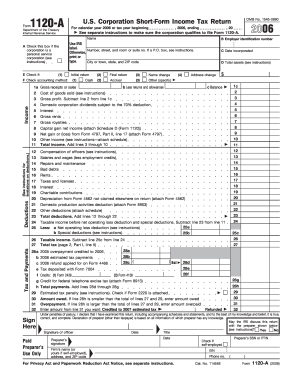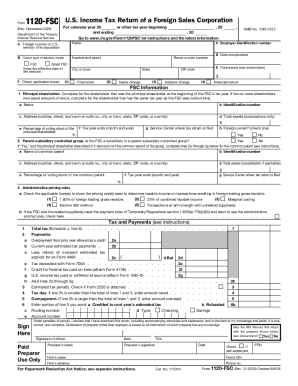
Form preview

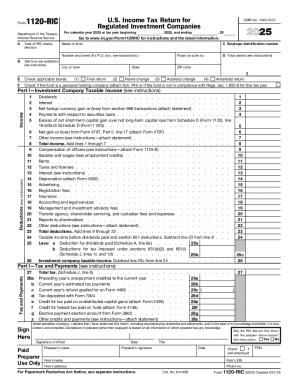
IRS 1120-REIT 2015 free printable template


Get Form
We are not affiliated with any brand or entity on this form
Screenshot
Screenshot
Screenshot

Get, Create, Make, and Sign IRS 1120-REIT

Edit your IRS 1120-REIT online
Type text, complete fillable fields, insert images, highlight or blackout data for discretion, add comments, and more.
Screenshot
Add your legally-binding signature
Draw or type your signature, upload a signature image, or capture it with your digital camera.
Screenshot
Share your form instantly
Email, fax, or share your IRS 1120-REIT via URL. You can also download, print, or export forms to your preferred cloud storage service.
Screenshot

Instructions and Help about IRS 1120-REIT

How to edit IRS 1120-REIT

To edit IRS 1120-REIT, you can use pdfFiller’s editing tools to modify the existing form. This allows you to make necessary changes such as updating financial figures, correcting errors, or adding additional information. Ensure that any edits do not alter the integrity of the original data required for the tax submission. Once completed, you can save your edited version for record-keeping or submission.

How to fill out IRS 1120-REIT

To fill out IRS 1120-REIT correctly, follow these steps:
01
Gather your financial records, including income statements and balance sheets.
02
Enter the full name and address of the Real Estate Investment Trust (REIT) at the top of the form.
03
Complete sections regarding income, deductions, and credits applicable to your REIT.
04
Review calculations to ensure accuracy of the reported figures.
05
Sign and date the form before submission.

About IRS 1120-REIT 2015 previous version

What is IRS 1120-REIT?

IRS 1120-REIT is the tax form specifically designated for Real Estate Investment Trusts. This form is used to report income, deductions, gains, losses, and other relevant financial information pertaining to the REIT. Only organizations that qualify as a REIT under the Internal Revenue Code should utilize this form for federal tax purposes.

Who needs the form?

Any Real Estate Investment Trust that is subject to taxation must file IRS 1120-REIT. This includes both publicly and privately held REITs that wish to benefit from tax advantages. If your organization meets the qualifications for REIT status, this form is mandatory for reporting purposes.

Components of the form

IRS 1120-REIT consists of several key components, including sections on income, deductions, and tax computation. Additionally, it requires detailed information regarding dividends paid to shareholders and the REIT's operational structure. Complete and accurate information must be provided in each component to ensure compliance with IRS regulations and to calculate the correct tax liability.

What are the penalties for not issuing the form?

Failure to file IRS 1120-REIT on time can lead to significant penalties. The IRS may impose a penalty for each month the return is late, up to a maximum of 12 months. Additionally, inaccuracies in the form may attract further penalties, which could be a percentage of the underpayment or incorrect filings. It is crucial for REITs to ensure timely and accurate filing to avoid such repercussions.

Where do I send the form?

IRS 1120-REIT should be sent to the address specified by the IRS for tax form submissions. Typically, the filing address depends on whether you are including a payment with the form. Always refer to the latest IRS guidance to confirm the correct submission address for your particular situation.

What is the purpose of this form?

The primary purpose of IRS 1120-REIT is to compute tax liabilities for Real Estate Investment Trusts. Additionally, the form aids in ensuring that REITs comply with the regulations set forth by the Internal Revenue Service regarding income distribution and taxation. It delineates how income is defined for federal tax purposes and allows the collection of necessary information required to verify compliance.

When am I exempt from filling out this form?

Exemptions from filing IRS 1120-REIT typically apply to REITs that do not have taxable income or those that either distribute all taxable income or do not meet the REIT requirements in a given taxable year. Organizations must evaluate their specific circumstances and IRS regulations to determine if an exemption applies.

Due date

The due date for filing IRS 1120-REIT generally falls on the 15th day of the 3rd month following the end of the REIT’s tax year. For calendar year filers, this usually means the form is due by March 15. Failing to file on time may result in penalties and additional fees.

What information do you need when you file the form?

When filing IRS 1120-REIT, you will need to provide various pieces of information, including the REIT's identification number, financial information regarding income and expenses, and details on distributions made to shareholders. Ensuring that all relevant financial statements and documentation are ready will facilitate a smoother filing process.

Is the form accompanied by other forms?

Yes, IRS 1120-REIT may need to be accompanied by additional forms, including Schedule A for asset allocation and Schedule B for dividend distributions. Depending on your specific situation, other schedules may also be necessary to provide complete and thorough reporting of all applicable financial information.

FAQ about IRS 1120-REIT

To correct any mistakes on your submitted 2015 form 1120-reit, you need to file an amended return using Form 1120-X. This process involves providing the corrected information and explaining the errors made in the original filing. It's essential to keep documentation that supports your amendments for future reference.

To verify the receipt and processing status of your 2015 form 1120-reit, you can use the IRS’s online tool designed for tracking your submission. Typically, you need to provide your personal identifiable information to access the tracking feature. Additionally, you may receive confirmation through email or postal service, depending on how you filed.

If you receive a notice regarding your 2015 form 1120-reit from the IRS, first carefully read the notice to understand the issue raised. Respond promptly by addressing the concerns, providing requested documentation, and following the instructions specified in the notice to avoid any penalties or further complications.

Yes, electronic signatures are accepted for the 2015 form 1120-reit, as long as you adhere to the IRS e-file regulations. It's crucial to ensure that the software you are using for e-filing is compliant with IRS standards for e-signatures to verify authenticity and integrity.

Common errors when filing the 2015 form 1120-reit include incorrect math calculations, failing to sign the form, and not checking for consistency with prior submissions. To mitigate these issues, double-check all figures, ensure you have provided all required information, and verify that your filing aligns with prior records.


See what our users say
Trust Seal
Trust Seal
Trust Seal
Trust Seal
Trust Seal
Trust Seal
Trust Seal
Trust Seal
Rate free form
4.3
satisfied
163 votes

How to Fill Out Small Business Tax Forms Online with pdfFiller

Struggling with your Schedule C or not sure how to file business taxes as a sole proprietor, LLC, or self-employed professional? This step-by-step pdfFiller tutorial walks you through completing IRS Schedule C quickly and accurately — no printing, no scanning, no stress. Whether you're handling small business tax deductions, tracking self-employed taxes, or preparing your full business tax return, pdfFiller makes it simple right in your browser.

If you believe that this page should be taken down, please follow our DMCA take down process here .
This form may include fields for payment information. Data entered in these fields is not covered by PCI DSS compliance.