
Last updated on
Sep 20, 2026
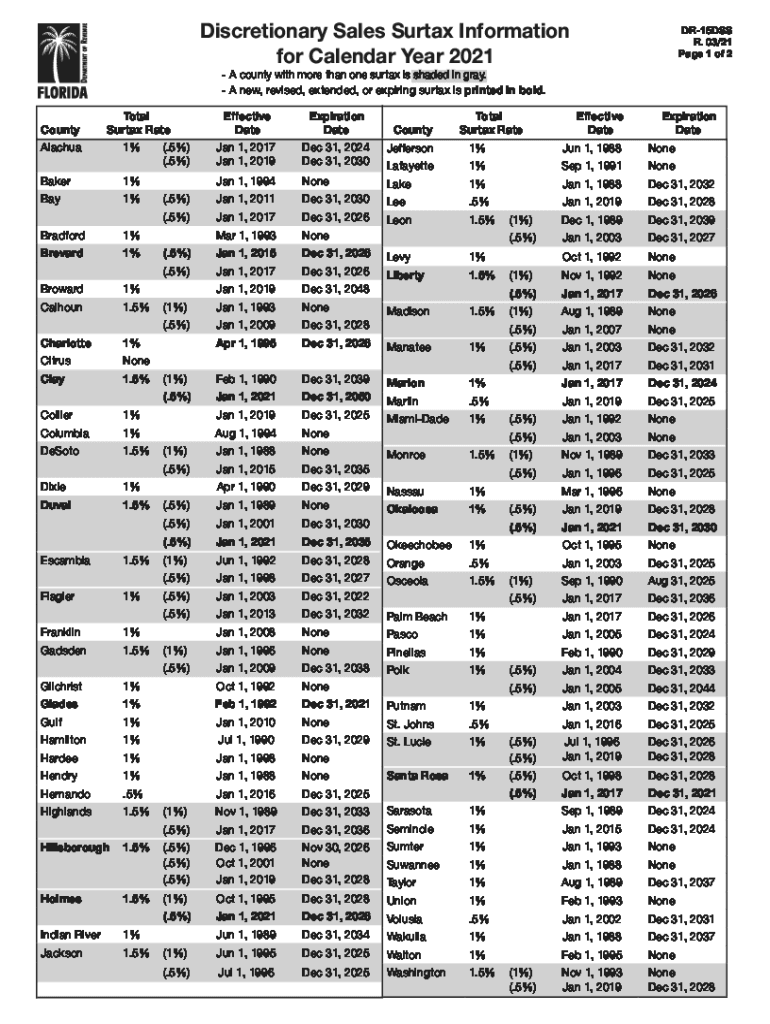
FL DR-15DSS 2021 free printable template
pdfFiller is not affiliated with any government organization

Fill out
Complete the form online in a simple drag-and-drop editor.

eSign
Add your legally binding signature or send the form for signing.

Share
Share the form via a link, letting anyone fill it out from any device.

Export
Download, print, email, or move the form to your cloud storage.
Why pdfFiller is the best tool for your documents and forms


End-to-end document management
From editing and signing to collaboration and tracking, pdfFiller has everything you need to get your documents done quickly and efficiently.
Accessible from anywhere
pdfFiller is fully cloud-based. This means you can edit, sign, and share documents from anywhere using your computer, smartphone, or tablet.
Secure and compliant
pdfFiller lets you securely manage documents following global laws like ESIGN, CCPA, and GDPR. It's also HIPAA and SOC 2 compliant.
What is FL DR-15DSS
The FL DR-15DSS is a tax form used by residents of Florida to request a refund of overpaid taxes or fees.
pdfFiller scores top ratings on review platforms




Who needs FL DR-15DSS?
Explore how professionals across industries use pdfFiller.

FL DR-15DSS is needed by:
-
Florida residents seeking a tax refund
-
Individuals who have overpaid taxes or fees in Florida
-
Tax professionals assisting clients in Florida
-
Businesses operating in Florida with tax refund claims
-
Accountants managing client tax situations in Florida
Comprehensive Guide to FL DR-15DSS
What is the FL DR-15DSS?
The FL DR-15DSS is a form designed to facilitate specific tax or financial reporting needs. It serves a critical role in helping individuals and businesses comply with state regulations. Typically, taxpayers, including both individuals and corporate entities, are required to fill out this form to ensure accurate and timely processing of their financial obligations.
By submitting the FL DR-15DSS, users may achieve several key outcomes, such as clear compliance with tax laws, applicable deductions, and maintaining good standing with financial authorities.
Purpose and Benefits of the FL DR-15DSS
The FL DR-15DSS holds significant importance in the realm of regulatory compliance. One of the main reasons for filing this form is to meet mandatory legal requirements set by the state of Florida. Timely submission of the FL DR-15DSS can prevent penalties and streamline the overall tax process.
Additionally, completing this form can enhance efficiency in managing tax records. By ensuring the information is accurate and submitted on time, users can expedite their financial processes.
Who Needs the FL DR-15DSS?
This form is primarily intended for specific categories of taxpayers. Individuals involved in certain tax situations, such as those claiming deductions or credits, typically need to submit the FL DR-15DSS. Businesses, especially those in certain industries, are also required to fill out this form under specific circumstances.
Examples include small business owners filing annual tax returns and taxpayers facing unique financial situations that necessitate detailed reporting. Understanding the target audience is crucial to ensure compliance and proper usage of the form.
How to Fill Out the FL DR-15DSS Online
Filling out the FL DR-15DSS online is a straightforward process. Begin by gathering all necessary information, such as income details and applicable deductions, which will streamline the filling process. Navigate to a reliable platform like pdfFiller, which offers user-friendly tools for completing the form.
The general steps for completing the form online include:
-
Access the pdfFiller platform.
-
Upload or select the FL DR-15DSS form.
-
Fill in the required fields with accurate information.
-
Review your entries for any errors.
-
Save or submit your completed form as instructed.
Field-by-Field Instructions for the FL DR-15DSS
Providing detailed guidance for each section of the FL DR-15DSS is essential for ensuring accurate completion. Critical fields include personal identification, income details, and declarations relevant to the form's purpose.
Common mistakes to watch out for include:
-
Incorrectly entering identification numbers.
-
Missing signatures or dates.
-
Failure to double-check numerical entries.
For additional clarity, consider referring to a completed example or visual aids that illustrate how to fill out each section correctly.
Submission Methods for the FL DR-15DSS
Once the FL DR-15DSS is completed, several submission methods are available to users. Acceptable options include online submission through designated portals and mailing the form directly to relevant authorities.
Essential information on submission includes:
-
Where to send or upload the completed form.
-
The timeline for initial processing of the form.
-
Consequences that may arise from late submissions.
What Happens After You Submit the FL DR-15DSS?
After submitting the FL DR-15DSS, users can expect a structured confirmation process. Typically, they will receive notifications indicating the status of their submission and details on how to track its progress.
Common outcomes may vary depending on the submission accuracy and completeness. Users should anticipate typical response timelines and understand what possible actions may follow the processing of their form.
Security and Privacy Considerations with the FL DR-15DSS
When handling sensitive documents like the FL DR-15DSS, users can be assured of their security and privacy. pdfFiller employs robust security measures, including 256-bit encryption to protect user data during the form completion process.
Moreover, the platform complies with regulations such as HIPAA and GDPR, ensuring that personal information is handled responsibly. Users are encouraged to prioritize document security throughout their experience.
Final Thoughts on Completing the FL DR-15DSS with pdfFiller
Utilizing pdfFiller for completing the FL DR-15DSS provides numerous advantages, including a user-friendly platform that simplifies the form-filling experience. The combination of efficient document handling, strong security measures, and compliance features make pdfFiller an ideal choice for users.
Start your FL DR-15DSS form today to take advantage of these benefits and ensure a seamless filing experience!
How to fill out the FL DR-15DSS
-
1.To access the FL DR-15DSS form on pdfFiller, visit their website and search for 'FL DR-15DSS' in the search bar.
-
2.Once you locate the form, click on it to open and review it in the pdfFiller editor.
-
3.Before filling out the form, gather necessary information such as your tax identification number, payment records, and any supporting documents for your refund request.
-
4.With the form open, use pdfFiller’s editing tools to fill in your details in the required fields accurately.
-
5.Ensure that you double-check any pre-filled information for accuracy and completeness.
-
6.After completing all the fields, review your form thoroughly to confirm all provided details are correct.
-
7.Once satisfied, finalize your entries and save the form using the 'Save' or 'Download' options in pdfFiller.
-
8.Choose your preferred format for download, or submit the form directly through pdfFiller if that option is available.

Who is eligible to use the FL DR-15DSS form?
Any Florida resident who believes they have overpaid taxes or fees can use the FL DR-15DSS form to request a refund.
What is the submission deadline for the FL DR-15DSS form?
Typically, the completed FL DR-15DSS form should be submitted as soon as possible after identifying an overpayment, but check local guidelines for specific deadlines.
How do I submit my completed FL DR-15DSS form?
You can submit the completed FL DR-15DSS form by downloading it and mailing it to the appropriate tax authority or submitting it through the pdfFiller platform if available.
Are there specific documents required to support my FL DR-15DSS claim?
Yes, you will need to provide supporting documents such as proof of payment, tax identification numbers, and any correspondence related to your overpayment.
What common mistakes should I avoid when completing the FL DR-15DSS form?
Common mistakes include not signing the form, providing incorrect identification numbers, or failing to attach required supporting documents.
What are the processing times for the FL DR-15DSS form once submitted?
Processing times for the FL DR-15DSS form can vary, but typically you can expect to receive any refund within 4 to 6 weeks after submission.
Can I modify my FL DR-15DSS form after submission?
Once submitted, modifications to the FL DR-15DSS form typically cannot be made. You would need to contact the tax office for guidance on adjustments.
FL DR-15DSS Form Versions
Related Content
Related Forms
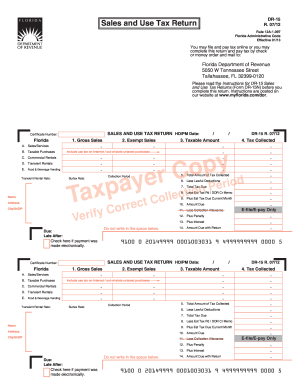
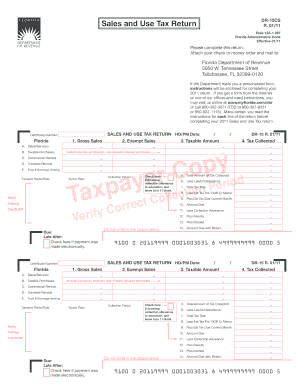



Get the latest insights from our blog


If you believe that this page should be taken down, please follow our DMCA take down process
here
.
This form may include fields for payment information. Data entered in these fields is not covered by PCI DSS compliance.