

Get the free Warranty Deed Corporation to Individual
We are not affiliated with any brand or entity on this form

Fill out
Complete the form online in a simple drag-and-drop editor.

eSign
Add your legally binding signature or send the form for signing.

Share
Share the form via a link, letting anyone fill it out from any device.

Export
Download, print, email, or move the form to your cloud storage.
Why pdfFiller is the best tool for your documents and forms


End-to-end document management
From editing and signing to collaboration and tracking, pdfFiller has everything you need to get your documents done quickly and efficiently.
Accessible from anywhere
pdfFiller is fully cloud-based. This means you can edit, sign, and share documents from anywhere using your computer, smartphone, or tablet.
Secure and compliant
pdfFiller lets you securely manage documents following global laws like ESIGN, CCPA, and GDPR. It's also HIPAA and SOC 2 compliant.
What is Deed Transfer Form
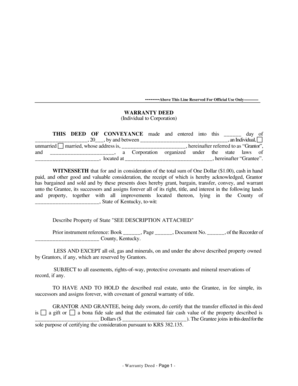
The Warranty Deed Corporation to Individual is a legal document used by corporations to transfer real estate property to individuals, ensuring a formal and notarized conveyance.
pdfFiller scores top ratings on review platforms




Who needs Deed Transfer Form?
Explore how professionals across industries use pdfFiller.

Deed Transfer Form is needed by:
-
Corporations transferring property in Kentucky
-
Individuals receiving property from corporations
-
Real estate attorneys assisting in property transactions
-
Notaries public validating the deed
-
Title companies involved in property transfers
-
Buyers and sellers of real estate in Kentucky
How to fill out the Deed Transfer Form
-
1.To begin, access pdfFiller and search for the Warranty Deed Corporation to Individual template using the search bar.
-
2.Open the form by clicking on it within the search results. You will be directed to an editable interface.
-
3.Before filling out the form, gather necessary information such as the Grantor's and Grantee's names and addresses, the property description, and any relevant legal details.
-
4.Navigate through the fields, starting with the Grantor's information. Click on each field and enter the necessary details carefully.
-
5.Proceed to fill in the Grantee's information, ensuring all details are accurate to avoid legal issues.
-
6.Next, provide the necessary property description, including any relevant identifiers or features that characteristically define the property being transferred.
-
7.Ensure that you've included all required information about the consideration of the transfer, including any monetary exchanges if applicable.
-
8.Once completed, review the entire form for accuracy, ensuring that all blanks are filled and details correctly entered.
-
9.After final review, use the signing feature to add a digital signature for the Grantor, Grantee, and Notary Public, ensuring compliance for notarization.
-
10.Once all signatures are added, save your changes. You can download the document as a PDF, print it, or use pdfFiller's submission features to send it to the necessary parties.

Who needs to sign the Warranty Deed Corporation to Individual?
The form requires signatures from the Grantor (corporation), Grantee (individual), and a Notary Public to validate the transaction legally.
What is required before completing the form?
Before completing the warranty deed, gather relevant information such as the names, addresses, property details, and any considerations involved in the transfer.
Is notarization necessary for this form?
Yes, notarization is essential for the Warranty Deed Corporation to Individual, as it ensures the document is legally binding and valid.
How should I submit the completed form?
You can save and print the completed form for submission. Alternatively, use established submission channels dictated by your state's requirements or your attorney's instructions.
What happens after the deed is signed and notarized?
Once the deed is signed and notarized, it should be recorded with the local county clerk's office to officially document the property transfer.
Are there any fees associated with this form?
Fees may apply for notarization and recording the deed with local authorities. Check with your local clerk's office for specific costs associated with property transfer documents.
What are common mistakes to avoid when filling out this form?
Common mistakes include leaving fields blank, incorrect names or addresses, and failing to notarize the document. Double-check all entries before finalizing to avoid issues.
Related Content
Related Forms



Get the latest insights from our blog


If you believe that this page should be taken down, please follow our DMCA take down process
here
.
This form may include fields for payment information. Data entered in these fields is not covered by PCI DSS compliance.