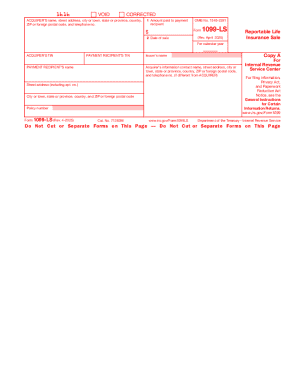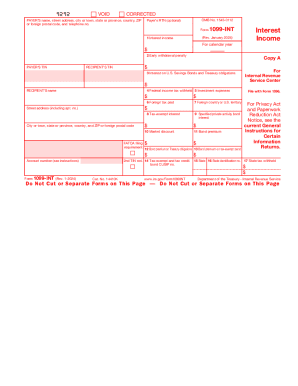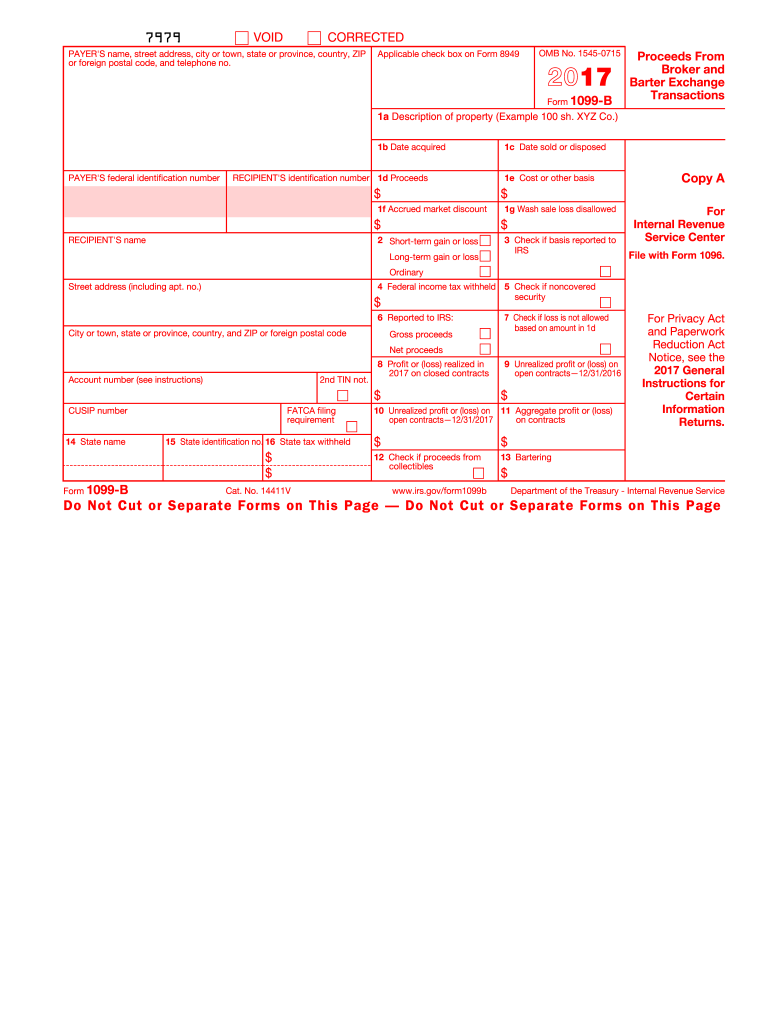
Form preview

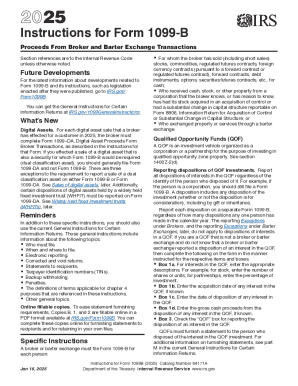
IRS 1099-B 2017 free printable template


Get Form
pdfFiller is not affiliated with IRS
Screenshot
Screenshot
Screenshot

Get, Create, Make, and Sign IRS 1099-B

Edit your IRS 1099-B online
Type text, complete fillable fields, insert images, highlight or blackout data for discretion, add comments, and more.
Screenshot
Add your legally-binding signature
Draw or type your signature, upload a signature image, or capture it with your digital camera.
Screenshot
Share your form instantly
Email, fax, or share your IRS 1099-B via URL. You can also download, print, or export forms to your preferred cloud storage service.
Screenshot

Instructions and Help about IRS 1099-B

How to edit IRS 1099-B

To edit the IRS 1099-B tax form, first, obtain a blank version of the form from the IRS website or through tax software that supports it. Using pdfFiller, you can electronically fill in the necessary information, such as your name, address, and details of the transactions. Make sure all entries are accurate, as the IRS requires precise data on the sale of securities and other transactions.
After updating the required fields, review the document thoroughly. Look for common areas of error, such as incorrect amounts or missing information. Save the edited form securely, as you will need it for submission to the IRS.

How to fill out IRS 1099-B

Filling out IRS 1099-B requires following specific guidelines. Start by entering the payer's information, including name, address, and TIN (Tax Identification Number). This section is necessary for identifying who is reporting the transaction. Next, provide your details in the recipient section.
Detail each transaction in the designated boxes, including the date of sale, identification of the security sold, proceeds, and cost basis. Ensure that you differentiate between long-term and short-term gains, as this affects tax implications. Once completed, double-check that all reported information matches your records.

About IRS 1099-B 2017 previous version

What is IRS 1099-B?

IRS 1099-B is a tax form used to report proceeds from broker and barter exchange transactions. It is essential for individuals who have sold securities or received barter exchange income. This form provides the IRS with detailed accounts of each transaction, which helps determine the correct tax obligations for the taxpayer.

Who needs the form?

Taxpayers who sold securities through a broker or were involved in barter transactions must receive IRS 1099-B forms. Brokers issue this form to report all qualifying transactions that occurred during the tax year. It's essential for both individual investors and businesses engaged in securities trading.

Components of the form

IRS 1099-B consists of several key components that detail transaction information. These include the payer's and recipient's information, the dates of sale, transaction details such as quantity sold, proceeds, and applicable tax information regarding short-term and long-term gains. Understanding each section is crucial for accurate reporting.

What information do you need when you file the form?

When filing IRS 1099-B, you will need several pieces of information. This includes the broker's name and TIN, the taxpayer's identification details, transaction dates, and specifics about each sale, including proceeds and cost basis. Accurate records from your broker will facilitate this process.

Where do I send the form?

The IRS 1099-B must be sent to the IRS along with the appropriate transmittal form, typically Form 1096 for paper submissions. If you are filing electronically, follow the IRS e-filing protocols. Be sure to verify the correct mailing address or submission method based on the IRS guidelines for the tax year.

What is the purpose of this form?

The primary purpose of IRS 1099-B is to report gains or losses from the sale of stocks, bonds, commodities, and other securities. This information is critical for calculating capital gains taxes. When taxpayers file their annual returns, they must include any taxable gain or loss from transactions detailed on this form.

When am I exempt from filling out this form?

You may be exempt from completing IRS 1099-B if you did not have any transactions that resulted in taxable income from securities sales during the tax year. Additionally, not every barter transaction will require a form; exemptions apply based on the nature and amount of the exchange.

What are the penalties for not issuing the form?

Failing to issue IRS 1099-B when required can result in significant penalties. The IRS may impose fines based on how late the form is filed, ranging from $50 to $270 per form. Serious cases of willful neglect may incur higher penalties. It's essential for both payers and recipients to ensure compliance to avoid these financial repercussions.

Is the form accompanied by other forms?

IRS 1099-B is often accompanied by additional forms, such as IRS Schedule D for capital gains and losses when taxpayers file their annual tax returns. It is vital to coordinate the information reported on 1099-B with relevant forms to ensure comprehensive tax reporting.

FAQ about IRS 1099-B

If you find an error on your filed IRS 1099-B, you should file a corrected form with the IRS as soon as possible. This involves completing a new IRS 1099-B indicating it is a correction and providing the correct information. Additionally, notify the recipient of the form about the correction to ensure their records are accurate.

To verify the receipt and processing of your IRS 1099-B, you can utilize the IRS e-File tools if you filed electronically, or contact the IRS directly for confirmation if you filed a paper form. Keep in mind that processing times may vary, so patience may be necessary while awaiting confirmation.

Yes, submitting an IRS 1099-B electronically raises certain privacy and data security concerns. It is essential to use secure and reputable filing software that encrypts your information to protect sensitive data. Moreover, review the provider's privacy policies to ensure compliance and safeguard your personal and financial information.

If you receive a notice from the IRS related to your IRS 1099-B, carefully review the message for specifics about the issue. Gather all relevant documentation and consult a tax professional if necessary to formulate your response and address any discrepancies highlighted in the notice.

Common pitfalls when filing an IRS 1099-B include incorrect recipient information, such as misspelling names or using incorrect Social Security Numbers (SSNs). To avoid these errors, double-check all information against official documents and consult your software's validation features before submitting the form.

See what our users say

Read user feedback and try pdfFiller to explore all its benefits for yourself
Awesome service, clean and easy to use interface.
Anonymous Customer
It is helping me with some very difficult documents and has help speed the process for me.
Anonymous Customer
See what our users say
Trust Seal
Trust Seal
Trust Seal
Trust Seal
Trust Seal
Trust Seal
Trust Seal
Trust Seal
Rate free form
4.3
satisfied
63 votes

How to Fill Out Small Business Tax Forms Online with pdfFiller

Struggling with your Schedule C or not sure how to file business taxes as a sole proprietor, LLC, or self-employed professional? This step-by-step pdfFiller tutorial walks you through completing IRS Schedule C quickly and accurately — no printing, no scanning, no stress. Whether you're handling small business tax deductions, tracking self-employed taxes, or preparing your full business tax return, pdfFiller makes it simple right in your browser.

If you believe that this page should be taken down, please follow our DMCA take down process here .
This form may include fields for payment information. Data entered in these fields is not covered by PCI DSS compliance.