
Last updated on
Oct 31, 2026

Ashford University Unofficial Transcript Request 2011 free printable template
pdfFiller is not affiliated with any government organization

Fill out
Complete the form online in a simple drag-and-drop editor.

eSign
Add your legally binding signature or send the form for signing.

Share
Share the form via a link, letting anyone fill it out from any device.

Export
Download, print, email, or move the form to your cloud storage.
Why pdfFiller is the best tool for your documents and forms


End-to-end document management
From editing and signing to collaboration and tracking, pdfFiller has everything you need to get your documents done quickly and efficiently.
Accessible from anywhere
pdfFiller is fully cloud-based. This means you can edit, sign, and share documents from anywhere using your computer, smartphone, or tablet.
Secure and compliant
pdfFiller lets you securely manage documents following global laws like ESIGN, CCPA, and GDPR. It's also HIPAA and SOC 2 compliant.
What is Ashford University Unofficial Transcript Request
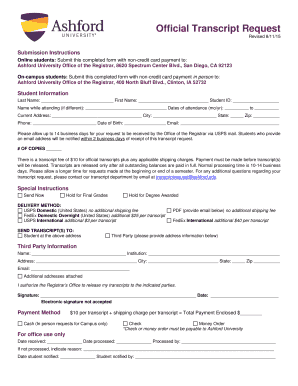
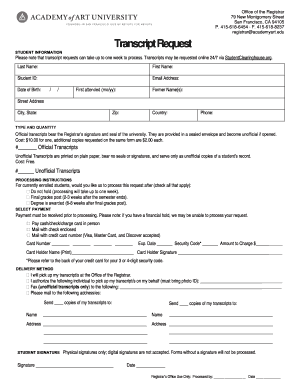
The Unofficial Transcript Request Form is a document used by students to request their unofficial transcripts from Ashford University.
pdfFiller scores top ratings on review platforms




This is new to me
This is new to me, however once I learn my way around, I think this will be fabulous
Very useful program
Very useful program, i did find it to be quite slow. but the final results were great!
Who needs Ashford University Unofficial Transcript Request?
Explore how professionals across industries use pdfFiller.

Ashford University Unofficial Transcript Request is needed by:
-
Current students at Ashford University
-
Students requesting unofficial transcripts
-
Students checking academic records
-
Online learners needing transcript access
-
Former students needing transcript copies
Comprehensive Guide to Ashford University Unofficial Transcript Request
What is the Unofficial Transcript Request Form?
The Unofficial Transcript Request Form is designed for students at Ashford University, allowing both on-campus and online learners to request their unofficial transcripts. An unofficial transcript is a valuable educational document that provides a summary of a student's academic performance, including courses taken and grades received. To utilize this form, students must sign it and submit it to the Office of the Registrar.
-
This form is essential for tracking academic progress and understanding educational standing.
-
Available for all enrolled students, whether they attend classes on campus or online.
-
The signature is mandatory to confirm the student's identity and authorization.
Purpose and Benefits of the Unofficial Transcript Request Form
The Unofficial Transcript Request Form serves essential functions for students seeking to further their academic and professional goals. Obtaining unofficial transcripts is important, as they can be crucial for job applications, transfer processes, and further education opportunities. Using platforms like pdfFiller enhances the efficiency of this process.
-
Students can use unofficial transcripts for quick reference in academic evaluations.
-
pdfFiller streamlines form completion, ensuring a smoother process.
-
These transcripts may be beneficial when applying for jobs or educational programs.
Who Needs the Unofficial Transcript Request Form?
This form is primarily used by students who need to verify their academic records for various reasons. Many students require unofficial transcripts for internship applications, education transfers, or updating records for potential employers. Understanding who benefits from the form helps tailor the process to their needs.
-
Students needing to provide proof of their academic achievements.
-
Those applying for jobs or post-secondary education that requires transcript verification.
-
Eligibility is contingent upon having all outstanding balances cleared with the university.
How to Fill Out the Unofficial Transcript Request Form Online (Step-by-Step)
Completing the Unofficial Transcript Request Form using pdfFiller is straightforward. Follow these clear steps to ensure you fill out the form correctly.
-
Start by entering personal information such as name and student ID in the designated fields.
-
Specify your dates of attendance to provide accurate records of your academic history.
-
Add a current mailing address to ensure proper delivery of the transcripts.
-
Remember to sign the form as a confirmation of your request before submission.
-
Submit the completed form to the Office of the Registrar as instructed.
Common Errors and How to Avoid Them
Students often encounter various mistakes when filling out the Unofficial Transcript Request Form. Becoming aware of these common issues can save time and prevent submission delays.
-
Incorrectly entered personal details or student ID number can lead to processing errors.
-
Omitting signatures often results in the request being denied.
-
Double-check all information for accuracy before sending to minimize corrections.
How to Submit the Unofficial Transcript Request Form
Upon completing the Unofficial Transcript Request Form, understanding the submission process is crucial for timely receipt of transcripts. There are several methods for submission based on individual preferences.
-
You can submit the form via email directly to the appropriate office.
-
Alternatively, in-person submissions are also accepted.
-
Transcripts can be delivered electronically to the email address provided on the form.
What Happens After You Submit the Unofficial Transcript Request Form?
After submitting the form, students should be aware of the processing timeline and how to follow up on their requests. Knowing these details can help manage expectations and address any potential issues.
-
Typically, requests are processed within a few business days, depending on volume.
-
Students may track their request status through designated communication channels.
-
If complications arise, students should contact the Office of the Registrar promptly.
Security and Compliance for the Unofficial Transcript Request Form
Security is a significant concern when handling sensitive student information. The Unofficial Transcript Request Form adheres to strict compliance guidelines to ensure the protection of personal details.
-
pdfFiller implements 256-bit encryption to secure all submissions.
-
Compliance with HIPAA and GDPR standards guarantees student information privacy.
-
Students can trust that their data is protected while using the platform for submissions.
How pdfFiller Can Help You Complete the Unofficial Transcript Request Form
pdfFiller provides numerous features that enhance the usability of the Unofficial Transcript Request Form. Utilizing this platform simplifies the entire process from start to finish.
-
Students can easily edit text or images on the form as needed.
-
The platform allows for eSigning directly on the document, eliminating the need for printing.
-
Conversion of the form to a fillable PDF template can be done effortlessly, ensuring ease of use.
Get Started with Your Unofficial Transcript Request Form Today!
Do not delay your transcript requests; leveraging pdfFiller can significantly enhance your experience. With user-friendly features and support readily available, you'll find all the tools needed for efficient form completion.
-
Act promptly to ensure you meet any necessary deadlines for your academic goals.
-
Utilize the comprehensive features designed to facilitate smooth form processing.
How to fill out the Ashford University Unofficial Transcript Request
-
1.To start, access the Unofficial Transcript Request Form through pdfFiller's search feature or visit the provided URL.
-
2.Once the form is open, familiarize yourself with its layout. The document includes fields for personal details and checkboxes for specific requests.
-
3.Before filling out the form, gather the necessary information: your full name, student identification number, dates of attendance, and current address.
-
4.Using pdfFiller's interface, click on each field to type in your information. Ensure all personal details are accurate and up-to-date.
-
5.If applicable, use the checkboxes to specify your request regarding the type of transcripts you are seeking.
-
6.Review the form to confirm that all sections are filled out correctly. Double-check your personal details and ensure you have selected the right options.
-
7.Once satisfied, locate the signature line on the form. Use pdfFiller's signature tool to add your electronic signature or upload an image of your handwritten signature.
-
8.Finally, save your completed form using the 'Save' button on pdfFiller. You can also opt to download it as a PDF file for your records.
-
9.To submit your request, follow the instructions provided on the form for emailing or sending it to the Office of the Registrar.

Who is eligible to use the Unofficial Transcript Request Form?
Any on-campus or online student at Ashford University who needs to request their unofficial transcripts can use this form, provided they have cleared all outstanding balances.
What information is required to fill out the form?
To complete the form, students must provide personal information, dates of attendance, and their current address. Make sure to prepare this information before starting.
How do I submit the completed form?
Once the form is completed and signed, it should be sent to the Office of the Registrar according to the institution's submission guidelines.
How long does it take to process the transcript request?
Processing times can vary, but generally, students should expect to receive their unofficial transcripts within a few business days after submission, assuming all requirements are met.
What are common mistakes to avoid when filling out the form?
Common mistakes include leaving required fields blank, not signing the form, or submitting it without ensuring all balances with the school are paid.
Is notarization required for the Unofficial Transcript Request Form?
No, notarization is not required for the Unofficial Transcript Request Form, but it must be signed by the student.
Can I download the Unofficial Transcript Request Form from the website?
Yes, students should be able to access and download the form in PDF format from the Ashford University website or other designated platforms.
Ashford University Unofficial Transcript Request Form Versions
Related Content
Related Forms




Get the latest insights from our blog



If you believe that this page should be taken down, please follow our DMCA take down process
here
.
This form may include fields for payment information. Data entered in these fields is not covered by PCI DSS compliance.