
Last updated on
Oct 28, 2026

UK HMRC SC2 2013 free printable template
pdfFiller is not affiliated with any government organization

Fill out
Complete the form online in a simple drag-and-drop editor.

eSign
Add your legally binding signature or send the form for signing.

Share
Share the form via a link, letting anyone fill it out from any device.

Export
Download, print, email, or move the form to your cloud storage.
Why pdfFiller is the best tool for your documents and forms


End-to-end document management
From editing and signing to collaboration and tracking, pdfFiller has everything you need to get your documents done quickly and efficiently.
Accessible from anywhere
pdfFiller is fully cloud-based. This means you can edit, sign, and share documents from anywhere using your computer, smartphone, or tablet.
Secure and compliant
pdfFiller lets you securely manage documents following global laws like ESIGN, CCPA, and GDPR. It's also HIPAA and SOC 2 compliant.
What is UK HMRC SC2
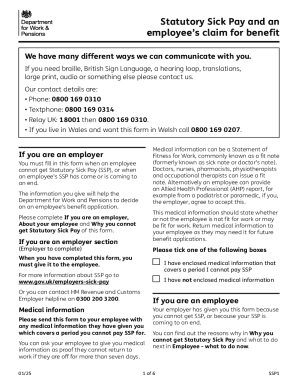
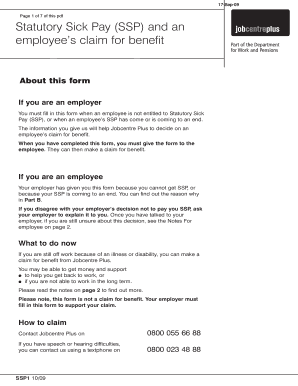
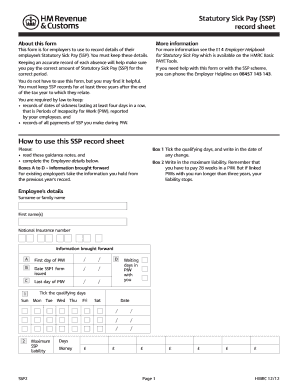
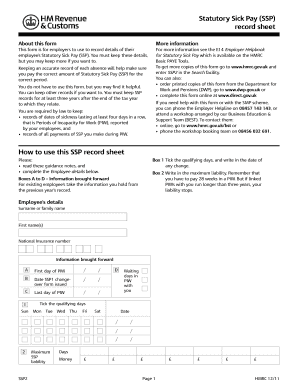
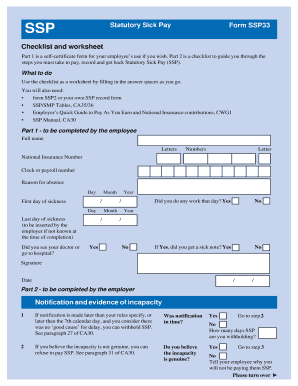
The UK Statutory Sick Pay Form is an official document used by employees in the UK to report illness to their employer when they have been sick for four days or more.
pdfFiller scores top ratings on review platforms




I love this application! It has made my life so much easier in filing medical claims. I used to have to write or type them out (yes with a typewriter!) but now I just do them on PDFfiller and it takes me less than 1/2 the time! Thank you!
So far I've had a good experience, however, I've only created 1 document
Who needs UK HMRC SC2?
Explore how professionals across industries use pdfFiller.

UK HMRC SC2 is needed by:
-
Employees in the UK claiming sickness benefits
-
HR departments managing employee sick leave
-
Employers ensuring compliance with SSP regulations
-
Payroll teams processing sick pay
-
Legal advisors assisting with health-related employment matters
Comprehensive Guide to UK HMRC SC2
What is the UK Statutory Sick Pay Form?
The UK Statutory Sick Pay Form serves as a crucial document for employees reporting illness that lasts four days or more. Primarily utilized by employees, it establishes eligibility for Statutory Sick Pay (SSP), ensuring that the employer can process claims efficiently. This form plays a pivotal role in documenting the employee’s health status and is essential for financial support during periods of sickness. Understanding the function of this document is vital for anyone navigating employee sickness procedures.
Purpose and Benefits of the UK Statutory Sick Pay Form
The primary purpose of the UK Statutory Sick Pay Form is to document illnesses that extend for four days or longer, which is essential for employees to qualify for financial support. This form offers several benefits:
-
Provides a clear record of health issues for both employees and employers.
-
Facilitates the processing of SSP claims, helping employees secure necessary income during sickness.
-
Ensures that proper documentation is maintained, aiding employer record-keeping.
Thus, completing this form accurately is critical for timely support during illness.
Who Needs the UK Statutory Sick Pay Form?
This form is primarily required for employees who become ill and need to demonstrate their eligibility for SSP. Certain individuals, such as casual workers or those on specific contracts, may not need to complete the form.
It is important for employers to understand who must fill out this document as it impacts employee management during periods of sickness. Employees who meet specific criteria must be familiar with this requirement to ensure compliance and eligibility.
How to Fill Out the UK Statutory Sick Pay Form Online (Step-by-Step)
Filling out the UK Statutory Sick Pay Form online can be straightforward if you follow a step-by-step approach. Below are the essential steps for accurately completing the form:
-
Begin with your personal details, such as your full name and date of birth.
-
Input the dates indicating the duration of your sickness.
-
Review the common fields like name, signature, and health-related statements.
-
Consider using pdfFiller to simplify the online filling process and access the template easily.
Completing each field thoughtfully ensures that you provide all the necessary information.
Common Errors and How to Avoid Them
While completing the UK Statutory Sick Pay Form, common errors may arise that could impact eligibility. Here are frequent pitfalls to watch for:
-
Leaving fields incomplete, particularly critical information like dates or names.
-
Making mistakes with date entries, which may lead to processing delays.
Before submitting the form, take the time to review each section. Accuracy is essential for ensuring successful eligibility for SSP and avoiding unnecessary complications.
How to Submit the UK Statutory Sick Pay Form
After filling out the UK Statutory Sick Pay Form, you have several submission options. You can submit the form either electronically or via paper submission, depending on your employer’s policies. Additionally, supporting documents may be required at the time of submission.
Employers also have specific submission methods and deadlines that must be adhered to for effective processing of claims.
What Happens After You Submit the UK Statutory Sick Pay Form
Once you submit the UK Statutory Sick Pay Form, your employer will process it and confirm receipt. You can expect a timeline for processing, and it's advisable to inquire about what to do in case of delays.
Understanding the submission status and common rejection reasons can help in navigating any potential issues with your claim.
Security and Compliance for the UK Statutory Sick Pay Form
It's crucial to be aware of document security when handling sensitive information related to health. When using pdfFiller, several security measures are in place, including 256-bit encryption, to protect personal data.
Additionally, compliance with GDPR and other relevant regulations ensures that employee health information is handled with utmost privacy.
How pdfFiller Simplifies Your Experience with the UK Statutory Sick Pay Form
pdfFiller enhances the user experience when managing the UK Statutory Sick Pay Form through its robust features. Users can take advantage of capabilities such as eSigning and creating fillable forms, making the process more efficient.
With pdfFiller, accessing, editing, and sharing this form becomes straightforward and user-friendly, encouraging efficient form management.
Sample or Example of a Completed UK Statutory Sick Pay Form
Providing a practical example of a filled-out UK Statutory Sick Pay Form can be invaluable for users. A visual reference showcasing correct entries alongside explanations of each section can guide users in the right direction.
While filling out the form using pdfFiller, referring to a completed example may enhance accuracy and confidence.
How to fill out the UK HMRC SC2
-
1.To start, access pdfFiller and log in to your account. If you don’t have an account, create one to access forms.
-
2.Once logged in, use the search bar to find the 'UK Statutory Sick Pay Form'. Click on it to open the document.
-
3.Familiarize yourself with the layout of the form. You will see blank fields for personal information and checkboxes for specific responses.
-
4.Before you begin filling out the form, gather the necessary information, including your full name, date of birth, and dates of sickness.
-
5.Start filling in the fields as required. Click on each blank section to type in your information.
-
6.For checkboxes, simply click on the box next to the option you wish to select.
-
7.Ensure you thoroughly check each entry for accuracy as errors can delay processing.
-
8.After completing the form, review all sections carefully. Make sure your signature is included in the designated area.
-
9.Once reviewed, you can save the document to your pdfFiller account, or download it as a PDF to your device.
-
10.Finally, submit the form by emailing it to your employer or following their specific submission guidelines.

Who is eligible to use the UK Statutory Sick Pay Form?
Employees in the UK who meet the minimum eligibility criteria for Statutory Sick Pay (SSP) are required to use this form to report their sickness to their employers.
What information is required to complete the form?
To complete the UK Statutory Sick Pay Form, you will need personal details such as your name, date of birth, dates of sickness, and your signature.
How do I submit the UK Statutory Sick Pay Form?
After completing the UK Statutory Sick Pay Form, you should submit it to your employer according to their requirements, typically either in person or via email.
Are there deadlines for submitting this form?
Yes, it is recommended to submit the UK Statutory Sick Pay Form as soon as possible after your illness begins to ensure you receive your SSP in a timely manner.
What common mistakes should I avoid when filling out this form?
Common mistakes include not including all required personal details, submitting the form too late, or failing to sign the document before submission.
How can I access the UK Statutory Sick Pay Form online?
The UK Statutory Sick Pay Form is available online. You can fill it out using platforms like pdfFiller, which allows for digital completion and submission.
How long does it take to process the SSP claim after submitting the form?
Processing times may vary, but typically your employer should review your claim and respond within a few business days following the submission of the UK Statutory Sick Pay Form.
UK HMRC SC2 Form Versions
Related Content
Related Forms




Get the latest insights from our blog



If you believe that this page should be taken down, please follow our DMCA take down process
here
.
This form may include fields for payment information. Data entered in these fields is not covered by PCI DSS compliance.