
Last updated on
Oct 31, 2026

Get the free EAP Clinical Assessment Form
We are not affiliated with any brand or entity on this form

Fill out
Complete the form online in a simple drag-and-drop editor.

eSign
Add your legally binding signature or send the form for signing.

Share
Share the form via a link, letting anyone fill it out from any device.

Export
Download, print, email, or move the form to your cloud storage.
Why pdfFiller is the best tool for your documents and forms


End-to-end document management
From editing and signing to collaboration and tracking, pdfFiller has everything you need to get your documents done quickly and efficiently.
Accessible from anywhere
pdfFiller is fully cloud-based. This means you can edit, sign, and share documents from anywhere using your computer, smartphone, or tablet.
Secure and compliant
pdfFiller lets you securely manage documents following global laws like ESIGN, CCPA, and GDPR. It's also HIPAA and SOC 2 compliant.
What is EAP Assessment
The EAP Clinical Assessment Form is a healthcare document used by providers to assess and document the clinical status of clients during Employee Assistance Program sessions.
pdfFiller scores top ratings on review platforms




Who needs EAP Assessment?
Explore how professionals across industries use pdfFiller.

EAP Assessment is needed by:
-
Healthcare Providers managing EAP sessions
-
Mental Health Professionals conducting assessments
-
Insurance Personnel reviewing clinical documentation
-
Clients seeking support through EAP
-
Administrators overseeing EAP operations
Comprehensive Guide to EAP Assessment
What is the EAP Clinical Assessment Form?
The EAP Clinical Assessment Form is designed to assist healthcare providers in assessing clients attending Employee Assistance Program (EAP) sessions. This comprehensive document includes critical sections like risk assessment, clinical information, and specific EAP recommendations to ensure thorough evaluations.
Notably, the form requires a provider's signature, which plays a vital role in the reimbursement process. Properly completing this form is essential for securing necessary funding and support for clients seeking assistance.
Purpose and Benefits of the EAP Clinical Assessment Form
The EAP Clinical Assessment Form is crucial for both healthcare providers and clients. It enables timely intervention and support by fostering accurate assessments of client needs. This timely assessment is instrumental in facilitating appropriate mental health support.
Moreover, the form enhances documentation accuracy and compliance with insurance regulations. By utilizing the EAP Clinical Assessment Form, healthcare providers can ensure they meet required standards, benefiting the overall delivery of mental health services.
Key Features of the EAP Clinical Assessment Form
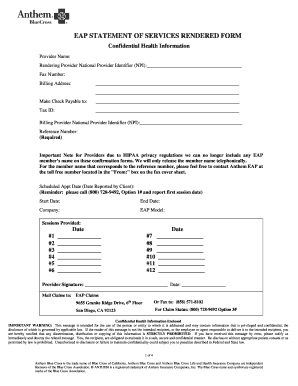
This form contains various fillable fields and checkboxes, simplifying the input of critical information. Key sections include instructions like 'Client was offered first appointment within 3 - 5 days from date of referral' and the requirement for a 'PROVIDER SIGNATURE & CREDENTIALS' to validate completion.
California clients may encounter unique elements specific to their state regulations, emphasizing the need to adhere to localized requirements during the form's completion.
Who Needs the EAP Clinical Assessment Form?
The target audience for this form includes healthcare providers and mental health professionals who are involved in EAP services. Clients who require assistance through these services in California will also benefit from the comprehensive nature of the EAP Clinical Assessment Form.
This form should be completed whenever mental health professionals assess clients referred to EAP programs to ensure adequate support and resources are provided.
How to Fill Out the EAP Clinical Assessment Form Online (Step-by-Step)
Filling out the EAP Clinical Assessment Form online via pdfFiller is straightforward. Follow these steps to ensure accuracy:
-
Access the form on pdfFiller.
-
Begin by completing the client information section, entering the necessary details.
-
Move to the risk assessment area and provide all relevant information.
-
Ensure to check the box for 'Client was offered first appointment within 3 - 5 days from date of referral.'
-
Sign the form electronically in the designated section.
-
Review all entries for accuracy before submission.
Utilize pdfFiller's editing tools to assist with filling and modifying the form effortlessly.
Review and Validation Checklist for the EAP Clinical Assessment Form
To ensure the effectiveness of the EAP Clinical Assessment Form, be aware of common errors while completing it. Here are essential checklist items to validate:
-
Confirm all required fields are filled out accurately.
-
Verify the provider's signature is included.
-
Check for any missing client information.
-
Ensure all clinical details are current and relevant.
-
Review compliance with insurance and documentation standards.
Maintaining accuracy in clinical assessments is crucial for reimbursement and compliance, making this checklist a vital tool for providers.
Submission Methods for the EAP Clinical Assessment Form
Once completed, the EAP Clinical Assessment Form can be submitted via electronic methods, which may include uploading directly to an insurance portal or emailing to the appropriate department. Ensure that you check local submission guidelines, especially those specific to California.
Delivery confirmation and tracking options should also be considered post-submission to guarantee that the form has been received and is being processed correctly.
Security and Compliance for the EAP Clinical Assessment Form
When handling sensitive client information through pdfFiller, users can be assured of the document's security. The platform employs 256-bit encryption and adheres to HIPAA and GDPR compliance standards, ensuring that client data remains protected.
In addition to security measures, key record retention requirements and data protection policies are in place, reinforcing the responsible management of clinical assessments.
How to Download and Save the EAP Clinical Assessment Form PDF
Downloading the EAP Clinical Assessment Form for offline use is simple. Access the form on pdfFiller and select the download option. Instructions for saving and organizing filled forms include:
-
Choose a clear, identifiable file name.
-
Utilize folders on your device for organization by client or date.
-
Be aware of format options, such as PDF and DOCX, available for download.
This ensures easy access to completed forms while maintaining order in your documentation.
Experience the Advantage of Using pdfFiller for Your EAP Clinical Assessment Form
Using pdfFiller for the EAP Clinical Assessment Form allows you to experience several benefits, including ease of use and cloud-based access. The platform’s editing features streamline the form completion process, making it more efficient for healthcare providers.
Start utilizing pdfFiller today to simplify your EAP Clinical Assessment Form experience and enhance your workflow.
How to fill out the EAP Assessment
-
1.To access the EAP Clinical Assessment Form, visit pdfFiller's website and log into your account. If you don’t have an account, create a new one to get started.
-
2.Once logged in, use the search bar to find the EAP Clinical Assessment Form. You can also browse the healthcare forms category to locate it.
-
3.Before filling out the form, ensure you gather all necessary client information, such as referral details, clinical history, and relevant risk assessment data.
-
4.Begin by clicking on the fillable fields to enter information about the client. Use pdfFiller’s tools to check off items and fill out each required section thoroughly.
-
5.Pay close attention to sections that require the provider's signature, ensuring that you include your credentials as specified.
-
6.After filling in all necessary sections, review the form for accuracy. Make sure all required information is complete and there are no mistakes.
-
7.Once satisfied with the information entered, save your progress, and download a copy of the completed form. You can also submit it directly from pdfFiller if your system supports electronic submission.

Who is eligible to use the EAP Clinical Assessment Form?
The EAP Clinical Assessment Form is primarily intended for licensed healthcare providers who are involved in Employee Assistance Programs, and it is essential for documenting client assessments.
What information do I need before filling out the form?
Before completing the EAP Clinical Assessment Form, gather essential client details such as referral information, clinical history, and any risk assessment materials to ensure accurate documentation.
How do I submit the completed EAP Clinical Assessment Form?
Once you have filled out and reviewed the EAP Clinical Assessment Form, you can either save and download it as a PDF or submit it directly through pdfFiller if your organization allows for electronic submissions.
What are the common mistakes to avoid when filling out this form?
Common mistakes include missing signatures, failing to check off important assessment items, and neglecting to include complete client information. Always double-check before submission.
Is there a deadline for submitting the EAP Clinical Assessment Form?
While specific deadlines may vary based on agency requirements, it is generally advised to submit the form as soon as possible following the client assessment for timely processing.
Are there any fees associated with using this form?
The EAP Clinical Assessment Form itself does not carry a fee, but there may be costs associated with using a service like pdfFiller to edit and submit the form.
Can I edit the EAP Clinical Assessment Form after it has been completed?
Yes, you can edit the EAP Clinical Assessment Form on pdfFiller even after initial completion as long as the document has not been locked or finalized for submission.
Related Forms





Related Catalogs
Get the latest insights from our blog


If you believe that this page should be taken down, please follow our DMCA take down process
here
.
This form may include fields for payment information. Data entered in these fields is not covered by PCI DSS compliance.