
Last updated on
Nov 9, 2026

MN Risk Management Vehicle Crash/Damage Notice 2017-2026 free printable template
pdfFiller is not affiliated with any government organization

Fill out
Complete the form online in a simple drag-and-drop editor.

eSign
Add your legally binding signature or send the form for signing.

Share
Share the form via a link, letting anyone fill it out from any device.

Export
Download, print, email, or move the form to your cloud storage.
Why pdfFiller is the best tool for your documents and forms


End-to-end document management
From editing and signing to collaboration and tracking, pdfFiller has everything you need to get your documents done quickly and efficiently.
Accessible from anywhere
pdfFiller is fully cloud-based. This means you can edit, sign, and share documents from anywhere using your computer, smartphone, or tablet.
Secure and compliant
pdfFiller lets you securely manage documents following global laws like ESIGN, CCPA, and GDPR. It's also HIPAA and SOC 2 compliant.
What is MN Risk Management Vehicle Crash/Damage Notice
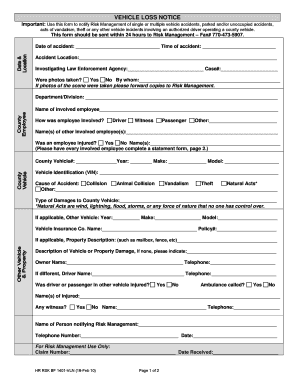
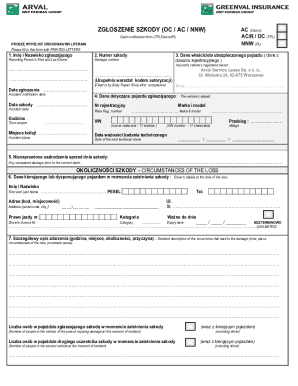
The Vehicle Crash/Damage Notice is a business form used by vehicle owners to report crashes or damage incidents involving owned, leased, or rented vehicles.
pdfFiller scores top ratings on review platforms




Who needs MN Risk Management Vehicle Crash/Damage Notice?
Explore how professionals across industries use pdfFiller.

MN Risk Management Vehicle Crash/Damage Notice is needed by:
-
Vehicle owners and lessees in Minnesota
-
Insurance agents handling vehicle claims
-
Fleet managers for company vehicles
-
Rental car agencies managing incident reports
-
Legal representatives assisting clients in crash incidents
Comprehensive Guide to MN Risk Management Vehicle Crash/Damage Notice
What is the Vehicle Crash/Damage Notice?
The Vehicle Crash/Damage Notice form is designed to report vehicle-related incidents involving owned, leased, or rented vehicles. This form plays a crucial role in documenting and managing vehicle damage cases effectively. Timely submission of this notice after an incident is essential for ensuring a smooth claims process and preserving one’s legal rights.
-
Definition of the Vehicle Crash/Damage Notice and its intended use
-
Coverage of various vehicle types, including owned, leased, and rented
-
Importance of timely submission following an incident
Purpose and Benefits of the Vehicle Crash/Damage Notice
This form is vital for facilitating claims processing and ensuring that incidents are accurately documented for insurance and legal purposes. Proper and timely use of the Vehicle Crash/Damage Notice has numerous benefits, including providing clear evidence of incident details and supporting effective communication with insurance companies.
-
Aiding claims processing by providing a comprehensive account of the incident
-
Ensuring proper documentation for insurance and legal reasons
-
Highlighting the merits of timely and accurate reporting
Key Features of the Vehicle Crash/Damage Notice
The Vehicle Crash/Damage Notice includes various fields and sections to guide users through the reporting process. Understanding these features can help ensure all necessary information is captured accurately.
-
Sections for insurer details, incident specifics, and witness information
-
Instructions included for filling out the form correctly
-
Availability of a fillable version on pdfFiller for convenience
Who Needs the Vehicle Crash/Damage Notice?
This form is required by multiple users, including vehicle owners, drivers, and insurance agents. Knowing who needs to file the notice and under what circumstances is crucial for compliance and effective communication with relevant parties.
-
Owners needing to report damage due to their vehicles
-
Drivers involved in a crash requiring formal documentation
-
Insurance agents needing a record for claims processing
When and How to File the Vehicle Crash/Damage Notice
Adhering to the 24-hour requirement for filing the Vehicle Crash/Damage Notice is critical. Understanding the preferred methods of submission can also help prevent delays in the claims process.
-
File within 24 hours after the incident
-
Preferred submission methods include email and fax
-
Awareness of potential penalties for late submissions
Information You'll Need to Complete the Vehicle Crash/Damage Notice
Proper preparation is essential for filling out the Vehicle Crash/Damage Notice. Having the required details ready can enhance accuracy and completeness.
-
Essential information includes incident details, vehicle specifics, and witness information
-
Supporting documents that may be necessary to accompany the notice
-
Importance of providing accurate details throughout the form
Step-by-Step Guide to Filling Out the Vehicle Crash/Damage Notice Online
Users can efficiently fill out the Vehicle Crash/Damage Notice using pdfFiller by following specific steps. Utilizing the platform's capabilities enhances the ease of form completion.
-
Access the Vehicle Crash/Damage Notice on pdfFiller
-
Complete the form by entering necessary information in each section
-
Review details for accuracy before submitting
-
Utilize features such as eSign and save options to enhance usability
Security and Compliance When Using the Vehicle Crash/Damage Notice
When handling sensitive information, security and compliance are paramount. Users can rest assured that pdfFiller employs robust security measures to protect personal data.
-
256-bit encryption employed for data security
-
Compliance with regulations such as HIPAA and GDPR
-
Tips for ensuring security during document submission
What to Expect After Submitting the Vehicle Crash/Damage Notice
Users should be informed about the follow-up actions and review process that occurs after submitting the Vehicle Crash/Damage Notice. Understanding these steps can provide clarity and establish reasonable expectations.
-
Confirmation of receipt following the submission of the notice
-
Methods to track the status of the submitted notice
-
Common timelines for processing along with next steps
Utilizing pdfFiller for Your Vehicle Crash/Damage Notice Needs
pdfFiller offers various services that simplify the process of completing and submitting the Vehicle Crash/Damage Notice. By leveraging these features, users can enhance their documentation experience.
-
Ease of use when filling out the form online
-
Additional services offered, such as editing and eSigning
-
The importance of secure document management through pdfFiller
How to fill out the MN Risk Management Vehicle Crash/Damage Notice
-
1.To access the Vehicle Crash/Damage Notice on pdfFiller, go to the website and search for the form by its name or browse through the business forms section.
-
2.Once the form is open in the pdfFiller interface, review the instruction section provided at the top for guidance on filling out the form correctly.
-
3.Gather all necessary information before you begin. Ensure you have details about the vehicle involved, incident specifics, witness information, and any other vehicles or property that may be affected.
-
4.Start filling out the form by clicking on the fields where you need to enter information. You can navigate through the form using the mouse or keyboard.
-
5.Complete each section methodically, using the checkboxes as necessary to confirm details like whether the vehicle was owned, leased, or rented.
-
6.After you have filled in all required sections, take a moment to review your entries for accuracy. Make sure that all information is clear and complete.
-
7.Once you are satisfied with your filled form, you can finalize it by clicking the save or download button. This allows you to keep a copy of the document for your records.
-
8.To submit the completed form, you can choose to download it and send it via email to claims.rmd@state.mn.us or fax it to 651-297-7715.

Who is eligible to use the Vehicle Crash/Damage Notice?
The Vehicle Crash/Damage Notice is intended for vehicle owners, lessees, and anyone involved in a vehicle incident in Minnesota, including insurance agents and fleet managers.
What is the deadline for submitting this form?
The form must be submitted within 24 hours of the incident. It's important to complete and send it as soon as possible to avoid complications with your insurance claim.
How can I submit the Vehicle Crash/Damage Notice?
You can submit the completed form by emailing it to claims.rmd@state.mn.us or by faxing it to 651-297-7715. Ensure that you retain a copy for your records.
What supporting documents should I include with this form?
While the form primarily collects information about the incident, it is advisable to attach any photos of the damage, witness statements, or police reports that can support your claim.
What common mistakes should I avoid when filling out the form?
Common mistakes include leaving fields blank, not providing clear details about the incident, and failing to submit the form within the required 24-hour timeframe.
How long does it take to process the Vehicle Crash/Damage Notice?
Processing times may vary depending on the claims department's workload. Generally, you should follow up within a week to confirm receipt and inquire about the claim’s status.
Is notarization required for this form?
No, notarization is not required for the Vehicle Crash/Damage Notice, but ensure all provided information is accurate to avoid complications with your claim.
MN Risk Management Vehicle Crash/Damage Notice Form Versions
Related Forms





Get the latest insights from our blog


If you believe that this page should be taken down, please follow our DMCA take down process
here
.
This form may include fields for payment information. Data entered in these fields is not covered by PCI DSS compliance.