
Last updated on
Nov 9, 2026
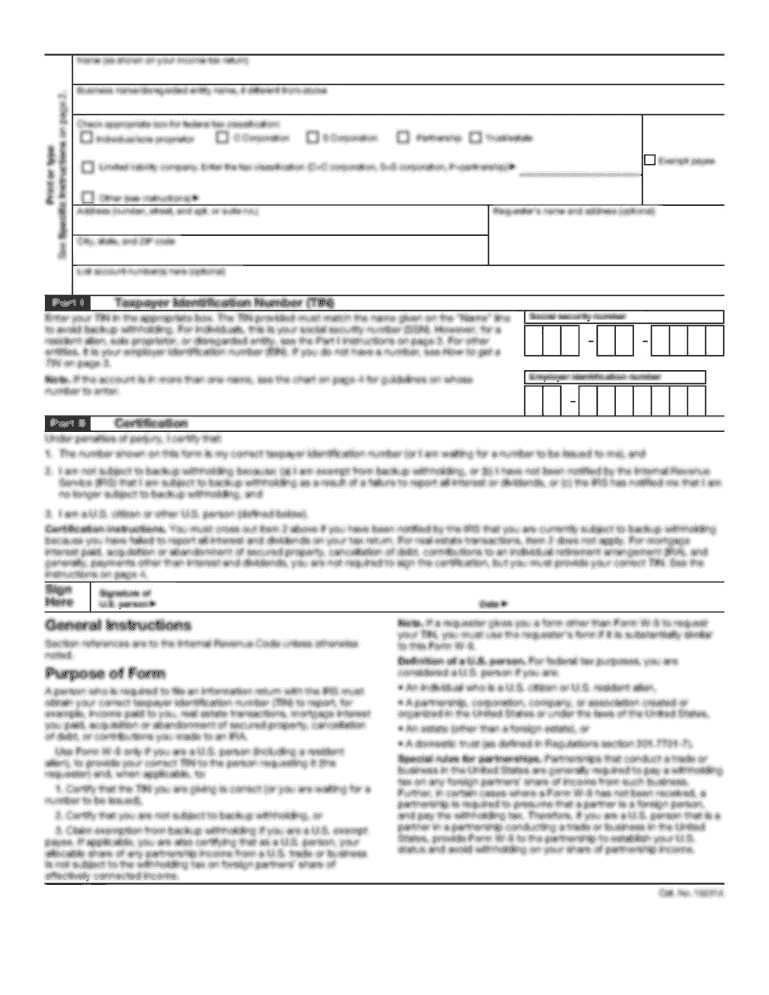
SG PCF Sparkletots Preschool Student Registration Form 2016-2026 free printable template
pdfFiller is not affiliated with any government organization

Fill out
Complete the form online in a simple drag-and-drop editor.

eSign
Add your legally binding signature or send the form for signing.

Share
Share the form via a link, letting anyone fill it out from any device.

Export
Download, print, email, or move the form to your cloud storage.
Why pdfFiller is the best tool for your documents and forms


End-to-end document management
From editing and signing to collaboration and tracking, pdfFiller has everything you need to get your documents done quickly and efficiently.
Accessible from anywhere
pdfFiller is fully cloud-based. This means you can edit, sign, and share documents from anywhere using your computer, smartphone, or tablet.
Secure and compliant
pdfFiller lets you securely manage documents following global laws like ESIGN, CCPA, and GDPR. It's also HIPAA and SOC 2 compliant.
What is SG PCF Sparkletots Preschool Student Registration Form
The Student Registration Form is a document used by parents or legal guardians to register a child for enrollment in PCF Sparkletots Preschool @ Telok Blangah.
pdfFiller scores top ratings on review platforms




Who needs SG PCF Sparkletots Preschool Student Registration Form?
Explore how professionals across industries use pdfFiller.

SG PCF Sparkletots Preschool Student Registration Form is needed by:
-
Parents or Legal Guardians seeking preschool enrollment for their child
-
Individuals responsible for child education and care
-
Educational institutions needing enrollment documentation
-
Social workers assisting families with schooling needs
-
Guardians managing children's early education requirements
Comprehensive Guide to SG PCF Sparkletots Preschool Student Registration Form
What is the Student Registration Form?
The Student Registration Form is a crucial document for enrolling children in PCF Sparkletots Preschool. It serves to gather essential details required for preschool enrollment, making it an integral part of the educational journey. Parents or legal guardians must provide specific information, including the child's personal data, medical history, and contact details.
Purpose and Benefits of the Student Registration Form
This form is designed to benefit both the parents and the preschool by ensuring a smooth enrollment process. Timely registration allows parents to secure a place for their child while also helping the preschool plan effectively. By completing the form, parents will provide vital information that facilitates seamless integration into the preschool environment.
Eligibility Criteria for the Student Registration Form
To enroll a child using the Student Registration Form, specific eligibility criteria must be met. Parents or legal guardians are authorized to complete this form, and there may be prerequisites regarding the child's age for enrollment. Ensuring that these criteria are followed can streamline the registration process.
How to Fill Out the Student Registration Form Online
Completing the Student Registration Form online can be straightforward when following these steps:
-
Access the online form through the designated platform.
-
Fill in the required fields, such as the child's name and date of birth.
-
Upload any necessary photographs according to specified requirements.
-
Review the form to ensure all fields are accurately completed.
-
Submit the form along with supporting documents as instructed.
Before starting, gather necessary information including the child's medical history and family contact information to avoid delays.
Common Errors and How to Avoid Them
When filling out the Student Registration Form, users may encounter common mistakes. Here are some frequent errors to watch for:
-
Leaving fields incomplete or incorrectly filled.
-
Failing to attach required documentation.
-
Using outdated or inaccurate information.
It's essential to double-check all information before submission to ensure everything is correct and complete.
Required Documents and Supporting Materials
Certain documents must accompany the Student Registration Form to complete the registration process. These required documents include:
-
Proof of address.
-
The child's birth certificate.
-
Medical documentation, if necessary.
Organizing these documents ahead of time will help streamline the submission process.
Submission Methods and Delivery of the Student Registration Form
Once the form is completed, it can be submitted in several ways, including:
-
Online submission via the designated portal.
-
In-person delivery to the preschool.
-
Mailing the completed form to the specified address.
It's important to check for any associated fees or processing times that may apply during submission.
What Happens After You Submit the Student Registration Form
After the Student Registration Form is submitted, parents can expect a confirmation process. Typically:
-
A notification will confirm the form has been received.
-
Feedback regarding enrollment status should be provided within a specified timeline.
-
Options may be available to track the application status or make necessary corrections.
Understanding this process can help alleviate concerns during the waiting period for feedback.
Security and Compliance for the Student Registration Form
Users should feel confident about the security of their submitted information. The Student Registration Form is designed with strict data protection measures in place, including:
-
256-bit encryption to safeguard personal details.
-
Compliance with industry privacy standards, including GDPR and HIPAA regulations.
These measures ensure that sensitive documents are handled with the utmost care and security.
Empowering Your Enrollment Journey with pdfFiller
pdfFiller enhances the form completion experience by offering capabilities that streamline the process. With pdfFiller, users can edit, fill, and securely submit the Student Registration Form with ease. Start utilizing pdfFiller's platform today to facilitate a smooth enrollment journey.
How to fill out the SG PCF Sparkletots Preschool Student Registration Form
-
1.Access the Student Registration Form by visiting pdfFiller and searching for it in the form library. Open the document to start completing the necessary fields.
-
2.Navigate through the form using the toolbar to fill in sections. Click on fields to enter text or select options from checkboxes where applicable.
-
3.Prepare to complete the form by collecting necessary information such as the child's full name, date of birth, personal details, and medical history before starting.
-
4.Review all completed fields carefully to ensure accuracy. Ensure you're including all required information as the form has specific fields for personal and medical data.
-
5.Finalize your form by double-checking for any inconsistencies or errors, then select the option to save your progress.
-
6.To save the completed form, click the download button to save it to your computer or choose to submit the form electronically through pdfFiller as per the instructions.

What are the eligibility requirements for using the Student Registration Form?
Eligibility to use the Student Registration Form typically requires that you are a parent or legal guardian of the child you wish to enroll at PCF Sparkletots Preschool.
What documents are required for submission alongside this form?
When submitting the Student Registration Form, you will need to include supporting documents such as the child’s birth certificate, passport-sized photographs, and medical history documentation.
Are there deadlines for submitting the Student Registration Form?
Submission deadlines for the Student Registration Form may vary by enrollment period. It is advised to check directly with PCF Sparkletots Preschool for specific dates or any upcoming enrollment cycles.
How should I submit the completed Student Registration Form?
You can submit the completed form either electronically through pdfFiller or by printing it out and delivering it in person to the PCF Sparkletots Preschool center, accompanied by any required documents.
What common mistakes should I avoid when filling out this form?
Common mistakes include missing signatures, incomplete fields, or providing incorrect information. Ensure all sections are filled accurately to prevent delays in processing.
How long does processing take after submitting the Student Registration Form?
Processing times can vary. Typically, expect a response within a few weeks regarding your child's enrollment status after submitting the form. Check with the preschool for precise timelines.
Is notarization required for this form?
No, the Student Registration Form does not require notarization. You should ensure all other requirements and documents are in order before submission.
Related Forms






Related Catalogs
Get the latest insights from our blog


If you believe that this page should be taken down, please follow our DMCA take down process
here
.
This form may include fields for payment information. Data entered in these fields is not covered by PCI DSS compliance.