
Last updated on
Oct 31, 2026

FL Request for Release of Medical Records - Gainesville 2012-2026 free printable template
pdfFiller is not affiliated with any government organization

Fill out
Complete the form online in a simple drag-and-drop editor.

eSign
Add your legally binding signature or send the form for signing.

Share
Share the form via a link, letting anyone fill it out from any device.

Export
Download, print, email, or move the form to your cloud storage.
Why pdfFiller is the best tool for your documents and forms


End-to-end document management
From editing and signing to collaboration and tracking, pdfFiller has everything you need to get your documents done quickly and efficiently.
Accessible from anywhere
pdfFiller is fully cloud-based. This means you can edit, sign, and share documents from anywhere using your computer, smartphone, or tablet.
Secure and compliant
pdfFiller lets you securely manage documents following global laws like ESIGN, CCPA, and GDPR. It's also HIPAA and SOC 2 compliant.
What is FL Request for Release of Medical Records - Gainesville
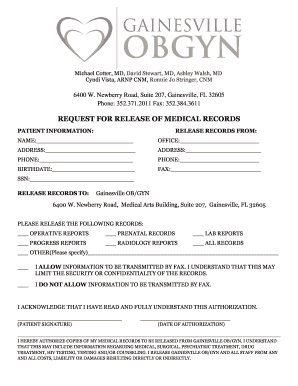
The Medical Records Release Form is a type of document used by patients to authorize the release of their medical records from Gainesville OB/GYN.
pdfFiller scores top ratings on review platforms




Who needs FL Request for Release of Medical Records - Gainesville?
Explore how professionals across industries use pdfFiller.

FL Request for Release of Medical Records - Gainesville is needed by:
-
Patients requiring access to their medical records
-
Healthcare providers in need of patient authorization
-
Authorized family members managing medical affairs
-
Obstetricians and gynecologists requesting patient history
-
Insurance companies requiring proof of medical history
Comprehensive Guide to FL Request for Release of Medical Records - Gainesville
What is the Medical Records Release Form?
The Medical Records Release Form is essential in the healthcare sector, as it enables patients to authorize the release of their medical information. This patient authorization form plays a significant role in safeguarding patient rights by giving individuals control over their healthcare records. By understanding the purpose of this form, patients can make informed decisions regarding their medical data.
Purpose and Benefits of the Medical Records Release Form
This form offers multiple benefits for both patients and healthcare providers. For patients, the healthcare records release provides a streamlined process for transferring medical information, facilitating continuity of care. Providers also benefit as the form reduces administrative burdens and ensures that all necessary information is accurately shared, leading to improved patient outcomes.
Key Features of the Medical Records Release Form
Key components of the medical records release form include essential patient details, types of records to be released, and sections for authorization. Fillable fields allow patients to enter their personal information, while checkboxes help specify the record types required. A signature line ensures compliance and authentication, making it a comprehensive medical consent form.
Who Needs the Medical Records Release Form?
The primary users of the medical records release form are patients seeking to transfer their records to other healthcare providers. Scenarios requiring this form include transitions between doctors, referrals, and legal situations where medical history is pertinent. In these cases, the patient authorization form ensures that records are shared appropriately and lawfully.
How to Fill Out the Medical Records Release Form Online (Step-by-Step)
-
Access pdfFiller and locate the Medical Records Release Form.
-
Gather necessary patient identifiers, including name, address, phone number, birthdate, and SSN.
-
Fill in the details of the receiving office where the records will be sent.
-
Specify which medical records to release by checking the appropriate boxes.
-
Sign and date the form to authorize the release.
Common Mistakes to Avoid When Filling Out the Medical Records Release Form
When completing the medical records release form, it’s crucial to avoid common errors that can delay the transfer of information. Frequent mistakes include leaving fields blank, misspelling patient information, and not signing the form. Ensuring all information is accurate prevents processing delays and facilitates efficient record sharing.
How to Sign the Medical Records Release Form Using pdfFiller
Signing the medical records release form can be accomplished easily using pdfFiller, which offers options for digital signatures. Patients can eSign securely, ensuring their sensitive information is protected. This feature enhances user experience by simplifying the signing process while adhering to compliance standards.
Where to Submit the Medical Records Release Form
After completing the medical records release form, submission can occur in various ways. Patients typically send the form to the receiving office via fax or standard mail. Understanding the preferred method of transmission for the healthcare provider ensures timely processing and reception of the requested records.
Security and Compliance When Using the Medical Records Release Form
Security is paramount when handling medical records. The medical records release form must be managed with care to protect sensitive data. pdfFiller ensures compliance with HIPAA regulations, providing a secure platform for document management, which includes encryption and safeguards for all transmitted forms.
Get Started with pdfFiller for Your Medical Records Release Form Today!
Utilizing pdfFiller for your medical records release form simplifies the process of filling out and managing healthcare transactions. The platform is user-friendly, secure, and offers various support options to assist users in navigating their document needs efficiently.
How to fill out the FL Request for Release of Medical Records - Gainesville
-
1.Access the Medical Records Release Form by visiting pdfFiller and searching for the form's name.
-
2.Open the form in the editor, where you will see the various fields that need to be completed.
-
3.Gather all necessary information before starting, including your full name, address, phone number, birthdate, and Social Security Number.
-
4.Identify the receiving office details that require your records, and clearly specify which medical records you authorize for release.
-
5.Use the checkboxes provided to indicate the types of records you wish to release, such as operative reports or prenatal records.
-
6.Carefully review all the information you have inputted to ensure accuracy before signing the document.
-
7.Use the signature feature in pdfFiller to sign and date the form electronically, confirming your authorization.
-
8.Once completed, save the document to your profile for future access and download a copy for your records.
-
9.You can also submit the release form directly through pdfFiller if required by your healthcare provider.

Who needs to fill out the Medical Records Release Form?
The Medical Records Release Form needs to be filled out by patients who wish to authorize the release of their medical records to a specific healthcare provider or entity.
Is there a deadline for submitting the Medical Records Release Form?
Typically, there is no specific deadline for submitting the Medical Records Release Form; however, it's advisable to submit it as soon as possible to avoid delays in obtaining your records.
What supporting documents are needed with the form?
No additional supporting documents are typically required with the Medical Records Release Form, but you may need to provide identification if requested by the receiving office.
Can someone else fill out the form on my behalf?
Yes, someone else can assist you in filling out the Medical Records Release Form, but the patient must sign it to authorize the release.
How can I avoid common mistakes when filling out the form?
To avoid mistakes, ensure all fields are accurately completed, double-check your information, and verify that you've selected all relevant checkboxes before signing.
What happens after I submit the Medical Records Release Form?
After you submit the Medical Records Release Form, the receiving office will process your request and release the specified records to you or to the authorized entity indicated.
Are there any fees associated with processing the form?
Typically, there are no fees for filling out the Medical Records Release Form itself, but fees may apply for obtaining copies of the released medical records.
Related Forms


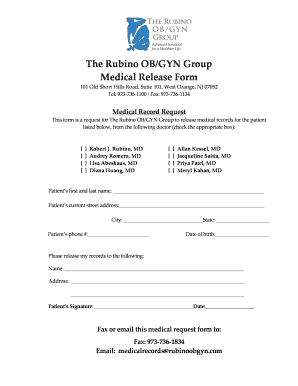
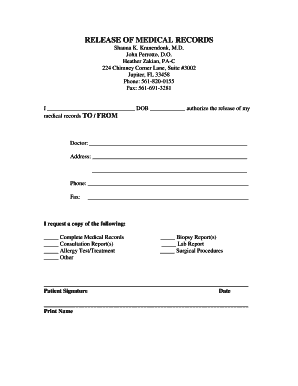

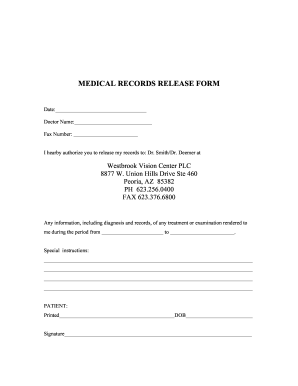
Related Catalogs
Get the latest insights from our blog


If you believe that this page should be taken down, please follow our DMCA take down process
here
.
This form may include fields for payment information. Data entered in these fields is not covered by PCI DSS compliance.