
Last updated on
Oct 31, 2026

Get the free Flexible Work Schedule Agreement Form
We are not affiliated with any brand or entity on this form

Fill out
Complete the form online in a simple drag-and-drop editor.

eSign
Add your legally binding signature or send the form for signing.

Share
Share the form via a link, letting anyone fill it out from any device.

Export
Download, print, email, or move the form to your cloud storage.
Why pdfFiller is the best tool for your documents and forms


End-to-end document management
From editing and signing to collaboration and tracking, pdfFiller has everything you need to get your documents done quickly and efficiently.
Accessible from anywhere
pdfFiller is fully cloud-based. This means you can edit, sign, and share documents from anywhere using your computer, smartphone, or tablet.
Secure and compliant
pdfFiller lets you securely manage documents following global laws like ESIGN, CCPA, and GDPR. It's also HIPAA and SOC 2 compliant.
What is Flexible Work Agreement
The Flexible Work Schedule Agreement Form is an employment document used by employees and supervisors to request and approve a temporary flexible work schedule.
pdfFiller scores top ratings on review platforms




Easy to use, anticipates your needs by presenting the right form at the right time
works exactly like I was hoping. Excellent software.
Who needs Flexible Work Agreement?
Explore how professionals across industries use pdfFiller.

Flexible Work Agreement is needed by:
-
Employees at the University of Connecticut who need flexible work options
-
Supervisors overseeing flexible work schedule requests
-
Human Resources personnel involved in scheduling policies
-
Faculty & Staff Labor Relations departments for processing approvals
-
Administrative staff ensuring compliance with work agreements
Comprehensive Guide to Flexible Work Agreement
What is the Flexible Work Schedule Agreement Form?
The Flexible Work Schedule Agreement Form serves as a formal mechanism for employees and supervisors at the University of Connecticut to request and endorse temporary flexible work arrangements. This essential document enables individuals to outline their proposed schedules and the reasons for their requests, ensuring clear communication and mutual understanding between employees and supervisors.
Purpose and Benefits of the Flexible Work Schedule Agreement Form
This form plays a crucial role in promoting a culture of flexibility within the workplace. By utilizing the flexible work schedule agreement form, employees can achieve a better work-life balance, enhancing overall productivity. Supervisors can assess and approve these requests, ensuring that operational needs are met while accommodating employee preferences.
Key Features of the Flexible Work Schedule Agreement Form
-
Blanks for entering employee information such as name and contact details.
-
Designated space for a supervisor's email to facilitate communication.
-
Fields that allow employees to propose their desired work schedule.
-
A section for detailing the reason behind the flexible work request.
-
Signature areas for both the employee and the supervisor to confirm agreement.
Who Needs the Flexible Work Schedule Agreement Form?
The flexible work schedule agreement form must be completed by employees seeking flexible work arrangements and approved by their supervisors. These roles include, but are not limited to, full-time staff, part-time employees, and supervisors across various departments. Eligibility extends to any employee looking to request a change in their work schedule due to personal or professional considerations.
How to Fill Out the Flexible Work Schedule Agreement Form Online (Step-by-Step)
-
Access the form through the designated online platform.
-
Enter the employee's full name and contact information in the appropriate fields.
-
Fill in the supervisor's email address to ensure the request is directed to the right person.
-
Propose a flexible work schedule by indicating specific days and hours.
-
Specify the reason for the requested schedule adjustment.
-
Sign and date the form digitally once completed.
Common Errors and How to Avoid Them
When filing the flexible work schedule agreement form, common mistakes include incomplete fields, unclear reasons for the request, and failure to obtain necessary approvals. To mitigate these issues, users should employ a review checklist that includes:
-
Ensuring all fields are filled out completely.
-
Reviewing the proposed schedule for potential conflicts.
-
Confirming that both parties have signed the form before submission.
How to Sign the Flexible Work Schedule Agreement Form?
The signing process for the flexible work schedule agreement form can involve either digital or wet signatures. It is essential for both the employee and the supervisor to sign the document prior to its submission. This step solidifies the agreement and ensures both parties are aligned on the terms of the flexible work schedule.
Where and How to Submit the Flexible Work Schedule Agreement Form
To submit the flexible work schedule agreement form, employees should follow organizational protocols for document submission. This typically involves sending the completed form to the designated recipient, often within the Office of Faculty & Staff Labor Relations. Users should also be aware of any specific deadlines or processing times that may affect their submissions.
Security and Compliance for the Flexible Work Schedule Agreement Form
Handling the flexible work schedule agreement form necessitates strict attention to security. It is vital to comply with applicable regulations, including HIPAA and GDPR, especially when sensitive information is involved. Implementing secure practices for document handling protects all parties and maintains confidentiality.
Experience Efficient Document Management with pdfFiller
pdfFiller enhances user experience by streamlining the process of completing, signing, and submitting the flexible work schedule agreement form. Utilizing pdfFiller allows users to manage their documents efficiently, ensuring compliance and ease in handling forms related to workplace flexibility.
How to fill out the Flexible Work Agreement
-
1.To access the Flexible Work Schedule Agreement Form, visit pdfFiller and search for the document using the title.
-
2.Once you locate the form, click on it to open in the editing interface.
-
3.Before filling out the form, gather necessary information, including your name, supervisor's email, reason for the request, and proposed flexible schedule.
-
4.Begin filling out the form by entering your name in the designated field.
-
5.Proceed to fill in your supervisor's email address carefully to ensure proper communication.
-
6.Next, you will provide the reason for your schedule change in the corresponding textarea.
-
7.Now, outline your proposed flexible work schedule in the appropriate fields, being specific about work hours and dates.
-
8.After completing all the required fields, review the form carefully for any missed information or errors.
-
9.Ensure both your digital signature and the date are included at the end of the form.
-
10.When you are satisfied with the completed document, save your changes in pdfFiller.
-
11.You may also choose to download the form in a preferred format or submit it directly through pdfFiller.

Who is eligible to use the Flexible Work Schedule Agreement Form?
All University of Connecticut employees can utilize the Flexible Work Schedule Agreement Form to request changes in their work schedule, provided they have the approval of their supervisors.
What information is required to complete this form?
You will need to provide your name, your supervisor's email, the reason for your request, and the proposed flexible schedule. Ensuring all details are accurate is crucial.
How should I submit the completed form?
After completing the Flexible Work Schedule Agreement Form, you must send it to the Office of Faculty & Staff Labor Relations. Ensure both parties have signed the form for it to be valid.
What are common mistakes to avoid while filling out the form?
Common mistakes include failing to provide a valid supervisor email, neglecting to include signatures, and leaving required fields blank. Double-check all information before submitting.
Are there any deadlines for submitting this form?
While specific deadlines weren’t mentioned, it’s advisable to submit your request as soon as possible to allow for timely processing and approvals.
What happens after I submit the form?
Once submitted, the request will be evaluated by the supervisor and the relevant HR staff. Processing times may vary; check with HR for specifics.
Do I need to notarize the Flexible Work Schedule Agreement Form?
No, notarization is not required for the completion of the Flexible Work Schedule Agreement Form. Simply gather the necessary signatures from both employee and supervisor.
Related Forms

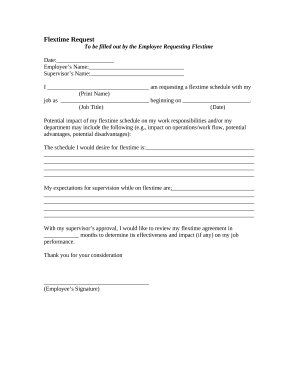


Related Catalogs
Get the latest insights from our blog


If you believe that this page should be taken down, please follow our DMCA take down process
here
.
This form may include fields for payment information. Data entered in these fields is not covered by PCI DSS compliance.