
Last updated on
Nov 9, 2026

Canada Form 15C 2008 free printable template
pdfFiller is not affiliated with any government organization

Fill out
Complete the form online in a simple drag-and-drop editor.

eSign
Add your legally binding signature or send the form for signing.

Share
Share the form via a link, letting anyone fill it out from any device.

Export
Download, print, email, or move the form to your cloud storage.
Why pdfFiller is the best tool for your documents and forms


End-to-end document management
From editing and signing to collaboration and tracking, pdfFiller has everything you need to get your documents done quickly and efficiently.
Accessible from anywhere
pdfFiller is fully cloud-based. This means you can edit, sign, and share documents from anywhere using your computer, smartphone, or tablet.
Secure and compliant
pdfFiller lets you securely manage documents following global laws like ESIGN, CCPA, and GDPR. It's also HIPAA and SOC 2 compliant.
What is Canada Form 15C
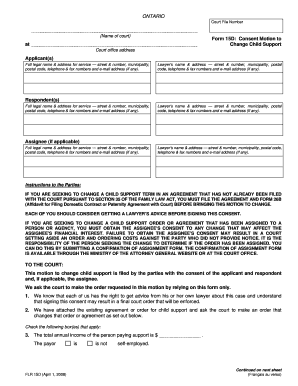
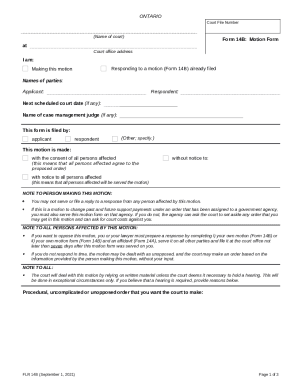
The Ontario Form 15C: Consent Motion to Change is a legal document used by individuals in Ontario, Canada to request modifications to existing court orders related to custody, access, child support, or spousal support.
pdfFiller scores top ratings on review platforms




Who needs Canada Form 15C?
Explore how professionals across industries use pdfFiller.

Canada Form 15C is needed by:
-
Individuals seeking to modify custody arrangements
-
Parents looking to change child support payments
-
Spouses needing to adjust spousal support terms
-
Legal representatives assisting clients with family law matters
-
Guardians involved in access and custody disputes
-
Assignees who require consent for changes to legal agreements
Comprehensive Guide to Canada Form 15C
What is the Ontario Form 15C: Consent Motion to Change?
The Ontario Form 15C, also known as the Consent Motion to Change, is a legal document designed for individuals seeking modifications to existing court orders pertaining to custody, access, child support, or spousal support in Ontario, Canada. This form holds significant legal implications as it formalizes the request for changes agreed upon by all involved parties.
Common scenarios for using this form include adjustments in custody arrangements, changes in child support amounts, or modifications related to access rights. To maintain legal integrity, it is required that all relevant parties provide their signatures on the form.
Purpose and Benefits of the Ontario Form 15C: Consent Motion to Change
The Ontario Form 15C serves as a crucial tool for individuals aiming to modify court orders efficiently and legally. By utilizing this form, individuals can facilitate changes without undergoing lengthy court processes, thereby saving time and effort.
This form not only streamlines the modification process but also helps ensure legal compliance with existing regulations. Moreover, users can easily manage the form online through platforms like pdfFiller, which simplifies the document handling experience.
Eligibility Criteria for the Ontario Form 15C: Consent Motion to Change
Eligibility to use the Ontario Form 15C is determined by specific conditions outlined within Ontario law. Applicants must be the individuals directly involved in the existing court order, while respondents are those who may be affected by the proposed changes.
In some cases, an assignee may be involved, particularly if the original agreement or order has been assigned. There are also restrictions that users should be aware of that could impact their ability to submit this form.
How to Fill Out the Ontario Form 15C: Consent Motion to Change Online (Step-by-Step)
-
Access the Ontario Form 15C through pdfFiller.
-
Fill in key information fields such as the names, legal addresses, and specific changes requested.
-
Review all entries for accuracy to avoid errors at submission.
-
Ensure signatures are obtained from all parties required to consent to the changes.
-
Save or submit the form as directed by the platform.
Common Errors and How to Avoid Them
When filling out the Ontario Form 15C, users often encounter common errors that can lead to complications in their submissions. Some pitfalls include omitted fields or incorrect signatures, which can result in delays or rejections.
To minimize such issues, users should double-check all entered information and utilize resources available on pdfFiller for assistance during corrections. Verifying that all required fields are complete can significantly enhance submission accuracy.
Submission Methods and Delivery for the Ontario Form 15C
Once the Ontario Form 15C is completed, there are several methods available for submission. Individuals can choose to submit the form in person, by mail, or through an online platform.
Users should also be aware of any submission deadlines which may apply, as well as the processing time needed for their modifications to be reviewed. After submission, individuals can receive confirmation to confirm that their form has been successfully submitted.
What Happens After You Submit the Ontario Form 15C?
Once the Ontario Form 15C has been submitted, it undergoes a review process by the relevant authorities. Users can expect various potential outcomes based on the evaluation of their requested modifications.
Additionally, individuals should be informed about how to check the status of their submissions and what actions to take in the event of rejections or if further amendments are required on their part.
Security and Compliance for the Ontario Form 15C: Consent Motion to Change
Security and data protection are pivotal when it comes to handling sensitive legal documents like the Ontario Form 15C. pdfFiller implements advanced security measures to ensure that all information remains secure and confidential throughout the form filling and submission process.
Furthermore, the platform adheres to stringent data protection regulations such as GDPR and HIPAA, allowing users to manage their legal documents with peace of mind regarding privacy and compliance.
Sample or Example of a Completed Ontario Form 15C: Consent Motion to Change
To assist users in understanding how to properly complete the Ontario Form 15C, a sample completed form is available. This example not only serves as a visual reference but also helps clarify how to interpret the various sections of the form.
Key components and common entries within the sample highlight essential elements to ensure accuracy and comprehensive understanding for users filling out their forms.
Achieve Your Legal Objectives with pdfFiller
pdfFiller is dedicated to simplifying the process of managing legal documents, including the Ontario Form 15C. With its user-friendly interface, individuals can efficiently create, edit, and submit their legal forms with ease.
The platform offers a range of features, such as eSigning and document conversion, all while maintaining high standards of security and compliance for sensitive legal information.
How to fill out the Canada Form 15C
-
1.Access the Ontario Form 15C: Consent Motion to Change by visiting pdfFiller and searching for the form in the designated search bar.
-
2.Open the form by clicking on it in the search results to enter the pdfFiller editing interface.
-
3.Before completing the form, gather all necessary information such as the legal names, addresses, and contact details of all parties involved including applicants, respondents, and any assignees.
-
4.Begin filling out the form by entering details in the designated fields. Use the 'Type Here' feature for text fields and checkboxes to select applicable options.
-
5.If you have questions about any fields, refer to the provided instructions in the form which guide you on what information is required.
-
6.After entering all required information, review the form carefully to ensure that all parties' details are accurate and complete.
-
7.Utilize the review features on pdfFiller to spot any errors. Make edits as necessary to ensure clarity and correctness.
-
8.Once satisfied with the completed form, save your work. You can click on the 'Save' icon to keep an electronic copy.
-
9.To download a copy of the completed form for your records or to print, select the 'Download' option.
-
10.You can also submit the form directly through pdfFiller if you have embedded submission options offered by the service. Check for any specific submission procedures before sending.

Who is eligible to fill out the Ontario Form 15C?
Any individual or party involved in a family law matter in Ontario, Canada, such as parents seeking modifications to custody, access, or support agreements, is eligible to complete the Ontario Form 15C.
Are there any deadlines for submitting the Consent Motion to Change?
There are typically no strict deadlines for submitting the Ontario Form 15C, but it's advised to file as soon as changes are necessary to avoid potential disputes. Always check local court requirements for any specific timelines.
How do I submit the completed Ontario Form 15C?
You can submit the completed Ontario Form 15C by either delivering it in person to the appropriate court or mailing it to the court office. Ensure the form is signed before submission.
What supporting documents are needed when filing this form?
When filing the Ontario Form 15C, supporting documents may include existing court orders, financial statements, and any relevant agreements that substantiate your request for changes. Be ready to provide these upon submitting the motion.
What are common mistakes to avoid when completing this form?
Common mistakes include failing to accurately fill in parties' legal names, not signing the form, or leaving blank fields. Double-check all entries to prevent delays in processing.
How long does processing take for the Ontario Form 15C?
Processing times for the Ontario Form 15C can vary. Generally, expect a few weeks for the court to review the motion, but this might depend on the specific court's workload.
What if I need to make changes after submitting the form?
If changes are necessary after submission, you may need to submit an amendment or a new motion depending on the degree of change required. Consult with a legal professional for proper guidance.
Canada Form 15C Form Versions
Related Forms


Related Catalogs
Get the latest insights from our blog


If you believe that this page should be taken down, please follow our DMCA take down process
here
.
This form may include fields for payment information. Data entered in these fields is not covered by PCI DSS compliance.