
Last updated on
Oct 31, 2026

Get the free California Jurat Form
We are not affiliated with any brand or entity on this form

Fill out
Complete the form online in a simple drag-and-drop editor.

eSign
Add your legally binding signature or send the form for signing.

Share
Share the form via a link, letting anyone fill it out from any device.

Export
Download, print, email, or move the form to your cloud storage.
Why pdfFiller is the best tool for your documents and forms


End-to-end document management
From editing and signing to collaboration and tracking, pdfFiller has everything you need to get your documents done quickly and efficiently.
Accessible from anywhere
pdfFiller is fully cloud-based. This means you can edit, sign, and share documents from anywhere using your computer, smartphone, or tablet.
Secure and compliant
pdfFiller lets you securely manage documents following global laws like ESIGN, CCPA, and GDPR. It's also HIPAA and SOC 2 compliant.
What is Jurat Form
The California Jurat Form is a legal document used by an affiant to verify the authenticity of a sworn statement in the presence of a notary public.
pdfFiller scores top ratings on review platforms




It is great to be able to type in a pdf document, sign and save it.
Easy to use and great value. It makes some forms that are normally hand written look fantastic
Who needs Jurat Form?
Explore how professionals across industries use pdfFiller.

Jurat Form is needed by:
-
Individuals needing to verify sworn statements
-
Affiants participating in legal proceedings
-
Notary publics performing verification duties
-
Legal practitioners requiring sworn declarations
-
Individuals involved in power of attorney processes
Comprehensive Guide to Jurat Form
What is the California Jurat Form?
The California Jurat Form is a legal document essential for verifying the authenticity of sworn statements. This form serves the critical purpose of confirming that the statements made by an affiant are truthful and can be relied upon in legal contexts. The roles involved include the affiant, who provides the sworn statement, and the notary public, who attests to the identity and swearing of the affiant. Each role is significant; the affiant ensures the content of the document, while the notary provides an official verification of the signature.
Purpose and Benefits of the California Jurat Form
Individuals and organizations require the California Jurat Form to authenticate their formal declarations for various legal purposes. The key benefits include ensuring legal validity, enhancing the credibility of statements, and offering protection against potential fraud. This form is particularly relevant in legal proceedings and situations where official declarations are mandated. By utilizing the California Jurat Form, users can ensure their documents meet legal requirements and withstand scrutiny in courts.
Key Features of the California Jurat Form
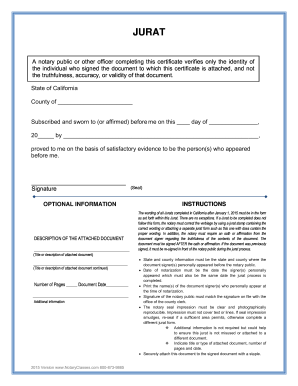
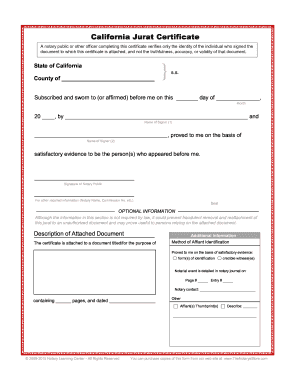
Important components of the California Jurat Form include several blank fields designated for user input, such as title, date, state, and county. The notary's role is crucial in completing the form, as they fill in these details and affix their official seal, which signifies the document's legitimacy. Additionally, the form includes an instruction section that guides both the affiant and notary in properly completing the form, facilitating a smooth and accurate process.
Who Needs the California Jurat Form?
The California Jurat Form is commonly used by a variety of individuals and organizations, particularly in contexts requiring formal declarations. Situations that often necessitate this jurat include court cases, loan applications, and other official documents where the truthfulness of statements is vital. Professions that may frequently utilize this form include legal professionals, notaries, and individuals involved in real estate transactions, among others.
How to Fill Out the California Jurat Form Online (Step-by-Step)
To effectively fill out the California Jurat Form online using a platform like pdfFiller, follow these steps:
-
Access the pdfFiller website and locate the California Jurat Form.
-
Fill in the required fields, including your name, the title of the statement, and the date.
-
Select the appropriate state and county from the dropdown menus.
-
Ensure all information is accurate before proceeding to sign.
-
Follow prompts to submit for notarization by a qualified notary public.
Before starting, gather all necessary information to ensure a smooth process, such as identification and relevant documents.
How to Sign or Notarize the California Jurat Form
The affiant must sign the California Jurat Form in the presence of a notary public, who will then complete the notarization process. It is essential to understand the difference between digital signatures and wet signatures, particularly in legal contexts, as specific regulations apply in California. Compliance with state laws regarding the signing and notarizing of forms is critical for ensuring the legality of the document.
Where to Submit the California Jurat Form
Submission options for the California Jurat Form vary depending on the context of its use. Determine the appropriate office or individual for submission by considering factors such as whether the form is for court use or an attorney's records. Be aware of any deadlines or specific submission rules that may apply in California to ensure timely processing of your document.
Security and Compliance for the California Jurat Form
Security is paramount when handling the California Jurat Form due to the sensitive nature of its content. pdfFiller is committed to data protection, employing advanced encryption and adhering to relevant regulations, such as HIPAA and GDPR. Users can be assured that their confidential information is managed securely throughout the process, minimizing the risk of unauthorized access.
Sample Completed California Jurat Form
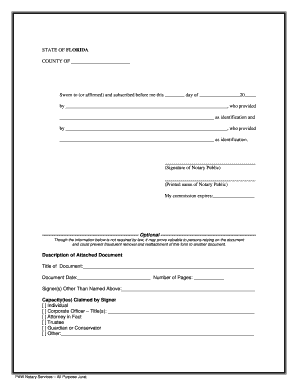
A visual or downloadable example of a filled-out California Jurat Form is available to guide users through the completion process. Key areas of the sample are highlighted to assist in understanding the required inputs and formatting. Additionally, insights into common mistakes or misinterpretations can help users avoid errors in their own submissions.
Maximize Your Experience with pdfFiller
Utilize pdfFiller’s robust capabilities to enhance your experience with the California Jurat Form. This platform streamlines the process of creating, editing, and eSigning documents, saving you time and effort. With a focus on security and reliability, pdfFiller supports all necessary document management processes efficiently and effectively.
How to fill out the Jurat Form
-
1.Start by accessing pdfFiller and searching for the California Jurat Form in the document library.
-
2.Once located, open the form to begin filling it out using pdfFiller's editing interface.
-
3.Gather all required information in advance, including your sworn statement, date, state, and county details.
-
4.Carefully fill in the blank fields provided on the form, ensuring accurate and clear information.
-
5.Following the instructions, sign the document as the affiant where indicated on the form.
-
6.If additional documents are needed, follow prompts on pdfFiller to attach or include them.
-
7.After completing the form, review all entries to ensure correctness and clarity.
-
8.Once confirmed, you can choose to save the document for future access or download it directly from pdfFiller.
-
9.Submit the completed form to the designated recipients or authorities as required, utilizing pdfFiller's submission methods.

Who can use the California Jurat Form?
The California Jurat Form can be used by individuals who need to authenticate a sworn statement. It's typically required for affiants in legal cases and individuals seeking notary services.
What information do I need to fill out before starting?
Before you start filling out the California Jurat Form, gather information such as your sworn statement, the date of the statement, and the state and county where the notarization is taking place.
Do I need a notary to complete this form?
Yes, to finalize the California Jurat Form, you must sign it in the presence of a notary public, who will then complete the necessary certification and affix their seal.
What are common mistakes to avoid when filling out this form?
Common mistakes include forgetting to sign in front of a notary, leaving fields blank, or providing inaccurate details. Always double-check the information before submission.
How can I submit the California Jurat Form after completing it?
You can submit your completed California Jurat Form by following pdfFiller's instructions for submission. This may include emailing the document, downloading it to send, or submitting it directly through their platform.
Is there a deadline for submitting the California Jurat Form?
There is generally no universal deadline for the California Jurat Form itself, but any legal proceedings associated with it may have specific timelines. Always check with legal authorities or relevant parties.
What do I do if I need help with the form?
If you need assistance with the California Jurat Form, consider accessing pdfFiller's customer support or help resources. They offer guidance on filling out forms and addressing common queries.
Related Forms




Related Catalogs
Get the latest insights from our blog


If you believe that this page should be taken down, please follow our DMCA take down process
here
.
This form may include fields for payment information. Data entered in these fields is not covered by PCI DSS compliance.