
Last updated on
Oct 31, 2026

Get the free Y3T Workout Log Template
We are not affiliated with any brand or entity on this form

Fill out
Complete the form online in a simple drag-and-drop editor.

eSign
Add your legally binding signature or send the form for signing.

Share
Share the form via a link, letting anyone fill it out from any device.

Export
Download, print, email, or move the form to your cloud storage.
Why pdfFiller is the best tool for your documents and forms


End-to-end document management
From editing and signing to collaboration and tracking, pdfFiller has everything you need to get your documents done quickly and efficiently.
Accessible from anywhere
pdfFiller is fully cloud-based. This means you can edit, sign, and share documents from anywhere using your computer, smartphone, or tablet.
Secure and compliant
pdfFiller lets you securely manage documents following global laws like ESIGN, CCPA, and GDPR. It's also HIPAA and SOC 2 compliant.
What is Y3T Workout Log
The Y3T Workout Log Template is a personal tracking document used by fitness enthusiasts to monitor their workout routines.
pdfFiller scores top ratings on review platforms




The easiest, fastest and most official way to look official!
So far it is wonderful but I've got to continue further to see if it is all that and the cake and ice cream at that time I should give 5 Bright Shining Stars!!
Who needs Y3T Workout Log?
Explore how professionals across industries use pdfFiller.

Y3T Workout Log is needed by:
-
Individuals pursuing fitness goals
-
Personal trainers tracking client progress
-
Gym-goers wanting to log workouts
-
Athletes aiming to improve performance
-
Health coaches supporting clients
-
Fitness enthusiasts maintaining routines
Comprehensive Guide to Y3T Workout Log
What is the Y3T Workout Log Template?
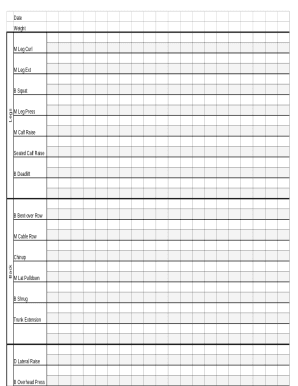
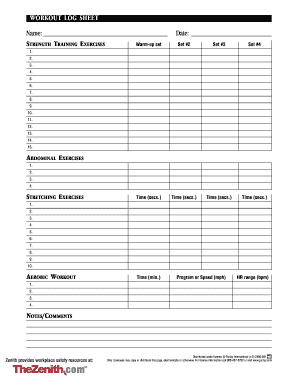
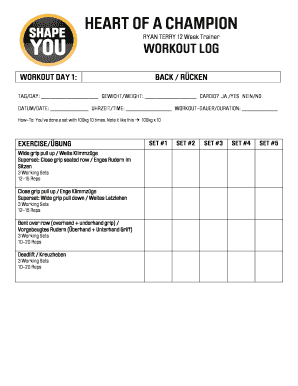
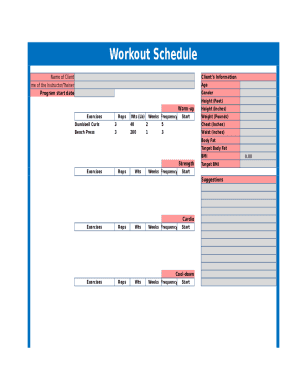
The Y3T Workout Log Template is a specialized fitness tracking form designed to help users document their exercise routines effectively. Its structure includes key fields such as day, date, time, and specific exercises, allowing for thorough tracking and analysis of workout progress. This template is intended to be utilized before, during, and after workouts to ensure consistent logging of fitness activities.
Purpose and Benefits of Using the Y3T Workout Log Template
Using the Y3T Workout Log Template enhances accountability and consistency in workout routines. By meticulously tracking exercise schedules, individuals can monitor their progress over time, keeping motivation high and adjusting fitness plans as necessary. This template features customizable fields, accommodating various fitness goals and preferences among users.
Key Features of the Y3T Workout Log Template
The effectiveness of the Y3T Workout Log Template is attributed to its essential features, which include:
-
Fillable form layout with sections dedicated to exercises, sets, and reps.
-
Checkboxes that facilitate ease of use and enhanced organization.
-
Space allocated for notes, allowing users to document personal insights or modifications to their routines.
Who Can Benefit from the Y3T Workout Log Template?
The Y3T Workout Log Template is beneficial for a diverse audience, including:
-
Fitness enthusiasts aiming to refine their workout tracking methods.
-
Personal trainers seeking a standardized tool to guide clients in their workouts.
-
Individuals embarking on new fitness regimens who require structured documentation.
How to Fill Out the Y3T Workout Log Template Online (Step-by-Step Guide)
To fill out the Y3T Workout Log Template accurately, follow these steps:
-
Begin with the 'Day' and 'Date' fields, inputting relevant information.
-
Enter specific exercises along with weights and repetitions in designated spaces.
-
Ensure consistency in entries throughout each workout session for optimal tracking.
Common Errors to Avoid When Using the Y3T Workout Log Template
Avoiding frequent mistakes can enhance the effectiveness of the Y3T Workout Log Template. Common errors include:
-
Leaving fields incomplete or entering inaccurate data, which can mislead tracking efforts.
-
Failing to validate entries before saving the form to ensure accuracy.
-
Neglecting clarity and organization in entries, which can lead to confusion during reviews.
How to Download and Save the Y3T Workout Log Template PDF
Accessing the Y3T Workout Log Template for personal use is straightforward. Follow these steps:
-
Visit the pdfFiller platform to locate the Y3T Workout Log Template.
-
Follow the prompts to download the template in your preferred format, either PDF or Word.
-
Take note of the security measures in place to protect your data throughout the download process.
Security and Privacy When Using the Y3T Workout Log Template
Your personal workout data is protected through robust security measures while using the Y3T Workout Log Template. pdfFiller implements:
-
256-bit encryption to safeguard sensitive information.
-
Compliance with standards such as SOC 2 Type II, HIPAA, and GDPR for data privacy.
-
Best practices for users to protect their completed forms, including secure storage and sharing tips.
Why Choose pdfFiller for Your Y3T Workout Log Template Needs?
pdfFiller offers numerous advantages for filling out the Y3T Workout Log Template efficiently. Notably, users benefit from:
-
A user-friendly interface that simplifies editing and filling out forms directly in the browser.
-
Robust features such as eSigning and sharing options that enhance document management.
-
A proven track record, trusted by millions for secure and convenient document handling.
Start Your Fitness Journey with the Y3T Workout Log Template Today!
Leverage the Y3T Workout Log Template to track your fitness progress effectively. Registration on pdfFiller enables you to utilize the template fully, helping you reach your fitness goals. Utilize the editing tools available to maximize the effectiveness of your workout log.
How to fill out the Y3T Workout Log
-
1.Begin by accessing the Y3T Workout Log Template on pdfFiller. Use the search function to locate the form quickly, or navigate to the personal forms category.
-
2.Once opened, familiarize yourself with the layout. You'll notice fields for essential details like day, date, and time. Click on each field to begin filling them in.
-
3.Before starting, gather any necessary information. Have your recent workout details handy, including duration, weights, location, and the specific exercises you plan to document.
-
4.As you fill out the template, ensure you record all workouts accurately. Enter the day, today's date, the time you started, and how long your workout lasted. Fill in the actual exercises performed along with the sets and reps for each.
-
5.Utilize the checkboxes provided for noting specific types of workouts or to add any personal comments. This can help track progress more effectively. You can easily navigate between fields using your mouse or tab key.
-
6.After you have completed all sections, review your entries to ensure accuracy. Check for any missing information and confirm that all workouts are documented correctly.
-
7.Once satisfied with your entries, look for the save button in the pdfFiller toolbar. You can choose to download the document for personal records or submit it online if required.

Who can use the Y3T Workout Log Template?
Anyone aiming to track their fitness journey can use the Y3T Workout Log Template. This includes individuals, personal trainers, and fitness enthusiasts looking to document their workout routines.
Is there a deadline for completing this workout log?
There is no specific deadline for filling out the Y3T Workout Log Template. It can be completed at any time, ideally before, during, or after workouts for optimal effectiveness.
How should I submit the completed workout log?
After completing the Y3T Workout Log Template on pdfFiller, you can save it, download it as a PDF, or submit it online directly if needed. Make sure to keep a copy for your records.
What information do I need to fill out the template?
To effectively complete the Y3T Workout Log Template, gather details such as the date, time of workout, duration, types of exercises, weights used, and sets and repetitions.
What are common mistakes to avoid when using this form?
Common mistakes include not recording details promptly, missing sections, or entering inaccurate workout data. Ensure all necessary fields are completed for accurate tracking.
How do I save my completed workout log?
In pdfFiller, once you've completed your workout log, click the save button to store your document. You can also download it directly to your device for offline access.
Can I modify my entries after saving the log?
Yes, you can go back to your saved document on pdfFiller to make modifications as needed. Just ensure that you save the document again after making any changes.





Related Catalogs
Get the latest insights from our blog


If you believe that this page should be taken down, please follow our DMCA take down process
here
.
This form may include fields for payment information. Data entered in these fields is not covered by PCI DSS compliance.