
Last updated on
Oct 31, 2026

Get the free Cumulative Folder Review Form
We are not affiliated with any brand or entity on this form

Fill out
Complete the form online in a simple drag-and-drop editor.

eSign
Add your legally binding signature or send the form for signing.

Share
Share the form via a link, letting anyone fill it out from any device.

Export
Download, print, email, or move the form to your cloud storage.
Why pdfFiller is the best tool for your documents and forms


End-to-end document management
From editing and signing to collaboration and tracking, pdfFiller has everything you need to get your documents done quickly and efficiently.
Accessible from anywhere
pdfFiller is fully cloud-based. This means you can edit, sign, and share documents from anywhere using your computer, smartphone, or tablet.
Secure and compliant
pdfFiller lets you securely manage documents following global laws like ESIGN, CCPA, and GDPR. It's also HIPAA and SOC 2 compliant.
What is Cumulative Folder Review
The Cumulative Folder Review Form is an educational document used by educators to assess a student's academic and behavioral history.
pdfFiller scores top ratings on review platforms




Who needs Cumulative Folder Review?
Explore how professionals across industries use pdfFiller.

Cumulative Folder Review is needed by:
-
Teachers needing to track student performance
-
School administrators overseeing educational assessments
-
Counselors conducting student evaluations
-
Parents wanting to understand their child's academic progress
-
Educational institutions compiling student profiles
Comprehensive Guide to Cumulative Folder Review
What is the Cumulative Folder Review Form?
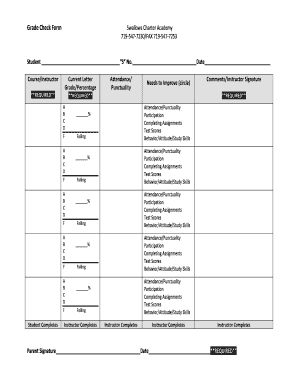
The Cumulative Folder Review Form serves as a crucial educational tool for assessing a student's academic performance and behavioral history. This form is designed to gather comprehensive information that reflects the student's educational journey, enabling educators to evaluate both academic progress and social behaviors effectively. It is an essential component in the student academic assessment process.
Purpose and Benefits of the Cumulative Folder Review Form
Educators utilize the Cumulative Folder Review Form to evaluate individual student progress efficiently. By compiling details about a student's strengths and areas of concern, this document aids in enhancing overall educational outcomes. The form functions as an education evaluation template that helps track progress over time.
Key Features of the Cumulative Folder Review Form
The Cumulative Folder Review Form includes several important sections that contribute to a thorough assessment. Key fields typically found on the form are:
-
Student Information
-
Attendance Records
-
Report Card Grades
-
Behavioral Concerns
These features provide educators with a comprehensive overview necessary for effective evaluations.
Who Needs the Cumulative Folder Review Form?
This form is primarily utilized by teachers and school administrators during various scenarios, such as student transfers or evaluations. It plays a significant role in compiling essential data, making it vital for anyone involved in student assessments. The cumulative folder review form streamlines the process of understanding a student’s academic standing.
How to Fill Out the Cumulative Folder Review Form Online
Filling out the Cumulative Folder Review Form online is straightforward. Follow these steps using pdfFiller:
-
Open the Cumulative Folder Review Form in pdfFiller.
-
Enter the 'Student Name' in the designated field.
-
Specify the 'Grade Level' appropriately.
-
Outline any 'Behavioral Concerns' identified.
Completing these fields accurately ensures a thorough assessment of the student.
Common Errors and How to Avoid Them
Filling out the Cumulative Folder Review Form presents potential pitfalls that should be avoided. Common mistakes include:
-
Incorrectly entered student details
-
Leaving mandatory fields blank
To ensure accurate submissions, double-check all entries and verify the completion of every required section.
How to Submit the Cumulative Folder Review Form
Submission methods for the Cumulative Folder Review Form vary based on institutional procedures. Common approaches include:
-
Printing and submitting a hard copy to the appropriate office
-
Using electronic submission portals available through the institution
Be aware of pertinent deadlines to ensure timely evaluations.
What Happens After You Submit the Cumulative Folder Review Form?
After submission, the Cumulative Folder Review Form undergoes a detailed review process by educators who assess the provided information. Follow-up actions may include personalized learning plans or additional intervention strategies based on the review findings.
Security and Privacy Considerations
Securing student information through the Cumulative Folder Review Form is paramount. pdfFiller implements various measures to protect sensitive data, ensuring compliance with privacy laws such as HIPAA and GDPR. These security protocols are essential in managing educational documents safely.
Start Using the Cumulative Folder Review Form Today!
Utilize pdfFiller for a seamless experience in managing the Cumulative Folder Review Form. Features such as eSigning and secure storage enhance the process, allowing educators to focus on student assessments without worrying about data security.
How to fill out the Cumulative Folder Review
-
1.To begin, access the Cumulative Folder Review Form on pdfFiller by visiting the website and searching for the form in the templates section.
-
2.Once you find the form, click on it to open in the pdfFiller editor.
-
3.Before starting, gather essential student information such as their name, grade level, attendance records, and report card grades.
-
4.Navigate through the form by clicking on each blank field to enter the required information, using drop-down menus or checkboxes as necessary.
-
5.Ensure to fill in sections related to group testing results and specific behavioral concerns by choosing applicable options and adding comments when needed.
-
6.After completing the form, review all entered information for accuracy, ensuring that all fields are properly filled and any necessary documents are attached.
-
7.Finalize your Cumulative Folder Review Form by clicking on the save button, which preserves your progress.
-
8.You can download or print the completed form for your records or share it directly with relevant parties through pdfFiller's sharing options.

Who is eligible to use the Cumulative Folder Review Form?
The form is designed for educators, school administrators, and counselors who assess student academic history and performance. Parents can also use it to gain insight into their child's educational progress.
Is there a deadline for submitting the Cumulative Folder Review Form?
Deadlines for submission vary by institution or district guidelines. It’s best to consult with your school’s administration for any specific deadlines related to student evaluations.
What methods can be used to submit the completed form?
The completed Cumulative Folder Review Form can be submitted online through pdfFiller's sharing options, emailed to the relevant parties, or printed and handed in physically at your educational institution.
What supporting documents are required with the Cumulative Folder Review Form?
Typically, supplementary documents may include prior report cards, attendance records, and any behavioral assessments. Check your institution’s requirements for specifics.
What are common mistakes to avoid when filling out the form?
Ensure all fields are accurately completed, especially checkboxes and critical information like the student’s name and grade level. Double-check for typos and ensure all relevant data is included.
How long does it take to process the Cumulative Folder Review Form?
Processing times vary by institution. Generally, once submitted, allow for a few business days for the review. Check with your school’s administration for precise timelines.
Are there any fees associated with using the Cumulative Folder Review Form?
Using pdfFiller might have subscription fees based on your plan, but there are no additional fees for using the Cumulative Folder Review Form itself. Be sure to review pdfFiller's pricing for specifics.
Related Forms




Related Catalogs
Get the latest insights from our blog


If you believe that this page should be taken down, please follow our DMCA take down process
here
.
This form may include fields for payment information. Data entered in these fields is not covered by PCI DSS compliance.