

Get the free Claim Continuation Form
We are not affiliated with any brand or entity on this form

Fill out
Complete the form online in a simple drag-and-drop editor.

eSign
Add your legally binding signature or send the form for signing.

Share
Share the form via a link, letting anyone fill it out from any device.

Export
Download, print, email, or move the form to your cloud storage.
Why pdfFiller is the best tool for your documents and forms


End-to-end document management
From editing and signing to collaboration and tracking, pdfFiller has everything you need to get your documents done quickly and efficiently.
Accessible from anywhere
pdfFiller is fully cloud-based. This means you can edit, sign, and share documents from anywhere using your computer, smartphone, or tablet.
Secure and compliant
pdfFiller lets you securely manage documents following global laws like ESIGN, CCPA, and GDPR. It's also HIPAA and SOC 2 compliant.
What is Claim Form
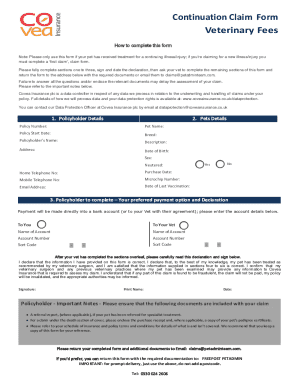
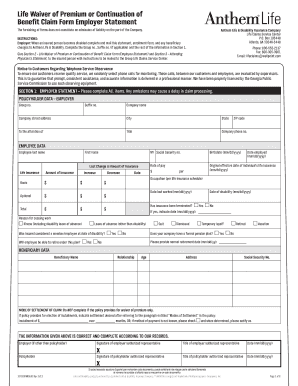
The Claim Continuation Form is a business document used by claimants to update their claim status regarding benefits, including medical and financial information.
pdfFiller scores top ratings on review platforms




Who needs Claim Form?
Explore how professionals across industries use pdfFiller.

Claim Form is needed by:
-
Individuals receiving disability benefits
-
Policyholders of Friends Life Limited
-
People undergoing medical treatment
-
Claimants with incapacitation issues
-
Individuals seeking to continue benefit payments
-
Financial advisors assisting clients with claims
How to fill out the Claim Form
-
1.To begin, access the Claim Continuation Form on pdfFiller by visiting their website and searching for the form using the search bar.
-
2.Once you locate the form, click on it to open in pdfFiller’s editing interface.
-
3.Before filling out the form, gather all relevant information, including personal details, medical history, treatment information, and current employment status.
-
4.Start by filling in your personal information in the designated fields at the top of the form, ensuring you use block capitals as instructed.
-
5.Next, navigate to the sections where you will provide medical details. Use the available options, checkboxes, or blank fields to describe your treatment and health condition accurately.
-
6.Continue by completing the sections related to your incapacitation and financial details. Provide thorough and truthful information to avoid delays in processing.
-
7.As you fill in the form, take your time to read the instructions beside each section carefully and ensure no fields are left incomplete.
-
8.After completing all sections, review your entries for accuracy and completeness. Make sure all required fields are filled out as per the instructions provided in the form.
-
9.Once satisfied with your form, save your progress on pdfFiller to avoid losing any information. Choose the option to download the form if you need a local copy.
-
10.Finally, submit your form electronically via pdfFiller or print it out for submission according to Friends Life Limited's preferred method.

Who is eligible to use the Claim Continuation Form?
The Claim Continuation Form is intended for individuals who are currently receiving benefits from Friends Life Limited and need to provide updated information regarding their incapacitation, medical treatment, or financial status.
What information do I need to gather before filling out the form?
Before starting, collect personal information, details regarding your incapacitation, treatment records, and any relevant employment information. This ensures you can complete the form accurately.
How do I submit the Claim Continuation Form?
You can submit the Claim Continuation Form electronically via pdfFiller or by printing it and submitting it through the postal service or in person according to Friends Life's submission guidelines.
What common mistakes should I avoid when filling out the form?
Common mistakes include leaving sections blank, not using block capitals, and failing to provide required supporting documents. Review the form thoroughly before submission to catch these errors.
What are the processing times for the Claim Continuation Form?
Processing times can vary depending on the complexity of your claim and the volume received. Typically, expect a response within a few weeks, but it's best to confirm with Friends Life for precise estimates.
Are there any fees associated with submitting this form?
Generally, submitting the Claim Continuation Form through Friends Life Limited should not incur any costs. However, if you choose to have it notarized or require additional services, fees may apply.
Can I save my progress while filling out the form on pdfFiller?
Yes, pdfFiller allows you to save your progress while completing the Claim Continuation Form. Be sure to save your work frequently to avoid losing any information.
Related Content
Related Forms




Get the latest insights from our blog


If you believe that this page should be taken down, please follow our DMCA take down process
here
.
This form may include fields for payment information. Data entered in these fields is not covered by PCI DSS compliance.