
Last updated on
Nov 7, 2026

FL DH 1896 1997 free printable template
We are not affiliated with any brand or entity on this form

Fill out
Complete the form online in a simple drag-and-drop editor.

eSign
Add your legally binding signature or send the form for signing.

Share
Share the form via a link, letting anyone fill it out from any device.

Export
Download, print, email, or move the form to your cloud storage.
Why pdfFiller is the best tool for your documents and forms


End-to-end document management
From editing and signing to collaboration and tracking, pdfFiller has everything you need to get your documents done quickly and efficiently.
Accessible from anywhere
pdfFiller is fully cloud-based. This means you can edit, sign, and share documents from anywhere using your computer, smartphone, or tablet.
Secure and compliant
pdfFiller lets you securely manage documents following global laws like ESIGN, CCPA, and GDPR. It's also HIPAA and SOC 2 compliant.
What is FL DH 1896
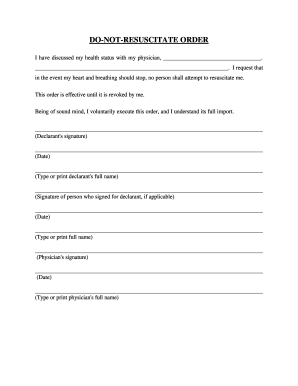
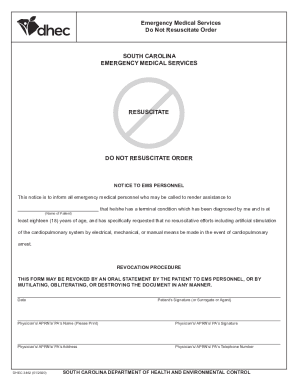
The Florida Do Not Resuscitate Order is a medical consent form used by patients in Florida to direct emergency medical services to withhold CPR during cardiac or respiratory arrest.
pdfFiller scores top ratings on review platforms




Best and easy to use. Really helped me out.
Super helpful for having neat and…
Super helpful for having neat and organized sheets that need to be filled out precisely!
Who needs FL DH 1896?
Explore how professionals across industries use pdfFiller.

FL DH 1896 is needed by:
-
Patients seeking to specify their end-of-life care preferences.
-
Attending physicians responsible for completing and signing the form.
-
Health care surrogates or proxies assisting patients with medical decisions.
-
Witnesses ensuring the validity of the document.
-
Legal guardians involved in patient care and decisions.
-
Emergency medical services personnel following the directives.
Comprehensive Guide to FL DH 1896
What is the Florida Do Not Resuscitate Order?
The Florida Do Not Resuscitate Order (DNRO) is a crucial medical consent form designed to direct emergency medical services (EMS) personnel to refrain from initiating cardiopulmonary resuscitation (CPR) in the event of cardiac or respiratory arrest. This document serves as a clear expression of a patient's end-of-life wishes, emphasizing the significance of making informed healthcare decisions. In the process of completing a DNRO, key players include the patient, their attending physician, and witnesses who all play essential roles in the validation of the order.
Purpose and Benefits of the Florida Do Not Resuscitate Order
The primary purpose of the Florida DNRO is to ensure patient autonomy by respecting individuals' end-of-life wishes. Having this form in place provides vital clarity for emergency medical personnel, allowing them to make informed decisions swiftly during critical situations. Notably, the DNRO alleviates stress for family members, who are often burdened by the weight of medical decisions during emergencies.
Key Features of the Florida Do Not Resuscitate Order
Several essential components characterize the Florida DNRO, enhancing its functionality and clarity. These include:
-
Fillable fields for the patient's legal name, physician’s signature, and witness details.
-
Checkboxes indicating specific conditions under which resuscitation should not be initiated.
-
Explicit instructions provided for EMS personnel regarding adherence to the DNRO.
Who Needs the Florida Do Not Resuscitate Order?
The Florida DNRO is particularly relevant for certain patient demographics. Individuals who should consider filling out this form include:
-
Patients diagnosed with terminal illnesses or serious health conditions.
-
Individuals wishing to pre-determine their resuscitation preferences.
-
Those appointing health care surrogates or proxies to make decisions on their behalf.
Eligibility Criteria for the Florida Do Not Resuscitate Order
To complete and sign the Florida DNRO, specific eligibility criteria must be met. This includes:
-
Age and legal capacity requirements for the patient filling out the form.
-
Signature requirements for the attending physician and witnesses of the document.
-
Conditions that permit a health care surrogate to act on behalf of the patient.
How to Fill Out the Florida Do Not Resuscitate Order Online (Step-by-Step)
Completing the Florida DNRO online involves several straightforward steps:
-
Gather personal information, including the patient's legal name and health details.
-
Access the online platform to begin filling out the DNRO form.
-
Accurately fill in each section, ensuring all required fields are completed.
-
Verify signatures from the patient and the attending physician.
-
Review the completed document for any errors before submission.
Common Errors and How to Avoid Them
When filling out the Florida DNRO, individuals often encounter typical mistakes. Common pitfalls include:
-
Leaving fields incomplete or not providing sufficient personal information.
-
Failing to obtain the correct signatures or dates from required individuals.
To avoid these errors, it is essential to thoroughly review the completed form and seek assistance if uncertainties arise.
Where to Submit the Florida Do Not Resuscitate Order
Submission procedures for the Florida DNRO vary, with several options available. Individuals can:
-
Submit the form in-person to their attending physician's office or EMS office.
-
Utilize electronic methods to send the form directly to relevant medical facilities.
Additionally, it’s important to check for any fees associated with the submission and to confirm the acceptance of the form by the appropriate medical personnel.
Security and Compliance for the Florida Do Not Resuscitate Order
The Florida DNRO prioritizes the security and privacy of sensitive healthcare information. The document complies with stringent security measures, including:
-
256-bit encryption ensuring that all personal data is securely protected.
-
Adherence to HIPAA guidelines, safeguarding the confidentiality of medical information.
This compliance is vital for maintaining data protection while utilizing form services.
Using pdfFiller to Complete Your Florida Do Not Resuscitate Order
pdfFiller simplifies the process of completing the Florida DNRO with its cloud-based editing capabilities. Users benefit from:
-
An intuitive platform for efficient editing and completion of forms.
-
Convenient eSigning options that meet legal requirements for signatures.
By leveraging pdfFiller, users can confidently fill out their Florida DNRO with ease.
How to fill out the FL DH 1896
-
1.Start by accessing pdfFiller and searching for the Florida Do Not Resuscitate Order form in their template library.
-
2.Once you've found the correct form, open it in the pdfFiller editor to begin filling it out electronically.
-
3.Prepare the necessary details before filling the form, including the patient's full legal name and contact information.
-
4.Locate the section designated for the patient's name and input the exact legal name as it appears on official documents.
-
5.Proceed to the next section for the attending physician's information. Ensure to include their name and contact details.
-
6.If applicable, designate a health care surrogate or proxy by entering their name into the appropriate field.
-
7.Fill in the witness section by adding the names of witnesses present during the signing process.
-
8.As you fill out the form, utilize the checkboxes provided to indicate the specific instructions regarding CPR and other medical interventions.
-
9.After completing all mandatory fields, review the entire form for accuracy. Make sure that all signatures are in place.
-
10.Once you're satisfied with the form, you can save it or download it directly to your device.
-
11.If you choose to submit the form online, follow the prompts provided by pdfFiller to complete the submission process securely.

Who is eligible to fill out the Florida Do Not Resuscitate Order?
Any patient in Florida who wishes to dictate their resuscitation preferences may complete the DNRO, typically requiring input from an attending physician and signatures from witnesses and the patient, surrogate, or guardian.
Are there any time limits for filling out and submitting the DNRO?
There are no specific deadlines for filling out the Florida Do Not Resuscitate Order; however, it should be completed as soon as a patient decides on their resuscitation preferences to ensure emergency personnel can follow the directives.
How should the Florida DNRO form be submitted?
The form can be submitted in person, retained by the patient, or provided to health care providers. Ensure copies are kept accessible to emergency medical services personnel.
What supporting documents are required when completing the DNRO?
Typically, no additional supporting documents are required for the Florida Do Not Resuscitate Order; however, having identification and any advance directives may facilitate the process.
What are common mistakes to avoid when filling out the DNRO?
Common mistakes include failing to ensure all necessary signatures are collected, leaving fields incomplete, or not clearly indicating the patient's resuscitation wishes within the form.
How does the processing time work for the Florida DNRO?
There is no formal processing time for the DNRO since it is a directive that should be recognized immediately by emergency personnel once signed and witnessed.
Are there any fees associated with completing the Florida Do Not Resuscitate Order?
There are no fees associated with completing the Florida DNRO itself. However, consulting an attorney or notary, if required, may incur costs.
FL DH 1896 Form Versions
Related Content
Related Forms



Related Catalogs
Get the latest insights from our blog


If you believe that this page should be taken down, please follow our DMCA take down process
here
.
This form may include fields for payment information. Data entered in these fields is not covered by PCI DSS compliance.