
Last updated on
Oct 31, 2026

Get the free Autoclave Sterilization Log Sheet
We are not affiliated with any brand or entity on this form

Fill out
Complete the form online in a simple drag-and-drop editor.

eSign
Add your legally binding signature or send the form for signing.

Share
Share the form via a link, letting anyone fill it out from any device.

Export
Download, print, email, or move the form to your cloud storage.
Why pdfFiller is the best tool for your documents and forms


End-to-end document management
From editing and signing to collaboration and tracking, pdfFiller has everything you need to get your documents done quickly and efficiently.
Accessible from anywhere
pdfFiller is fully cloud-based. This means you can edit, sign, and share documents from anywhere using your computer, smartphone, or tablet.
Secure and compliant
pdfFiller lets you securely manage documents following global laws like ESIGN, CCPA, and GDPR. It's also HIPAA and SOC 2 compliant.
What is Sterilization Log
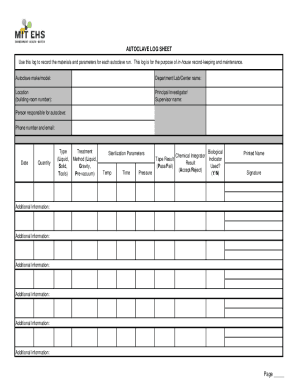
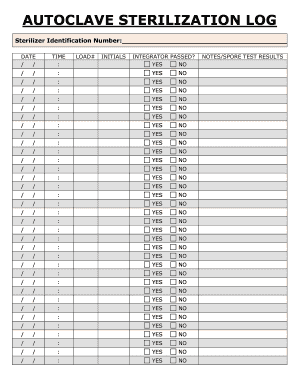
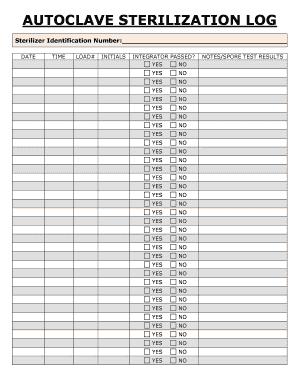
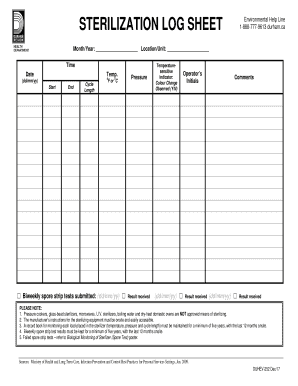
The Autoclave Sterilization Log Sheet is a healthcare form used to record maintenance and sterilization processes of autoclaves in medical settings.
pdfFiller scores top ratings on review platforms




Who needs Sterilization Log?
Explore how professionals across industries use pdfFiller.

Sterilization Log is needed by:
-
Healthcare facilities managing autoclave sterilization processes
-
Medical professionals responsible for equipment maintenance
-
Quality assurance personnel in healthcare environments
-
Regulatory compliance officers monitoring sterilization practices
-
Medical records administrators ensuring accurate documentation
Comprehensive Guide to Sterilization Log
What is the Autoclave Sterilization Log Sheet?
The Autoclave Sterilization Log Sheet is a critical document used in healthcare settings to maintain records of autoclave maintenance and sterilization processes. This form is essential for tracking compliance with health and safety regulations, ensuring that sterilization equipment functions effectively. It provides healthcare facilities with a structured method to document every sterilization cycle, promoting an environment of safety and hygiene.
Purpose and Benefits of the Autoclave Sterilization Log
The primary purpose of the autoclave sterilization log sheet is to maintain thorough records of autoclave usage, which is crucial for both operational efficiency and regulatory compliance. Maintaining these records enhances traceability of sterilization practices and aids in demonstrating adherence to health regulations. Additionally, documenting the functioning of sterilization equipment helps identify potential issues early, ensuring patient safety.
Key Features of the Autoclave Sterilization Log Sheet
-
Practice Name
-
Facility Name
-
Brand Autoclave Model
-
Maintenance logs
-
Sterilization records
-
Fillable features for ease of use in cloud environments
The log sheet includes various sections such as maintenance logs and sterilization records, along with checkboxes for easy tracking, which streamline the documentation process and assist staff in managing their records efficiently.
Who Needs the Autoclave Sterilization Log Sheet?
This log sheet is beneficial for several audiences, including healthcare facilities, medical practitioners, and sterilization technicians. Its relevance spans various healthcare environments, such as hospitals, dental offices, and outpatient clinics. Staff members responsible for operating and maintaining autoclaves will find this log sheet particularly useful for managing compliance and operational integrity.
How to Fill Out the Autoclave Sterilization Log Sheet Online
To complete the autoclave sterilization log sheet using pdfFiller, follow these steps:
-
Access the log sheet template online.
-
Fill in required fields such as Practice Name and Facility Name.
-
Select the Brand Autoclave Model from the dropdown menu.
-
Document all maintenance activities and sterilization cycles accurately.
-
Review all entries for accuracy before submission.
Ensure you include all necessary information and double-check your entries to maintain the integrity and completeness of the records.
Common Errors and How to Avoid Them
When filling out the autoclave sterilization log sheet, common mistakes include incomplete entries and inaccurate data. To avoid these issues, it's crucial to validate all information before submission. Implementing a review protocol can help ensure that all sections are filled correctly, considerably reducing the likelihood of errors.
Submission Methods and Delivery for the Autoclave Sterilization Log Sheet
Once the autoclave sterilization log sheet is completed, submission can occur through designated state-specific channels. It's important to be aware of any specific requirements or deadlines related to submission. Tracking the submission and maintaining copies of records is essential for compliance with local regulations.
Security and Compliance for Handling the Autoclave Sterilization Log Sheet
Data security is a paramount concern when dealing with healthcare forms, including the autoclave sterilization log sheet. The platform used for managing these logs must be compliant with regulations such as HIPAA and GDPR. pdfFiller employs advanced security features, including 256-bit encryption, to safeguard sensitive information.
Why Choose pdfFiller for Your Autoclave Sterilization Log Sheet Needs
pdfFiller offers a range of benefits for editing, filling, and managing forms like the autoclave sterilization log sheet. The platform simplifies the record-keeping process and increases efficiency through features such as eSigning and document sharing. This ease of use allows healthcare professionals to focus on their core responsibilities while ensuring proper documentation.
Get Started with Your Autoclave Sterilization Log Sheet Today!
Utilizing pdfFiller for your autoclave sterilization log sheet needs brings the advantage of a streamlined, user-friendly experience. Proper documentation is critical in maintaining healthcare standards, and pdfFiller facilitates this process effectively, allowing providers to focus on patient care.
How to fill out the Sterilization Log
-
1.To access the Autoclave Sterilization Log Sheet on pdfFiller, go to the pdfFiller website and use the search bar to enter the form name. Select the correct form from the search results.
-
2.Once the form is open, use the pdfFiller interface to navigate through the fillable fields. Click on each field to enter the required information such as 'Practice Name' and 'Facility Name'.
-
3.Before you start filling out the form, gather all necessary information including autoclave details like 'Brand Autoclave Model' and 'Serial Number'. This preparation will help streamline the process.
-
4.After entering all information, review your entries carefully. Ensure that all fields are correctly filled, and that checkboxes for maintenance logs and sterilization records are accurately marked.
-
5.Once you have completed your review, finalize the form by following the prompts on pdfFiller. This typically involves saving the changes you made to the document.
-
6.To save or download the form, click on the relevant options in pdfFiller. You can also directly submit the form if that option is available, or print it for your records.

Who is eligible to use the Autoclave Sterilization Log Sheet?
The Autoclave Sterilization Log Sheet is designed for healthcare facilities and personnel involved in maintaining and operating autoclaves. It's particularly relevant for medical staff and quality assurance teams.
What information is required to fill out the form correctly?
You’ll need details about the autoclave being serviced, including the model, serial number, and the maintenance history. Ensure that you also have the facility name and practice information handy.
How should I submit the completed log sheet?
After filling out the Autoclave Sterilization Log Sheet, you can save it digitally, download it for your records, or print it to submit physically. Submission methods may vary depending on your specific facility’s protocols.
Is notarization required for this log sheet?
No, the Autoclave Sterilization Log Sheet does not require notarization. It is primarily used for internal record-keeping and compliance purposes within healthcare organizations.
What are common mistakes to avoid when filling out the form?
Ensure all fields are filled out completely and accurately. Common errors include entering incorrect autoclave details or forgetting to check maintenance logs. Double-check before submitting the form.
What is the processing time for submitting this form?
The log sheet is typically processed internally at your facility. Ensure all information is complete for efficient compliance checks, usually done during regular audits of sterilization practices.
Related Forms



Related Catalogs
Get the latest insights from our blog


If you believe that this page should be taken down, please follow our DMCA take down process
here
.
This form may include fields for payment information. Data entered in these fields is not covered by PCI DSS compliance.