
Last updated on
Nov 9, 2026

Voya Order 144774 2018 free printable template
pdfFiller is not affiliated with any government organization

Fill out
Complete the form online in a simple drag-and-drop editor.

eSign
Add your legally binding signature or send the form for signing.

Share
Share the form via a link, letting anyone fill it out from any device.

Export
Download, print, email, or move the form to your cloud storage.
Why pdfFiller is the best tool for your documents and forms


End-to-end document management
From editing and signing to collaboration and tracking, pdfFiller has everything you need to get your documents done quickly and efficiently.
Accessible from anywhere
pdfFiller is fully cloud-based. This means you can edit, sign, and share documents from anywhere using your computer, smartphone, or tablet.
Secure and compliant
pdfFiller lets you securely manage documents following global laws like ESIGN, CCPA, and GDPR. It's also HIPAA and SOC 2 compliant.
What is Voya Order 144774
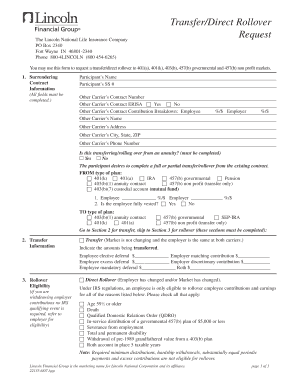
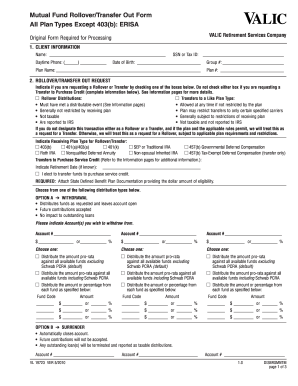
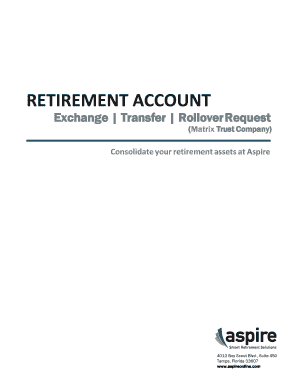
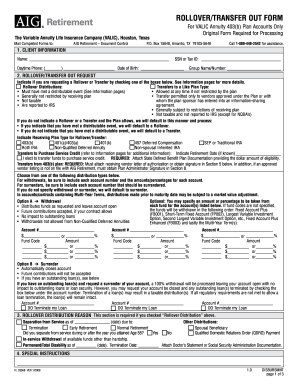
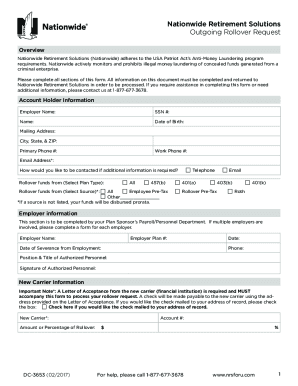
The Outgoing Rollover/Transfer/Exchange Request is a financial document used by individuals to request a rollover, transfer, or exchange of retirement funds from various plans.
pdfFiller scores top ratings on review platforms




I wish I had heard of you about 5 years ago!
Great...Easy to use even for a technophobe...I recommend it
The product works well for the business needs that I have.
Always, CHAT clears up any problem I have. Everything works great!
Excelent software I recommended …
Excelent software I recommended I used just once in a while I Think it is ideal for companies THANKS
I needed a refresher on locating files
I needed a refresher on locating files. The chat person was great. I also made a joke that I was working uncover for PDF Filler. Then I came clean and told him I was just joking.Smiles on both sides of the chat
Who needs Voya Order 144774?
Explore how professionals across industries use pdfFiller.

Voya Order 144774 is needed by:
-
Contract Owners initiating a rollover
-
Spouses of contract owners needing to sign
-
Alternate Payees requesting their share
-
Employers seeking to facilitate rollovers
-
Plan Sponsors assisting in fund transfers
-
Third Party Administrators managing account transitions
Comprehensive Guide to Voya Order 144774
What is the Outgoing Rollover/Transfer/Exchange Request?
The Outgoing Rollover/Transfer/Exchange Request form is a vital document utilized to facilitate the transfer of funds from one retirement account to another. This form is crucial for individuals managing their financial assets through various retirement plans, such as 401(k), 403(b), and pension plans. By ensuring the proper completion of this outgoing rollover request form, stakeholders can maintain compliance with regulatory requirements and maximize their retirement savings.
Purpose and Benefits of the Outgoing Rollover/Transfer/Exchange Request
Completing the Outgoing Rollover/Transfer/Exchange Request is essential for individuals and businesses aiming to avoid penalties associated with early withdrawals. By correctly managing the transfer of funds, users can enjoy several benefits, including:
-
Streamlined transfer processes between different retirement plans.
-
Prevention of tax penalties that may arise from improper distributions.
-
Enhanced clarity regarding options for rolling over funds, ensuring informed decisions.
Utilizing the 401k transfer request or annuity rollover form properly can significantly impact financial outcomes during retirement planning.
Who Needs the Outgoing Rollover/Transfer/Exchange Request?
Various stakeholders play a vital role in the signing and completion of the Outgoing Rollover/Transfer/Exchange Request. This includes:
-
Contract Owner: The individual who owns the account and initiates the request, requiring their signature.
-
Spouse: A spouse's signature may be necessary to validate the transaction under specific circumstances.
-
Alternate Payee: Another individual designated to receive benefits, usually in case of divorce settlements.
-
Employer/Plan Sponsor: The employer or sponsoring organization must also sign as part of the process.
Each role carries its unique responsibilities, ensuring that all necessary approvals are in place for an employer funded plan request.
Eligibility Criteria for the Outgoing Rollover/Transfer/Exchange Request
Eligibility to use the Outgoing Rollover/Transfer/Exchange Request varies based on the type of retirement plan involved. To qualify, users must meet certain criteria, which include:
-
Specific conditions set by the 403(b) and 401(k) plans.
-
Compliance with ERISA regulations governing eligibility for rollovers.
Understanding these criteria can aid individuals when contemplating the use of a transfer exchange request template.
How to Fill Out the Outgoing Rollover/Transfer/Exchange Request Online (Step-by-Step)
Completing the Outgoing Rollover/Transfer/Exchange Request online can be straightforward. Here’s a step-by-step guide:
-
Begin by providing contract owner information, including personal identification and account details.
-
Specify the withdrawal amount intended for the rollover.
-
Select the disbursement type that aligns with your financial strategy.
-
Ensure all required sections are filled out, referencing field instructions for clarity.
-
Complete the signature and date fields to finalize the document.
This process can be simplified further through features available in platforms like pdfFiller, enhancing the user experience.
Common Errors and How to Avoid Them
When filling out the Outgoing Rollover/Transfer/Exchange Request, users often encounter common errors. To help ensure accuracy, be mindful of the following:
-
Incomplete sections of the form, which can result in delays.
-
Incorrect signatures that fail to meet the specified requirements.
Before submission, it's advisable to cross-check compliance against field instructions to avoid these oversights.
Submission Methods and Delivery
Once the Outgoing Rollover/Transfer/Exchange Request form is completed, users can submit it via various methods:
-
Online submission through approved platforms.
-
Mail, where you must ensure proper addressing to avoid delivery issues.
Be aware that processing times may vary, and you should set expectations accordingly after submission, especially regarding the pension plan transfer form.
What Happens After You Submit the Outgoing Rollover/Transfer/Exchange Request?
After submission, confirm receipt of the Outgoing Rollover/Transfer/Exchange Request and track its progress. Typical outcomes include:
-
A notification confirming receipt of your request.
-
Establishing timelines for processing your request, which can vary by plan.
Understanding these steps will prepare users for subsequent phases of the submission methods and enhance overall experience.
Security and Compliance for the Outgoing Rollover/Transfer/Exchange Request
When handling the Outgoing Rollover/Transfer/Exchange Request, security of sensitive information is paramount. Platforms like pdfFiller prioritize document security through:
-
256-bit encryption to protect data integrity.
-
Compliance with HIPAA and GDPR regulations, ensuring privacy standards are met.
Rest assured that security measures are in place to safeguard your information during the process.
How pdfFiller Can Help You with the Outgoing Rollover/Transfer/Exchange Request
Utilizing pdfFiller to complete the Outgoing Rollover/Transfer/Exchange Request offers numerous advantages. Key features include:
-
Capability to eSign, fill, and securely share documents online.
-
Massive ease in accessing and managing forms digitally with cloud storage options.
Engage with pdfFiller’s tools to efficiently prepare your forms and enhance your experience with document management.
How to fill out the Voya Order 144774
-
1.Access the Outgoing Rollover/Transfer/Exchange Request form on pdfFiller by searching for its name in the platform's search bar.
-
2.Once the form is opened, familiarize yourself with the layout, focusing on the required fields such as personal information and details about the funds being transferred.
-
3.Before filling the form, gather necessary information including your contract details, the amount you wish to withdraw, and the type of disbursement you prefer.
-
4.Begin by completing Section 1, ensuring all required fields are filled correctly, as incomplete sections may delay processing.
-
5.Utilize pdfFiller’s user-friendly tooltips and guidance prompts to assist with any unfamiliar terms or sections.
-
6.Continue to fill out the remaining sections with details relevant to your specific scenario, checking boxes where necessary.
-
7.Once all sections are complete, review the form for accuracy. Pay special attention to required signatures from yourself, your spouse, and any other necessary parties.
-
8.Finally, use pdfFiller’s options to save your document. You can download it for your records or submit it directly through the platform.
-
9.If submitting through pdfFiller, follow the prompt to choose the desired submission method and confirm your choices before sending.

Who is eligible to use the Outgoing Rollover/Transfer/Exchange Request?
Eligibility typically includes contract owners, their spouses, alternate payees, and representatives from employers or plan sponsors overseeing the transfer process.
Is there a deadline for submitting the rollover request?
It's important to submit your request as soon as possible, as processing times for rollovers can vary by plan. Check with your financial institution for specific deadlines.
What are the submission methods for this form?
You can submit the Outgoing Rollover/Transfer/Exchange Request form electronically via pdfFiller or save it for postal submission, depending on your plan’s requirements.
What supporting documents are required with this form?
Typically, supporting documents may include proof of identity, previous plan statements, and any specific forms required by the current plan sponsor.
What common mistakes should I avoid when filling out this form?
Ensure that all sections are completed accurately, double-check signatures, and verify that the withdrawal amount matches your plan's allowed limits to avoid delays.
How long does processing take for rollover requests?
Processing times may vary by financial institution, but generally, it can take anywhere from a few days to several weeks. Always follow up to confirm the status.
Are notarized signatures required for this form?
According to the provided metadata, notarizing signatures is not required for the Outgoing Rollover/Transfer/Exchange Request form.
Voya Order 144774 Form Versions
Related Forms



Get the latest insights from our blog



If you believe that this page should be taken down, please follow our DMCA take down process
here
.
This form may include fields for payment information. Data entered in these fields is not covered by PCI DSS compliance.