

Get the free Statement of Support Assistance
We are not affiliated with any brand or entity on this form

Fill out
Complete the form online in a simple drag-and-drop editor.

eSign
Add your legally binding signature or send the form for signing.

Share
Share the form via a link, letting anyone fill it out from any device.

Export
Download, print, email, or move the form to your cloud storage.
Why pdfFiller is the best tool for your documents and forms


End-to-end document management
From editing and signing to collaboration and tracking, pdfFiller has everything you need to get your documents done quickly and efficiently.
Accessible from anywhere
pdfFiller is fully cloud-based. This means you can edit, sign, and share documents from anywhere using your computer, smartphone, or tablet.
Secure and compliant
pdfFiller lets you securely manage documents following global laws like ESIGN, CCPA, and GDPR. It's also HIPAA and SOC 2 compliant.
What is Support Assistance
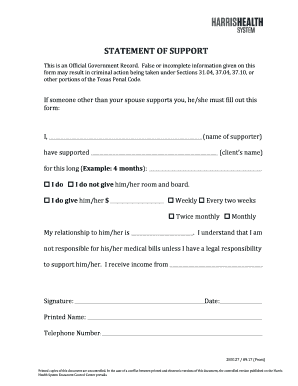
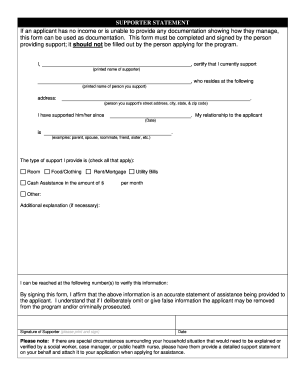
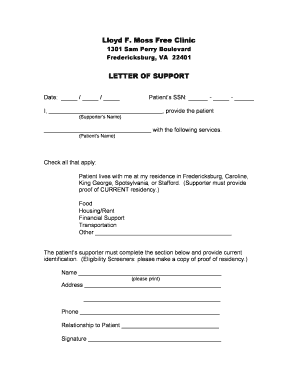
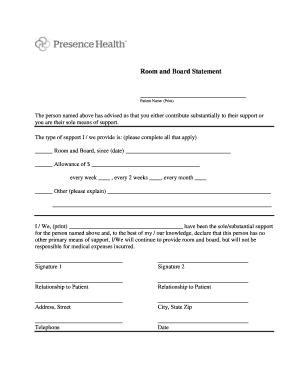
The Statement of Support Assistance is a patient consent form used by support providers in New Jersey to certify their assistance to patients including food, shelter, and cash.
pdfFiller scores top ratings on review platforms




Who needs Support Assistance?
Explore how professionals across industries use pdfFiller.

Support Assistance is needed by:
-
Healthcare providers offering patient support.
-
Patients seeking assistance from providers.
-
Social workers coordinating healthcare support.
-
Administrators in medical facilities like Bergen Regional Medical Center.
-
Family members needing to document support for patients.
-
Legal guardians facilitating patient assistance.
How to fill out the Support Assistance
-
1.Access the Statement of Support Assistance form on pdfFiller by searching for its title or navigating directly to the URL provided.
-
2.Once the form is open, familiarize yourself with the fillable fields and sections indicated by outlines or prompts.
-
3.Gather the necessary information such as your contact details, the patient's name, and specifics on the type of support provided, including duration and nature of assistance.
-
4.Begin filling in the form by clicking on each field. Specify your details in the designated areas, ensuring accuracy and completeness.
-
5.Use checkboxes for options where available. This may relate to specific types of support you’re providing.
-
6.After filling in all required fields, review your entries for accuracy, ensuring that all necessary information is included.
-
7.Finalizing the form involves adding your signature in the designated area. Follow any on-screen prompts to complete this step effectively.
-
8.Make sure to date the form after signing it. This updates the document with a timestamp.
-
9.Once complete, save your changes on pdfFiller, then choose to download a copy, or submit it directly through the platform as outlined.

Who should fill out the Statement of Support Assistance form?
The form should be filled out by support providers who are certified to assist patients with essential needs such as food, shelter, and cash, specifically in situations requiring documented support.
Is there a deadline for submitting this form?
While specific deadlines are not mentioned, it is advisable to submit the Statement of Support Assistance form promptly after the support is established. This ensures timely access to the necessary assistance.
How can I submit the Statement of Support Assistance form?
You can submit the Statement of Support Assistance form either by downloading it from pdfFiller and mailing it to the relevant medical facility or by using the platform's submission options if available.
What supporting documents are needed with the form?
Typically, you may not need additional documents; however, providing identification or a verification letter may support your application and clarify the assistance being offered.
What are some common mistakes to avoid when filling out this form?
Common mistakes include omitting required signatures, failing to date the form, or entering incorrect patient details. Always verify the accuracy of all information provided.
What is the processing time for this form?
Processing time can vary depending on the facility's policies. Generally, it is advisable to allow a few business days after submission for processing and confirmation.
Can I edit the Statement of Support Assistance form after saving it?
Yes, after saving the form in pdfFiller, you can reopen it to edit any portions before final submission. Ensure all edits are complete before sending.
Related Content
Related Forms



Get the latest insights from our blog


If you believe that this page should be taken down, please follow our DMCA take down process
here
.
This form may include fields for payment information. Data entered in these fields is not covered by PCI DSS compliance.