
Last updated on
Oct 31, 2026

DOC PTO/SB/02LR 2017-2026 free printable template
We are not affiliated with any brand or entity on this form

Fill out
Complete the form online in a simple drag-and-drop editor.

eSign
Add your legally binding signature or send the form for signing.

Share
Share the form via a link, letting anyone fill it out from any device.

Export
Download, print, email, or move the form to your cloud storage.
Why pdfFiller is the best tool for your documents and forms


End-to-end document management
From editing and signing to collaboration and tracking, pdfFiller has everything you need to get your documents done quickly and efficiently.
Accessible from anywhere
pdfFiller is fully cloud-based. This means you can edit, sign, and share documents from anywhere using your computer, smartphone, or tablet.
Secure and compliant
pdfFiller lets you securely manage documents following global laws like ESIGN, CCPA, and GDPR. It's also HIPAA and SOC 2 compliant.
What is DOC PTO/SB/02LR
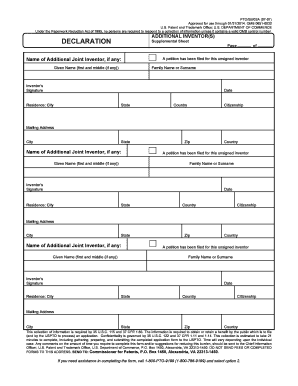
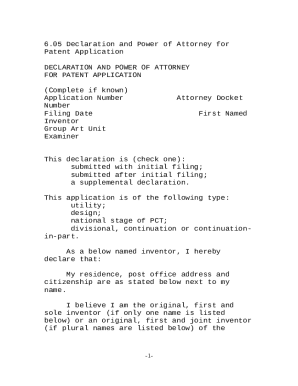
The USPTO Declaration Supplemental Sheet is a government form used by legal representatives to file patent applications on behalf of deceased or incapacitated inventors.
pdfFiller scores top ratings on review platforms




Who needs DOC PTO/SB/02LR?
Explore how professionals across industries use pdfFiller.

DOC PTO/SB/02LR is needed by:
-
Legal representatives for deceased inventors
-
Patent attorneys managing patent filings
-
Individuals acting on behalf of incapacitated inventors
-
Executors of estates requiring patent processing
-
Companies holding patents for deceased inventors
Comprehensive Guide to DOC PTO/SB/02LR
What is the USPTO Declaration Supplemental Sheet?
The USPTO Declaration Supplemental Sheet is a crucial form used by legal representatives for filing patent applications on behalf of deceased or incapacitated inventors. This document holds significant importance as it ensures that the legal rights of inventors are preserved even when they are unable to act on their own regarding their inventions. The legal basis for this form is established under 35 U.S.C. 117, along with corresponding CFR regulations, ensuring compliance with United States laws.
Purpose and Benefits of the USPTO Declaration Supplemental Sheet
This form is essential for patent applications, particularly when inventors are unable to personally complete the necessary documentation due to their circumstances. The USPTO Declaration Supplemental Sheet facilitates a smooth patent application process, allowing eligible legal representatives to file on behalf of the inventors. Key reasons to use the supplemental sheet include providing legal protection for the patent rights and streamlining the processing of applications, which can significantly benefit families and legal professionals involved in these matters.
Who Needs the USPTO Declaration Supplemental Sheet?
The target audience for this form primarily includes legal representatives who have the authority to act on behalf of deceased or incapacitated inventors. This encompasses a range of professionals, including attorneys and estate executors. Additionally, families of the inventors and legal firms may also find themselves needing to utilize this form when managing the intellectual property of their loved ones, ensuring that the rights associated with certain inventions are not lost.
How to Fill Out the USPTO Declaration Supplemental Sheet Online
Completing the USPTO Declaration Supplemental Sheet online is a straightforward process that can be efficiently handled through platforms like pdfFiller. To fill out the form, follow these steps:
-
Access the online form via pdfFiller.
-
Begin by entering the deceased or incapacitated inventor's name in the specified field.
-
Complete each section accurately, ensuring that all required information is included.
-
Double-check your entries for accuracy and completeness before final submission.
Utilizing these tips will aid in the smooth completion of the form, minimizing errors.
Common Errors When Filling Out the USPTO Declaration Supplemental Sheet
Users often encounter several common mistakes when filling out the USPTO Declaration Supplemental Sheet. It is crucial to be vigilant about:
-
Missing signatures where required.
-
Incorrect or incomplete information in the form fields.
To avoid these pitfalls, double-checking information prior to submission is essential, along with ensuring that the completed form complies with applicable regulations.
Submission Methods for the USPTO Declaration Supplemental Sheet
Once the USPTO Declaration Supplemental Sheet is filled out, it needs to be submitted correctly. Users can choose from several submission methods, including:
-
Online submission via the USPTO portal.
-
Mailing the printed form to the appropriate address.
It's important to be aware of submission deadlines and processing times to ensure timely handling of applications.
Fees and Associated Costs for Filing the USPTO Declaration Supplemental Sheet
Filing the USPTO Declaration Supplemental Sheet may involve certain fees, which can vary based on several factors. That being said, users should consider the following:
-
A breakdown of the costs associated with filing the form.
-
Various payment methods, including credit card and ACH.
-
Potential fee waivers or reductions available for qualifying applicants.
Understanding these financials can aid legal representatives in planning their budget accordingly.
Security and Privacy Considerations for the USPTO Declaration Supplemental Sheet
Handling sensitive information is critical, especially when dealing with legal forms such as the USPTO Declaration Supplemental Sheet. It is vital to consider the security measures in place, such as:
-
Encryption methods employed to protect data.
-
Compliance with regulations such as HIPAA and GDPR.
Choosing reliable platforms like pdfFiller ensures that users' sensitive data is managed securely and efficiently.
How to Track Your Submission Status for the USPTO Declaration Supplemental Sheet
After submitting the USPTO Declaration Supplemental Sheet, it's essential to know how to track the status of the submission. Users can:
-
Check the status online via the USPTO’s official status tracking tool.
-
Be aware of expected processing timelines and what next steps to take if there are submission issues.
Staying informed about submission status can provide peace of mind during the waiting process.
Maximize Your Efficiency with pdfFiller for the USPTO Declaration Supplemental Sheet
Utilizing pdfFiller for filling out the USPTO Declaration Supplemental Sheet enhances the user experience significantly. Some key features of pdfFiller include:
-
Easy editing and management of forms.
-
Streamlined eSigning capabilities for quick approvals.
Employing these features can save time and simplify the process for legal representatives filling out the necessary forms for patent applications.
How to fill out the DOC PTO/SB/02LR
-
1.Access the USPTO Declaration Supplemental Sheet on pdfFiller by navigating to the form library and searching for the form name.
-
2.Open the form and familiarize yourself with the layout, including all required fields and signature areas.
-
3.Before starting, gather the necessary information such as the deceased or incapacitated inventor's name, along with your details as the legal representative.
-
4.Utilize pdfFiller's fillable fields to enter information clearly and accurately, focusing on the required areas outlined on the form.
-
5.Ensure that all information is entered correctly, including the full name, address, and your signature in the appropriate sections.
-
6.Review the entire form to confirm that all details are accurate and complete, checking for any missing or incorrect information.
-
7.Once satisfied with the form, save your progress and use the download option to keep a copy of your submission.
-
8.For submission, choose the appropriate method offered by pdfFiller, such as email or direct submission to the USPTO.

Who is eligible to submit the USPTO Declaration Supplemental Sheet?
The USPTO Declaration Supplemental Sheet can be submitted by legal representatives acting on behalf of deceased or incapacitated inventors. This includes patent attorneys and individuals designated as representatives in the inventor's estate.
Is there a deadline for submitting this form?
While the USPTO does not specify a strict deadline for submitting the Declaration Supplemental Sheet, it should be filed promptly to avoid delays in patent processing related to deceased inventors.
How should I submit the USPTO Declaration Supplemental Sheet?
Once completed, you can submit the USPTO Declaration Supplemental Sheet through pdfFiller's submission options, which may include emailing it directly to the USPTO or printing and mailing it as needed.
What supporting documents are required with this form?
You may need to provide documentation proving your authority as a legal representative, such as a copy of the death certificate of the inventor and any legal documents specifying your status.
What are common mistakes to avoid when filling out this form?
Common mistakes include not signing the form, missing required fields, and providing incorrect information about the deceased inventor. Double-check all details to ensure accuracy before submission.
How long does it take to process the USPTO Declaration Supplemental Sheet?
Processing times can vary. Typically, forms submitted to the USPTO may take several weeks to be processed, depending on the current workload of the office.
What if I find errors after submitting the form?
If errors are discovered post-submission, you may need to file an amendment or request a correction through the USPTO's procedures, which generally involve submitting additional documentation or forms.
DOC PTO/SB/02LR Form Versions
Related Content
Related Forms




Get the latest insights from our blog



If you believe that this page should be taken down, please follow our DMCA take down process
here
.
This form may include fields for payment information. Data entered in these fields is not covered by PCI DSS compliance.