
Last updated on
Nov 6, 2026

KY Locknet Physical Security Audit Checklist 2013-2026 free printable template
pdfFiller is not affiliated with any government organization

Fill out
Complete the form online in a simple drag-and-drop editor.

eSign
Add your legally binding signature or send the form for signing.

Share
Share the form via a link, letting anyone fill it out from any device.

Export
Download, print, email, or move the form to your cloud storage.
Why pdfFiller is the best tool for your documents and forms


End-to-end document management
From editing and signing to collaboration and tracking, pdfFiller has everything you need to get your documents done quickly and efficiently.
Accessible from anywhere
pdfFiller is fully cloud-based. This means you can edit, sign, and share documents from anywhere using your computer, smartphone, or tablet.
Secure and compliant
pdfFiller lets you securely manage documents following global laws like ESIGN, CCPA, and GDPR. It's also HIPAA and SOC 2 compliant.
What is KY Locknet Physical Security Audit Checklist
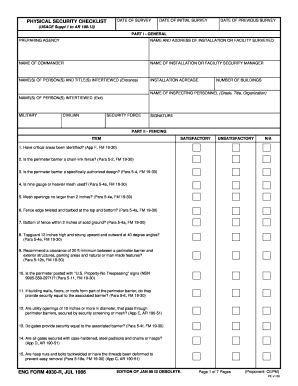
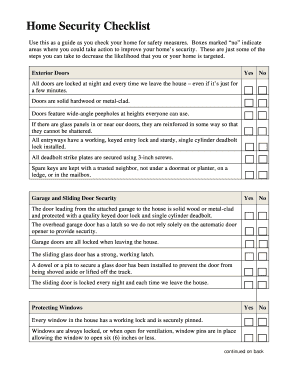
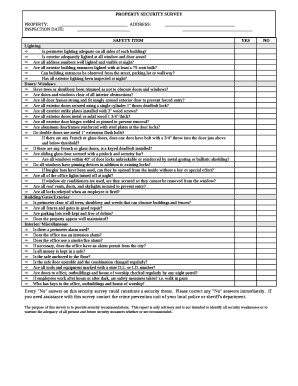
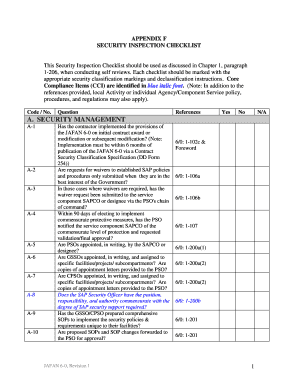
The Physical Security Audit Checklist is a document used by organizations to evaluate their physical security measures and potential vulnerabilities in their premises.
pdfFiller scores top ratings on review platforms




I love to use this application. I can fill in all my forms with no problems. Every application form is neatly created and completed.
great!
great!
BEst thing i have work with
Who needs KY Locknet Physical Security Audit Checklist?
Explore how professionals across industries use pdfFiller.

KY Locknet Physical Security Audit Checklist is needed by:
-
Business owners looking to enhance security protocols
-
Facility managers assessing physical safety
-
Security personnel conducting audits
-
Compliance officers ensuring regulatory standards
-
Risk management teams evaluating organizational risks
Comprehensive Guide to KY Locknet Physical Security Audit Checklist
What is the Physical Security Audit Checklist?
The Physical Security Audit Checklist is a crucial tool for evaluating an organization's security measures. It serves the purpose of systematically evaluating various components such as the physical layout, lighting, alarms, and access points. By utilizing this checklist, organizations can identify and address potential security vulnerabilities effectively.
Purpose and Benefits of the Physical Security Audit Checklist
Organizations should regularly utilize the Physical Security Audit Checklist to enhance their security posture. This checklist aids in meeting compliance and regulatory requirements essential for business safety. Additionally, it provides improved peace of mind for business owners and stakeholders, ensuring a safer working environment.
Key Features of the Physical Security Audit Checklist
The Physical Security Audit Checklist offers several essential features that enhance its effectiveness. Key highlights include:
-
Comprehensive coverage of various security aspects, ensuring a holistic assessment.
-
Flexibility to assess different locations and types of facilities, accommodating diverse organizational needs.
-
Provision for a systematic evaluation and identification of vulnerabilities, streamlining the assessment process.
Who Needs the Physical Security Audit Checklist?
The checklist can benefit a wide range of organizations, from small businesses to large corporations. Key roles within the organization like security managers and compliance officers should utilize it to ensure comprehensive security evaluations. Sectors with significant physical assets such as retail, manufacturing, and healthcare particularly need this checklist to maintain robust security measures.
How to Use the Physical Security Audit Checklist Online
Using the Physical Security Audit Checklist effectively involves a few straightforward steps:
-
Access and download the checklist from pdfFiller.
-
Review and assess security measures using the document thoroughly.
-
Involve relevant stakeholders in the evaluation process to ensure comprehensive assessments.
Common Errors When Completing the Physical Security Audit Checklist
Organizations often encounter several common errors while completing the checklist. These include:
-
Overlooking critical security areas during the assessment, which can lead to vulnerabilities.
-
Misinterpreting checklist questions resulting in incomplete evaluations.
-
Failing to update the checklist regularly, which is crucial given the changing security landscape.
How to Download and Save the Physical Security Audit Checklist PDF
Obtaining the checklist in PDF format through pdfFiller is a simple process:
-
Follow the steps to download the checklist to your device.
-
Ensure you save the document securely to access it from any location.
-
Utilize features for secure storage and sharing of the checklist effectively.
Importance of Security and Compliance for the Physical Security Audit Checklist
Compliance plays a significant role in physical security audits. Organizations must be aware of relevant regulations and standards impacting their operations. Maintaining a secure environment is crucial for protecting sensitive data and enhancing organizational credibility and trust.
Next Steps After Completing the Physical Security Audit Checklist
After completing the checklist, organizations should take actionable steps to address identified vulnerabilities. Recommendations include:
-
Creating a detailed action plan to tackle vulnerabilities effectively.
-
Informing stakeholders about the findings and proposed security improvements.
-
Implementing necessary security measures promptly.
Leverage pdfFiller for a Seamless Experience with the Physical Security Audit Checklist
To improve the experience of using the Physical Security Audit Checklist, leveraging pdfFiller's capabilities is beneficial. The platform offers features such as editing, eSigning, and secure document handling, ensuring organizations maintain compliance and security standards with ease.
How to fill out the KY Locknet Physical Security Audit Checklist
-
1.Access the Physical Security Audit Checklist on pdfFiller by visiting the website and logging in to your account.
-
2.Use the search bar to locate the form by typing its name, then select it from the results to open.
-
3.Before filling out the checklist, gather all necessary information regarding your organization's physical security, including access points and existing security measures.
-
4.Navigate through the form's sections, reading the prompts carefully. Input your responses directly into the provided fields within the pdfFiller interface.
-
5.If there are no fillable fields, type your notes and observations next to each relevant question for clarity during the review.
-
6.Once completed, review your entries to ensure all aspects of physical security are addressed, checking for clarity and detail in your notes.
-
7.To finalize, click on the save option to maintain your progress. You can also download the document for your records or print it directly from pdfFiller.

Who should use the Physical Security Audit Checklist?
The Physical Security Audit Checklist is suitable for business owners, facility managers, and security personnel looking to evaluate and improve their organization's physical security measures.
Is there a deadline for completing the audit?
There is no specific deadline for completing the checklist, but it is recommended to conduct audits regularly to ensure ongoing security effectiveness.
How can I submit the completed checklist?
You can submit the completed checklist by either downloading and sending it via email or by printing it for physical submission to relevant stakeholders or your security team.
Do I need to notarize the checklist?
No, notarization is not required for the Physical Security Audit Checklist as it is an internal evaluation document.
What are common mistakes to avoid when filling out the form?
Avoid rushing through the checklist; ensure all areas are thoroughly assessed to identify potential vulnerabilities. Additionally, try to provide detailed notes for each security aspect.
How do I save my form on pdfFiller?
To save your form on pdfFiller, simply click on the 'Save' button located within the editor after completing your checklist.
Are there any required supporting documents when using this form?
No specific supporting documents are required when using the Physical Security Audit Checklist, but having relevant security data handy may assist in completing the audit.



Related Catalogs
Get the latest insights from our blog


If you believe that this page should be taken down, please follow our DMCA take down process
here
.
This form may include fields for payment information. Data entered in these fields is not covered by PCI DSS compliance.