
Last updated on
Oct 21, 2026

TSP Legal Processing Unit OC 01-10 2007 free printable template
pdfFiller is not affiliated with any government organization

Fill out
Complete the form online in a simple drag-and-drop editor.

eSign
Add your legally binding signature or send the form for signing.

Share
Share the form via a link, letting anyone fill it out from any device.

Export
Download, print, email, or move the form to your cloud storage.
Why pdfFiller is the best tool for your documents and forms


End-to-end document management
From editing and signing to collaboration and tracking, pdfFiller has everything you need to get your documents done quickly and efficiently.
Accessible from anywhere
pdfFiller is fully cloud-based. This means you can edit, sign, and share documents from anywhere using your computer, smartphone, or tablet.
Secure and compliant
pdfFiller lets you securely manage documents following global laws like ESIGN, CCPA, and GDPR. It's also HIPAA and SOC 2 compliant.
What is TSP Legal Processing Unit OC 01-10
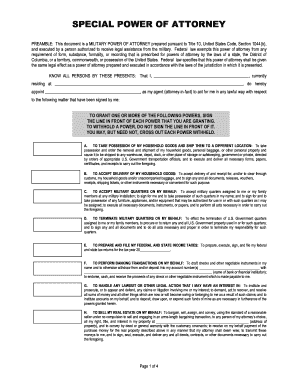
The Special Power of Attorney for TSP is a legal document used by Thrift Savings Plan participants to designate an agent to manage their TSP account matters.
pdfFiller scores top ratings on review platforms




Who needs TSP Legal Processing Unit OC 01-10?
Explore how professionals across industries use pdfFiller.

TSP Legal Processing Unit OC 01-10 is needed by:
-
Thrift Savings Plan (TSP) participants
-
Individuals seeking to manage retirement funds
-
Family members assisting TSP account holders
-
Financial advisors handling TSP issues
-
Legal representatives of account holders
Comprehensive Guide to TSP Legal Processing Unit OC 01-10
What is the Special Power of Attorney for TSP?
The Special Power of Attorney for TSP is a legal document that designates an agent to act on behalf of a Thrift Savings Plan (TSP) participant. This document enables the appointed agent to manage various aspects of the TSP account, including accessing funds and making withdrawals. It is essential for the document to be notarized to ensure its official status and legal validity.
The powers granted to the agent include obtaining information about the TSP account and executing transactions as specified by the principal. For TSP participants, understanding this document is crucial for ensuring their financial interests are managed effectively by a trusted individual.
Purpose and Benefits of the Special Power of Attorney for TSP
This specific form is vital for TSP account holders for several reasons. Firstly, it allows a designated agent to access account funds and manage contributions when the participant is unavailable. Having a reliable agent ensures that financial management continues seamlessly, particularly in times of illness or absence.
Notably, this power is of great significance for federal employees and retirees. By appointing someone to act on their behalf, TSP participants can enjoy peace of mind, knowing their financial plans remain intact even during challenging circumstances.
Key Features of the Special Power of Attorney for TSP
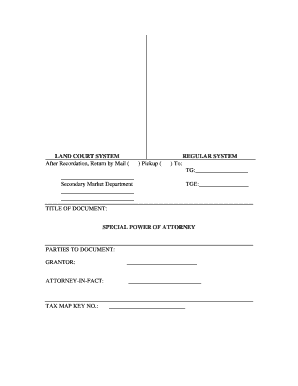
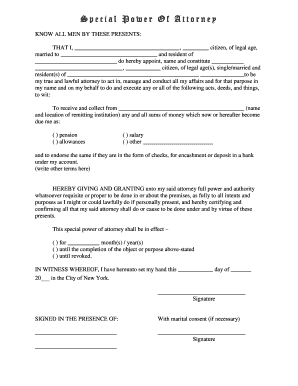
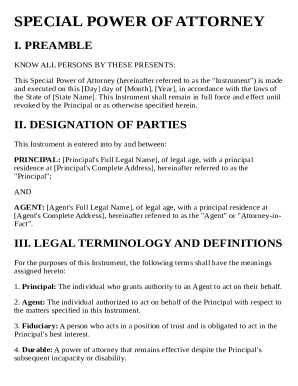
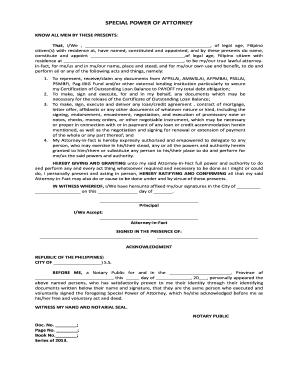
The Special Power of Attorney for TSP incorporates several important components that users should be aware of. Firstly, the document includes fillable fields that require personal information from both the principal and the agent, such as names, addresses, and Social Security numbers.
Additionally, the form outlines signature requirements and necessitates notarization to ensure legal compliance. It may also contain specific checkboxes that allow the principal to delineate the powers granted to the agent, tailoring the authority to their individual needs.
Who Needs the Special Power of Attorney for TSP?
The Special Power of Attorney for TSP is beneficial for various individuals, particularly federal employees and retirees. Those who find themselves in situations where they may be unable to manage their TSP accounts, such as due to illness or extended travel, will find this document indispensable.
Furthermore, appointing a reliable agent is necessary for effective financial decision-making. By designating someone capable and trustworthy, TSP participants can ensure that their financial affairs are managed competently even when they cannot oversee them personally.
How to Fill Out the Special Power of Attorney for TSP Online
Filling out the Special Power of Attorney for TSP online can be straightforward if you follow these steps:
-
Access the online form and enter your personal information in the designated fields.
-
Provide your agent's details accurately to avoid any confusion.
-
Carefully review the selections made to include specific powers for the agent.
-
Complete any signature fields and ensure you've followed the notarization requirements noted in the instructions.
Accuracy is crucial; therefore, double-check all entries to prevent common mistakes that could impede the submission process.
How to Sign and Notarize the Special Power of Attorney for TSP
The signing and notarization of the Special Power of Attorney for TSP can be carried out by following these steps:
-
Choose whether you will use a digital signature or a wet signature for the form.
-
If notarizing, schedule an appointment with a notary public to verify your identity.
-
During the appointment, you must sign the document in the presence of the notary.
-
Retain a copy of the notarized document for your records.
These steps are critical for making the document legally binding and ensuring that the agent can act on behalf of the principal without issues.
Submission and Filing of the Special Power of Attorney for TSP
Once the Special Power of Attorney for TSP is completed, it must be submitted for filing. Here’s how:
-
File the completed form with the Federal Retirement Thrift Investment Board.
-
Choose a submission method, either by mail or in-person delivery.
-
Be aware of any submission deadlines to ensure timely processing.
Consider any associated filing fees that may apply during the submission process, and ensure that you have met all requirements to avoid delays.
What Happens After You Submit the Special Power of Attorney for TSP
After submitting the Special Power of Attorney for TSP, you can expect a confirmation of your submission. It is important to know the following:
-
You should track the status of your submitted form through the appropriate channels.
-
If any issues or rejections occur, refer to the instructions provided to resolve them promptly.
Staying informed on the progress can help you ensure that your designated agent is able to act as intended without unnecessary delays.
Security and Compliance when Using the Special Power of Attorney for TSP
When handling sensitive documents like the Special Power of Attorney for TSP, security and compliance are paramount. Here are some essential points to consider:
-
Utilize secure platforms that implement 256-bit encryption to protect personal information.
-
Ensure that all processes comply with regulatory standards such as HIPAA and GDPR.
-
Be vigilant in keeping personal data secure while filling out legal documents online.
These practices are critical for maintaining the integrity of your financial information throughout the process.
Experience the Ease of Filling Out the Special Power of Attorney for TSP with pdfFiller
Utilizing pdfFiller's features greatly enhances the experience of completing the Special Power of Attorney for TSP. The platform offers user-friendly tools that simplify the process significantly.
With cloud-based editing capabilities, eSigning, and secure document sharing, pdfFiller makes it easy to create and manage legal documents. Engage with the platform to streamline the process of setting up your Special Power of Attorney for TSP.
How to fill out the TSP Legal Processing Unit OC 01-10
-
1.Access the Special Power of Attorney for TSP form on pdfFiller by using the search bar or browsing the Legal Forms section.
-
2.Open the form to reveal editable fields suitable for your information input.
-
3.Before filling out the form, gather necessary information such as names, Social Security numbers, and addresses of both the principal and agent.
-
4.Complete the fields, including the first name, middle initial, last name, city, state, and Social Security number of the principal.
-
5.Fill in the details of the agent, ensuring accuracy in contact information and designation of powers.
-
6.Utilize checkboxes to specify what powers the agent should have and any limitations.
-
7.Review all entries for correctness and consistency to avoid any errors later.
-
8.Finalize the document by signing it under the supervision of a notary public, as required. Make sure the notary signs and stamps the document as well.
-
9.Once finalized, you can save the completed form, download it to your device, or submit it directly through pdfFiller as per your requirements.

Who is eligible to use the Special Power of Attorney for TSP?
Any participant of the Thrift Savings Plan can use this document to designate an agent to manage their account. It is essential for those who need assistance in handling their TSP funds.
What are the necessary documents required when filling out this form?
While filling out the Special Power of Attorney for TSP, you will need the principal's and agent's personal information, including names, Social Security numbers, and any specific powers you wish to grant.
How do I submit the completed Special Power of Attorney for TSP form?
The completed form must be submitted to the Federal Retirement Thrift Investment Board (FRTIB). You can typically do this by mail or in person, depending on your preference.
Are there specific deadlines for submitting the Special Power of Attorney for TSP?
There are no strict deadlines for submitting the form; however, it should be filed promptly if you require your agent to act on your behalf, especially during critical times.
What common mistakes should I avoid when filling out this form?
Ensure all information entered is accurate, especially the names and Social Security numbers. Also, verify that both the principal's and notary's signatures are present for validation.
How long does it take to process the Special Power of Attorney for TSP?
Processing times may vary, but once submitted, you should allow a few weeks for the Federal Retirement Thrift Investment Board to review and confirm the document.
Can I revoke the Special Power of Attorney for TSP after it's been created?
Yes, you can revoke this document at any time. It's recommended to provide written notice to your agent and notify the TSP to prevent any unauthorized actions.
TSP Legal Processing Unit OC 01-10 Form Versions
Related Forms


Get the latest insights from our blog


If you believe that this page should be taken down, please follow our DMCA take down process
here
.
This form may include fields for payment information. Data entered in these fields is not covered by PCI DSS compliance.