
Last updated on
Oct 2, 2026

Get the free Last Will and Testament Template
We are not affiliated with any brand or entity on this form

Fill out
Complete the form online in a simple drag-and-drop editor.

eSign
Add your legally binding signature or send the form for signing.

Share
Share the form via a link, letting anyone fill it out from any device.

Export
Download, print, email, or move the form to your cloud storage.
Why pdfFiller is the best tool for your documents and forms


End-to-end document management
From editing and signing to collaboration and tracking, pdfFiller has everything you need to get your documents done quickly and efficiently.
Accessible from anywhere
pdfFiller is fully cloud-based. This means you can edit, sign, and share documents from anywhere using your computer, smartphone, or tablet.
Secure and compliant
pdfFiller lets you securely manage documents following global laws like ESIGN, CCPA, and GDPR. It's also HIPAA and SOC 2 compliant.
What is Will Template
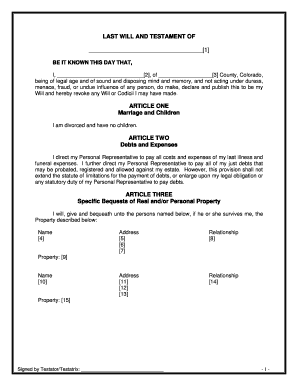
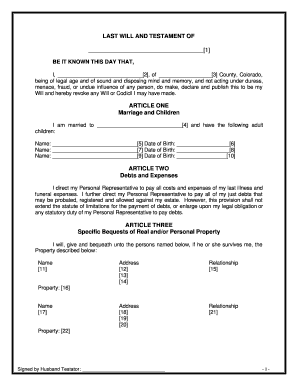
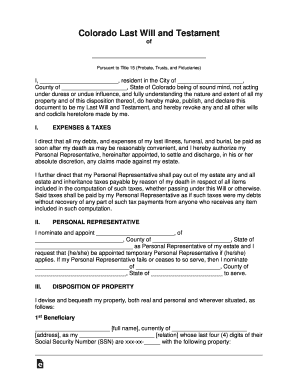
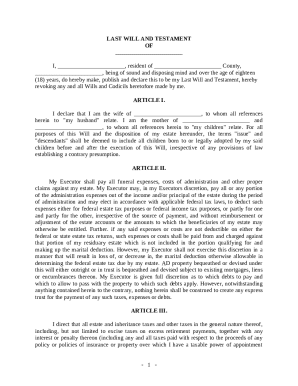
The Last Will and Testament Template is a legal document used by residents of Colorado to specify asset distribution after death.
pdfFiller scores top ratings on review platforms




Who needs Will Template?
Explore how professionals across industries use pdfFiller.

Will Template is needed by:
-
Individuals planning their estate
-
Parents needing to appoint guardians for minor children
-
Those assigning beneficiaries for their assets
-
Personal representatives managing an estate
-
Testators/Testatrices in Colorado
-
Individuals establishing trusts for minors
Comprehensive Guide to Will Template
What is the Last Will and Testament Template?
The Last Will and Testament Template is a crucial estate planning document in Colorado. It serves as a legal instrument that governs asset distribution after an individual’s passing. By utilizing this template, individuals can specify beneficiaries, ensuring that loved ones receive their intended inheritances.
This document plays a vital role in appointing guardians for minor children, a decision that can lead to clarity and protection in challenging times. It also addresses important provisions, including the management of debts, specific bequests to individuals, and the establishment of trusts for minor beneficiaries, which may offer further security and stability.
Benefits of Using the Last Will and Testament Template
One of the primary benefits of using the Last Will and Testament Template is its ability to simplify the estate planning process, providing a clear path to legal compliance. This comprehensive document gives individuals peace of mind by delineating how assets will be allocated, thus preventing potential conflicts among heirs.
-
Clarifies asset distribution to minimize disputes.
-
Reduces ambiguity, enhancing understanding among beneficiaries.
-
Streamlines the preparation of relevant trust documentation.
Key Features of the Last Will and Testament Template
The Last Will and Testament Template is designed with essential attributes that enhance usability and compliance. It incorporates fillable fields specifically catered to legal specifications such as naming beneficiaries and appointing guardians.
This standardized format not only ensures alignment with Colorado state laws but also contains signature fields that permit the requisite execution of the will, reinforcing its legal validity.
Who Needs the Last Will and Testament Template?
Individuals with assets or dependents benefit greatly from the Last Will and Testament Template. This document is crucial for those wishing to protect their loved ones after their death or who face complicated family dynamics that necessitate clear directives.
-
Parents of minor children who need to designate guardians.
-
Asset holders in Colorado aiming for clarity in asset distribution.
-
Individuals with complex financial situations requiring specialized instructions.
How to Fill Out the Last Will and Testament Template Online
Completing the Last Will and Testament Template online is a straightforward process using platforms like pdfFiller. Begin by choosing the Colorado will form and follow step-by-step instructions for filling each section accurately.
-
Open the template in pdfFiller.
-
Fill in necessary details such as beneficiary names and asset information.
-
Review all entries for accuracy before finalizing.
-
Save a copy for your records.
Signing and Notarizing the Last Will and Testament Template
For the Last Will and Testament Template to be legally valid, it must be signed correctly. Accepted signature types include both digital and wet signatures, depending on the chosen execution method.
Notarization may not always be necessary, but it can enhance the credibility of the document. To avoid common pitfalls, ensure that all signature lines are appropriately filled and that the signing takes place in compliance with state-specific regulations.
Where and How to Submit the Last Will and Testament Template
Once the Last Will and Testament Template has been signed, it should be submitted according to state regulations. Individuals can typically file the signed document with a local probate court.
-
Keep copies for personal records to serve as reference.
-
Be aware of any filing fees or deadlines that may apply.
Security and Compliance When Using the Last Will and Testament Template
When handling sensitive estate planning documents like the Last Will and Testament Template, security is paramount. Platforms like pdfFiller implement robust data protection measures, including 256-bit encryption and GDPR compliance, ensuring that your information remains private.
It is crucial to handle this documentation securely, maintaining privacy when sharing or storing your will to prevent unauthorized access.
Examples and Resources for the Last Will and Testament Template
Users looking for guidance can benefit from various sample templates or completed documents available online. These examples help clarify how to properly address different sections of the Last Will and Testament Template.
-
Refer to completed forms for better understanding.
-
Seek additional estate planning resources for comprehensive support.
Get Started with pdfFiller for Your Last Will and Testament Template
pdfFiller simplifies the process of creating, editing, and eSigning your Last Will and Testament Template. The platform’s user-friendly interface allows individuals to focus on completing their documents with confidence and ease.
By leveraging pdfFiller’s innovative features, you can start the journey of solidifying your estate planning today, ensuring that your assets are managed as you desire.
How to fill out the Will Template
-
1.To access the Last Will and Testament Template, visit pdfFiller's website and search for the form using the title in the search bar.
-
2.After locating the form, click on it to open it in the pdfFiller editor.
-
3.Familiarize yourself with the layout of the form, including the sections for beneficiaries, guardians, and personal representatives.
-
4.Before filling out the form, gather necessary information such as the names and addresses of beneficiaries and guardians, as well as any specific bequests you wish to include.
-
5.Begin completing the form by clicking on the appropriate fields, and enter the required information, ensuring that details are accurate and up-to-date.
-
6.Use pdfFiller’s editing tools to input data such as your name, selections for beneficiaries, and appointments for guardians.
-
7.Be sure to complete all signature lines and any relevant provisions, ensuring that the document is fully personalized to your wishes.
-
8.Once you have finished filling out the form, carefully review all entries for errors or omissions.
-
9.To save your progress, click on the save button and choose your preferred file format, such as PDF.
-
10.You can download a copy to your device or share it directly with other parties involved by using the sharing options provided on pdfFiller.

Who is eligible to use the Last Will and Testament Template?
Any adult resident of Colorado can use the Last Will and Testament Template to specify asset distribution after their death.
Is there a deadline for submitting the will?
While there is no submission deadline for creating a will, it is vital to ensure that it is completed and signed prior to your passing.
How do I submit my Last Will and Testament?
The Last Will and Testament does not need to be submitted to any governmental body. It should be kept in a safe place and shared with your personal representative.
What supporting documents do I need?
Usually, you do not need additional documents to create a Last Will and Testament, but gather information regarding your assets, beneficiaries, and guardians for accurate completion.
What are common mistakes to avoid when filling out the will?
Avoid leaving blank fields, especially for signatures and beneficiaries. Ensure that all details are clear and unambiguous to prevent future disputes.
How long does it take to process a will?
Processing time for a will after death can vary widely, but it often takes several weeks to complete the probate process.
Do I need to notarize the Last Will and Testament in Colorado?
Notarization is not required for a Last Will and Testament in Colorado, but having it notarized can add a layer of authenticity.
Related Content
Related Forms





Get the latest insights from our blog



If you believe that this page should be taken down, please follow our DMCA take down process
here
.
This form may include fields for payment information. Data entered in these fields is not covered by PCI DSS compliance.