
Last updated on
Oct 31, 2026

Get the free Form 60 Declaration
We are not affiliated with any brand or entity on this form

Fill out
Complete the form online in a simple drag-and-drop editor.

eSign
Add your legally binding signature or send the form for signing.

Share
Share the form via a link, letting anyone fill it out from any device.

Export
Download, print, email, or move the form to your cloud storage.
Why pdfFiller is the best tool for your documents and forms


End-to-end document management
From editing and signing to collaboration and tracking, pdfFiller has everything you need to get your documents done quickly and efficiently.
Accessible from anywhere
pdfFiller is fully cloud-based. This means you can edit, sign, and share documents from anywhere using your computer, smartphone, or tablet.
Secure and compliant
pdfFiller lets you securely manage documents following global laws like ESIGN, CCPA, and GDPR. It's also HIPAA and SOC 2 compliant.
What is Form 60
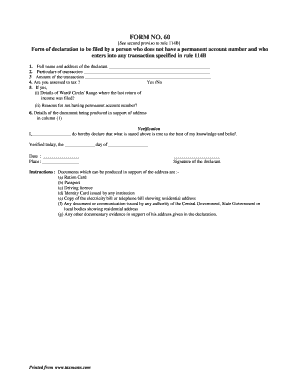
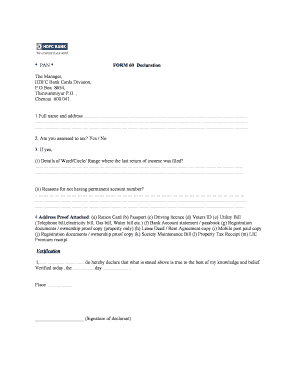
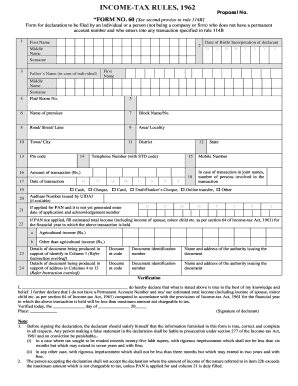
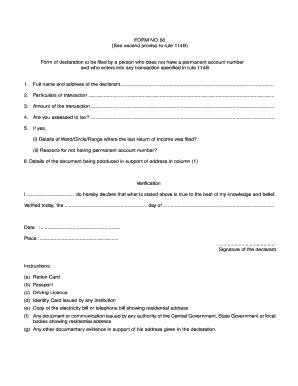
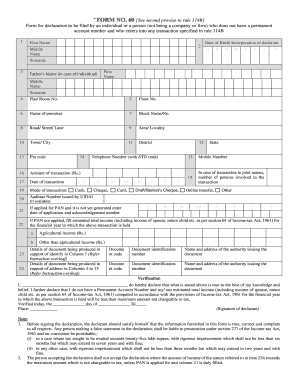
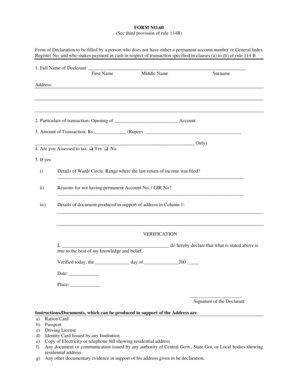
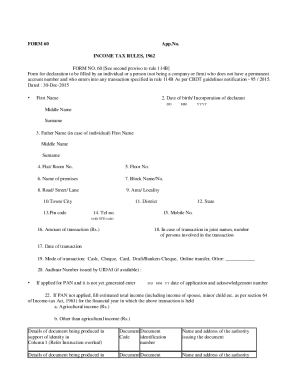
The Form 60 Declaration is a tax document used by individuals in India to declare transactions without a Permanent Account Number (PAN).
pdfFiller scores top ratings on review platforms




great service
great service . price is little high I think but its is a great product
THE FORMS ARE VERY THOUGHTFULLY LAYED…
THE FORMS ARE VERY THOUGHTFULLY LAYED OUT AND VERY EASY TO USE, I WILL AND HAVE RECOMMENDED THIS SITE TO CO-WORKER AND FRIENDS, THANKS
Who needs Form 60?
Explore how professionals across industries use pdfFiller.

Form 60 is needed by:
-
Individuals engaging in financial transactions without a PAN.
-
Residents in India seeking PAN card exemptions.
-
Tax consultants handling client tax declarations.
-
Business owners completing financial reports.
-
Individuals filing taxes who need to document transaction details.
Comprehensive Guide to Form 60
What is the Form 60 Declaration?
The Form 60 Declaration is a significant tax document used in India for individuals who do not possess a Permanent Account Number (PAN). Its primary purpose is to facilitate tax reporting for such individuals, especially when they engage in specified financial transactions. This declaration is crucial for maintaining compliance with Indian tax laws.
The target audience for the Form 60 includes individuals and entities that need to report income or transactions but have not been assigned a PAN. Understanding its importance in tax reporting ensures that individuals meet legal requirements without facing penalties.
Purpose and Benefits of the Form 60 Declaration
The necessity of the Form 60 arises primarily for individuals without a PAN. By utilizing this form, individuals can comply with tax laws efficiently. It serves as a safety net for those who are unable to acquire a PAN but engage in financial activities that exceed specific limits.
Some benefits of completing the Form 60 include:
-
Maintaining compliance with tax regulations
-
Facilitating smooth financial transactions
-
Providing a legitimate means of reporting taxable income
Common scenarios for its usage involve significant cash transactions in banking or real estate, ensuring transparency and accuracy in tax reporting.
Who Needs to Fill Out the Form 60 Declaration?
The Form 60 Declaration must be filled out by individuals who do not possess a PAN and are involved in certain financial transactions. This includes those conducting business or personal transactions that exceed specified monetary thresholds set by the tax authorities.
Understanding the eligibility criteria is crucial, as it outlines who is required to submit the form. Common scenarios include property purchases, bank deposits, or investments above certain limits.
How to Fill Out the Form 60 Declaration Online (Step-by-Step)
Filling out the Form 60 Declaration online involves the following steps:
-
Access the online portal for Form 60 submission.
-
Enter personal details, including your full name and address.
-
Provide transaction details such as amount and nature of the transaction.
-
Review your information for accuracy before submission.
-
Submit the form electronically and save the confirmation.
Ensure that all required fields are completed accurately to avoid common errors during the submission process. Using a Form 60 template can help streamline this process.
Field-by-Field Instructions for the Form 60 Declaration
Each field in the Form 60 Declaration has specific requirements. Key sections include:
-
Full Name: Enter your complete legal name as per official identification.
-
Address: Provide your current residential address clearly.
-
Transaction Details: Specify the type and amount of the transaction.
Accurate information is essential for processing the form successfully, and inaccuracies may lead to delays or rejections.
How to Sign the Form 60 Declaration
Signing the Form 60 Declaration is critical for its validity. You can choose between a digital signature or a wet signature when submitting the form online or in person. Ensure your signature matches the one on your identification documents to avoid discrepancies.
Knowing the distinction between digital signatures and wet signatures is important, as it can affect the acceptance of your declaration by financial institutions and tax authorities.
Submission Methods for the Form 60 Declaration
There are several submission methods available for the Form 60 Declaration:
-
Online Submission: Complete the form on the official portal and submit electronically.
-
Postal Submission: Print the completed form and mail it to the designated tax office.
-
In-person Submission: Visit the local tax office and submit the form directly.
Each submission method has specific timelines, so ensure you follow the correct process to meet deadlines and avoid penalties.
What Happens After You Submit the Form 60 Declaration?
Once you submit the Form 60 Declaration, it undergoes processing by the tax authorities. Typical processing timelines can vary, but you should expect acknowledgment of receipt shortly after submission.
To track the status of your submission, you can visit the online portal. In case of rejection, understanding common reasons can help. Correct any issues identified and resubmit promptly to ensure compliance.
Security and Privacy Considerations for the Form 60 Declaration
Given the sensitive nature of the information included in the Form 60 Declaration, secure handling is paramount. Users should be aware of data protection regulations, including compliance with applicable laws.
Using platforms like pdfFiller ensures secure processing of documents, with measures such as 256-bit encryption in place to protect personal information during submissions and storage.
Using pdfFiller to Simplify Your Form 60 Declaration Process
Utilizing pdfFiller can significantly streamline the process of filling out and managing the Form 60 Declaration. The platform offers features such as eSigning, document editing, and secure storage to enhance user experience.
Leverage pdfFiller's capabilities for an efficient and secure document processing experience, making the tax declaration process smoother and more manageable.
How to fill out the Form 60
-
1.Access the Form 60 Declaration template by navigating to pdfFiller's website and searching for 'Form 60 Declaration'.
-
2.Once located, click on the form to open it in pdfFiller's editing interface.
-
3.Begin by filling in your full name and address in the designated fields on the form.
-
4.Next, provide the details of the transaction, including the amount involved, making sure to double-check for accuracy.
-
5.Utilize the signature line provided to add your signature, which is crucial for validating the declaration.
-
6.Ensure that you have all necessary supporting documents, such as proof of address, ready for upload if required.
-
7.Once all fields are filled out, take a moment to review the entire form for completeness and accuracy before finalizing.
-
8.After ensuring that all information is correct, save the form to your pdfFiller account or download it directly to your device.
-
9.If necessary, follow any submission guidelines provided by your tax authority to submit the completed form.

Who is eligible to use Form 60?
Form 60 is intended for individuals in India who do not possess a Permanent Account Number (PAN) and need to engage in specific financial transactions requiring documentation.
What supporting documents are needed for Form 60?
While completing Form 60, you'll typically need proof of identity, such as an Aadhar card or government-issued ID, and documents verifying your address if requested.
How can I submit Form 60 once completed?
After completing Form 60, you may be required to submit it directly to the financial institution or the relevant tax authority as per their guidelines. Ensure you follow the correct submission methods.
What are common mistakes to avoid when filling out Form 60?
Common mistakes include leaving fields blank, providing incorrect amounts, or failing to sign the form. Always double-check all entries before submission to ensure accuracy.
Are there any deadlines for submitting Form 60?
While Form 60 does not have a fixed deadline, it should be submitted as soon as possible before engaging in the related financial transaction to avoid penalties.
How is Form 60 processed by tax authorities?
Once submitted, the tax authorities will review Form 60 for accuracy and compliance. Processing times may vary, but it typically takes a few weeks.



Related Catalogs
Get the latest insights from our blog


If you believe that this page should be taken down, please follow our DMCA take down process
here
.
This form may include fields for payment information. Data entered in these fields is not covered by PCI DSS compliance.