
Last updated on
Oct 31, 2026

Get the free Passport Information Billing Form
We are not affiliated with any brand or entity on this form

Fill out
Complete the form online in a simple drag-and-drop editor.

eSign
Add your legally binding signature or send the form for signing.

Share
Share the form via a link, letting anyone fill it out from any device.

Export
Download, print, email, or move the form to your cloud storage.
Why pdfFiller is the best tool for your documents and forms


End-to-end document management
From editing and signing to collaboration and tracking, pdfFiller has everything you need to get your documents done quickly and efficiently.
Accessible from anywhere
pdfFiller is fully cloud-based. This means you can edit, sign, and share documents from anywhere using your computer, smartphone, or tablet.
Secure and compliant
pdfFiller lets you securely manage documents following global laws like ESIGN, CCPA, and GDPR. It's also HIPAA and SOC 2 compliant.
What is Passport Billing Form
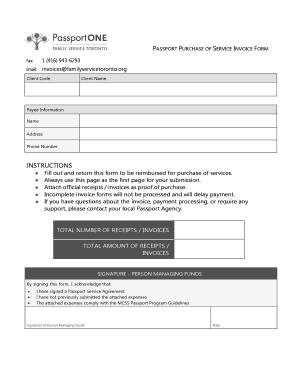
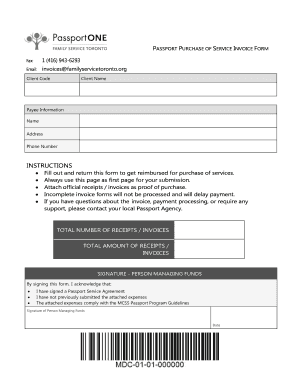
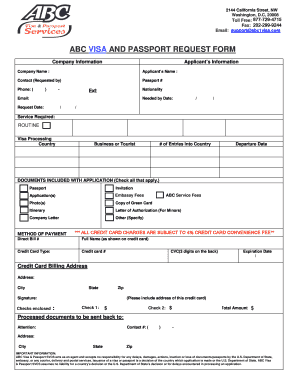
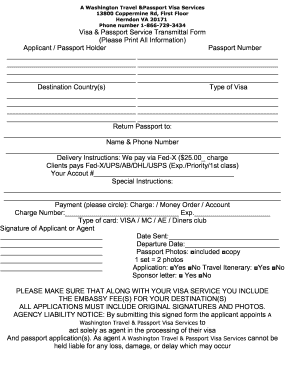
The Passport Information Billing Form is a government form used by Canadian citizens to process requests for passport and visa services.
pdfFiller scores top ratings on review platforms




Who needs Passport Billing Form?
Explore how professionals across industries use pdfFiller.

Passport Billing Form is needed by:
-
Canadian citizens applying for a passport
-
Individuals requesting a visa
-
Applicants seeking passport-related billing information
-
Families applying for multiple passports
-
Travel agencies assisting clients with passport services
-
Government employees handling passport applications
Comprehensive Guide to Passport Billing Form
What is the Passport Information Billing Form?
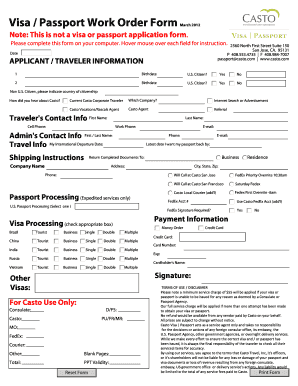
The Passport Information Billing Form serves a crucial role in processing requests for passport and visa services in Canada. This form is essential for Canadian government services, facilitating efficient communication between applicants and the government departments responsible for service delivery. It accurately collects the necessary information to ensure prompt processing of applications.
Purpose and Benefits of the Passport Information Billing Form
This form offers several benefits for applicants. By using the Passport Information Billing Form, applicants can simplify their submissions, leading to a more efficient handling of requests. The form also enhances communication with relevant government departments, thereby reducing the likelihood of errors or omissions that could delay the processing of applications.
Key Features of the Passport Information Billing Form
The form includes various specific fields, which are vital for accurate processing. Key fields include:
-
Number of visa(s)
-
Applicant’s name
-
Date of birth
-
Signature of the applicant
-
Date field for completion
It is important that applicants provide their signature and date to validate the submission.
Who Needs the Passport Information Billing Form?
The Passport Information Billing Form is primarily intended for Canadian citizens and permanent residents who are applying for passports and visas. Individuals must complete this form under specific circumstances, such as applying for a new passport, renewing an existing one, or submitting a visa application.
How to Fill Out the Passport Information Billing Form Online (Step-by-Step)
Completing the Passport Information Billing Form online can be straightforward. Here’s a step-by-step guide:
-
Access the form through a PDF editing tool like pdfFiller.
-
Carefully enter the applicant's details and financial codes in the designated fields.
-
Input the number of visas required and other pertinent information.
-
Add the applicant's signature and the date to validate the form.
-
Review the completed form for accuracy before submission.
Ensure that financial codes and applicant details are entered accurately to prevent processing delays.
Common Errors and How to Avoid Them
Applicants often make frequent errors when filling out the form. Some common mistakes include:
-
Incorrectly entered financial codes
-
Missing signature or date
-
Incomplete fields in the application
To avoid these errors, double-check all entries and ensure that every required field is completed before submission.
Submission Methods and Delivery
Once the Passport Information Billing Form is completed, applicants have various submission methods available. These include:
-
Online submission through official government portals
-
Mailing the completed form to the relevant department
-
In-person delivery at designated government offices
Adhering to submission deadlines is vital, and applicants should verify that their forms have been correctly submitted to avoid delays.
Security and Compliance for the Passport Information Billing Form
Handling the Passport Information Billing Form requires a focus on security. It is essential to protect sensitive information throughout the application process. pdfFiller offers security features such as 256-bit encryption, ensuring compliance with regulations like HIPAA and GDPR during the handling of passport and visa information.
What Happens After You Submit the Passport Information Billing Form?
After submitting the Passport Information Billing Form, applicants can expect several steps in the processing timeline. Typically, processing times may vary, and notifications regarding approval or rejection will be sent. Common reasons for application rejection include:
-
Incomplete application details
-
Missing signature or date
-
Invalid financial codes provided
Addressing these issues promptly can assist in speeding up the resolution process.
Enhance Your Experience with pdfFiller
Utilizing pdfFiller’s features can significantly improve the experience of filling out the Passport Information Billing Form. Users can take advantage of editing capabilities, eSigning, and secure document management to create a seamless form-filling process. These innovations not only save time but also enhance the overall efficiency of handling the form.
How to fill out the Passport Billing Form
-
1.Access the Passport Information Billing Form by visiting pdfFiller and searching for its title in the search bar.
-
2.Open the form within pdfFiller by selecting it from the search results.
-
3.Before starting, gather the necessary information such as the number of visas requested, applicant's personal details, and required financial codes.
-
4.Use your cursor to navigate through the fillable fields. Click on each box to input information directly.
-
5.Enter the applicant's name, date of birth, and any other requested details accurately into the designated fields.
-
6.For the financial codes, ensure that you have the relevant codes handy as they are essential to process your request.
-
7.Check if the form requires a signature; ensure you sign and date the application in the appropriate sections provided.
-
8.After filling out all the fields, review the form carefully for any missing or incorrect information.
-
9.Use the review feature on pdfFiller to avoid common mistakes, ensuring all entries are clear and accurate.
-
10.Once satisfied with the contents of the form, save your work on pdfFiller by using the 'Save' option.
-
11.Download the completed form to your device or directly submit it through pdfFiller, following the on-screen prompts for submission.

Who is eligible to use the Passport Information Billing Form?
Canadian citizens seeking to apply for or renew their passports or request visa services can use this form. It is specifically designed for individuals who require billing information related to their passport applications.
Are there any deadlines for submitting the form?
While specific deadlines may vary depending on service type, it's advisable to submit the Passport Information Billing Form as early as possible, especially when applying for a visa or travel. Check the Canadian government website for any time-sensitive information.
How do I submit the completed form?
You can submit the completed Passport Information Billing Form directly through pdfFiller by following the prompts after your final review. Alternatively, you can download the form and mail it to the appropriate government office.
What supporting documents are required with this form?
Typically, you will need to provide identification documents such as a birth certificate or government-issued ID along with this form. Check the specific requirements for your application type to ensure you have all necessary documentation.
What are common mistakes to avoid when filling out this form?
Common mistakes include leaving required fields blank, incorrect financial codes, or failing to sign the form. Double-check each section and make sure all information is accurate and complete before submission.
What is the processing time for applications submitted with this form?
Processing times can vary depending on the type of application and volume of requests. Typically, it may take several weeks for passport processing. Refer to the official Canadian government website for current processing estimates.
What if I have questions while completing the form?
If you have questions while filling out the Passport Information Billing Form, you can refer to the instructions provided by pdfFiller, or contact the passport services helpline for assistance with specific queries.




Get the latest insights from our blog


If you believe that this page should be taken down, please follow our DMCA take down process
here
.
This form may include fields for payment information. Data entered in these fields is not covered by PCI DSS compliance.