
Last updated on
Oct 31, 2026

Get the free Student Volunteer Service Application and Approval Form
We are not affiliated with any brand or entity on this form

Fill out
Complete the form online in a simple drag-and-drop editor.

eSign
Add your legally binding signature or send the form for signing.

Share
Share the form via a link, letting anyone fill it out from any device.

Export
Download, print, email, or move the form to your cloud storage.
Why pdfFiller is the best tool for your documents and forms


End-to-end document management
From editing and signing to collaboration and tracking, pdfFiller has everything you need to get your documents done quickly and efficiently.
Accessible from anywhere
pdfFiller is fully cloud-based. This means you can edit, sign, and share documents from anywhere using your computer, smartphone, or tablet.
Secure and compliant
pdfFiller lets you securely manage documents following global laws like ESIGN, CCPA, and GDPR. It's also HIPAA and SOC 2 compliant.
What is Volunteer Service Form
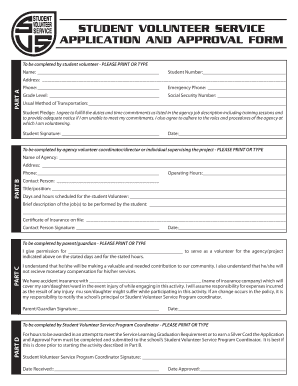
The Student Volunteer Service Application and Approval Form is a permission form used by students to apply for volunteer positions and by agencies to approve and manage student volunteers.
pdfFiller scores top ratings on review platforms




Who needs Volunteer Service Form?
Explore how professionals across industries use pdfFiller.

Volunteer Service Form is needed by:
-
Students seeking volunteer opportunities
-
Agency Volunteer Coordinators managing volunteers
-
Parents or guardians providing consent for student volunteers
-
Student Volunteer Service Program Coordinators overseeing the program
-
Schools or educational institutions supporting volunteer programs
Comprehensive Guide to Volunteer Service Form
What is the Student Volunteer Service Application and Approval Form?
The Student Volunteer Service Application and Approval Form is a crucial document designed for students seeking to apply for volunteer positions. This form is utilized within various contexts, primarily when students engage in community service or school programs. Its key components include sections for student details, agency information, and parental consent.
This form plays an important role for all stakeholders involved. For students, it opens doors to volunteer opportunities; for agencies, it facilitates the management and approval of student volunteers; and for parents, it provides a way to give necessary consent, ensuring all parties are informed and in agreement throughout the process.
Purpose and Benefits of the Student Volunteer Service Application and Approval Form
The purpose of the Student Volunteer Service Application and Approval Form is to streamline the volunteering process for students. By filling out this form, students can formally communicate their intention to volunteer, while organizations can efficiently manage their volunteer programs.
Organizations that utilize this volunteer approval form benefit significantly. They gain a structured way to handle applications and ensure that student experiences are positive and well-coordinated. Furthermore, parents or guardians can easily navigate the approval process, understanding their involvement and the safety of their children.
Key Features of the Student Volunteer Service Application and Approval Form
This form is equipped with various features that enhance its usability. It includes fillable fields for essential information, such as student details, required signatures from parents or guardians, and consent sections that must be reviewed before submission. Coordination among students, agency personnel, and parents is simplified through its structured format.
Additionally, pdfFiller implements robust security measures to protect the sensitive information contained within this document, ensuring data integrity and privacy throughout the approval process.
Who Needs the Student Volunteer Service Application and Approval Form?
The primary users of the Student Volunteer Service Application and Approval Form include students, agency volunteer coordinators, and parents or guardians. This form is vital in diverse situations, especially in school programs and community service initiatives.
Understanding the roles and responsibilities tied to this form is crucial. Students submit the application, agency coordinators review and approve it, and parents provide necessary consent. Each role is essential in ensuring a smooth volunteering experience.
How to Fill Out the Student Volunteer Service Application and Approval Form Online (Step-by-Step)
Filling out the Student Volunteer Service Application and Approval Form online can be done efficiently with pdfFiller’s platform. Here is a step-by-step process:
-
Access the form on the pdfFiller website.
-
Enter student information in the designated fields.
-
Complete the agency section with relevant details.
-
Fill in the parent or guardian consent area.
-
Review all entries for accuracy to avoid errors.
-
Submit the form using the online submission process.
Before starting, gather all necessary information to simplify the process. Accurate completion is essential, as errors can lead to delays in approval.
Field-by-Field Instructions for the Student Volunteer Service Application and Approval Form
Each section of the Student Volunteer Service Application and Approval Form requires specific information. Here's a detailed explanation:
-
Student Details: Enter personal information such as name, age, and contact information.
-
Parental Consent: Ensure the parent or guardian provides their signature in this section.
-
Agency Information: Provide the agency's name and details about the volunteer program.
-
Signatures: All required signatures must be collected before submission.
Be mindful of common pitfalls, such as leaving fields blank or misplacing signatures, as these can hinder the approval process. Double-checking your inputs can help prevent these issues.
Submitting the Student Volunteer Service Application and Approval Form
There are various submission methods for the Student Volunteer Service Application and Approval Form. Users can submit the form online through pdfFiller or opt for offline methods if required.
Timely submission is crucial, including awareness of potential deadlines. After submitting the form, it's essential to track the submission status to ensure approval is processed efficiently.
What Happens After You Submit the Student Volunteer Service Application and Approval Form?
Once the Student Volunteer Service Application and Approval Form is submitted, the review and approval process begins. Agency coordinators examine the details provided and assess whether any additional information is needed.
Common reasons for rejections can include incomplete fields or lack of necessary signatures. If changes are required after submission, it's important to know the proper steps for correction to prevent delays in the approval process.
Security and Compliance Considerations for the Student Volunteer Service Application and Approval Form
Security is a critical aspect of the Student Volunteer Service Application and Approval Form. pdfFiller employs extensive security measures to protect the integrity of the data collected, including 256-bit encryption.
Moreover, compliance with regulations such as HIPAA and GDPR ensures that sensitive documents are handled with care. User privacy is paramount; this form is designed to safeguard personal information throughout the completion and submission process.
Take the Next Step with pdfFiller
Utilizing pdfFiller offers users a seamless experience when filling out the Student Volunteer Service Application and Approval Form. The platform simplifies the process of completing and eSigning documents, making the volunteering journey more efficient.
Users are encouraged to begin the application process today, leveraging pdfFiller's features for a smooth document management experience.
How to fill out the Volunteer Service Form
-
1.Access the Student Volunteer Service Application and Approval Form by visiting pdfFiller's website. Use the search bar to find the form or navigate through educational forms categories.
-
2.Open the form in the pdfFiller editor. Familiarize yourself with the tool's interface, which provides options for filling out fields, adding text, and inserting signatures.
-
3.Before starting, gather all necessary information, including student details, agency information, and contacts for the student's parent or guardian. Ensure you have a clear understanding of volunteer role requirements.
-
4.Click on the fillable fields to enter information about the student, such as name, contact information, and relevant background details. Make sure to double-check the accuracy of all entries.
-
5.Next, navigate to the sections requiring consent from the parent or guardian. Ensure they are informed and ready to provide their signature electronically.
-
6.Once all information is filled in, review the entire form for any missed fields or errors. Use pdfFiller's review functions to highlight areas that may need attention.
-
7.To finalize the form, click the save option, where you can choose to download it in your desired format or submit it directly through pdfFiller's submission options.

Who is eligible to use the Student Volunteer Service Application and Approval Form?
The form is intended for students looking to volunteer, their parents or guardians who need to provide consent, and agency coordinators needing to manage volunteer applications.
What is the deadline for submitting the application?
Deadlines may vary by agency or school, so it's essential to confirm with the relevant organization. Generally, applications are encouraged to be submitted well in advance of the volunteer start date.
How can I submit the completed form?
The completed form can be submitted through pdfFiller by using the form submission feature or by downloading and emailing it directly to the agency or school.
What supporting documents are required with the application?
Commonly required documents may include identification details of the student and a consent statement from the parent or guardian. Check with the specific agency for additional requirements.
What are some common mistakes to avoid when filling out the form?
Ensure all required fields are completed, avoid leaving sections blank, and cross-check spelling and contact information. Make sure all signatures obtained are from the appropriate individuals.
How long does it take to process the application?
Processing times can differ based on the agency's workload. Typically, expect a response within a few days to a couple of weeks and check if they provide status updates.
Can I edit the form after I have submitted it?
If you need to make changes after submission, contact the agency directly. Depending on their policy, you may need to submit a revised application.
Related Forms



Related Catalogs
Get the latest insights from our blog


If you believe that this page should be taken down, please follow our DMCA take down process
here
.
This form may include fields for payment information. Data entered in these fields is not covered by PCI DSS compliance.