
Last updated on
Nov 9, 2026

IRS Instruction 1099-R & 5498 2019 free printable template
pdfFiller is not affiliated with IRS

Fill out
Complete the form online in a simple drag-and-drop editor.

eSign
Add your legally binding signature or send the form for signing.

Share
Share the form via a link, letting anyone fill it out from any device.

Export
Download, print, email, or move the form to your cloud storage.
Why pdfFiller is the best tool for your documents and forms


End-to-end document management
From editing and signing to collaboration and tracking, pdfFiller has everything you need to get your documents done quickly and efficiently.
Accessible from anywhere
pdfFiller is fully cloud-based. This means you can edit, sign, and share documents from anywhere using your computer, smartphone, or tablet.
Secure and compliant
pdfFiller lets you securely manage documents following global laws like ESIGN, CCPA, and GDPR. It's also HIPAA and SOC 2 compliant.
What is IRS Instruction 1099-R & 5498
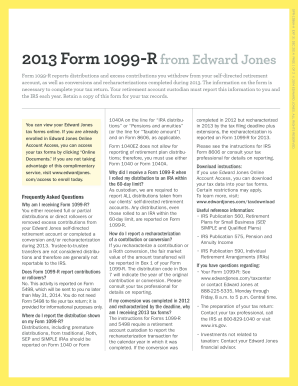
The 2019 IRS Instructions for Forms 1099-R and 5498 is a tax guide used by entities to report distributions from pensions and retirement accounts to the IRS.
pdfFiller scores top ratings on review platforms




Who needs IRS Instruction 1099-R & 5498?
Explore how professionals across industries use pdfFiller.

IRS Instruction 1099-R & 5498 is needed by:
-
Tax professionals preparing 1099-R and 5498 forms
-
Financial institutions reporting retirement distributions
-
Individuals receiving pension or annuity payments
-
Trustees of retirement plans and IRAs
-
Tax preparers for year-end reporting
-
Nonprofit organizations issuing charitable gift annuities
Comprehensive Guide to IRS Instruction 1099-R & 5498
What Are the 2019 IRS Instructions for Forms 1099-R and 5498?
The 2019 IRS Instructions for Forms 1099-R and 5498 serve as essential guidelines in tax reporting, helping individuals and organizations accurately report various distributions from pensions, annuities, retirement plans, IRAs, and insurance contracts. Understanding these forms is critical because they directly impact compliance with IRS regulations.
Forms 1099-R and 5498 primarily report distributions related to pensions, annuities, and retirement plans. It is vital for all filers to familiarize themselves with applicable IRS regulations and requirements to avoid potential penalties during filing.
Purpose and Benefits of the 2019 IRS Instructions for Forms 1099-R and 5498
The IRS instructions are crucial for ensuring correct reporting of distributions. Proper adherence to these guidelines helps prevent costly penalties and ensures compliance with IRS requirements. Comprehensive understanding of these instructions streamlines the filing process for users.
By accurately following the 2019 IRS instructions, individuals can avoid common errors and simplify their tax obligations. Filing correctly not only supports compliance but also contributes to a smoother filing experience.
Who Needs the 2019 IRS Instructions for Forms 1099-R and 5498?
Several entities and individuals must utilize these instructions, including:
-
Employers who provide pension distributions
-
Financial institutions facilitating retirement accounts
-
Individual taxpayers receiving retirement plan distributions
Different scenarios necessitate the use of these forms, such as receiving retirement distributions or annuity payments. It is essential for both recipients and contributors to report accurately to maintain compliance with IRS guidelines.
Key Features of the 2019 IRS Instructions for Forms 1099-R and 5498
The instructions encompass various essential components, including:
-
A detailed list of reporting requirements specific to different types of distributions
-
Clarifications on who must file and the methods for filing
-
Instructions regarding electronic reporting, penalties, and backup withholding
Ensuring compliance involves understanding these key features that provide structure and clarity for achieving accurate reporting.
How to Fill Out the 2019 IRS Instructions for Forms 1099-R and 5498 Online (Step-by-Step)
Filling out Forms 1099-R and 5498 electronically can be straightforward with the right approach. Users should follow these steps:
-
Identify the type of income to report.
-
Enter taxpayer identification numbers accurately.
-
Ensure all fields are completed correctly, based on the distribution type.
Validation of all information before submission is crucial to prevent common errors associated with these forms.
Submission Methods and Delivery for Forms 1099-R and 5498
Once completed, the forms can be submitted using various methods:
-
Online submissions through the IRS e-file system
-
Paper submissions mailed to the appropriate IRS addresses
It is important to familiarize yourself with potential fees associated with different submission methods. Additionally, tracking submissions can help ensure timely processing to avoid issues.
Common Errors and How to Avoid Them
Common mistakes when filling out Forms 1099-R and 5498 include:
-
Incorrect amounts reported for distributions
-
Missing required signatures or identification numbers
Users should double-check their entries for accuracy and completeness before submitting their forms. Reviewing previous years' filings can serve as a helpful reference to avoid mistakes.
Security and Compliance for the 2019 IRS Instructions for Forms 1099-R and 5498
Handling sensitive information through Forms 1099-R and 5498 requires adherence to security protocols. Using pdfFiller ensures document security with encryption that meets compliance regulations such as SOC 2, HIPAA, and GDPR.
Best practices for managing and storing tax documents include maintaining their confidentiality and ensuring safe submission processes to protect personal financial information.
Sample or Example of a Completed 2019 IRS Instructions for Forms 1099-R and 5498
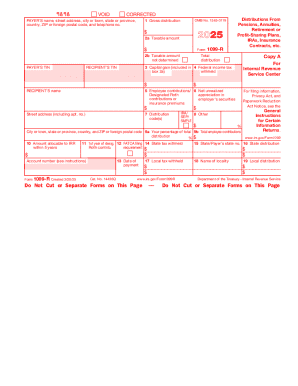
Providing a visual example of a completed Form 1099-R and Form 5498 can greatly aid understanding. These examples should highlight key areas and illustrate discrepancies between various types of distributions.
Understanding the significance of each section in relation to specific cases will facilitate users in applying the instructions accurately.
Experience Easy Filing with pdfFiller
pdfFiller simplifies the form-filling process for users looking to fill out IRS forms smoothly. The platform allows users to edit, annotate, and eSign forms directly in a secure online environment.
With tools to help ensure compliance with IRS guidelines, pdfFiller saves time and offers robust document management capabilities, emphasizing user security throughout the process.
How to Fill Out Small Business Tax Forms Online with pdfFiller
Struggling with your Schedule C or not sure how to file business taxes as a sole proprietor, LLC, or self-employed professional? This step-by-step pdfFiller tutorial walks you through completing IRS Schedule C quickly and accurately — no printing, no scanning, no stress. Whether you're handling small business tax deductions, tracking self-employed taxes, or preparing your full business tax return, pdfFiller makes it simple right in your browser.

How to fill out the IRS Instruction 1099-R & 5498
-
1.Access pdfFiller and search for '2019 IRS Instructions for Forms 1099-R and 5498'. Open the form in the pdfFiller interface.
-
2.Navigate through the form to familiarize yourself with the fields and sections available. Review each instruction header for guidance.
-
3.Before completing the form, gather necessary information such as your taxpayer identification number, details of distributions, and any relevant documentation related to the retirement accounts.
-
4.Start filling out the required fields as per the instructions provided. Ensure you enter accurate information as specified for Form 1099-R and 5498.
-
5.Use pdfFiller’s tools to highlight important information, and validate that all your details match the requirements outlined in the instructions.
-
6.Once you have completed filling in the form, take the time to carefully review all entries for accuracy and completeness.
-
7.To finalize your form, check for any comments or notes provided by pdfFiller indicating missing information or potential corrections.
-
8.Save the completed document by using the option in pdfFiller to download it to your device or submit it directly through the interface if required.

Who must file Forms 1099-R and 5498?
Entities that distribute pensions, annuities, or retirement plan distributions are required to file Forms 1099-R and 5498 to report these distributions to the IRS.
What are the key deadlines for filing these forms?
Forms 1099-R must typically be filed by January 31 for the previous calendar year, while Form 5498 has a filing deadline of May 31, allowing assessment of contributions made into IRAs.
How should I submit Forms 1099-R and 5498?
Forms 1099-R and 5498 can be submitted electronically via the IRS e-filing system or mailed in paper format. Digital submission is often faster and more efficient.
What supporting documents do I need for these forms?
You will need documents detailing any distributions made from pension plans, annuities, or IRAs. This includes taxpayer ID numbers, amounts distributed, and pertinent account information.
What mistakes should I avoid when filing these forms?
Common mistakes include incorrect taxpayer identification numbers, missing amounts, or failed submissions before the deadlines. Always double-check entries for accuracy.
How long does it take for the IRS to process these forms?
Processing times can vary, but electronically filed forms typically process within 24 hours, while paper submissions may take several weeks to be acknowledged by the IRS.
Are there any fees associated with submitting these forms?
There are no specific fees for submitting Forms 1099-R and 5498 to the IRS itself, but there may be fees associated with using third-party filing services or software.
IRS Instruction 1099-R & 5498 Form Versions
Related Content
Related Forms




Get the latest insights from our blog


If you believe that this page should be taken down, please follow our DMCA take down process
here
.
This form may include fields for payment information. Data entered in these fields is not covered by PCI DSS compliance.