
Last updated on
Nov 6, 2026

Get the free Assessment Form: Exploring Four Empires of Mesopotamia
We are not affiliated with any brand or entity on this form

Fill out
Complete the form online in a simple drag-and-drop editor.

eSign
Add your legally binding signature or send the form for signing.

Share
Share the form via a link, letting anyone fill it out from any device.

Export
Download, print, email, or move the form to your cloud storage.
Why pdfFiller is the best tool for your documents and forms


End-to-end document management
From editing and signing to collaboration and tracking, pdfFiller has everything you need to get your documents done quickly and efficiently.
Accessible from anywhere
pdfFiller is fully cloud-based. This means you can edit, sign, and share documents from anywhere using your computer, smartphone, or tablet.
Secure and compliant
pdfFiller lets you securely manage documents following global laws like ESIGN, CCPA, and GDPR. It's also HIPAA and SOC 2 compliant.
What is Mesopotamia Empires Assessment
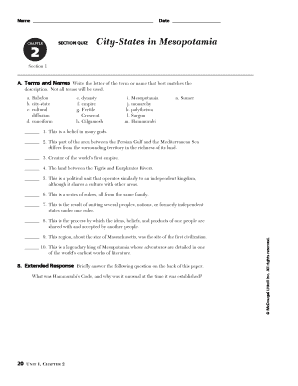
The Assessment Form: Exploring Four Empires of Mesopotamia is an educational document used by teachers to evaluate students' understanding of the Sumerians, Akkadians, Babylonians, and Assyrians.
pdfFiller scores top ratings on review platforms




This has been such a pleasant and helpful experience. My plan was to initially purchase only a month of your service, but that may change.
Great service so far, love the ease and simplicity!
Who needs Mesopotamia Empires Assessment?
Explore how professionals across industries use pdfFiller.

Mesopotamia Empires Assessment is needed by:
-
History teachers assessing student knowledge
-
Students preparing for exams on Mesopotamia
-
Curriculum developers creating evaluation materials
-
Educational institutions requiring assessment tools
-
Tutors offering additional resources for ancient history
Comprehensive Guide to Mesopotamia Empires Assessment
What is the Assessment Form: Exploring Four Empires of Mesopotamia?
The Assessment Form: Exploring Four Empires of Mesopotamia is designed to evaluate students' knowledge about key historical concepts within ancient Mesopotamia, focusing on the Sumerian, Akkadian, Babylonian, and Assyrian empires. It serves multiple purposes, primarily providing educators with a structured way to assess understanding through various question formats.
This assessment comprises multiple-choice questions, which challenge students to apply their knowledge and critical thinking skills related to ancient history. The significance of this assessment lies in its ability to help both students and educators gauge comprehension effectively, ensuring an engaging exploration of the four empires.
Purpose and Benefits of the Assessment Form: Exploring Four Empires of Mesopotamia
This assessment form is essential for educators and students alike. It offers valuable insights into student comprehension regarding foundational concepts of ancient Mesopotamia. Educators can utilize the results to tailor teaching strategies, thereby enhancing the learning experience.
-
Facilitates focused evaluation of historical understanding.
-
Supports differentiated instruction based on individual student performance.
-
Encourages critical thinking through structured questions and timelines.
Key Features of the Assessment Form: Exploring Four Empires of Mesopotamia
The assessment form boasts several unique elements that enhance its effectiveness in evaluating student learning. It features fillable fields for essential student information, such as name and date, ensuring organization and clarity.
-
Multiple-choice questions tailored for various learning levels.
-
A dedicated section for applying social studies skills through a timeline activity.
Who Needs the Assessment Form: Exploring Four Empires of Mesopotamia?
Target users of this assessment form include educators teaching ancient history or social studies, particularly in middle and high school contexts. It provides a helpful tool for students wishing to self-assess their understanding of Mesopotamian history.
-
Educators aiming for structured assessments in their curriculum.
-
Students wishing to evaluate their knowledge of ancient civilizations.
-
Homeschooling parents seeking reliable educational resources.
How to Use the Assessment Form: Exploring Four Empires of Mesopotamia Online
To effectively use the Assessment Form online, follow the step-by-step instructions designed for pdfFiller:
-
Access the form using the pdfFiller platform.
-
Complete the fillable fields with your information.
-
Fill in the answers to the multiple-choice questions provided.
-
Utilize the timeline section to demonstrate your understanding of historical events.
-
Save, download, and share your completed assessment as needed.
Additionally, be sure to prioritize data security while handling sensitive student information, complying with applicable regulations.
Common Errors and How to Avoid Them When Using the Assessment Form
When filling out the assessment form, users may encounter several common pitfalls. Awareness of these can enhance accuracy in response completion.
-
Carefully read all questions to avoid misinterpretation of choices.
-
Make sure that timeline sentences are completed with accurate descriptions.
-
Double-check all fields to ensure the correct information is entered.
Security and Compliance When Handling the Assessment Form
Handling the Assessment Form securely is crucial. Utilizing pdfFiller's robust security features, users can maintain the integrity of sensitive data throughout the assessment process.
-
Employs 256-bit encryption to safeguard information.
-
Complies with HIPAA regulations to protect student privacy.
-
Ensures adherence to GDPR standards for data protection.
Sample or Example of a Completed Assessment Form: Exploring Four Empires of Mesopotamia
To aid users, a visual guide showcasing a completed assessment form is available. This example outlines the necessary fields and structure, clarifying how to fill it out effectively.
-
An image or downloadable copy of the filled assessment form.
-
Annotations on important fields and answers, emphasizing their significance.
Empower Your Assessment Experience with pdfFiller
Utilizing pdfFiller enhances your assessment experience remarkably. This platform offers user-friendly features tailored to facilitate easier form filling, making the entire process seamless.
The cloud-based solution allows for efficient access and collaboration, ensuring users can engage confidently and securely while completing their assessments.
How to fill out the Mesopotamia Empires Assessment
-
1.Access pdfFiller and navigate to the search bar to find the 'Assessment Form: Exploring Four Empires of Mesopotamia'. Click on the document title to open it.
-
2.Once the form is open, review the instructions provided at the top for guidance on completing the form accurately.
-
3.Fill in your name and date by clicking on the designated fields. Use your keyboard to type the information directly into the form.
-
4.Proceed to the multiple-choice questions related to the Sumerians, Akkadians, Babylonians, and Assyrians. Read each question carefully and select the best answer by clicking on the appropriate option.
-
5.To apply your social studies skills, refer to the timeline as instructed. Fill in the sentences in the designated field using relevant historical information.
-
6.After completing all fields, double-check your answers for any mistakes and ensure all fields are filled out correctly before finalizing the form.
-
7.Once satisfied with your responses, you can save your work by clicking on the save option. To download the completed form, click the download button and select your preferred format.

Who is eligible to use the Assessment Form?
The Assessment Form is primarily designed for teachers and students engaged in studying the empires of Mesopotamia. Any student in a history course covering this material may utilize the form.
What is the deadline for submitting the assessment?
There is no specific deadline stated for this assessment form. However, it's advisable to submit it by your teacher's due date to allow time for grading.
How do I submit my completed form?
Once completed, you can submit your form by emailing it to your instructor or uploading it to your educational platform, as instructed by your teacher.
Are there any supporting documents required?
No additional supporting documents are required when submitting the Assessment Form, unless specified by your teacher. Just ensure all questions are answered.
What common mistakes should I avoid?
Common mistakes include skipping questions, providing incomplete answers, or incorrectly filling out your name and date. Review all answers carefully before submitting.
How long does it take to process the form?
Processing time will depend on your teacher's schedule for grading. Typically, you should expect feedback within one to two weeks.
Can I edit the form after saving it?
Yes, you can edit the form after saving. Simply reopen it in pdfFiller, make necessary changes, save again, and resubmit as needed.
Related Forms



Get the latest insights from our blog


If you believe that this page should be taken down, please follow our DMCA take down process
here
.
This form may include fields for payment information. Data entered in these fields is not covered by PCI DSS compliance.