
Last updated on
Nov 7, 2026

DaVita Credentialing Request Form 2019-2026 free printable template
pdfFiller is not affiliated with any government organization

Fill out
Complete the form online in a simple drag-and-drop editor.

eSign
Add your legally binding signature or send the form for signing.

Share
Share the form via a link, letting anyone fill it out from any device.

Export
Download, print, email, or move the form to your cloud storage.
Why pdfFiller is the best tool for your documents and forms


End-to-end document management
From editing and signing to collaboration and tracking, pdfFiller has everything you need to get your documents done quickly and efficiently.
Accessible from anywhere
pdfFiller is fully cloud-based. This means you can edit, sign, and share documents from anywhere using your computer, smartphone, or tablet.
Secure and compliant
pdfFiller lets you securely manage documents following global laws like ESIGN, CCPA, and GDPR. It's also HIPAA and SOC 2 compliant.
What is DaVita Credentialing Request Form
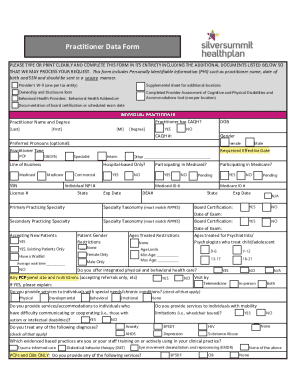
The DaVita Credentialing Request Form is a healthcare document used by practitioners to request credentialing with DaVita.
pdfFiller scores top ratings on review platforms




It took me awhile to figure out but it works great!
Outstanding application. I've never had any problems completing and managing complicating probate documents.
Who needs DaVita Credentialing Request Form?
Explore how professionals across industries use pdfFiller.

DaVita Credentialing Request Form is needed by:
-
Healthcare practitioners seeking credentialing with DaVita
-
New physicians joining DaVita's network
-
Medical professionals requiring facility additions or removals
-
Practice administrators managing credentialing submissions
-
Healthcare providers handling patient referrals
Comprehensive Guide to DaVita Credentialing Request Form
What is the DaVita Credentialing Request Form?
The DaVita Credentialing Request Form is specifically designed for healthcare practitioners to initiate the credentialing process with DaVita. This form serves as the primary tool for practitioners seeking to gain or update their credentials within the DaVita network. By accurately completing the form, healthcare professionals can efficiently facilitate their integration within DaVita facilities.
Purpose and Benefits of the DaVita Credentialing Request Form
Completing the DaVita Credentialing Request Form is essential for healthcare practitioners aiming to establish or maintain their credentials. The advantages of using this specific form include:
-
Streamlining the process of adding or removing facilities from a practitioner's profile.
-
Enhancing the recognition and legitimacy of their practice within the healthcare community.
-
Providing a clear record for both practitioners and DaVita regarding credentialing status.
Who Needs the DaVita Credentialing Request Form?
This form is required for a variety of healthcare professionals who wish to be credentialed with DaVita. It is essential for both new and existing practitioners aiming to meet their licensing requirements. Specific individuals who should complete the form include:
-
New healthcare providers seeking initial credentialing.
-
Current practitioners updating their credentials or practice information.
Key Features of the DaVita Credentialing Request Form
The DaVita Credentialing Request Form contains several essential fields that must be filled out to ensure a successful credentialing process. Key features of the form include:
-
Demographic information, such as name, date of birth, and gender.
-
Professional credentials, including state license number and DEA registration.
-
Practice details like address and contact information.
How to Fill Out the DaVita Credentialing Request Form Online (Step-by-Step)
Filling out the DaVita Credentialing Request Form online can be accomplished by following these steps:
-
Access the form through the designated platform.
-
Enter personal information in the required fields.
-
Complete information regarding your professional qualifications.
-
Review the completed form for accuracy before submission.
Be mindful of common mistakes, such as entering incorrect license numbers or omitting important details, to ensure a smooth submission.
Submission Process for the DaVita Credentialing Request Form
Once the DaVita Credentialing Request Form is completed, submitting it can be done through either online platforms or by mailing a hard copy. Important considerations during submission include:
-
Potential processing fees associated with the credentialing application.
-
Deadlines for submission to meet credentialing timelines.
-
Estimated processing times for reviewing the application.
Security and Compliance Considerations for the DaVita Credentialing Request Form
Security is paramount when dealing with sensitive information contained in the DaVita Credentialing Request Form. pdfFiller ensures the safety of this data through:
-
256-bit encryption for all document transactions.
-
Compliance with HIPAA and GDPR regulations to protect privacy.
-
Measures that assure users that their credentialing documents are handled securely.
What Happens After You Submit the DaVita Credentialing Request Form?
Post-submission, practitioners can expect to receive confirmation of their application. It is vital to track the status of the application to ensure it is processed timely. Common issues that may lead to application rejection include:
-
Providing incomplete or incorrect information on the form.
-
Failing to meet all credentialing requirements as outlined by DaVita.
Explore pdfFiller to Fill Out the DaVita Credentialing Request Form
Utilizing pdfFiller to complete the DaVita Credentialing Request Form offers several benefits, such as an easy editing experience, secure signing options, and reliable document storage. By using pdfFiller, healthcare practitioners can effectively streamline their credentialing process while maintaining the integrity of their sensitive information.
How to fill out the DaVita Credentialing Request Form
-
1.Access pdfFiller and search for the DaVita Credentialing Request Form using the search bar.
-
2.Select the form from the search results to open it in the pdfFiller interface.
-
3.Begin by gathering the necessary information, including personal demographics and professional credentials, before starting the form.
-
4.Navigate through the form and fill in all the required fields such as Requestor Name, Title, and practice-related details.
-
5.Utilize the fillable fields, checking options for 'Male' and 'Female', and ensure all required information is complete.
-
6.After filling out the form, review all entries for accuracy before proceeding to finalize.
-
7.Use pdfFiller’s tools to save your work frequently and download a copy for your records.
-
8.Once satisfied, submit the form electronically through pdfFiller or print it out to mail the physical copy as needed.

Who is eligible to submit the DaVita Credentialing Request Form?
Healthcare practitioners, including physicians and medical professionals, are eligible to submit this form for credentialing with DaVita.
What information is required to complete the form?
You need to provide personal demographics, professional credentials, practice details, and any relevant license numbers and IDs.
How do I submit the completed form?
After filling out the DaVita Credentialing Request Form on pdfFiller, you can submit it electronically or print it for mailing.
Is there a fee associated with submitting this form?
Currently, there is no fee mentioned for submitting the DaVita Credentialing Request Form. However, check with DaVita for any processing fees that may apply.
What common mistakes should be avoided when filling out the form?
Ensure all required fields are filled correctly, verify spelling of names and license numbers, and review before submission to avoid delays.
How long does it take to process the application?
Processing times can vary. It is advisable to confirm specific timelines with DaVita after submission.
Can I edit the form after initial submission?
Generally, once submitted, the form cannot be edited. You may need to submit a new request for any changes.
DaVita Credentialing Request Form Form Versions
Related Forms




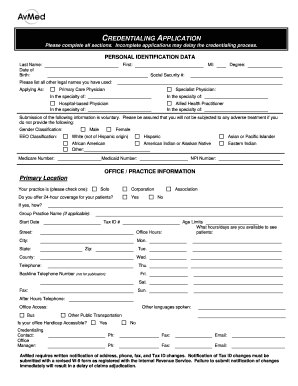
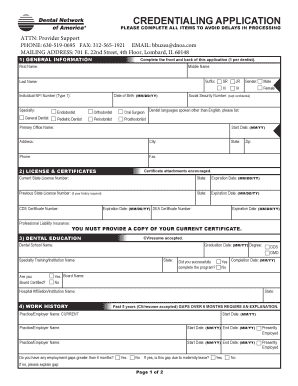
Get the latest insights from our blog


If you believe that this page should be taken down, please follow our DMCA take down process
here
.
This form may include fields for payment information. Data entered in these fields is not covered by PCI DSS compliance.