
Last updated on
Nov 7, 2026

CA DFEH-E11P-ENG 2019-2026 free printable template
pdfFiller is not affiliated with any government organization

Fill out
Complete the form online in a simple drag-and-drop editor.

eSign
Add your legally binding signature or send the form for signing.

Share
Share the form via a link, letting anyone fill it out from any device.

Export
Download, print, email, or move the form to your cloud storage.
Why pdfFiller is the best tool for your documents and forms


End-to-end document management
From editing and signing to collaboration and tracking, pdfFiller has everything you need to get your documents done quickly and efficiently.
Accessible from anywhere
pdfFiller is fully cloud-based. This means you can edit, sign, and share documents from anywhere using your computer, smartphone, or tablet.
Secure and compliant
pdfFiller lets you securely manage documents following global laws like ESIGN, CCPA, and GDPR. It's also HIPAA and SOC 2 compliant.
What is CA DFEH-E11P-ENG
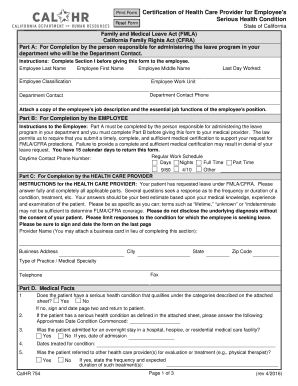
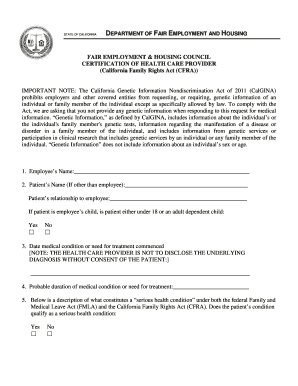
The California Certification of Health Care Provider for CFRA or FMLA is a document used by health care providers to certify an employee's serious health condition or the need for family medical leave.
pdfFiller scores top ratings on review platforms




Who needs CA DFEH-E11P-ENG?
Explore how professionals across industries use pdfFiller.

CA DFEH-E11P-ENG is needed by:
-
Health care providers who are certifying an employee's medical condition.
-
Employees seeking leave under the California Family Rights Act (CFRA) or Family and Medical Leave Act (FMLA).
-
Employers managing employee leave requests related to health issues.
-
Human resources personnel handling medical leave documentation.
-
Legal professionals advising on family medical leave policies.
Comprehensive Guide to CA DFEH-E11P-ENG
What is the California Certification of Health Care Provider for CFRA or FMLA?
The California certification of health care provider for CFRA or FMLA is a legal form designed to document an employee's serious health condition or the need to care for a family member. This certification is essential for complying with the California Family Rights Act and the Family and Medical Leave Act. By completing this form, health care providers substantiate the employee's request for medical leave, which is crucial for both the employee's rights and the obligations of employers.
The significance of this form extends to the relationship between employers, employees, and health care professionals. It ensures that employees receive the necessary leave while maintaining compliance with federal and state labor laws, thus protecting rights on both ends.
Purpose and Benefits of the Certification of Health Care Provider Form
This family medical leave act form serves multiple purposes, primarily benefiting employees who need to take medical leave. It provides a standardized process for obtaining medical documentation, which is required to ensure employees can take necessary time off without fear of losing their jobs.
Using the California Family Rights Act certification form also facilitates compliance with labor laws by providing clear guidelines for both employees and employers. Such compliance helps to prevent potential disputes regarding medical leave and job protection.
Who Needs the California Certification of Health Care Provider for CFRA or FMLA?
The primary users of the California certification of health care provider form include both employees seeking medical leave and the health care providers certifying the necessity of that leave. This form becomes necessary in various scenarios, such as when an employee suffers from a serious health condition or when they need to care for a family member with a significant health issue.
Understanding who requires this employee medical leave form is essential for effective communication between employees and their health care providers, as well as with employers who need to verify the legitimacy of leave requests.
Eligibility Criteria for the Certification of Health Care Provider Form
To qualify for medical leave under the California Family Rights Act or the Family and Medical Leave Act, certain eligibility criteria must be met by the employee. These criteria typically include a minimum period of employment, specific issues related to the employee's health condition, or that of a family member.
Additionally, it is important to note the relationship requirements regarding family members, as this specification impacts who can be covered under the California medical leave form. Recognizing these criteria helps streamline the leave application process.
How to Fill Out the California Certification of Health Care Provider for CFRA or FMLA (Step-by-Step)
Filling out the California certification form online is straightforward. Follow these steps to complete the process accurately:
-
Access the form on pdfFiller and choose the appropriate template.
-
Fill in your personal information, including name and contact details.
-
Provide specific details regarding the health condition and its duration.
-
Ensure the certifying health care provider completes their section accurately.
-
Review all filled fields to guarantee accuracy.
-
Submit the completed form either electronically or through the specified method.
Attention to detail is key to ensure compliance and support for your medical leave certification.
Common Errors and How to Avoid Them When Using the Certification of Health Care Provider Form
When completing the California CFRA FMLA form, users often make several common errors. These include incorrect personal information, incomplete health details, and failure to secure proper signatures. Such mistakes can lead to delays or denials in leave approval.
To avoid these pitfalls, it is advisable to double-check all sections for accuracy and completeness. Taking the time to review the form thoroughly can save significant headaches later in the leave approval process.
Submission Methods and Delivery of the California Certification of Health Care Provider Form
Submitting the completed California certification form must be done through specified channels, which may vary by employer. Typically, the form can be submitted online through HR portals or directly to the human resources department.
Be mindful of deadlines associated with submission as these timelines are crucial to ensuring appropriate leave coverage under the law.
What Happens After You Submit the Certification of Health Care Provider Form?
Once the certification form is submitted, a follow-up process begins that involves your HR department reviewing the documentation. Employees are encouraged to check their application status through designated HR contact points to ensure proper handling of their request.
Remaining proactive during this phase can help in addressing potential issues or delays in the processing of your medical leave request.
Security and Compliance for the Certification of Health Care Provider Form
Secure handling of sensitive medical information is vital when it comes to the California certification of health care provider form. Organizations are required to comply with HIPAA regulations and California privacy laws to protect employees' rights and confidential details.
Ensuring privacy and data protection during the handling of this form is essential to maintain trust between employees and employers, particularly due to the sensitive nature of medical information.
Why Use pdfFiller for Your California Certification of Health Care Provider for CFRA or FMLA
pdfFiller streamlines the process of completing the California medical leave form through its cloud-based platform. Features include easy editing, a clear eSigning process, and robust security measures that comply with HIPAA and GDPR guidelines.
Utilizing pdfFiller can ensure a seamless experience for users navigating the complexities of form completion and compliance, making it a valuable tool for anyone in need of this type of certification.
How to fill out the CA DFEH-E11P-ENG
-
1.To start, access pdfFiller and search for 'California Certification of Health Care Provider for CFRA or FMLA' in the template library.
-
2.Open the form by clicking on it, which will load it into the pdfFiller editing interface.
-
3.Before filling out the form, gather relevant information such as the employee's health condition, expected duration of leave, and any necessary medical history required for certification.
-
4.Begin completing the fields by clicking on the designated areas where information is needed. Ensure to provide clear and accurate details as requested.
-
5.Utilize the fillable fields to enter information, and check the boxes where applicable. Ensure every section is thoroughly completed to prevent delays in processing.
-
6.Once all the required information has been entered, review the form for any errors or incomplete sections. This is essential to avoid common mistakes and ensure compliance.
-
7.After you have completed the review, use the save option to store your progress. You can also download a copy directly to your device for record-keeping.
-
8.If you're ready to submit the form, select your preferred method of submission via pdfFiller. Follow the prompts to finalize, save, or send the document to the necessary parties.

Who is eligible to use the California Certification of Health Care Provider form?
Employees requesting medical leave under the CFRA or FMLA can use this form. Additionally, licensed health care providers are needed to complete the certification section.
Are there deadlines for submitting this certification form?
It is recommended to submit the certification form as soon as possible after you identify the need for medical leave. Check with your employer for any specific deadlines.
What methods can I use to submit this form?
You can submit the completed California Certification of Health Care Provider form electronically through pdfFiller or print and deliver it to your employer in person.
What supporting documents are required along with this form?
Typically, a health care provider's note may also be required to establish the medical need for leave. Ensure all required documents accompany the form when submitted.
What common mistakes should I avoid while filling out the form?
Ensure that all sections are completed, and double-check for accuracy in the information provided. Omitting required signatures from the health care provider and employee can lead to processing delays.
How long does it take to process the California Certification of Health Care Provider form?
Processing times can vary but generally, expect a few days for confirmation from your employer after submission. Always follow up to ensure your request for leave is being addressed.
Can I update the form after it has been submitted?
If changes are necessary after submission, you can typically provide a revised certification form. Contact your HR department for guidance on their specific policy for updates.
CA DFEH-E11P-ENG Form Versions
Related Forms




Get the latest insights from our blog


If you believe that this page should be taken down, please follow our DMCA take down process
here
.
This form may include fields for payment information. Data entered in these fields is not covered by PCI DSS compliance.