
Last updated on
Nov 9, 2026

PA Hill School Health Forms 2019 free printable template
pdfFiller is not affiliated with any government organization

Fill out
Complete the form online in a simple drag-and-drop editor.

eSign
Add your legally binding signature or send the form for signing.

Share
Share the form via a link, letting anyone fill it out from any device.

Export
Download, print, email, or move the form to your cloud storage.
Why pdfFiller is the best tool for your documents and forms


End-to-end document management
From editing and signing to collaboration and tracking, pdfFiller has everything you need to get your documents done quickly and efficiently.
Accessible from anywhere
pdfFiller is fully cloud-based. This means you can edit, sign, and share documents from anywhere using your computer, smartphone, or tablet.
Secure and compliant
pdfFiller lets you securely manage documents following global laws like ESIGN, CCPA, and GDPR. It's also HIPAA and SOC 2 compliant.
What is PA Hill School Health Forms
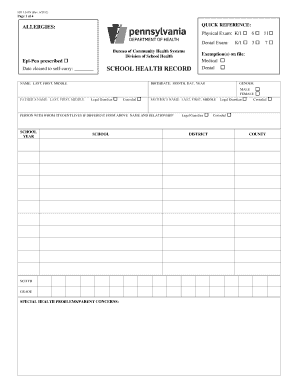
The Student Health Form is a health documentation tool used by The Hill School to gather necessary health information and medical history from students for educational purposes.
pdfFiller scores top ratings on review platforms




Who needs PA Hill School Health Forms?
Explore how professionals across industries use pdfFiller.

PA Hill School Health Forms is needed by:
-
Parents or guardians of students
-
Students attending The Hill School
-
Healthcare providers required to complete the form
-
School administrators involved in health management
-
Educational staff needing health records
Comprehensive Guide to PA Hill School Health Forms
What is the Student Health Form?
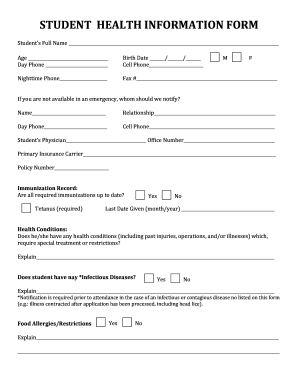
The Student Health Form is a critical document utilized by The Hill School in Pennsylvania to manage student health information. This form collects essential health details, insurance data, and medical histories to ensure students receive proper medical care and emergency treatment. Specifically designed for the institution, the form plays a vital role in facilitating appropriate healthcare services during a student's school years.
In order to effectively serve its purpose, the form requires comprehensive information, including health conditions, vaccination records, and contact information for parents and healthcare providers. The collection of this data ensures that all necessary precautions are taken to safeguard the health and safety of every student.
Purpose and Benefits of Completing the Student Health Form
Filling out the Student Health Form is crucial for both students and their parents. This annual health form plays an integral role in promoting student health and safety throughout the school year. By completing this form, families adhere to Pennsylvania's state vaccination requirements, helping ensure a healthy environment for all students.
Healthcare providers rely on this information to deliver suitable medical care when needed. An accurate completion of the form is essential, as it facilitates communication between parents, healthcare providers, and school officials regarding any health concerns that may arise.
Who Needs to Complete the Student Health Form?
Several key roles contribute to the completion of the Student Health Form. Parents or guardians are primarily responsible for signing the form and providing essential personal and health details about their children. This includes details such as allergies, previous medical conditions, and overall health history.
Additionally, healthcare providers play a crucial role by performing physical examinations and reporting on medical history. It is important to identify students who are required to submit this form based on school policies, ensuring that all necessary individuals are included in the process.
How to Fill Out the Student Health Form Online
Completing the Student Health Form online is a straightforward process. Start by accessing the fillable form, which contains various fields and checkboxes for the information required. Here’s a guide to help you:
-
Begin with the student’s name and date of birth.
-
Fill out the personal and contact information for parents/guardians.
-
Provide detailed medical history, including vaccination records.
-
Review your entries to ensure accuracy before submission.
By following these steps, you can avoid common errors and ensure that all required information is accurately entered.
Common Errors When Completing the Student Health Form
Users might encounter specific mistakes while filling out the Student Health Form. Common errors include missing signatures, leaving fields incomplete, and providing incorrect dates. To mitigate these issues, it is essential to implement a thorough review process before submission.
-
Ensure all required signatures are included.
-
Double-check that no fields are left blank.
-
Verify that all dates are accurate and in the correct format.
A detailed review checklist can be helpful in ensuring that nothing is overlooked, making the submission process smoother and more efficient.
How to eSign the Student Health Form for Submission
eSigning the Student Health Form simplifies the submission process. Understanding the difference between digital signatures and wet signatures is crucial, as both serve valid purposes but differ in execution. To eSign the form, follow these steps:
-
Locate the signature section on the form.
-
Select the option to add a digital signature.
-
Follow the prompts to complete the eSigning process.
Using eSignatures has legal validity and ensures compliance with governing regulations, simplifying the submission process for all parties involved.
Where to Submit the Completed Student Health Form
Once the Student Health Form is completed, it’s essential to submit it through the correct channels. There are several submission methods available, including online submissions, mailing forms, or delivering them in person. Key locations for submission are specific to The Hill School.
Meeting deadlines is crucial for compliance with school requirements. Be sure to submit the form before the specified due date to ensure that your student’s health information is processed without delay.
Security and Compliance when Handling the Student Health Form
The security of the Student Health Form and its contents is of utmost importance. The form is protected by advanced security features, including 256-bit encryption and HIPAA compliance, ensuring that sensitive health information is safeguarded.
In addition to security measures, compliance with Pennsylvania state regulations reinforces the importance of protecting the data collected. Users can feel confident that their information is handled with the highest level of privacy and security.
Maximizing Efficiency with pdfFiller for Your Student Health Form
Utilizing pdfFiller can greatly enhance the efficiency of managing the Student Health Form. This platform offers a range of beneficial features, including easy form filling, convenient eSigning options, and document organization capabilities.
By leveraging pdfFiller, users can streamline the process of working with their forms, ensuring secure storage and easy access. This encourages the smooth management of essential documents like the Student Health Form.
How to fill out the PA Hill School Health Forms
-
1.To access the Student Health Form, visit pdfFiller and log in to your account. Use the search function to locate the form by entering 'Student Health Form'.
-
2.Once the form appears, click on it to open it in the pdfFiller editor. Familiarize yourself with the layout and available tools offered in the interface.
-
3.Before filling out the form, gather all necessary information including the student's personal details, health history, immunization records, and insurance information.
-
4.Begin completing the form by clicking on the designated fillable fields. Enter information accurately, ensuring spelling and dates are correct especially for the student’s name and date of birth.
-
5.Use checkboxes to indicate required information, such as allergy conditions or previous health issues, and pay attention to instructions provided within the form.
-
6.After completing all sections of the form, review each field to ensure all information is filled out and is accurate. Look for any validation errors highlighted by pdfFiller.
-
7.Once you are satisfied with the content, save the form to your pdfFiller account. You can download a copy for your records as well.
-
8.Finally, submit the form by following the instructions provided for electronic submission through pdfFiller or print the form to obtain signatures and physically submit it.

Who is required to complete the Student Health Form?
The Student Health Form must be completed by students, their parents or guardians, and a licensed healthcare provider as part of the process to ensure student health and safety.
When do I need to submit the Student Health Form?
The form must be submitted annually before the start of the school year to comply with The Hill School's health and safety requirements.
What supporting documents are needed with the form?
Supporting documents include the student's immunization records, recent physical examination results, and any necessary allergy or medical history information.
How can I submit the completed form?
The form can be submitted electronically via pdfFiller. Alternatively, you can print it out, obtain the necessary signatures, and submit it physically to the school's administration office.
What are common mistakes to avoid when filling out this form?
Common mistakes include leaving fields blank, incorrect spelling of names, not including required signatures, and missing deadlines for submission.
Is there a fee associated with submitting the Student Health Form?
Typically, there is no fee associated with submitting the Student Health Form itself, but it's best to check with The Hill School for any additional costs related to healthcare requirements.
How long does it take to process the submitted form?
Processing times can vary. Generally, it is recommended to submit the Student Health Form as early as possible for timely approval before the school year begins.
PA Hill School Health Forms Form Versions
Related Forms



Get the latest insights from our blog



If you believe that this page should be taken down, please follow our DMCA take down process
here
.
This form may include fields for payment information. Data entered in these fields is not covered by PCI DSS compliance.