
Last updated on
Oct 31, 2026

Amazon Web Services Offer of Employment/Employment Agreement 2019-2026 free printable template
pdfFiller is not affiliated with any government organization

Fill out
Complete the form online in a simple drag-and-drop editor.

eSign
Add your legally binding signature or send the form for signing.

Share
Share the form via a link, letting anyone fill it out from any device.

Export
Download, print, email, or move the form to your cloud storage.
Why pdfFiller is the best tool for your documents and forms


End-to-end document management
From editing and signing to collaboration and tracking, pdfFiller has everything you need to get your documents done quickly and efficiently.
Accessible from anywhere
pdfFiller is fully cloud-based. This means you can edit, sign, and share documents from anywhere using your computer, smartphone, or tablet.
Secure and compliant
pdfFiller lets you securely manage documents following global laws like ESIGN, CCPA, and GDPR. It's also HIPAA and SOC 2 compliant.
What is Amazon Web Services Offer of Employment/Employment Agreement
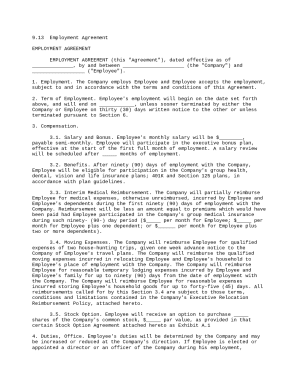
The Employment Agreement is a legal document used by employers and employees to outline the terms and conditions of employment.
pdfFiller scores top ratings on review platforms




It was easy to use and a very helpful service.
so easy to use and so convenient a true godsend to my business
Who needs Amazon Web Services Offer of Employment/Employment Agreement?
Explore how professionals across industries use pdfFiller.

Amazon Web Services Offer of Employment/Employment Agreement is needed by:
-
Employers drafting formal job offers
-
New hires needing clear employment terms
-
HR professionals managing employee contracts
-
Lawyers advising businesses on employment law
-
Freelancers formalizing client agreements
-
Job seekers reviewing contract terms
Comprehensive Guide to Amazon Web Services Offer of Employment/Employment Agreement
What is the Employment Agreement?
An employment agreement is a crucial legal document that defines the terms and conditions of the employment relationship between an employer and an employee. It serves to clarify the expectations and obligations of both parties. This document has significant legal implications, ensuring that employees understand their rights while also protecting the employer's interests. Common terms included in an employment agreement consist of job responsibilities, compensation, benefits, and termination conditions. Utilizing an employment agreement template can aid in drafting a comprehensive contract form, ensuring that all necessary elements are addressed effectively.
Purpose and Benefits of the Employment Agreement
Having an employment agreement is essential for establishing a clear understanding between employer and employee, which can prevent misunderstandings. The benefits of this agreement are manifold, offering security and defined roles for both parties. For the employee, it protects their rights and creates a secure framework for employment expectations. The agreement also clarifies job responsibilities and provides a structure for potential disputes. An employment offer letter sample can illustrate how the terms are communicated effectively.
Key Features of the Employment Agreement
Essential elements of an employment agreement include job title, start date, salary, and benefits. Specific fields like [EMPLOYEE NAME] and [EMPLOYER NAME] are vital for personalizing the agreement. Signatures from both parties are necessary to make the document legally binding. Details such as these, outlined in an employment offer letter template, ensure clarity and legal adherence. It's crucial that all parties review these elements carefully to ensure accuracy before signing.
Who Needs the Employment Agreement?
The employment agreement is relevant to both employers and employees and is particularly vital in certain situations. New hires should always receive an agreement to outline the specifics of their employment, safeguarding both parties. Changes in employment terms, such as promotions or role modifications, also warrant a revised agreement. Templates are available, such as a job contract template, to facilitate this process and ensure compliance.
How to Fill Out the Employment Agreement Online (Step-by-Step)
Completing the employment agreement online can streamline your process significantly. Here’s a step-by-step guide:
-
Access the form on the pdfFiller platform.
-
Fill in the required fields, including [EMPLOYEE NAME] and [EMPLOYER NAME].
-
Review the document for accuracy, paying attention to all sections.
-
Utilize fillable features to add any additional necessary information.
-
Submit the form electronically once all fields are complete.
Using an employment agreement template will help guide you through this process efficiently, reducing the likelihood of errors in your employment offer letter pdf.
Common Errors and How to Avoid Them
When filling out the employment agreement form, certain mistakes frequently occur. Common errors include misentered details or incomplete sections, which can lead to confusion and disputes later on. Validate all information to prevent rejections, and double-check the document before submission. Taking time to review the employment agreement sample can provide insights into what a correctly filled form should look like.
Digital Signature vs. Wet Signature Requirements
Understanding signature requirements is vital for the employment agreement. Both digital signatures and wet signatures are valid, though the latter can be more cumbersome. eSigning through pdfFiller offers benefits like convenience and quick turnaround times, making it a preferred method for many. Furthermore, digital signatures have legal implications that must be understood within the context of employment agreements, securing the validity of the document.
How to Submit the Employment Agreement
Submitting the employment agreement can be done through various methods. Online submission is often the most efficient approach; however, in-person submission may also be necessary depending on the employer's policies. After completing the agreement, follow the outlined steps for submission and track the process to ensure confirmation. An employment agreement pdf can be especially helpful for record-keeping and future reference.
Security and Compliance When Handling Employment Agreements
When handling employment agreements, security measures for protecting sensitive information are paramount. Compliance with legal regulations, such as GDPR and HIPAA, protects both the employer and employee. Utilizing a trusted platform, like pdfFiller, ensures that your contract forms are securely managed and compliant with essential standards.
Get Started with Your Employment Agreement Using pdfFiller
To create, fill, and sign your employment agreement effectively, consider using pdfFiller. This platform provides features that streamline the process, making it easier to manage your documents securely and efficiently. The benefits of using a digital platform for your employment offer letter sample include convenience and enhanced security for sensitive information.
How to fill out the Amazon Web Services Offer of Employment/Employment Agreement
-
1.To begin, access pdfFiller and find the Employment Agreement form either through the search bar or by navigating to the Employment Forms category.
-
2.Once located, click on the form to open it in pdfFiller’s editing interface, where you will see the fillable fields.
-
3.Before completing the form, gather necessary information such as the employee’s name, employer’s name, start date, job title, compensation details, and any benefits offered.
-
4.Proceed to fill in the fields labeled [EMPLOYEE NAME] and [EMPLOYER NAME] with the appropriate individual’s details.
-
5.Next, fill in the [START DATE] field with the date the employment will commence, and continue entering job title and compensation details as specified in the form.
-
6.Utilize pdfFiller’s checkboxes to indicate any applicable benefits or additional conditions of employment as per your agreement.
-
7.Review the completed form carefully to ensure all fields are filled in accurately and legibly before finalizing.
-
8.After reviewing, save your changes, and you can either download the form as a PDF or directly submit it via email from pdfFiller.
-
9.If you need a hard copy, choose to print the form right from pdfFiller, ensuring you have original signatures from both parties.

Who is eligible to complete this Employment Agreement?
Any employer looking to establish formal employment terms with a new hire can use this Employment Agreement. Both parties must agree to the terms and provide their signatures for the document to be legally binding.
What information do I need to complete the Employment Agreement?
Before starting, gather essential details such as the names of the employee and employer, start date, job title, compensation, offered benefits, and terms of employment to ensure smooth completion of the agreement.
Is notarization required for the Employment Agreement?
No, notarization is not required for the Employment Agreement. However, both the employer and employee must sign the document for it to be legally binding.
How can I submit the completed Employment Agreement?
Once the Employment Agreement is completed and signed, you can submit it via email directly from pdfFiller. Alternatively, you can save and print copies for your records.
What are common mistakes to avoid when filling out this form?
Common mistakes include leaving fields blank, misspelling names, improper dates, and failing to review terms thoroughly. Always double-check for accuracy before submission.
Can I edit the Employment Agreement after saving it?
Yes, you can reopen and edit the Employment Agreement in pdfFiller at any time after saving. Simply access your documents to make any necessary changes.
How long does it take to process the Employment Agreement?
Processing times depend on the agreements between the employer and employee, and actual processing in terms of signatures can vary. Ensure both parties sign promptly to confirm the terms of employment.
Related Forms



Related Catalogs
Get the latest insights from our blog


If you believe that this page should be taken down, please follow our DMCA take down process
here
.
This form may include fields for payment information. Data entered in these fields is not covered by PCI DSS compliance.