
Last updated on
Oct 31, 2026
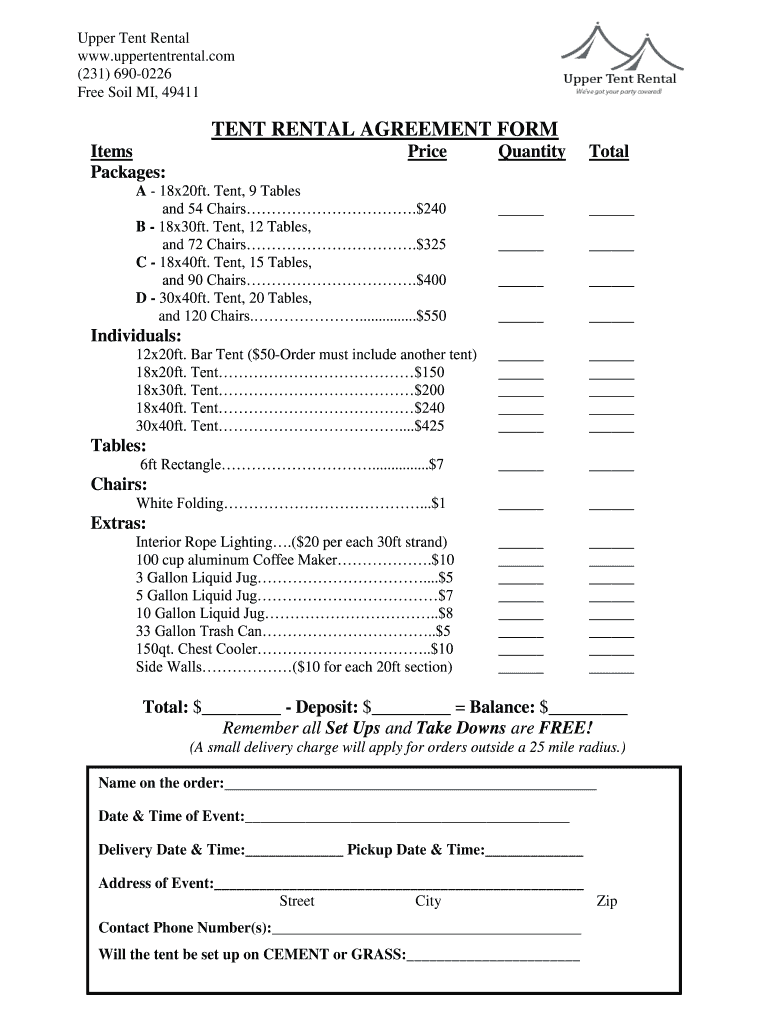
MI Upper Tent Rental Agreement Form free printable template
pdfFiller is not affiliated with any government organization

Fill out
Complete the form online in a simple drag-and-drop editor.

eSign
Add your legally binding signature or send the form for signing.

Share
Share the form via a link, letting anyone fill it out from any device.

Export
Download, print, email, or move the form to your cloud storage.
Why pdfFiller is the best tool for your documents and forms


End-to-end document management
From editing and signing to collaboration and tracking, pdfFiller has everything you need to get your documents done quickly and efficiently.
Accessible from anywhere
pdfFiller is fully cloud-based. This means you can edit, sign, and share documents from anywhere using your computer, smartphone, or tablet.
Secure and compliant
pdfFiller lets you securely manage documents following global laws like ESIGN, CCPA, and GDPR. It's also HIPAA and SOC 2 compliant.
What is MI Upper Tent Rental Agreement Form
The Tent Rental Agreement Form is a service agreement used by Upper Tent Rental to outline the terms for renting tents and event equipment.
pdfFiller scores top ratings on review platforms




good solid editor-- would like to see other payment choices, like a quarterly option, and even instead of relying on automatic renewal, send a reminder email prior to the renewal to ensure the user is still consistently using product
I like the site and the program. I do not appreciate being told of the cost until I had invested significant time filling it out. Not nice. Felt compelled to buy product - not fair.
P.S. Even though I felt I had to buy it, I like it and have since used it multiple times.
Who needs MI Upper Tent Rental Agreement Form?
Explore how professionals across industries use pdfFiller.

MI Upper Tent Rental Agreement Form is needed by:
-
Event planners looking to rent tents for gatherings.
-
Businesses needing outdoor event equipment.
-
Individuals hosting weddings or parties requiring tent rentals.
-
Nonprofits organizing community events with tent needs.
-
Venues that offer outdoor spaces for events needing equipment rental.
Comprehensive Guide to MI Upper Tent Rental Agreement Form
What is the Tent Rental Agreement Form?
The Tent Rental Agreement Form is a crucial contract for parties wishing to rent tents and associated equipment from Upper Tent Rental. It serves to establish clarity regarding the responsibilities and expectations of both the lessee and the rental provider, protecting both sides in the rental process. This form is particularly necessary for events ranging from weddings and festivals to corporate gatherings where outdoor equipment is required.
The components of the form include a description of the items available for rent, pricing structure, deposit requirements, and essential details regarding the event. Both the lessee and Upper Tent Rental must be properly identified to validate the agreement.
Purpose and Benefits of the Tent Rental Agreement Form
A formal agreement through the Tent Rental Agreement Form is paramount for both the rental service provider and the lessee. It shields the interests of both parties by detailing specific terms, ensuring that expectations are aligned right from the start. One major benefit of this agreement is its ability to clarify responsibilities, which helps avoid misunderstandings during the rental process.
Moreover, the form outlines important pricing details and conditions, which ultimately allows for a smoother transaction. Having a clearly defined Tent Rental Service Agreement not only enhances the professionalism of the rental experience but also establishes trust between the parties involved.
Key Features of the Tent Rental Agreement Form
-
Fillable fields for user convenience
-
Comprehensive instructions for completion
-
Specific sections to provide event details, including date, time, and location
-
Clear payment terms and conditions
-
Deposit requirement fields
The tent rental terms and conditions are explicitly mentioned to ensure compliance. The tent rental signature form requires signatures from both the lessee and Upper Tent Rental to solidify the agreement.
Who Needs the Tent Rental Agreement Form?
Various individuals and organizations may need the Tent Rental Agreement Form, including event organizers and parties renting tents for outdoor activities. This form is essential for anyone involved in a legal obligation related to outdoor equipment rentals, helping to safeguard all participants against potential disputes.
Some industries that typically utilize this form include weddings, festivals, and corporate events, where reliable equipment and professionalism are needed. Thus, the outdoor event rental form becomes a vital tool in ensuring successful event management.
How to Fill Out the Tent Rental Agreement Form Online (Step-by-Step)
-
Access the digital version of the Tent Rental Agreement Form.
-
Enter the required details such as "Name on the order" and specifics about the event.
-
Review the payment terms and confirm deposit requirements.
-
Ensure all fields are correctly filled out to avoid errors.
-
Sign the form digitally or prepare it for wet signature if required.
It's crucial to double-check the information for accuracy and compliance to ensure the successful execution of the agreement.
Review and Validation Checklist for the Tent Rental Agreement Form
To ensure accuracy in your completed form, consider following a validation checklist that includes checking for:
-
All required signatures from both parties
-
Correctly filled event details and payment terms
-
Noting deposit amounts and payment schedules
Be on the lookout for common errors to avoid issues, such as missing signatures or incomplete fields. It may be beneficial to have a second party review the form before submission for added accuracy.
How to Sign the Tent Rental Agreement Form
Both the lessee and Upper Tent Rental must provide signatures to finalize the agreement. Options for signing include digital signatures, which are becoming increasingly popular, as well as traditional wet signatures. Security is paramount, so implementing measures to protect signed documents from unauthorized access is crucial.
Submission Methods and Delivery of the Tent Rental Agreement Form
Users can submit the Tent Rental Agreement Form via multiple methods. Online submissions through email are often preferred for speed, while paper submissions are also accepted in certain cases. To ensure a smooth process, it's important to follow the guidelines on saving and sending the completed form properly.
Do consider any potential processing times or fees that might be associated with the submission of the tent rental agreement form to avoid delays.
What Happens After You Submit the Tent Rental Agreement Form?
After submission, the next steps typically involve awaiting confirmation from Upper Tent Rental and potentially approval of the request. It’s advisable to regularly check the status of the agreement to remain informed about its progress.
Failing to submit the agreement on time can lead to consequences, such as losing your reservation or dealing with higher fees later on. Staying proactive ensures that the entire rental process runs as smoothly as possible.
Simplify Your Tent Rental Process with pdfFiller
pdfFiller offers a streamlined approach to completing and managing rental agreements, including the Tent Rental Agreement Form. With features that allow users to fill, sign, and securely store PDFs, pdfFiller enhances the efficiency of the rental experience.
Utilizing pdfFiller's platform not only simplifies the tent rental process but also helps ensure that all data remains confidential and secure throughout the transaction.
How to fill out the MI Upper Tent Rental Agreement Form
-
1.To access the Tent Rental Agreement Form on pdfFiller, visit the pdfFiller website and search for the form using its name.
-
2.Click on the form in the search results to open it within the pdfFiller interface where you can begin editing.
-
3.Before starting to fill out the form, gather necessary information such as event details, tent requirements, and personal contact information.
-
4.Begin by filling in the 'Name on the order:' section with the lessee's name, followed by the 'Date & Time of Event:' field.
-
5.Continue to complete all required fields, including location and contact details, ensuring accuracy throughout.
-
6.Use checkboxes as appropriate and input any additional information requested in the fillable sections.
-
7.Once all fields are completed, review the entire form for any errors or missing information as this is essential for proper processing.
-
8.After reviewing, proceed to the signature lines where both the lessee and a representative from Upper Tent Rental must sign.
-
9.To save your completed form, click on the ‘Save’ button, ensuring the file is stored securely on your device.
-
10.To download or submit the form, use the PDF download option provided in the interface, or follow the submission instructions for the specific rental agreement process.

What are the eligibility requirements for using the Tent Rental Agreement Form?
To use the Tent Rental Agreement Form, you must be either an individual or entity seeking to rent tents from Upper Tent Rental. Ensure you have all required information at hand to complete the agreement.
How do I submit the completed Tent Rental Agreement Form?
After filling out the form, review it carefully, sign where required, and then download or send it as per the submission guidelines provided by Upper Tent Rental.
What information do I need to gather before completing the form?
Before completing the Tent Rental Agreement Form, collect details about your event, including the date, time, location, rental items needed, and your contact information.
How can I avoid common mistakes when filling out the form?
To avoid mistakes, double-check all entered information for accuracy, ensure all required fields are filled out, and verify that signatures are present before submission.
Can I make changes to the Tent Rental Agreement Form after submission?
Typically, changes can be difficult after submission. If you need to modify the form, contact Upper Tent Rental directly as soon as possible to discuss your options.
What processing times should I expect for my rental request?
Processing times vary but ensure to submit your Tent Rental Agreement Form well in advance of your event. Confirm specific timelines with Upper Tent Rental directly.
Is notarization required for the Tent Rental Agreement Form?
No, notarization is not required for the Tent Rental Agreement Form. However, ensure all signatures are properly completed for the agreement to be valid.
Related Forms
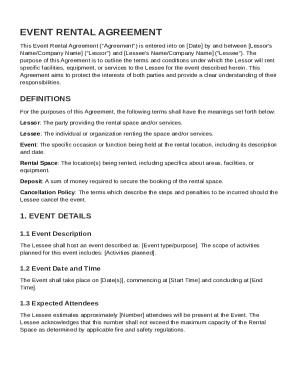

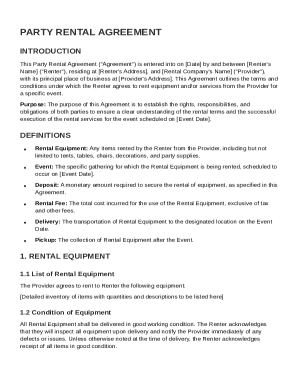
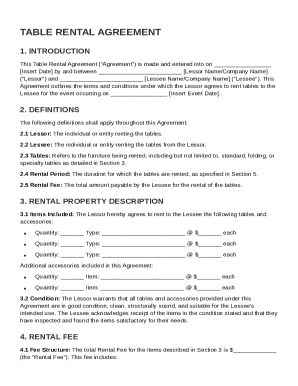
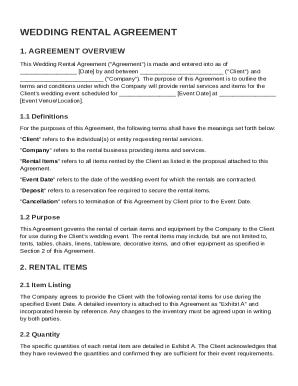

Related Catalogs
Get the latest insights from our blog


If you believe that this page should be taken down, please follow our DMCA take down process
here
.
This form may include fields for payment information. Data entered in these fields is not covered by PCI DSS compliance.