
Last updated on
Oct 19, 2026
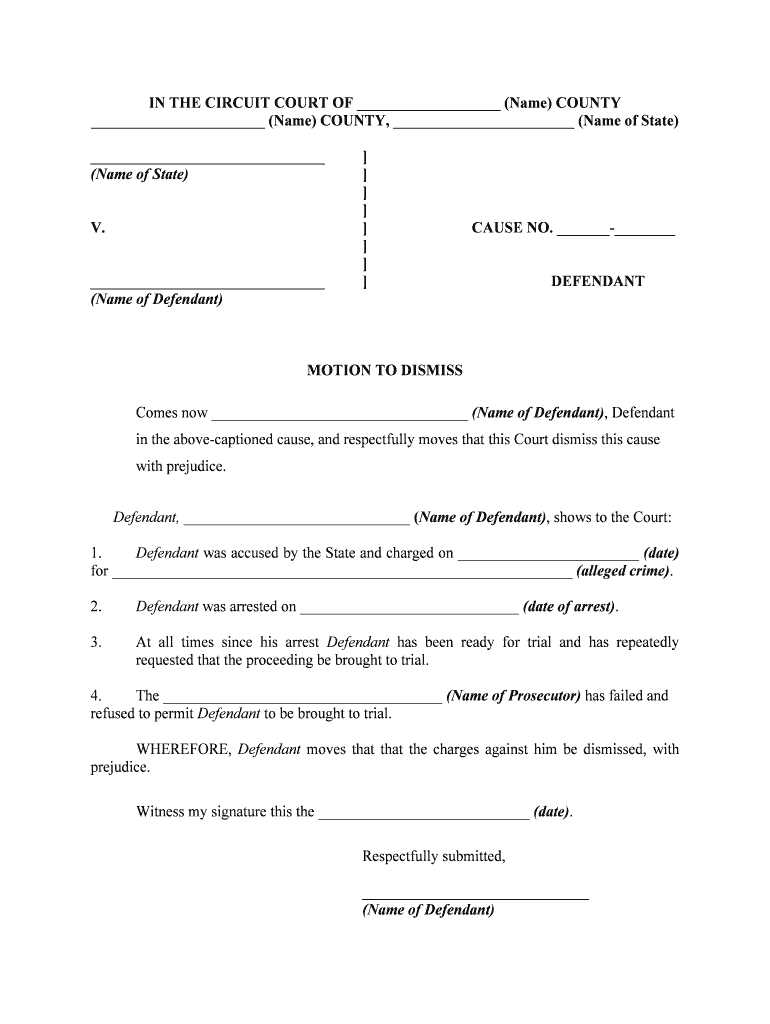
Get the free Motion to Dismiss
We are not affiliated with any brand or entity on this form

Fill out
Complete the form online in a simple drag-and-drop editor.

eSign
Add your legally binding signature or send the form for signing.

Share
Share the form via a link, letting anyone fill it out from any device.

Export
Download, print, email, or move the form to your cloud storage.
Why pdfFiller is the best tool for your documents and forms


End-to-end document management
From editing and signing to collaboration and tracking, pdfFiller has everything you need to get your documents done quickly and efficiently.
Accessible from anywhere
pdfFiller is fully cloud-based. This means you can edit, sign, and share documents from anywhere using your computer, smartphone, or tablet.
Secure and compliant
pdfFiller lets you securely manage documents following global laws like ESIGN, CCPA, and GDPR. It's also HIPAA and SOC 2 compliant.
What is Dismiss Motion
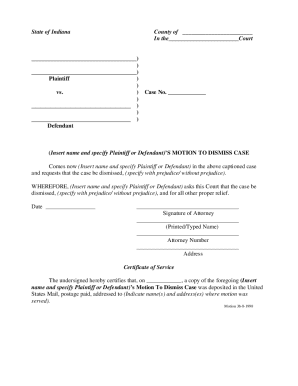
The Motion to Dismiss is a legal document used by a defendant to request that the court dismiss the charges against them with prejudice.
pdfFiller scores top ratings on review platforms




Who needs Dismiss Motion?
Explore how professionals across industries use pdfFiller.

Dismiss Motion is needed by:
-
Defendants facing criminal charges
-
Legal representatives assisting defendants
-
Individuals seeking dismissal of charges
-
Lawyers preparing legal motions
-
Clients requiring court filings
-
Persons managing court documentation
Comprehensive Guide to Dismiss Motion
What is a Motion to Dismiss?
A Motion to Dismiss is a legal document filed by a defendant in court, requesting that the court dismiss the charges against them with prejudice. This motion emphasizes the legal significance of addressing procedural issues that may invalidate the prosecution's case. Defendants might consider using this document when they believe the case lacks sufficient legal groundwork or when timely filing could impact the outcome. The importance of filing this motion in a timely manner cannot be overstated, as delays can lead to adverse consequences in legal proceedings.
Purpose and Benefits of a Motion to Dismiss
The primary goal of filing a motion to dismiss is to protect time and resources, making it an advantageous step for defendants. This motion can be crucial in various scenarios, including instances where there are significant legal deficiencies in the prosecution's case. A successful motion can lead to the dismissal of the case with prejudice, preventing the prosecution from re-filing charges. By utilizing a motion to dismiss, defendants can potentially streamline the judicial process and avoid protracted court trials.
Who Needs a Motion to Dismiss?
Defendants are the primary users of a motion to dismiss, as they seek to challenge the legitimacy of the charges against them. Other parties involved in legal proceedings, such as co-defendants or legal representatives, may also find this motion relevant in building their defense strategies. This motion serves to protect the rights of defendants, ensuring they have an opportunity to contest unjust charges in a structured manner.
Eligibility Criteria for Filing a Motion to Dismiss
To successfully file a motion to dismiss, certain legal grounds and criteria must be met. This includes justifications based on procedural errors, lack of jurisdiction, or failure to state a claim upon which relief can be granted. Additionally, state-specific eligibility requirements may apply, so it’s essential to review local regulations. Typical scenarios that warrant a motion to dismiss include cases of insufficient evidence or filings that exceed the statute of limitations.
How to Fill Out the Motion to Dismiss Online (Step-by-Step)
Completing the Motion to Dismiss online requires careful attention to detail. Essential information needed includes the defendant's name, the alleged crime, and the prosecutor's name. Here is a step-by-step process for filling out the form:
-
Enter the defendant's name accurately in the designated field.
-
Provide details about the alleged crime, including relevant dates.
-
Fill out the name of the prosecutor handling the case.
-
Review all entries for correctness before submission.
Using pdfFiller for completing this form ensures efficiency and accuracy, streamlining the filing process.
Review and Validation Checklist for Your Motion to Dismiss
To ensure your motion is complete and ready for submission, follow a thorough review process. Common errors to avoid include incomplete fields, inaccurate information, and failure to sign the document. Utilize the following checklist to confirm all requirements are met:
-
Validate that all necessary fields are filled in correctly.
-
Check for proper signatures and dates.
-
Ensure compliance with any state-specific guidelines.
Thoroughness in this review process is essential to prevent delays in the judicial handling of your case.
Where and How to Submit the Motion to Dismiss
Submitting a Motion to Dismiss involves understanding the available submission methods. Defendants can choose between mailing their documents or utilizing electronic filing options, depending on the court's requirements. Be aware of specific deadlines for filing and typical processing times as these can vary by jurisdiction. For precise details on where to send your submission, refer to the appropriate court addresses or online portals.
What Happens After You Submit the Motion to Dismiss?
After submitting your motion, it’s important to track its status throughout the judicial process. Defendants should be prepared for potential responses from the court or the prosecution, which may range from acceptance to request for additional information. If the motion is denied, understanding the reasons for rejection and what corrections are needed is crucial for subsequent actions.
Ensure Security and Compliance When Using Your Motion to Dismiss
Handling legal documents requires a focus on security and compliance. pdfFiller prioritizes user safety with features like encryption, adhering to legal standards to protect sensitive information. Users must also take steps to safeguard their personal data during submission, ensuring they follow best practices for document security. Familiarizing oneself with relevant data protection policies is essential when dealing with legal documents.
Start Using pdfFiller to Complete Your Motion to Dismiss Today!
Utilizing pdfFiller for your legal documentation needs simplifies the process of completing a Motion to Dismiss. The platform offers an intuitive interface for online editing and form-filling, making the task straightforward. User testimonials emphasize the ease of use and reliability of pdfFiller, highlighting its role in ensuring that submissions are thorough and compliant, ultimately protecting your legal interests.
How to fill out the Dismiss Motion
-
1.To access the Motion to Dismiss form on pdfFiller, visit the site and search for 'Motion to Dismiss' in the forms library.
-
2.After locating the form, click on it to open the fillable PDF within pdfFiller's user-friendly interface.
-
3.Gather necessary information before starting, including your name, alleged crime, arrest dates, charges, and prosecutor's name.
-
4.Begin filling in the fields, starting with your personal information, ensuring you accurately enter the names and dates required.
-
5.Utilize checkboxes where applicable and refer to the provided instructions within the form to ensure all sections are completed.
-
6.Once you have filled out the form, review each field for accuracy and completeness to avoid common mistakes before finalizing.
-
7.After review, click the save option to document your progress, and consider downloading a copy for your records.
-
8.If you're ready to submit, follow the submission prompts on pdfFiller to send the form to the court and prosecutor directly.

Who is eligible to file a Motion to Dismiss?
Eligibility to file a Motion to Dismiss generally includes defendants in criminal cases who believe that the prosecution has not sufficiently presented a timely case. It is essential to consult with legal counsel for case-specific advice.
What documents do I need to submit with the Motion to Dismiss?
Typically, you need to include the completed Motion to Dismiss form, evidence supporting your claim, and sometimes a copy of the original charges against you. Always check with legal counsel if unclear.
How do I submit the Motion to Dismiss once completed?
Once you complete the Motion to Dismiss, you can submit it directly through pdfFiller, or you may print and file it in person at the court. Ensure you serve a copy to the prosecutor as well.
Are there deadlines for filing a Motion to Dismiss?
Yes, deadlines for filing a Motion to Dismiss vary by jurisdiction and specific case circumstances. It is vital to file as soon as you recognize grounds for dismissal to avoid missing deadlines, which could affect your case.
What are common mistakes to avoid when completing this form?
Common mistakes include failing to sign the form, omitting required information like dates and charges, and incorrect filing procedures. Review the form thoroughly before submission to prevent these errors.
How long does it take to process a Motion to Dismiss?
Processing times for a Motion to Dismiss can vary widely depending on the court's schedule and workload. It may take days to weeks for the court to respond. Check with court officials for estimates.
What should I do if my Motion to Dismiss is denied?
If a Motion to Dismiss is denied, consult with your attorney about the next steps. You may have options for appeal or to proceed with your case as planned. It is critical to understand your rights.
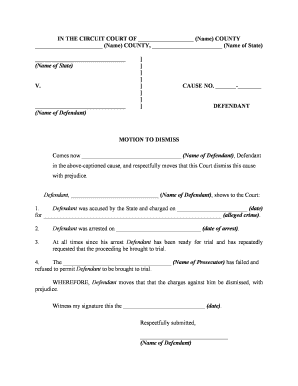
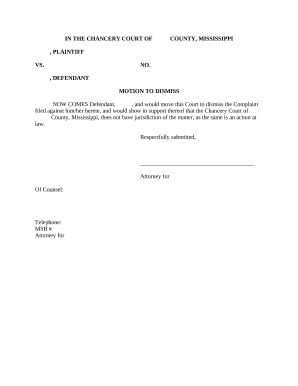
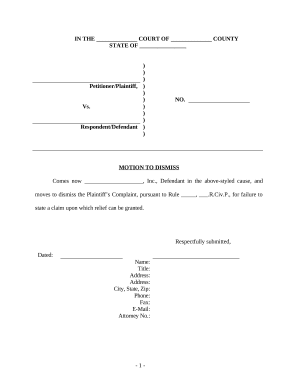
Related Forms


Get the latest insights from our blog


If you believe that this page should be taken down, please follow our DMCA take down process
here
.
This form may include fields for payment information. Data entered in these fields is not covered by PCI DSS compliance.