
Last updated on
Nov 6, 2026
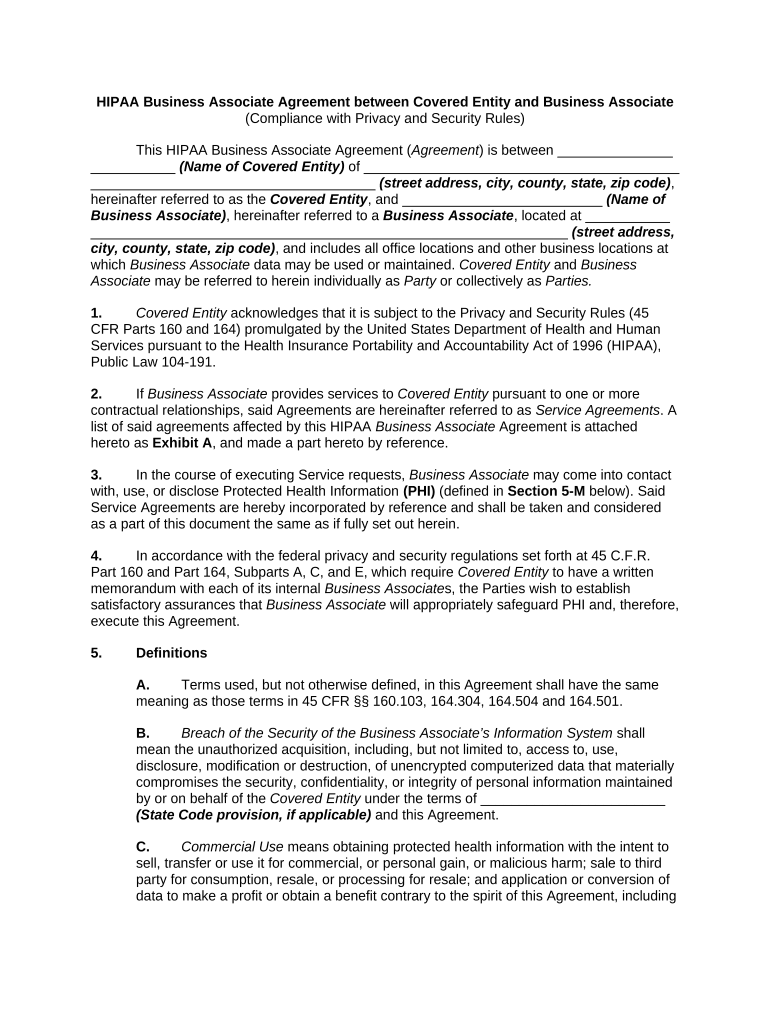
Get the free HIPAA Business Associate Agreement
We are not affiliated with any brand or entity on this form

Fill out
Complete the form online in a simple drag-and-drop editor.

eSign
Add your legally binding signature or send the form for signing.

Share
Share the form via a link, letting anyone fill it out from any device.

Export
Download, print, email, or move the form to your cloud storage.
Why pdfFiller is the best tool for your documents and forms


End-to-end document management
From editing and signing to collaboration and tracking, pdfFiller has everything you need to get your documents done quickly and efficiently.
Accessible from anywhere
pdfFiller is fully cloud-based. This means you can edit, sign, and share documents from anywhere using your computer, smartphone, or tablet.
Secure and compliant
pdfFiller lets you securely manage documents following global laws like ESIGN, CCPA, and GDPR. It's also HIPAA and SOC 2 compliant.
What is HIPAA BAA
The HIPAA Business Associate Agreement is a legal document used by healthcare providers to define the responsibilities of a Business Associate in protecting Protected Health Information (PHI).
pdfFiller scores top ratings on review platforms




very easy to use and great for the price..
thank you for allowing me to see the documents and apply them in my life for the peace of the human race.
Easy to use. Will use more than you think. Great accompaniment.
Very helpful in taking care of the issue I was having.
Good app to use!
Good app to edit PDF files and digitally fill forms
use for downloading Z83 and other documents, fill and sign
I am able to download and edit Z83 easily and i can even convert pictures into pdf or any document without any delay
Who needs HIPAA BAA?
Explore how professionals across industries use pdfFiller.

HIPAA BAA is needed by:
-
Healthcare Providers seeking to comply with HIPAA regulations
-
Business Associates who handle PHI for Covered Entities
-
Legal professionals drafting agreements to ensure compliance
-
Healthcare Compliance Officers monitoring regulatory adherence
-
Entities involved in patient data handling and privacy
-
Consultants advising on healthcare data protection
Comprehensive Guide to HIPAA BAA
What is the HIPAA Business Associate Agreement?
The HIPAA Business Associate Agreement is a vital legal document in the healthcare industry, defining the responsibilities of a Business Associate who handles Protected Health Information (PHI) for a Covered Entity. This agreement is essential for facilitating compliance with HIPAA regulations, ensuring that sensitive patient information is adequately protected. It establishes the relationship between Covered Entities, such as healthcare providers, and Business Associates, which may include vendors or service providers that perform functions involving PHI.
Purpose and Benefits of the HIPAA Business Associate Agreement
This agreement serves multiple purposes in protecting PHI, pivotal to maintaining healthcare privacy. Firstly, it ensures that PHI is safeguarded in accordance with HIPAA Privacy and Security Rules, mitigating risks of unauthorized access. Secondly, it offers legal protection for both Covered Entities and Business Associates by clearly delineating responsibilities and liabilities, thus enhancing trust and accountability in healthcare partnerships.
Key Features of the HIPAA Business Associate Agreement
Key components of the HIPAA Business Associate Agreement include crucial clauses that define agreements on obligations and permissible uses of PHI. Significant fields in the form consist of details such as the names and addresses of the entities involved, along with signature lines. Security measures mandated in the agreement, such as data encryption and process compliance, are also essential features that help mitigate risks associated with PHI handling.
Who Needs the HIPAA Business Associate Agreement?
Entities required to use the HIPAA Business Associate Agreement include Covered Entities, such as healthcare plans, providers, and clearinghouses, that deal with PHI. Business Associates, like third-party service providers, must also sign the agreement, particularly when they engage in services involving PHI. Compliance with this agreement is critical for all healthcare organizations to safeguard against potential violations of HIPAA regulations.
How to Fill Out the HIPAA Business Associate Agreement Online (Step-by-Step)
Filling out the HIPAA Business Associate Agreement online can be straightforward if you follow these steps:
-
Access the blank form and start by entering the name of the Covered Entity.
-
Fill in the address details, ensuring accuracy to avoid discrepancies.
-
Provide the necessary information for the Business Associate, including their name and address.
-
Complete the signature fields, ensuring both parties are represented.
-
Review all entered information before final submission to ensure it is error-free.
How to Sign the HIPAA Business Associate Agreement
When signing the HIPAA Business Associate Agreement, you have several options to choose from, including digital signatures or traditional wet signatures. Ensure that all required fields for signatures are completed, and check if witness signatures are necessary. Adhering to best practices during the signing process is crucial to maintain compliance and validity of the agreement.
Where to Submit the HIPAA Business Associate Agreement
Submitting the completed HIPAA Business Associate Agreement can be done through various methods, such as:
-
Email submission directly to the other party.
-
Mailing a physical copy via postal services.
-
Utilizing a secure online portal if available.
After submission, track the agreement’s status and maintain a record of the submitted documents for future reference.
Security and Compliance for the HIPAA Business Associate Agreement
Maintaining security when handling the HIPAA Business Associate Agreement is vital for the protection of PHI. It is crucial to implement strong data protection measures, including encryption and compliance with relevant regulations. Recommended practices for managing signed agreements include secure storage solutions and restricted access to ensure confidentiality and integrity of the documents.
Sample or Example of a Completed HIPAA Business Associate Agreement
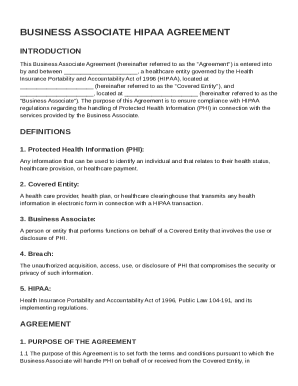
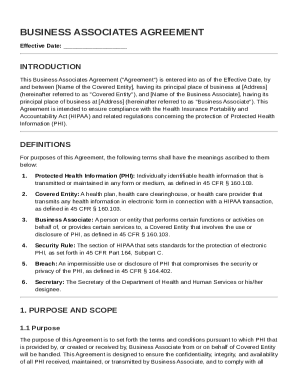
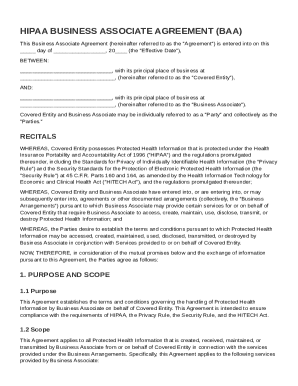
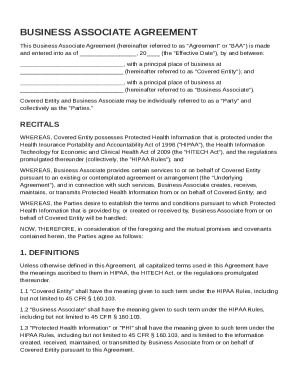
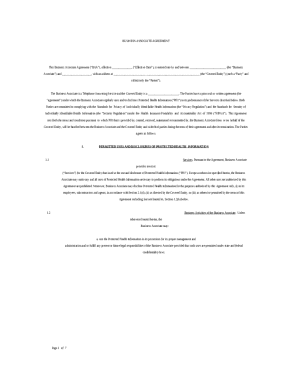
Providing users with an example of a filled-out HIPAA Business Associate Agreement aids understanding of how to complete the form correctly. This example illustrates common fields, enabling users to recognize what a correct submission looks like. It is essential to highlight common pitfalls to avoid, ensuring users can effectively use this template for their own agreements.
How pdfFiller Can Simplify Your HIPAA Business Associate Agreement Experience
pdfFiller enhances the process of creating and managing your HIPAA Business Associate Agreement through its user-friendly platform. Key benefits include the ability to edit and fill documents easily, seamlessly eSign, and access cloud-based document management for convenience. Utilizing pdfFiller not only streamlines your agreement process but also ensures that you adhere to security compliance throughout.
How to fill out the HIPAA BAA
-
1.Start by accessing pdfFiller and searching for the HIPAA Business Associate Agreement template in the search bar.
-
2.Click on the template to open it in the pdfFiller editor where you can fill out the form online.
-
3.Before you start filling out the form, gather essential information such as the names, addresses, and contact details of the Covered Entity and the Business Associate.
-
4.Use the tools in pdfFiller to input information into the designated fields such as 'Name of Covered Entity,' and 'Business Associate' sections.
-
5.Ensure you accurately fill in all required fields to avoid delays later.
-
6.Next, review the agreement clauses related to the obligations of both parties concerning PHI handling carefully.
-
7.Once you have completed the form, double-check all entries for accuracy and completeness to prevent common mistakes.
-
8.After finalizing the form, save your work by clicking on the save icon to maintain your progress.
-
9.You can download the completed document in multiple formats or submit it directly through pdfFiller to ensure compliance and proper documentation.
-
10.Finally, ensure that both parties sign the document where indicated before sharing or submitting.

Who is required to sign the HIPAA Business Associate Agreement?
Both the Covered Entity and the Business Associate are required to sign the HIPAA Business Associate Agreement to establish their obligations regarding Protected Health Information (PHI).
What is the purpose of the HIPAA Business Associate Agreement?
The purpose of the HIPAA Business Associate Agreement is to outline the responsibilities of the Business Associate in safeguarding PHI, thus ensuring compliance with HIPAA Privacy and Security Rules.
Are there deadlines for completing and submitting this agreement?
While there are no specific deadlines for the agreement itself, it should be executed before any PHI is disclosed to ensure compliance with HIPAA regulations.
What common mistakes should be avoided when filling out this form?
Common mistakes include not filling out all required fields, failing to review the agreement thoroughly, and neglecting to obtain necessary signatures.
What fields are typically included in the HIPAA Business Associate Agreement?
The agreement typically includes fields for the names, addresses of the Covered Entity and Business Associate, signature lines, and checkboxes related to privacy obligations.
Can the HIPAA Business Associate Agreement be notarized?
No, the HIPAA Business Associate Agreement does not require notarization; it is valid once signed by the involved parties.
How can I access the HIPAA Business Associate Agreement?
You can access the HIPAA Business Associate Agreement on pdfFiller by searching for it directly in the platform's search bar and selecting the template to fill out.
Related Forms


Related Catalogs
Get the latest insights from our blog



If you believe that this page should be taken down, please follow our DMCA take down process
here
.
This form may include fields for payment information. Data entered in these fields is not covered by PCI DSS compliance.