
Last updated on
Nov 6, 2026

Get the free Annual Expense Report
We are not affiliated with any brand or entity on this form

Fill out
Complete the form online in a simple drag-and-drop editor.

eSign
Add your legally binding signature or send the form for signing.

Share
Share the form via a link, letting anyone fill it out from any device.

Export
Download, print, email, or move the form to your cloud storage.
Why pdfFiller is the best tool for your documents and forms


End-to-end document management
From editing and signing to collaboration and tracking, pdfFiller has everything you need to get your documents done quickly and efficiently.
Accessible from anywhere
pdfFiller is fully cloud-based. This means you can edit, sign, and share documents from anywhere using your computer, smartphone, or tablet.
Secure and compliant
pdfFiller lets you securely manage documents following global laws like ESIGN, CCPA, and GDPR. It's also HIPAA and SOC 2 compliant.
What is Expense Report
The Annual Expense Report is a type of document used by salespeople to track and report their expenses over the year, assisting in financial management.
pdfFiller scores top ratings on review platforms




Best PDF editor that I have ever used - once you have the basics, it's so easy.
it has been great .it is very easy to use.
PDF Filler is Great!
Pdf filler allows collaboration and I also like that no file is too big!
I am pleased with how easy it is to use…
I am pleased with how easy it is to use the app. The support given is great as any concerns I had were dealt with promptly and professionally.
EASY and simple
You know i have really enjoyed this app. It's easy and straight forward, I have had loads of applications to fill in as in rental agreements, work forms, drivers licence transfers which all require a signature. I love that i have a signature option and it stores my signatures. So handy and makes filling in application forms a breeze. I even needed my husband's signature and PDF filler made it so simple, i sent him a link and he signed it and it was done. I will continue using this app.
Quick & easy to use. Perfect way to fill out pdf documents without being time consuming.
Who needs Expense Report?
Explore how professionals across industries use pdfFiller.

Expense Report is needed by:
-
Sales professionals who need to monitor their expenses
-
Business owners looking for detailed expense tracking
-
Accountants preparing financial statements
-
Finance managers assessing company expenditures
-
Individuals submitting annual reports to their employers
Comprehensive Guide to Expense Report
What is the Annual Expense Report?
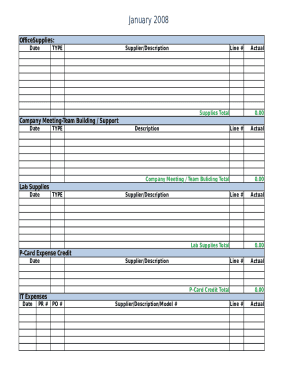
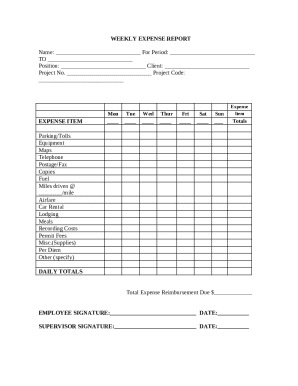
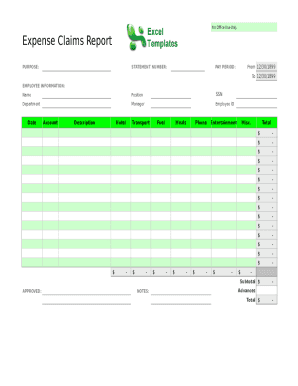
The Annual Expense Report is a detailed document that helps salespeople track and manage their expenses throughout the year. Its relevance lies in its structured approach, allowing for better financial oversight and reporting. The report typically includes sections for monthly expenses, quarterly totals, and personal information, making it easier for users to organize their financial data.
One effective way to streamline this process is by utilizing an annual expense report template, which provides a predefined structure that simplifies data entry and enhances clarity.
Purpose and Benefits of the Annual Expense Report
The primary purpose of the Annual Expense Report is to aid business professionals in monitoring and managing their expenses effectively. By capturing expenses in a systematic manner, users gain valuable insights into their financial health.
-
Enhances financial clarity and transparency.
-
Facilitates better budget planning and forecasting.
-
Streamlines the reporting process, making it easier to submit documentation.
Utilizing a sales expense report form or a business expense report pdf can significantly improve organization and reduce the chances of oversight in expense tracking.
Key Features of the Annual Expense Report
Various features make the Annual Expense Report a valuable tool for users. Key elements include:
-
Fillable fields for easy data entry.
-
Monthly breakdowns and annual totals for comprehensive financial tracking.
-
Digital capabilities such as online filling and eSigning for convenience.
These features enhance usability and help maintain accurate record-keeping through printable expense report options and effective quarterly expense tracking.
Who Needs the Annual Expense Report?
This report is crucial for numerous individuals, particularly for those in roles like sales or accounting. Salespeople often rely on it to provide an accurate account of their expenses incurred while performing their duties.
Additionally, various business professionals can benefit from its use, especially during financial audits or budget proposals, where detailed expense tracking is essential.
How to Fill Out the Annual Expense Report Online
Completing the Annual Expense Report online can be done easily by following these steps:
-
Open the annual expense report template in your preferred web browser.
-
Enter your personal details, including 'Year Salesperson', 'Address', and 'City State ZIP'.
-
Fill in each month's expense entries accurately.
-
Review the information for any discrepancies or missing data.
-
Submit the completed report as instructed after verifying all entries.
Accuracy in filling out your business expense report pdf ensures a smooth submission process.
Common Errors and How to Avoid Them
When filling out the Annual Expense Report, users may encounter several common errors, including:
-
Incorrect or incomplete dates.
-
Omissions of essential information in fillable fields.
To avoid these mistakes, always double-check your entries before submission to ensure accuracy and completeness in your report.
Digital Signing and Submission of the Annual Expense Report
Digital signing of the Annual Expense Report involves using a secure method to validate your submission. It's essential to understand that digital signatures differ from wet signatures, particularly concerning security and verification aspects.
After completing the report, users should follow these steps to securely submit:
-
Select the digital signature option provided in the report.
-
Follow the prompts to apply your signature electronically.
-
Ensure you confirm submission through the platform’s designated process.
Ensuring Security and Compliance
Implementing security measures when handling the Annual Expense Report is vital for protecting sensitive information. pdfFiller employs robust security protocols, including 256-bit encryption, to safeguard documents. Additionally, compliance with standards like HIPAA and GDPR ensures that all data handling practices meet necessary legal requirements.
How pdfFiller Can Help You with Your Annual Expense Report
pdfFiller simplifies the expense reporting process by offering various features tailored to meet user needs. This platform allows users to edit, eSign, and manage their reports efficiently.
Key capabilities include editing text and images, creating fillable forms, and storing documents in the cloud. Such functionalities make it easier to share and manage expense reports post-filing.
Next Steps: Simplify Your Expense Reporting
To enhance your experience with filing and managing the Annual Expense Report, consider leveraging pdfFiller for its user-friendly features and efficient document management. Online access allows for a quick turnaround in filling out and submitting your expense reports, making it simpler to stay organized and handle financial documents securely.
How to fill out the Expense Report
-
1.To access the Annual Expense Report on pdfFiller, navigate to the pdfFiller website and search for 'Annual Expense Report'. Click on the form to open it.
-
2.Once the form is open, familiarize yourself with the layout. Use the 'Fill' option to add your details into the provided fields.
-
3.Prepare all necessary information beforehand. Gather your monthly expenses, personal identification details, and any relevant sales territory information.
-
4.Start by filling out the personal information section, including the year, salesperson's name, and address, ensuring accuracy in all entries.
-
5.Next, fill in the monthly expense entries, making sure to categorize each expense correctly. Use the designated fields for each month.
-
6.After completing the form, review all filled sections for any errors or missing information. Utilize pdfFiller's 'Preview' feature to see how everything looks.
-
7.Finalize your report by clicking on the 'Save' or 'Download' option in pdfFiller. You can also submit it directly through the platform if required.

Who is eligible to use the Annual Expense Report?
The Annual Expense Report is primarily designed for salespeople, but it can be useful for any professional needing to track yearly expenses accurately for business purposes.
Are there deadlines for submitting the Annual Expense Report?
Deadlines may vary based on company policies. It's advisable to check with your employer to ensure timely submission, particularly if the report is tied to financial reviews or reimbursement requests.
How can I submit the completed report?
Once you have filled in the form on pdfFiller, you can submit it directly through the platform, download it for email submission, or print it for physical submission as per your company's requirements.
What documents do I need to support my expense report?
Typically, supporting documents include receipts for all expenditures. Ensure that all documents are organized and attached as necessary to substantiate your reported expenses.
What common mistakes should I avoid while filling out the report?
Common mistakes include omitting expense categories, failing to add totals accurately, or providing incorrect personal details. Always double-check your entries before finalizing the form.
How long does it take to process the report after submission?
Processing times can vary significantly depending on your organization's policies. Generally, expect anywhere from a few days to a couple of weeks for processing.
Can I edit the report after submission?
Editing may depend on your organization's policies. Typically, you'll need to consult with your supervisor or the finance department for instructions on how to amend a submitted report.

Related Catalogs
Get the latest insights from our blog


If you believe that this page should be taken down, please follow our DMCA take down process
here
.
This form may include fields for payment information. Data entered in these fields is not covered by PCI DSS compliance.