
Last updated on
Nov 6, 2026

Get the free Independent Contractor Agreement
We are not affiliated with any brand or entity on this form

Fill out
Complete the form online in a simple drag-and-drop editor.

eSign
Add your legally binding signature or send the form for signing.

Share
Share the form via a link, letting anyone fill it out from any device.

Export
Download, print, email, or move the form to your cloud storage.
Why pdfFiller is the best tool for your documents and forms


End-to-end document management
From editing and signing to collaboration and tracking, pdfFiller has everything you need to get your documents done quickly and efficiently.
Accessible from anywhere
pdfFiller is fully cloud-based. This means you can edit, sign, and share documents from anywhere using your computer, smartphone, or tablet.
Secure and compliant
pdfFiller lets you securely manage documents following global laws like ESIGN, CCPA, and GDPR. It's also HIPAA and SOC 2 compliant.
What is Contractor Agreement
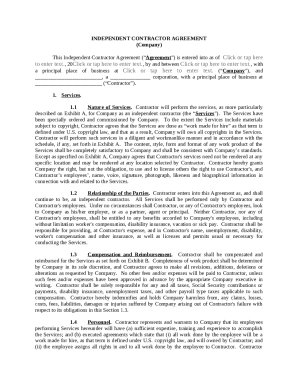
The Independent Contractor Agreement is a legal document used by companies and independent contractors to outline the terms of service and responsibilities between the two parties.
pdfFiller scores top ratings on review platforms




Had PDFfiller for a couple of months now and has been very helpful. A Great Service
great sight helps get doc sent emailed and signed fast, its an awesome sight i would recommend to everyone!!!
Forms look great. Just started but very pleased.
Just getting started so it's a learning curve but looks like it should be great!
Functional and easy to use. Would suggest adding a snapshot tool to extract an image from the page of a pdf file.
This has been a super helpful tool for our nonprofit to use to file our 990 tax return.
Who needs Contractor Agreement?
Explore how professionals across industries use pdfFiller.

Contractor Agreement is needed by:
-
Business owners hiring contractors
-
Freelancers providing services
-
Consultants offering expertise
-
Legal professionals drafting agreements
-
Human resources departments managing contracts
-
Individuals seeking formal service arrangements
Comprehensive Guide to Contractor Agreement
What is the Independent Contractor Agreement?
The Independent Contractor Agreement serves as a crucial legal document that outlines the relationship between a company and an independent contractor. This contract is essential for ensuring that both parties understand their rights and obligations. It defines what the independent contractor agreement entails, highlighting the significant roles of both the company and the contractor.
Clarity in terms and conditions is vital to avoid misunderstandings and legal disputes. A well-drafted agreement can prevent issues related to miscommunication regarding job expectations, payment, and project timelines.
Purpose and Benefits of the Independent Contractor Agreement
The primary purpose of the Independent Contractor Agreement is to establish clear guidelines and protect both parties involved in a business relationship. It provides essential benefits that facilitate smooth operations, including:
-
Legal protections for contractors and companies alike.
-
Definition and clarification of work expectations and payment plans.
-
Strategies for risk mitigation in professional relationships.
Such an agreement minimizes the likelihood of conflicts, providing a structured framework that benefits freelance workers and clients.
Key Features of the Independent Contractor Agreement
An effective Independent Contractor Agreement includes several key components that define the terms of the working relationship. These features typically consist of:
-
A detailed work description outlining the services the contractor will provide.
-
Compensation details, ensuring clarity about payment terms and conditions.
-
Confidentiality clauses to protect sensitive business information.
-
Signature requirements for both parties to validate the agreement.
-
Defined termination conditions stating how either party may end the agreement.
-
Clear definition of the contractor's status to avoid misclassification.
Including these elements ensures comprehensive understanding and agreement on the terms of the contractor relationship.
Who Needs the Independent Contractor Agreement?
This agreement is essential for various individuals and organizations, particularly those engaging independent contractors or freelancers. Target audiences include:
-
Businesses hiring independent contractors for specific projects.
-
Freelancers offering specialized services.
-
Non-profit organizations employing temporary staff.
Each of these groups benefits from having a well-defined agreement that establishes expectations and protections.
How to Fill Out the Independent Contractor Agreement Online (Step-by-Step)
Completing the Independent Contractor Agreement is streamlined through platforms like pdfFiller. Here is a step-by-step process for filling out the agreement:
-
Open the Independent Contractor Agreement template on pdfFiller.
-
Fill in the necessary fields, including names, dates, and terms.
-
Review the entire document to ensure all information is accurate.
-
Validate the completed document for any errors before finalizing.
These steps help in guaranteeing a complete and professional agreement.
Review and Validation Checklist for Your Independent Contractor Agreement
Before finalizing your Independent Contractor Agreement, it’s essential to ensure it’s well-prepared and error-free. Review your agreement with the following checklist:
-
Check for common errors, such as typos and incorrect information.
-
Follow validation steps to confirm that all fields are properly filled out.
-
Double-check that names and signatures are correct and legible.
Adhering to this checklist helps prevent potential disputes in the future.
How to Sign the Independent Contractor Agreement
Signing the Independent Contractor Agreement is a crucial step to ensure its legality. There are essential considerations during the signing process:
-
Understand the differences between digital signatures and wet signatures.
-
Ensure that signature fields are properly included in the document for validity.
-
Utilize pdfFiller’s eSigning feature to securely sign the agreement online.
This signing process confirms the commitment of both parties to the terms of the agreement.
Where to Submit the Independent Contractor Agreement
Once you have completed and signed the Independent Contractor Agreement, submitting it properly is the next step. Here are recommended submission methods:
-
Send the agreement via email for quick delivery.
-
Consider physical mail if a hard copy is required by either party.
-
Track the status of your submission to ensure it reaches the intended recipient.
Being aware of state-specific submission considerations is also crucial for compliance.
Security and Compliance for Your Independent Contractor Agreement
When dealing with sensitive documents like an Independent Contractor Agreement, security and compliance are paramount. Key aspects include:
-
An overview of pdfFiller’s robust security measures, including encryption and compliance with legal standards.
-
Data protection considerations that safeguard against unauthorized access.
-
Recommendations for the secure retention and storage of agreements.
By following these security practices, you can ensure that your documents are handled appropriately.
Experience the Ease of Using pdfFiller for Your Independent Contractor Agreement
Utilizing pdfFiller makes the creation and management of the Independent Contractor Agreement efficient and straightforward. The platform offers:
-
A user-friendly interface that simplifies the editing and filling process.
-
Advantages such as easy sharing and secure eSigning functionalities.
-
Emphasis on a secure and compliant service for managing business documents.
Choosing pdfFiller enhances your workflow by providing the tools necessary for professional contract management.
How to fill out the Contractor Agreement
-
1.To access the form on pdfFiller, navigate to the pdfFiller website and log in or create an account if you do not have one. Use the search function to find the 'Independent Contractor Agreement'.
-
2.Once you locate the form, click on it to open in the pdfFiller workspace. Familiarize yourself with the tools available in the interface for editing.
-
3.Before you begin filling out the form, gather the necessary information such as the names of both parties, the specific services to be provided, compensation details, confidentiality requirements, and termination policies.
-
4.Now, begin completing the form by clicking on each blank field. Enter the company name and the contractor's name in the designated sections. Ensure that you fill in the date and any required specific details about the services to be performed.
-
5.Use checkboxes for any options where applicable, such as confidentiality or termination clauses. Make sure to provide the appropriate compensation details and any other relevant conditions.
-
6.After filling out all the fields, review the completed document thoroughly. Pay attention to ensure all information is correct and that no fields are left incomplete.
-
7.Once you are satisfied with the document, utilize the save function in pdfFiller to preserve your changes. You can choose to download the form as a PDF or send it directly for electronic signatures.
-
8.If you need to submit the form, follow the instructions provided in pdfFiller for sending the document. Ensure both parties sign, either electronically or in print, to formalize the agreement.

Who is eligible to use the Independent Contractor Agreement?
Business owners, freelancers, and consultants who are entering a service arrangement can use the Independent Contractor Agreement. This form helps clarify the roles and expectations between the involved parties.
What is the typical timeline for filling out and submitting the form?
Filling out the Independent Contractor Agreement can be done in a short session, typically within an hour if all required information is gathered beforehand. Once signed, it should be submitted promptly to formalize the agreement.
How can I submit the completed form?
You can submit the completed Independent Contractor Agreement either by downloading it after signing for physical submission or using pdfFiller to send it electronically for signatures. Ensure all parties sign the document.
Are there any supporting documents needed when using this form?
Generally, you may not need supporting documents to complete the Independent Contractor Agreement. However, it is wise to include proof of identity and any specific project information that clarifies the scope of work.
What are some common mistakes to avoid when completing the form?
Common mistakes include leaving fields blank, not specifying the terms clearly, or using unambiguous language. Double-checking all information, especially names and dates, can prevent miscommunication.
What are the fees or costs associated with this form?
The Independent Contractor Agreement itself typically does not incur fees unless there are costs associated with notarization or document filing. Using pdfFiller may involve subscription or usage fees.
What if I need to customize the agreement further?
If you need to customize the Independent Contractor Agreement, you can edit the fields on pdfFiller to include additional clauses or personalize terms as per your specific requirements.
Related Forms

Related Catalogs
Get the latest insights from our blog


If you believe that this page should be taken down, please follow our DMCA take down process
here
.
This form may include fields for payment information. Data entered in these fields is not covered by PCI DSS compliance.