
Last updated on
Oct 2, 2026

Get the free Patient Medical History Form
We are not affiliated with any brand or entity on this form

Fill out
Complete the form online in a simple drag-and-drop editor.

eSign
Add your legally binding signature or send the form for signing.

Share
Share the form via a link, letting anyone fill it out from any device.

Export
Download, print, email, or move the form to your cloud storage.
Why pdfFiller is the best tool for your documents and forms


End-to-end document management
From editing and signing to collaboration and tracking, pdfFiller has everything you need to get your documents done quickly and efficiently.
Accessible from anywhere
pdfFiller is fully cloud-based. This means you can edit, sign, and share documents from anywhere using your computer, smartphone, or tablet.
Secure and compliant
pdfFiller lets you securely manage documents following global laws like ESIGN, CCPA, and GDPR. It's also HIPAA and SOC 2 compliant.
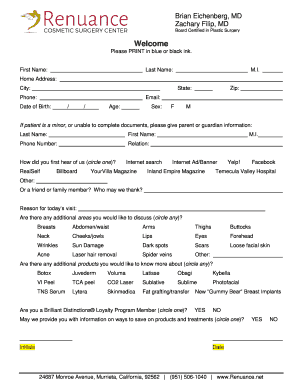
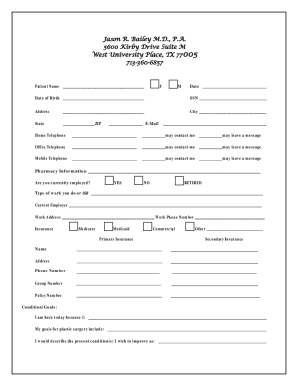
What is Plastic Surgery Form
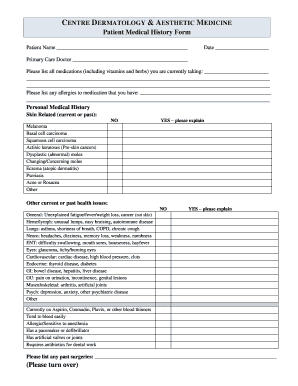
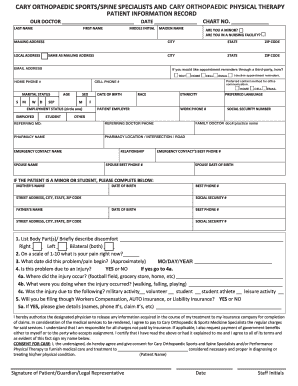
The Patient Medical History Form is a healthcare document used by patients to provide essential medical information to their healthcare providers before treatment.
pdfFiller scores top ratings on review platforms




Who needs Plastic Surgery Form?
Explore how professionals across industries use pdfFiller.

Plastic Surgery Form is needed by:
-
Patients seeking medical care
-
Healthcare providers requiring patient information
-
Medical clinics and hospitals for patient registration
-
Insurance companies needing health details
-
Family members assisting patients with health forms
Comprehensive Guide to Plastic Surgery Form
Understanding the Patient Medical History Form
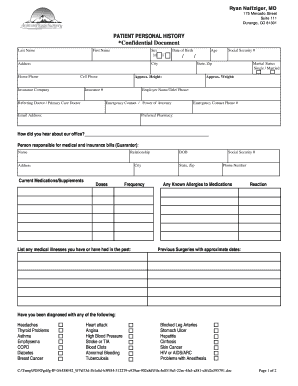
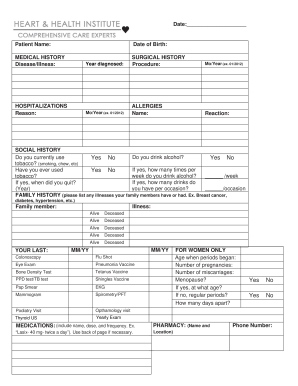
The Patient Medical History Form is a critical document used in healthcare settings to collect vital information about a patient's medical background. It serves as a comprehensive tool that allows healthcare providers to understand a patient's history, facilitating optimal care. This form typically includes various sections such as personal details, medical history, allergies, and family history, which are essential for informed medical evaluations.
Purpose and Benefits of the Patient Medical History Form
This form is indispensable in streamlining patient intake processes. By collecting comprehensive medical histories early on, healthcare providers can enhance patient care significantly. Better understanding of prior conditions and allergies through this healthcare intake form ensures safety and aids in accurate medical evaluations. This proactive approach not only saves time but also provides a safer and more effective healthcare experience.
Key Features of the Patient Medical History Form
The Patient Medical History Form boasts several key features that support ease of use for both patients and healthcare professionals. Key components include:
-
Fillable fields for personal and medical information
-
Sections dedicated to family history and allergies
-
Patient authorization areas for information disclosure
-
User-friendly design with clear instructions for completion
Who Needs the Patient Medical History Form
This form is essential for patients who are either new to a healthcare facility or those returning after a significant gap. It is particularly crucial for situations such as first visits or when there have been changes in health status, compelling even existing patients to complete a fresh form. Understanding the target audience helps ensure accurate and comprehensive medical histories are shared effectively.
How to Fill Out the Patient Medical History Form Online
Filling out the Patient Medical History Form online can be broken down into several straightforward steps:
-
Access the form and review each section.
-
Gather necessary documents and medical information, including previous medical records.
-
Fill in personal details, medical history, and allergies accurately.
-
Double-check for completeness and correctness before submission.
Submitting Your Patient Medical History Form: What You Need to Know
Once completed, patients have several options for submitting their Patient Medical History Form:
-
Online submission through a secure portal
-
In-person delivery to healthcare providers
-
Tracking submission status for confirmation of receipt
Understanding common submission issues and their solutions can significantly streamline this process.
Security and Compliance for the Patient Medical History Form
Data privacy and security are paramount when handling sensitive medical information. pdfFiller ensures that all submissions comply with legal standards such as HIPAA and GDPR. Its security measures include 256-bit encryption to protect patient data during the form-filling process. Patients are advised to maintain personal information security when sharing medical histories.
How pdfFiller Supports You in Filling Out the Patient Medical History Form
pdfFiller offers numerous features to facilitate the completion of the Patient Medical History Form. Key capabilities include:
-
eSignature functionality for document validity
-
Options for sharing forms securely with healthcare providers
-
Efficient document management through cloud-based solutions
This platform enhances the form-filling experience, making it faster and more straightforward for users.
Real-World Application: Sample Patient Medical History Form
Seeing a filled-out sample of the Patient Medical History Form can provide valuable insight. A sample typically showcases how to accurately fill each section, helping users understand the required information. For those unsure about certain areas, guidance is often included to clarify what is needed.
Join Thousands of Users in Efficiently Completing Your Patient Medical History Form
Many users have successfully utilized pdfFiller for their Patient Medical History Forms, experiencing significant improvements in efficiency. New users are invited to create, fill, and sign their medical histories effortlessly with pdfFiller, joining a large community benefiting from the streamlined management of healthcare forms.
How to fill out the Plastic Surgery Form
-
1.Access the Patient Medical History Form on pdfFiller by searching for the form title in the template library or using the direct link provided by your healthcare provider.
-
2.Once opened, navigate through the form using the tools available on pdfFiller. Use the hand tool to scroll through pages, and click on fillable fields where you need to enter information.
-
3.Make sure to gather necessary information including your personal details, medical history, known allergies, and family medical history. It may be helpful to have your health records and medications at hand.
-
4.Carefully fill in all fields. Use the text fields to type your information, and checkboxes to indicate options like allergies or medical conditions. Follow any specific instructions or prompts within the form.
-
5.After completing all sections, review the filled-out form to ensure all information is accurate and complete. Look for any missed fields or areas that may require signatures.
-
6.Once you are satisfied with the information provided, save the completed form. You can use the 'Save' option in pdfFiller to store it in your account.
-
7.Choose your preferred option to download the form as a PDF, or directly submit it through the platform if your healthcare provider accepts electronic submissions. Ensure you follow any specific submission instructions provided.

Who needs to complete the Patient Medical History Form?
This form is primarily for patients who are seeking medical treatment. It must be filled out by the patient themselves to provide accurate medical information to healthcare providers.
What information is required to complete the form?
You will need to provide personal details, medical history, allergies, family medical history, and authorization for information disclosure. It's advisable to have relevant health records accessible while filling out the form.
How do I submit the Patient Medical History Form?
You can submit the form electronically through pdfFiller or print it out and hand it over to your healthcare provider. Make sure to follow any specific submission guidelines provided by your clinic.
Is there a deadline to submit the Patient Medical History Form?
It is recommended to submit the form at least a few days before your scheduled appointment to ensure healthcare providers have adequate time to review your medical history.
Can I save my progress while filling out the form on pdfFiller?
Yes, pdfFiller allows you to save your progress. You can save the form to your account and return to complete it later before final submission.
What are common mistakes to avoid when filling out this form?
Common mistakes include leaving fields blank, providing outdated medical information, and failing to sign the authorization section. Ensure that all information is current and accurately reflects your medical history.
How long does it take to process the Patient Medical History Form?
Processing time can vary based on the healthcare provider's procedures, but typically, forms are reviewed within a few days prior to your appointment.
Related Forms




Related Catalogs
Get the latest insights from our blog


If you believe that this page should be taken down, please follow our DMCA take down process
here
.
This form may include fields for payment information. Data entered in these fields is not covered by PCI DSS compliance.