
Last updated on
Sep 12, 2026
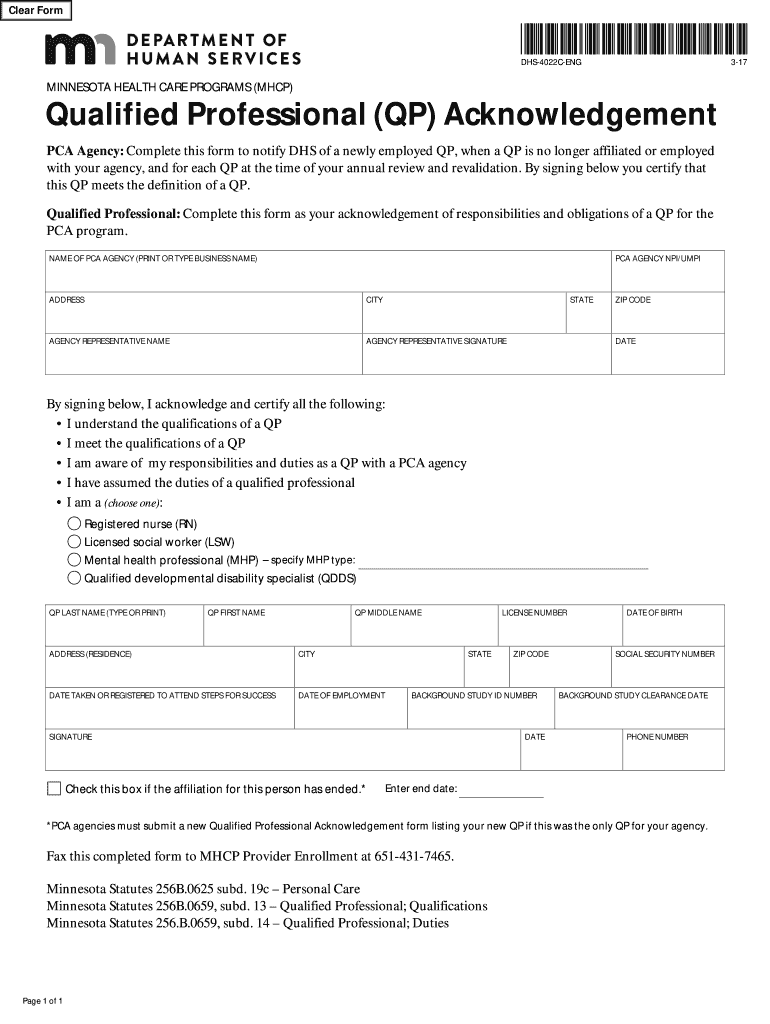
MN DHS-4022C-ENG 2017 free printable template
pdfFiller is not affiliated with any government organization

Fill out
Complete the form online in a simple drag-and-drop editor.

eSign
Add your legally binding signature or send the form for signing.

Share
Share the form via a link, letting anyone fill it out from any device.

Export
Download, print, email, or move the form to your cloud storage.
Why pdfFiller is the best tool for your documents and forms


End-to-end document management
From editing and signing to collaboration and tracking, pdfFiller has everything you need to get your documents done quickly and efficiently.
Accessible from anywhere
pdfFiller is fully cloud-based. This means you can edit, sign, and share documents from anywhere using your computer, smartphone, or tablet.
Secure and compliant
pdfFiller lets you securely manage documents following global laws like ESIGN, CCPA, and GDPR. It's also HIPAA and SOC 2 compliant.
What is MN DHS-4022C-ENG
The Minnesota QP Acknowledgement Form is a healthcare document used by PCA agencies to notify the DHS of newly employed Qualified Professionals and related updates.
pdfFiller scores top ratings on review platforms




Who needs MN DHS-4022C-ENG?
Explore how professionals across industries use pdfFiller.

MN DHS-4022C-ENG is needed by:
-
PCA Agency Representatives
-
Qualified Professionals (QPs)
-
Healthcare Administrators
-
Human Services Departments
-
Provider Agencies
-
Legal Representatives in Healthcare
Comprehensive Guide to MN DHS-4022C-ENG
What is the Minnesota QP Acknowledgement Form?
The Minnesota QP Acknowledgement Form serves a critical role in healthcare practices by formalizing the acknowledgment of Qualified Professionals (QPs) employed by PCA agencies. This document ensures that the Department of Human Services (DHS) is informed about new hires, changes in QP affiliation, and annual reviews. The form helps maintain compliance within PCA agency operations and sets clear expectations for both the agency and the QP.
Purpose and Benefits of the Minnesota QP Acknowledgement Form
This form is vital for PCA agencies as it provides a structured way to document essential information regarding new hires and ongoing QP status. Timely submission of the Minnesota healthcare form promotes accurate record-keeping and reduces potential complications in staffing compliance. Proper documentation benefits all parties, ensuring that Qualified Professionals understand their roles and responsibilities fully.
Who Needs the Minnesota QP Acknowledgement Form?
The primary users of the Minnesota QP Acknowledgement Form are PCA Agency Representatives and Qualified Professionals. This form is needed in various circumstances, including:
-
New hires who are joining the organization.
-
Changes in affiliation for current QPs.
-
Annual reviews to confirm ongoing qualifications.
Understanding when to complete the qualified professional form is essential for maintaining compliance in healthcare provision.
Key Features of the Minnesota QP Acknowledgement Form
The Minnesota QP Acknowledgement Form is designed with several key components to facilitate easy completion:
-
Fillable fields for agency and QP information.
-
Checkboxes to confirm required agreements and qualifications.
-
Clear signature requirements for both the PCA agency and the QP.
All sections are significant as they contribute to the overall integrity of the form, ensuring that all necessary data is captured effectively.
How to Fill Out the Minnesota QP Acknowledgement Form Online
To complete the Minnesota QP Acknowledgement Form online using pdfFiller, follow these steps:
-
Access the form through your pdfFiller account.
-
Complete each fillable field accurately, focusing on agency and QP details.
-
Read instructions carefully to avoid common pitfalls such as missing signatures.
-
Double-check all entries for accuracy before submission.
This step-by-step guide simplifies the process, allowing for effective online form management.
Review and Validation Checklist for the Minnesota QP Acknowledgement Form
Before submitting the Minnesota QP Acknowledgement Form, use the following checklist to ensure accuracy:
-
Verify all personal and agency information is correct.
-
Ensure all required signatures are obtained.
-
Check for completed sections, including dates and acknowledgments.
Identifying common errors and addressing them before submission can prevent unnecessary delays or rejections.
How to Sign the Minnesota QP Acknowledgement Form
Signing the Minnesota QP Acknowledgement Form can be done through digital means or with wet signatures. Understanding the signing requirements is crucial, as the state of Minnesota has specific laws governing electronic signatures. Be sure to comply with these regulations to ensure validity in the signing process.
Where to Submit the Minnesota QP Acknowledgement Form
After completing the Minnesota QP Acknowledgement Form, submission can be done through various methods:
-
Online submission via designated portals.
-
Mailing the form to the appropriate PCA agency office.
Important deadlines should be noted to ensure timely processing, and contact information for follow-up inquiries should be retained for future reference.
Security and Compliance for the Minnesota QP Acknowledgement Form
When handling the Minnesota QP Acknowledgement Form, securing sensitive information is paramount. Utilize pdfFiller's robust security measures, such as 256-bit encryption, to protect user data. Compliance with HIPAA and GDPR standards is essential for safeguarding privacy during the form's lifecycle.
Get Started with pdfFiller to Complete the Minnesota QP Acknowledgement Form
Begin utilizing pdfFiller today for an efficient and secure form-filling experience. The platform's user-friendly features ensure that completing the Minnesota QP Acknowledgement Form is straightforward, offering peace of mind when managing sensitive healthcare documentation.
How to fill out the MN DHS-4022C-ENG
-
1.Access the Minnesota QP Acknowledgement Form by navigating to pdfFiller's website and searching for the form by name.
-
2.Open the form by clicking on it from the search results to launch the editing interface.
-
3.Before starting, gather necessary information including agency details, Qualified Professional's personal and professional information, and any previous communication from DHS.
-
4.Utilize pdfFiller’s fillable fields to enter the required information for both the PCA Agency Representative and the Qualified Professional.
-
5.Make sure to sign the form where prompted by using pdfFiller’s electronic signature feature for both signatories.
-
6.Carefully review all entered information for accuracy, and ensure all fields are completed as required.
-
7.Once everything is finalized and correct, save the form within pdfFiller or download it to your device for your records.
-
8.To submit the form, follow any specific submission procedures provided by DHS or your agency, which may involve uploading directly on their portal or emailing.

Who is eligible to fill out the Minnesota QP Acknowledgement Form?
Eligibility to fill out this form typically includes PCA Agency Representatives and Qualified Professionals who meet state requirements in Minnesota.
Are there deadlines for submitting the Minnesota QP Acknowledgement Form?
Yes, there are usually deadlines associated with notifying DHS of new Qualified Professionals and changes in QP affiliations, so it’s important to submit the form promptly.
What is the submission method for this form?
Submission methods may vary by agency. Common methods include online uploads through state portals or emailing the completed form to the appropriate department.
What supporting documents are required with the form?
Typically, you do not need additional documents; however, it’s advisable to have proof of qualifications for the Qualified Professional while completing the form.
What common mistakes should be avoided when completing this form?
Common mistakes include missing signatures, incorrect dates, and leaving required fields blank. Double-check all entries before submission.
How long does it take for the form to be processed?
Processing times can vary; generally, expect a few weeks, but it’s best to confirm with your PCA agency for specific timelines.
What should I do if I need help with the Minnesota QP Acknowledgement Form?
If you require assistance, contact your agency directly or seek guidance from a legal representative familiar with healthcare forms in Minnesota.
MN DHS-4022C-ENG Form Versions
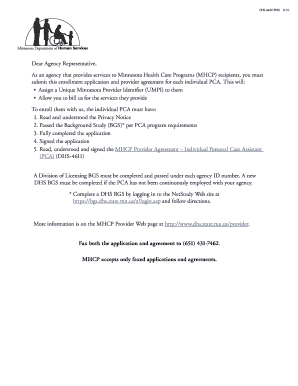
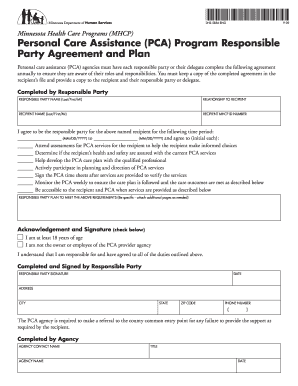
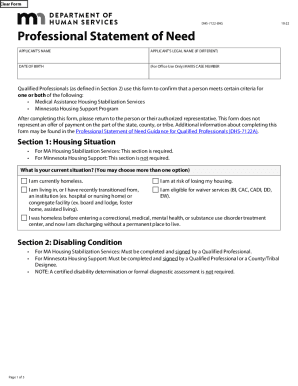
Related Forms



Get the latest insights from our blog



If you believe that this page should be taken down, please follow our DMCA take down process
here
.
This form may include fields for payment information. Data entered in these fields is not covered by PCI DSS compliance.