
Last updated on
Oct 31, 2026
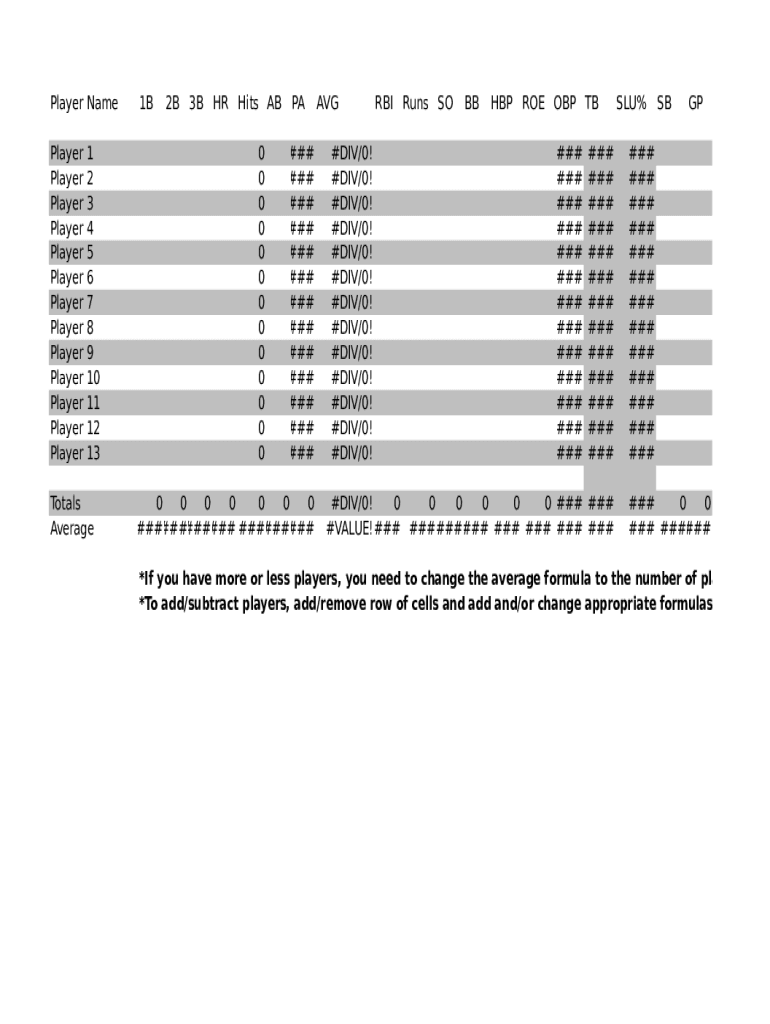
Baseball Stats Spreadsheet free printable template
We are not affiliated with any brand or entity on this form

Fill out
Complete the form online in a simple drag-and-drop editor.

eSign
Add your legally binding signature or send the form for signing.

Share
Share the form via a link, letting anyone fill it out from any device.

Export
Download, print, email, or move the form to your cloud storage.
Why pdfFiller is the best tool for your documents and forms


End-to-end document management
From editing and signing to collaboration and tracking, pdfFiller has everything you need to get your documents done quickly and efficiently.
Accessible from anywhere
pdfFiller is fully cloud-based. This means you can edit, sign, and share documents from anywhere using your computer, smartphone, or tablet.
Secure and compliant
pdfFiller lets you securely manage documents following global laws like ESIGN, CCPA, and GDPR. It's also HIPAA and SOC 2 compliant.
What is Baseball Stats Spreadsheet
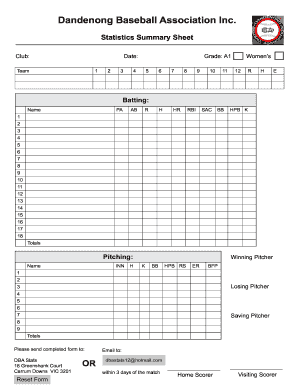
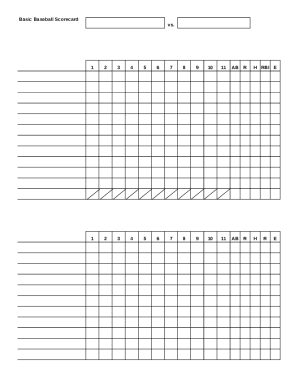
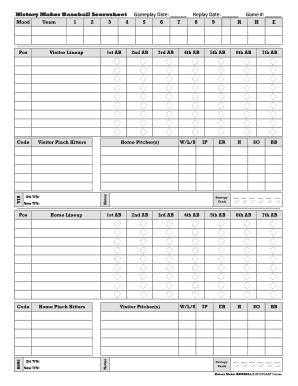
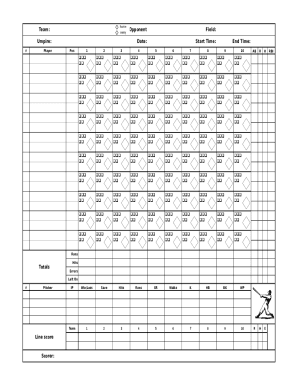
The Baseball Statistics Tracker is a business form used by coaches and team managers to monitor and track baseball player performance and team statistics.
pdfFiller scores top ratings on review platforms




Who needs Baseball Stats Spreadsheet?
Explore how professionals across industries use pdfFiller.

Baseball Stats Spreadsheet is needed by:
-
Baseball coaches needing to track player stats
-
Team managers organizing game statistics
-
Sports analysts evaluating team performance
-
Parents monitoring their child's performance
-
Leagues requiring standardized stats documentation
Comprehensive Guide to Baseball Stats Spreadsheet
What is the Baseball Statistics Tracker?
The Baseball Statistics Tracker is a vital form designed to record and manage statistics for baseball teams. It plays a crucial role in overseeing team performance effectively. Coaches and team managers frequently utilize this form to ensure accurate record-keeping of player statistics and team progress.
By tracking essential metrics, this tool helps users maintain an organized overview of how players are performing throughout the season.
Purpose and Benefits of the Baseball Stats Form
Tracking statistics is fundamental to understanding both individual player and overall team performance. The Baseball Statistics Tracker offers numerous benefits that contribute to better planning and strategic decision-making. Coaches can leverage these insights when adapting their strategies to enhance their team's chances of success.
Key advantages include improved assessment of player capabilities, informed game-day decisions, and the ability to analyze trends over time for constant team improvement.
Key Features of the Baseball Statistics Tracker
The Baseball Statistics Tracker includes several essential features that streamline data entry. Users can easily input player names, game statistics, and totals required to evaluate performance effectively.
-
User-friendly fields for entering player information
-
Options to add or remove players as necessary
-
Adjustable formulas for accurate statistical calculations
Who Needs the Baseball Statistics Tracker?
This tool is invaluable for various individuals involved in baseball. Coaches, team managers, and players can all benefit from the Baseball Statistics Tracker. It is particularly useful in scenarios such as youth teams and school teams, where monitoring progression and performance is crucial.
-
Coaches can track player development and strategize accordingly
-
Team managers ensure seamless communication and updates among players
-
Players can monitor their own statistics to improve performance
How to Fill Out the Baseball Statistics Tracker Online (Step-by-Step)
Filling out the Baseball Statistics Tracker using pdfFiller is straightforward. Follow these simple steps to ensure proper completion:
-
Access the form through the pdfFiller platform.
-
Enter player names in the designated fields.
-
Input game statistics as they occur.
-
Review totals for accuracy before saving.
-
Save the completed form as a PDF for your records.
Common Mistakes and How to Avoid Them
Users often make several common errors while filling out the Baseball Statistics Tracker. By being aware of these mistakes, one can ensure accuracy and completeness. Here are some tips to help minimize errors:
-
Double-check player names for correct spelling
-
Ensure all game statistics are recorded before submission
-
Review totals to confirm they match the input data
How to Download, Save, and Share the Baseball Statistics Tracker
Downloading and saving the Baseball Statistics Tracker as a PDF is quick and easy. Users can share the completed form with team members via various methods, ensuring everyone involved has access to the latest data.
-
Navigate to the download option in pdfFiller
-
Select 'Save as PDF' for easy storage
-
Share the file through email or direct links
Security and Compliance of Using the Baseball Statistics Tracker
When utilizing the Baseball Statistics Tracker, users can feel confident in the security measures implemented by pdfFiller. The platform adheres to stringent data protection guidelines and maintains compliance with privacy regulations. This emphasis on security is essential for safeguarding sensitive information while managing statistics.
Incorporate pdfFiller for Effortless Form Management
pdfFiller enhances the experience of using the Baseball Statistics Tracker with its robust features. Users can easily eSign, edit, and share the form, maximizing efficiency when managing baseball statistics. The cloud-based editor provides a seamless workflow for keeping documents organized and accessible.
Real-Time Collaboration and Accessibility with pdfFiller
Utilizing pdfFiller allows for real-time collaboration among team members managing the Baseball Statistics Tracker. This accessibility ensures that all users can view updates instantly, facilitating better teamwork and communication. By experiencing this streamlined approach, individuals can enjoy improved document management across the board.
How to fill out the Baseball Stats Spreadsheet
-
1.To access the Baseball Statistics Tracker, visit pdfFiller's website and log in to your account. Use the search bar to find the form by entering its name.
-
2.Once you locate the form, click on the 'Open' button to begin. The form will open in the pdfFiller interface, allowing you easy access to all editable fields.
-
3.Before filling out the form, gather necessary information such as player names, game scores, and other relevant statistics. Having this data handy will streamline the completion process.
-
4.Begin by filling in the player names in the designated fields provided on the form. Ensure that each name is accurately spelled and corresponds to the correct player.
-
5.Next, enter the game statistics for each player in the specified sections. Be careful to input the correct data as this will affect the overall statistics tracked.
-
6.Once all player statistics have been entered, review the total fields automatically generated by the form. Check for accuracy to ensure that the performance data reflects the games played.
-
7.After completing the form, take a moment to review all entries for any potential errors or missing information. This is crucial for maintaining an accurate record.
-
8.When satisfied with your entries, save your work by clicking on the 'Save' button. You can also choose to download a copy of the completed form for your records.
-
9.Finally, when you are ready to submit the form, you may either print it out or use the submission features on pdfFiller to send it directly to your league or organization.

Who is eligible to use the Baseball Statistics Tracker?
The Baseball Statistics Tracker is designed for coaches, team managers, and sports analysts. Anyone involved in managing a baseball team or monitoring player statistics can utilize this form.
Are there any deadlines for submitting the completed form?
While specific deadlines may vary by league, it is important to submit the Baseball Statistics Tracker promptly after each game to ensure that all data is current and accurately tracked.
How can I submit the completed Baseball Statistics Tracker?
You can submit the completed form by printing and mailing it to your league or organization or by using pdfFiller's submission options to send it electronically.
What supporting documents are required with the form?
Usually, no additional documents are required when submitting the Baseball Statistics Tracker. However, check with your league for any specific requirements related to player verification.
What common mistakes should I avoid while filling out the form?
Common mistakes to avoid include misspelling player names, inputting incorrect game statistics, or failing to review totals. Double-check your entries for accuracy before finalizing the form.
How long does it take to process the submitted form?
Processing times vary by organization. Typically, if submitted electronically, processing can take a few days, while mailed submissions may take longer depending on postal service speed.
What if I need to add or remove players from the form?
The Baseball Statistics Tracker allows you to add or remove player names easily. Simply follow the instructions provided on the form to ensure proper adjustments are made to the statistics.
Related Forms



Related Catalogs
Get the latest insights from our blog


If you believe that this page should be taken down, please follow our DMCA take down process
here
.
This form may include fields for payment information. Data entered in these fields is not covered by PCI DSS compliance.